From Newsgroup: uk.telecom.mobile
Andy Burns wrote:
Maria Sophia wrote:
Thanks. App data is the hardest thing, nowadays, to ensure gets recovered. >> Mainly due to modern restrictions on /data/data but also due to sheer size. >>
Even the Google Play mechanisms won't allow more than 25MB per app.
It's my understanding that they don't allow more than 50MB per phone.
I knew it was 25MB per app, and that it doesn't count towards *my* cloud usage, wasn't aware of a 50MB per phone limit?
Hi Andy,
I was mistaken about the 50MB per phone limit. Mea culpa. I apologize.
The 25MB/app limit is there (AFAIK), so we're both on the same page now.
Speaking of being on hte same page, I know you're on the Windows ngs,
so you're likely aware of the adb connection scripts, but most of the
folks here might not realize it's trivial to connect the phone to the
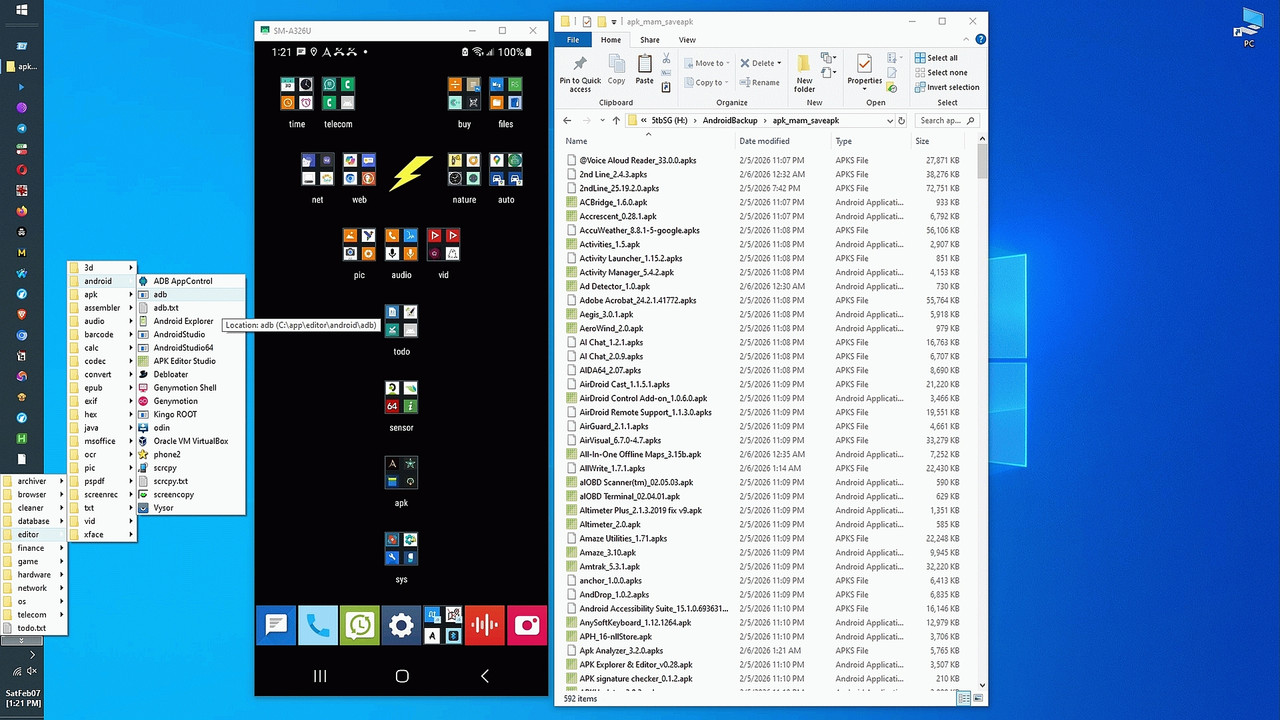
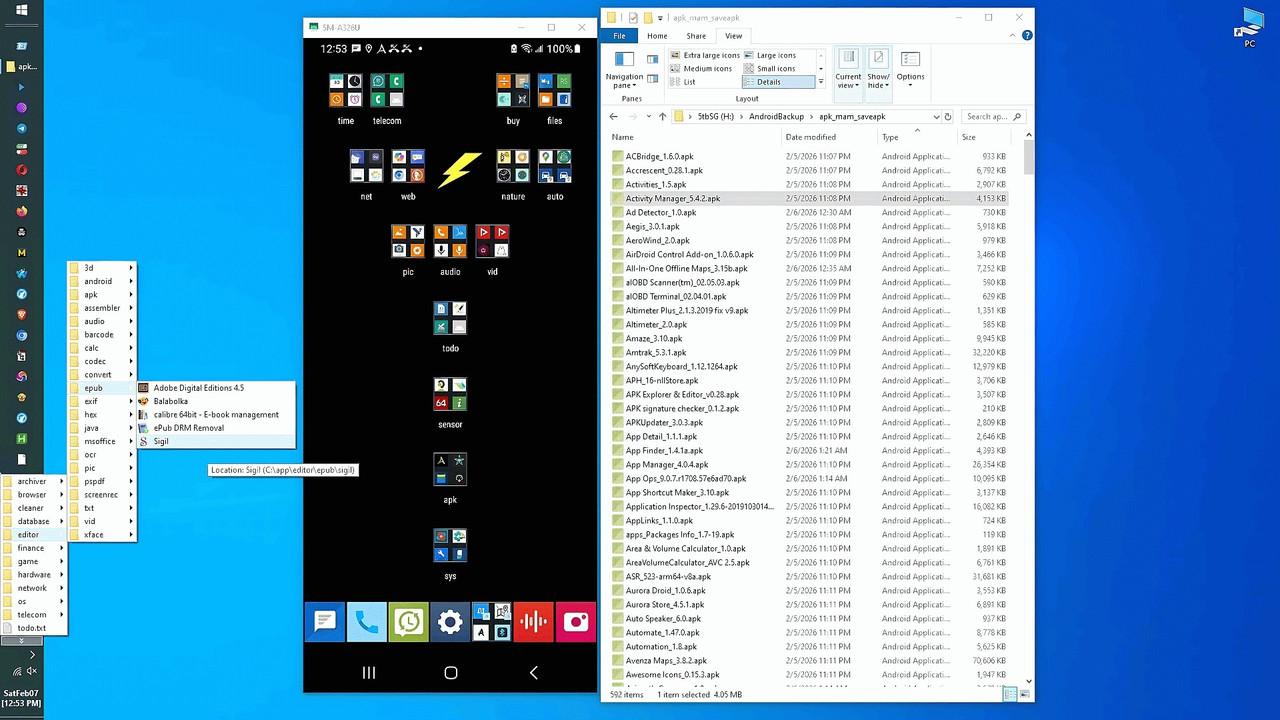
PC & operate the phone on the PC without needing accounts or the net.
To that end, I'll append the three adb-connection-debug-and-test scripts.
The purpose is so that everyone benefits on every platform, since all
these scripts can work on Windows/Linux/macOS, but I only tested on
Windows 10.
:: --------------------------------------------------------------------
:: adbconnect.bat
:: Automate Android-to-desktop Wi-Fi adb and scrcpy (mirroring)
:: a. ADB provides complete control of the phone from the desktop
:: b. Over USB or Wi-Fi (I exclusively used Wi-Fi in all my testing)
:: c. Mirroring the phone (scrcpy) so that the desktop controls it
:: i. The desktop monitor displays the phone
:: ii. The desktop speakers output the phone audio
:: iii. The desktop keyboard types into the phone's keyboard input
:: iv. The desktop mouse taps on the mirror to operate the phone
:: v. The desktop clipboard works seamlessly with the phone keyboard
:: vi. The desktop screen copying and editing tools work perfectly
:: vii. All sans any need for the net or a privacy-robbing account
:: --------------------------------------------------------------------
:: v2p8 20260809
:: Improved comments for general use by others on any desktop platform
::
:: v2p7 20260807
:: Added a disconnect for the old debug port right after
:: adb connect %PHONE_IP%:5555, using the DEBUG_PORT captured
::
:: v2p6 20260730
:: Added detailed overview in the comments section for easy re-use
::
:: v2p5 20260630
:: Cleaned up the descriptions by summarizing the version comments.
::
:: v2p4 20260630
:: Added version output string and improved explanations
::
:: v2p3 20260624
:: Added ability to detect if USB authentication was already done
::
:: v2p2 20260622
:: Improved handling of offline and unauthorized states
::
:: v2p1 20260621
:: Added SUMMARY system for executed commands
::
:: v2p0 20260621
:: Restored working version from v1p7
::
:: v1p9 20260620
:: Removed debug-port connect step which broke Wireless Debugging
::
:: v1p8 20260619
:: Removed debug-port connect step which broke Wireless Debugging
::
:: v1p7 20260615
:: Removed requirement for scrcpy-noconsole.vbs
::
:: v1p6 20260614
:: Added VBS no-console launcher fallback
::
:: v1p5 20260613
:: Added query asking for phone LAN IP address
::
:: v1p4 20260612
:: Eliminated need for scrcpy console window (using no-console vbs)
::
:: v1p3 20260612
:: Improved reliability of adb devices parsing
::
:: v1p2 20260611
:: Added retry logic and improved device-id handling
::
:: v1p1 20260611
:: Improved device lookup and reliability
::
:: v1p0 20260611
:: Converted adbconnect.vbs from Genymotion scrcpy to adbconnect.bat
:: Mirrors phone onto desktop over Wi-Fi (or USB) using adb and scrcpy
:: --------------------------------------------------------------------
:: Connects Android 11 and Android 12+ devices to adb and scrcpy using
:: pairing mode and classic TCPIP mode. This script uses the Android
:: Wireless Debugging pairing workflow to obtain the pairing port,
:: pairing code and debug port from the phone. It then performs adb
:: pair and adb connect with retry logic, switches the device to TCPIP
:: port 5555 and launches scrcpy silently. This script does not use TLS
:: for the scrcpy connection, but it depends on Wireless Debugging
:: being active because Wireless Debugging controls whether adbd is
:: reachable. Once TCPIP mode is enabled, the script reconnects to
:: port 5555 and starts scrcpy over classic TCPIP mode.
::
:: 1. Eliminates the useless scrcpy console window which takes up space
:: 2. Eliminates random security steps in Wi-Fi adb connections
:: 3. Solves reconnection problems when
:: a. The phone leaves the LAN and returns
:: b. The PC is rebooted
:: c. The phone is rebooted
:: d. A connection is attempted when already connected
:: Uses Wireless Debugging mode plus classic TCPIP ADB mode.
:: Wireless Debugging does not open port 5555 by itself.
:: Classic ADB-over-WiFi can use port 5555 to simplify reconnects.
:: Running adb tcpip 5555 forces Android to open port 5555 even in
:: Wireless Debugging mode. This makes reconnections simpler because
:: the phone stays open on port 5555 even if
:: a. the phone leaves and rejoins the LAN
:: b. the PC reboots
:: c. scrcpy drops and reconnects
:: Port 5555 remains active until the phone reboots because Android
:: rebooting disables Wireless Debugging and closes the TCPIP daemon.
::
:: USB authorization can eliminate pairing codes
:: i. Connect via USB
:: ii. adb connect PHONE_IP:5555
:: iii. scrcpy --tcpip=PHONE_IP
::
:: If a USB device is present and authorized, adb devices will show
:: PHONE_IP:5555 device
:: You cannot get device state without USB authorization
::
:: Android 12+ introduced ADB-over-TLS auto-advertised via mDNS.
:: It auto-connects over encrypted channels without pairing or ports.
:: It appears as adb-SERIAL-GUID._adb-tls-connect._tcp
:: Wireless Debugging controls whether this TLS service is awake.
:: scrcpy cannot use the TLS auto-connect device directly.
::
:: This script uses pairing mode and TCPIP mode only.
:: TLS auto-connect is not used for scrcpy, but TLS must be awake
:: for adbd to be reachable.
::
:: This design removes all typical friction points:
:: a. No USB cable
:: b. No scrcpy console window
:: c. No repeated pairing
:: d. No manual port switching
:: e. No manual IP entry (if static)
:: f. No TLS scrcpy complications
:: g. No adb-offline / unauthorized headaches
::
:: There's the following in the script below:
:: A. Reliable adb discovery
:: a. finding adb across $PATH
:: b. And forcing the exe to ensure reliability
:: B. Reliable device-state detection
:: a. Handling pairing failures
:: b. retry timing
:: c. debug-port connection
:: d. fallback device-ID detection
:: C. TCPIP mode forcing
:: a. Which exploits adb tcpip 5555 classic TCPIP mode
:: b. Such that the port stays open until the phone reboots
:: c. Which is the key to making reconnection trivial.
:: D. Silent scrcpy launch
:: a. exploiting vbs capabilities
:: b. For a no-console hassle-free experience
:: E. Summary logging
:: a. By appending only successful commands
:: b. Which is useful for debugging intermittent Wireless Debugging behavior
:: F. LAN-wide complete control
:: a. Becuse it uses a static IP
:: b. and a forced TCPIP mode with scrcpy over 5555
:: c. We can operate the phone even if:
:: i. it's asleep
:: ii. it's locked
:: iii. it's physically inaccessible
:: G. Automatic recovery
:: a. The script handles the phone leaving/rejoining LAN
:: b. and/or a PC reboot
:: c. and/or a phone reboot
:: d. and/or a scrcpy reconnect
:: e. and various adb offline states
::
:: This is extremely powerful, as, for example, if you're at your desktop
:: and you need to text someone from a phone on the LAN, it's easy to do.
::
:: Of course there's always more to add, such as:
:: 1. adding auto-IP discovery via ARP scan
:: 2. adding auto-TLS detection for Android 12+
:: 3. adding an auto-reconnect daemon
:: 4. adding scrcpy overlay controls
:: 5. adding phone battery/temperature polling
:: 6. adding multi-device support
:: 7. adding LAN broadcast discovery
:: --------------------------------------------------------------------
:: To integrate this script into a Windows quick-reaction command...
:: 1. Test that your command is not yet known to Windows' special paths.
:: Win+R > mirror
:: You should see "Windows cannot find mirror..."
:: NB: I don't use Win+R because I have a runbox pinned to the taskbar.
::
:: 2. Create a shortcut that calls the batch file that does all the work.
:: C:\path-to\lnk\mirror.lnk
:: target=%comspec% /k cd C:\path-to\bat & C:\path-to\bat\adbconnect.bat
::
:: 3. Add a registry key, making sure to name the key with an 'exe' extension.
:: HKLM\SOFTWARE\Microsoft\Windows\CurrentVersion\App Paths\mirror.exe
:: Default=C:\path-to\lnk\mirror.lnk
:: NB : The destination must exist for this quick reaction key to work.
::
:: 4. Test that your quick-reaction command is working to mirror Android.
:: Win+R > mirror
::
:: What should happen is:
:: a. The runbox command finds "mirror.exe" in the App Paths key
:: b. Which finds mirror.lnk in your shortcuts folder
:: c. Which runs adbconnect.bat in your batch folder
::
:: Note that this design makes use of App Paths as an instant global command
:: a. App Paths works with shortcuts, not just executables
:: b. It works with Win+R, Start menu search, and Explorer
:: c. It allows naming the command anything (mirror.exe -> adbconnect.bat)
:: d. It avoids $PATH pollution
:: e. It eliminates %PATH duplication mistakes
:: --------------------------------------------------------------------
@echo off
:: vi. debugging can be removed later
:: echo MARK 1
setlocal enabledelayedexpansion
:: Version string
set SCRIPT_VERSION=v2p5
set SCRIPT_DATE=20260630
echo ============================================
echo ADB-over-TLS to TCPIP Launcher Debug Mode
echo Running adbconnect.bat %SCRIPT_VERSION% %SCRIPT_DATE%
echo ============================================
echo.
:: initialize temp summary file
set SUMMARY_FILE=%TEMP%\adbconnect_summary.txt
if exist "%SUMMARY_FILE%" del "%SUMMARY_FILE%"
:: On phones with static IP addresses, change the next line
set PHONE_IP=192.168.1.4
:: set SCRCPY_OPTS=--keyboard=sdk --always-on-top
set SCRCPY_OPTS=--keyboard=sdk
echo.
echo === ADB Wireless Auto-Connect ===
echo === [Developer options > Wireless debugging > on] ===
echo.
REM 1. Find adb
:: REM ii. debugging (can be removed later)
:: if defined TRACE echo BEFORE FIRST FOR
:: REM vii. debugging can be removed later
:: echo MARK 2
for /f "delims=" %%A in ('where adb 2^>nul') do (
if not defined ADB set ADB=%%A
)
:: REM viii. debugging can be removed later
:: echo MARK 3
:: REM iii. debugging (can be removed later)
:: if defined TRACE echo AFTER FIRST FOR
if not defined ADB (
echo [ERROR] adb.exe not found.
exit /b
)
REM Ensure .exe extension
if /i not "%ADB:~-4%"==".exe" set ADB=%ADB%.exe
echo Using ADB: "%ADB%"
echo.
REM 2. Check if already connected
echo Checking existing ADB devices...
:: REM i. debugging (can be removed later)
:: set TRACE=1
set DEVICE_ID=
set DEVICE_STATE=
REM Do not add extra quotes here as all these break batch parsing!
:: '"%ADB%" devices'
:: "%ADB%" devices
:: '"%ADB%" devices"'
:: '"%ADB%" devices"'
:: REM iv. debugging can be removed later
:: if defined TRACE echo BEFORE SECOND FOR
:: REM ix. debugging can be removed later
:: echo MARK 4
for /f "skip=1 tokens=1,2" %%I in ('%ADB% devices') do (
echo %%I | findstr /I "%PHONE_IP%" >nul && (
if not defined DEVICE_ID (
set DEVICE_ID=%%I
set DEVICE_STATE=%%J
)
)
)
:: REM x. debugging can be removed later
:: echo MARK 5
:: REM v. debugging can be removed later
:: if defined TRACE echo AFTER SECOND FOR
REM treat only "device" as connected
:: echo MARK 6
echo DEVICE_ID="%DEVICE_ID%" DEVICE_STATE="%DEVICE_STATE%"
REM if no device id, skip to NOT_CONNECTED
if "%DEVICE_ID%"=="" goto NOT_CONNECTED
REM if state is not "device", skip to NOT_CONNECTED
if /I not "%DEVICE_STATE%"=="device" goto NOT_CONNECTED
echo Already connected on %DEVICE_ID%
echo adb devices>>"%SUMMARY_FILE%"
REM skip redundant tcpip if already on 5555
if /I "%DEVICE_ID:~-5%"==":5555" (
echo Device already on port 5555. Skipping tcpip switch.
goto RUN_SCRCPY
)
goto RUN_TCPIP
:NOT_CONNECTED
:: echo MARK 8
echo Not connected. Need to pair.
echo.
REM 3. Ask user for pairing info
echo Necessary pairing information will be shown on the phone:
set /p PHONE_IP=Phone IP [%PHONE_IP%] :
set /p PAIR_PORT=Wireless debugging pairing port:
set /p PAIR_CODE=Wireless debugging pairing code:
set /p DEBUG_PORT=Wireless debugging debug port:
echo.
echo Pairing with: %PHONE_IP%:%PAIR_PORT%
REM Retry logic for adb pair (3 attempts)
set ATTEMPTS_PAIR=0
:PAIR_RETRY
set /a ATTEMPTS_PAIR+=1
"%ADB%" pair %PHONE_IP%:%PAIR_PORT% %PAIR_CODE%
if not errorlevel 1 (
echo adb pair %PHONE_IP%:%PAIR_PORT% %PAIR_CODE%>>"%SUMMARY_FILE%"
)
if errorlevel 1 (
if !ATTEMPTS_PAIR! lss 3 (
echo Pair failed, retrying...
timeout /t 2 >nul
goto PAIR_RETRY
) else (
echo [ERROR] adb pair failed after %ATTEMPTS_PAIR% attempts.
exit /b 1
)
)
echo.
echo Connecting to debug port: %PHONE_IP%:%DEBUG_PORT%
REM Retry logic for adb connect (3 attempts)
set ATTEMPTS_CONN=0
:CONNECT_RETRY
set /a ATTEMPTS_CONN+=1
"%ADB%" connect %PHONE_IP%:%DEBUG_PORT%
if not errorlevel 1 (
echo adb connect %PHONE_IP%:%DEBUG_PORT%>>"%SUMMARY_FILE%"
)
REM wait a few seconds for the Android adb daemon to be ready
timeout /t 2 >nul
if errorlevel 1 (
if !ATTEMPTS_CONN! lss 3 (
echo Connect failed, retrying...
timeout /t 2 >nul
goto CONNECT_RETRY
) else (
echo [ERROR] adb connect %PHONE_IP%:%DEBUG_PORT% failed after %ATTEMPTS_CONN% attempts.
exit /b 2
)
)
echo.
REM Do not add extra quotes here as all these break batch parsing!
:: '"%ADB%" devices'
:: "%ADB%" devices
:: '"%ADB%" devices"'
:: '"%ADB%" devices"'
REM After connect, get the actual device id
set DEVICE_ID=
for /f "tokens=1" %%I in ('%ADB% devices ^| findstr /C:"%PHONE_IP%:"') do (
if not defined DEVICE_ID set DEVICE_ID=%%I
)
if defined DEVICE_ID (
echo Found device id: "%DEVICE_ID%"
) else (
echo [WARN] No device id found after connect.
set DEVICE_ID=%PHONE_IP%:%DEBUG_PORT%
)
goto RUN_TCPIP
:RUN_TCPIP
echo Switching device %DEVICE_ID% to TCP/IP 5555...
"%ADB%" -s "%DEVICE_ID%" tcpip 5555
if not errorlevel 1 echo adb -s %DEVICE_ID% tcpip 5555>>"%SUMMARY_FILE%"
echo Connecting final port: %PHONE_IP%:5555
"%ADB%" connect %PHONE_IP%:5555
if not errorlevel 1 echo adb connect %PHONE_IP%:5555>>"%SUMMARY_FILE%"
echo Disconnecting stale debug port: %PHONE_IP%:%DEBUG_PORT%
"%ADB%" disconnect %PHONE_IP%:%DEBUG_PORT% >nul 2>&1
if not errorlevel 1 echo adb disconnect %PHONE_IP%:%DEBUG_PORT%>>"%SUMMARY_FILE%"
set DEVICE_ID=%PHONE_IP%:5555
:RUN_SCRCPY
echo Launching scrcpy completely silent...
set "VBS_TEMP=%TEMP%\scrcpy_runner.vbs"
echo strCommand = "cmd /c scrcpy.exe --tcpip=%PHONE_IP% %SCRCPY_OPTS%" > "%VBS_TEMP%"
echo CreateObject("Wscript.Shell").Run strCommand, 0, false >> "%VBS_TEMP%"
echo scrcpy --tcpip=%PHONE_IP% %SCRCPY_OPTS%>>"%SUMMARY_FILE%"
wscript.exe "%VBS_TEMP%"
timeout /t 1 >nul
if exist "%VBS_TEMP%" del "%VBS_TEMP%"
echo Done.
echo.
echo Summary of steps run in this instance:
type "%SUMMARY_FILE%"
echo.
echo.
echo.
exit /b
REM end of adbconnect.bat
--
My conversations are deep because they cover more tested detail than most do. --- Synchronet 3.22a-Linux NewsLink 1.2