I built a Mint 22.3 machine from scratch.
Now using kernel 6.8.0-134
Installed MythTV 35 and got it working fine.
Then restored a backup of the database from another machine running
kernel 6.8.0-84. When I restored this on the first machine, it caused
MythTV to no longer be able to get live TV.
After hours of testsand faffing about ChatGPT decided I should install
kernel 6.8.0-84 on the first machine. The problem is I cannot access
and download it!
I built a Mint 22.3 machine from scratch.
Now using kernel 6.8.0-134
Installed MythTV 35 and got it working fine.
Then restored a backup of the database from another machine running
kernel 6.8.0-84. When I restored this on the first machine, it caused
MythTV to no longer be able to get live TV.
After hours of testsand faffing about ChatGPT decided I should install
kernel 6.8.0-84 on the first machine. The problem is I cannot access
and download it!
Then restored a backup of the database from another machine running
kernel 6.8.0-84. When I restored this on the first machine, it
caused MythTV to no longer be able to get live TV.
MythTV stores all of its configuration, Electronic Program Guide
(EPG) data, and recording schedules in a relational (remove this one
MariaDB or) MySQL database named mythconverg. This database consists
of over 100 interconnected tables that are generated and maintained automatically by the MythTV backend.
When MythTV reports a database incompatibility after a Linux kernel
update (like moving from 6.8.0-84 to 6.8.0-134), it usually means
the backend package was also upgraded. The new software version
requires a schema update for the mythconverg database.
pinnerite wrote:
Then restored a backup of the database from another machine running kernel 6.8.0-84. When I restored this on the first machine, it caused MythTV to no longer be able to get live TV.
Linux MythTV:
MythTV stores all of its configuration, Electronic Program Guide (EPG) data, and recording schedules in a relational (remove this one MariaDB or) MySQL database named mythconverg. This database consists of over 100 interconnected tables that are generated and maintained automatically by the MythTV backend.
It doesn't seem that there should be some disaster between kernel -84
and -134 since they are both 6.8.0-.
I asked gglAIov about this and it said:
When MythTV reports a database incompatibility after a Linux kernel
update (like moving from 6.8.0-84 to 6.8.0-134), it usually means
the backend package was also upgraded. The new software version
requires a schema update for the mythconverg database.
... Not quite the same as the issue here, but close enough for a resemblance.-a Then it tells how to do the schema update.
If you care to see that, here's the link; personally I know nothing about mythtv OR schema updating NOR proper disaster preparation for kernal hijinks:
https://share.google/aimode/LxsLDnTRdTJwelkeo
I built a Mint 22.3 machine from scratch.
Now using kernel 6.8.0-134
Installed MythTV 35 and got it working fine.
Then restored a backup of the database from another machine running
kernel 6.8.0-84. When I restored this on the first machine, it caused
MythTV to no longer be able to get live TV.
After hours of testsand faffing about ChatGPT decided I should install
kernel 6.8.0-84 on the first machine. The problem is I cannot access
and download it!
On Sun, 7/19/2026 7:23 AM, pinnerite wrote:
I built a Mint 22.3 machine from scratch.
Now using kernel 6.8.0-134
Installed MythTV 35 and got it working fine.
Then restored a backup of the database from another machine running
kernel 6.8.0-84. When I restored this on the first machine, it caused
MythTV to no longer be able to get live TV.
After hours of testsand faffing about ChatGPT decided I should install
kernel 6.8.0-84 on the first machine. The problem is I cannot access
and download it!
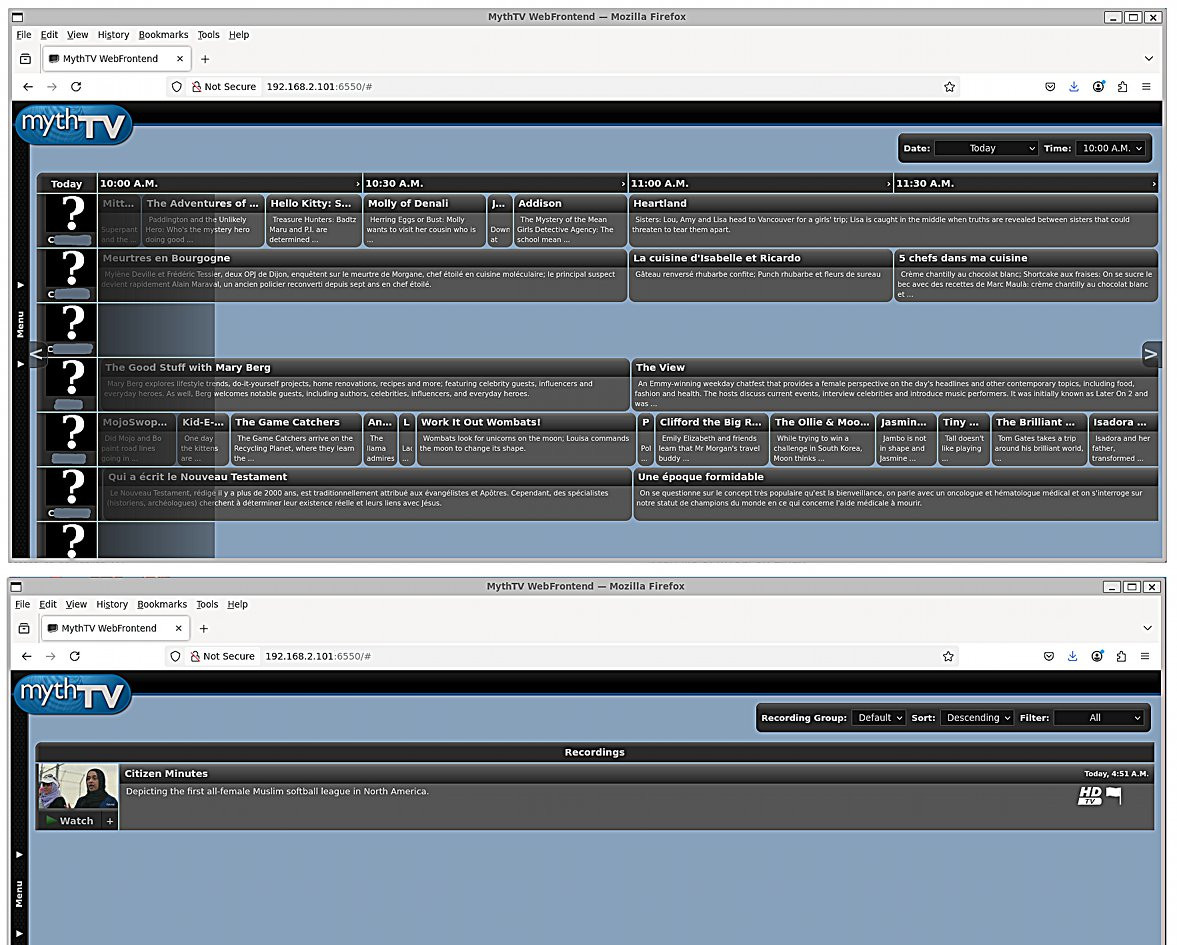
I managed to make a recording in this God-forsaken piece of software.
WHAT A MESS
It's no wonder everything is a struggle in there. It's a click based NIGHTMARE!
The mysql has an API version, which could change between releases.
Database schema version is 1379
But as for lugging that around, it is far from "portable", so
there must be some pile of "tricks" to not dropping random bits
of the thing on the floor and breaking it. It's not really mysql,
it's innoDB.
I still don't have LiveTV yet either, and my transcode is
not configured, so I can't watch anything. But I found the file
(or rather VLC found it), and I can play the file from /data/storgroup .
I can't even understand why, if the OTA signal is mpeg2, why this
stuff doesn't just fucking well work. Why would mpeg2 need
to be transcoded to be viewed ??? I had some files (.wtv) from Media Center, which could be played using ffplay, just by identifying the
audio and video stream (as the ts varies from station to station,
and by program as well).
[Picture]
https://imgur.com/a/PDEZUm6
https://i.postimg.cc/Hn421w2r/mythtv-web.jpg
And ChatGPT must be out of its mind, if it thinks a kernel change
is going to magically fix all this. There are just too many
moving parts for practical usage.
I don't understand, if the idea of the Linux desktop is to provide
automation and smart ways of doing things, how does MythTV exemplify
this trend ? This is probably the hardest I've worked, to get
any single "application" to work on a computer! It would be faster
for me to write my own code. As after all, VLC and plugging in the
channel frequency from w_scan/w-scan package, and I can be instantly
watching TV without all this faff (to get to the VLC level, takes
about ten minutes work). I notice my TV station has moved from VHF to UHF, presumably so that some day VHF can be sold off for cellphones to use :-/
Oh, and by the way, I didn't have to compile a driver :-) Lucky, eh?
The firmware needed, isn't in /lib/firmware, but that didn't take
too long to track down. A little rmmod saa7164 and modprobe saa7164
and the firmware got picked up the first time. HVR2255 card.
I couldn't possibly tell you how to fix that, as there is
no readout for that "bag of files" they call a database. At
least with sqlite files, You can beat them about, with .dump
commands and have some idea what tables are in there. And there
is also an sqlitebrowser you can use for looking at sqlite files.
The mythconverg doesn't have the recordings in it, presumably
just the metadata lives there. But as for the "design" of this
database, I have no way to view it. Sure, there's a folder with
the tables stored as separate files, but that's the limit of my
view of the thing.
The mysql has an API version, which could change between releases.
Database schema version is 1379
I couldn't possibly tell you how to fix that, as there is no readout
for that "bag of files" they call a database. At least with sqlite
files, You can beat them about, with .dump commands and have some
idea what tables are in there. And there is also an sqlitebrowser
you can use for looking at sqlite files.
I built a Mint 22.3 machine from scratch.
Now using kernel 6.8.0-134
Installed MythTV 35 and got it working fine.
Then restored a backup of the database from another machine running
kernel 6.8.0-84. When I restored this on the first machine, it caused
MythTV to no longer be able to get live TV.
After hours of testsand faffing about ChatGPT decided I should install
kernel 6.8.0-84 on the first machine. The problem is I cannot access
and download it!
On Sun, 19 Jul 2026 12:23:12 +0100
pinnerite <pinnerite@gmail.com> wrote:
I built a Mint 22.3 machine from scratch.After faffing about for days I gave it one last try today.
Now using kernel 6.8.0-134
Installed MythTV 35 and got it working fine.
Then restored a backup of the database from another machine running
kernel 6.8.0-84. When I restored this on the first machine, it caused
MythTV to no longer be able to get live TV.
After hours of testsand faffing about ChatGPT decided I should install
kernel 6.8.0-84 on the first machine. The problem is I cannot access
and download it!
Once again for the nth time I deleted the capture card entries and then rebuilt them again.
This time LiveTV came up.
I cannot explain why. I hate it when that happens.
| Sysop: | Amessyroom |
|---|---|
| Location: | Fayetteville, NC |
| Users: | 74 |
| Nodes: | 6 (0 / 6) |
| Uptime: | 50:07:12 |
| Calls: | 1,100 |
| Files: | 1,339 |
| Messages: | 275,859 |