• =?UTF-8?Q?Sensors_=3A_Qualit=C3=A9_socket_vs_temp=C3=A9rature_!?=

    From german newsgroups@usualsuspectrider@gmail.com to alt.os.linux.mint on Mon Jul 6 11:54:33 2026
    From Newsgroup: alt.os.linux.mint


    sorry in french,

    apr|?s avoir d|-monter quelques cpu, ils sont " curves ",
    concave quoi, du |a la pression du clapet qui maintient
    le CPU dans le socket.
    ce clapet aurait du maintenir rien de plus, mais la pression
    n'|-tant pas r|-gl|-e, ajust|-e par les fabriquant , |oa courbe
    les CPU.

    puis vient, le point sensible, celui du radiateur aluminium,
    4 vis, on sait pour quoi il est l|a, et pour mois, le CPU
    ne risque pas de s'envoler !!!

    or, comment |-tre certain que le radiateur est bien en contact
    avec le CPU ! la platine de fixation du radiateur a plusieurs
    mod|?le...et les vis du radiateur sont alors ajust|-es...

    mais en r|-el, comment |-tre certain tout est correct ? la surface
    de contact du radiateur est assez grande ! normal ! le clapet n'est
    pas loin...

    quelles sont vos valeurs SVP pour la commande sensors en terminal ?
    --
    Amicalement,

    Frenchy Friendly, & French touch !

    german

    --- Synchronet 3.22a-Linux NewsLink 1.2
  • From Paul@nospam@needed.invalid to alt.os.linux.mint on Mon Jul 6 17:10:22 2026
    From Newsgroup: alt.os.linux.mint

    On Mon, 7/6/2026 5:54 AM, german newsgroups wrote:
    apr|?s avoir d|-monter quelques cpu, ils sont " curves ",
    concave quoi, du |a la pression du clapet qui maintient
    le CPU dans le socket.
    ce clapet aurait du maintenir rien de plus, mais la pression
    n'|-tant pas r|-gl|-e, ajust|-e par les fabriquant , |oa courbe
    les CPU.

    puis vient, le point sensible, celui du radiateur aluminium,
    4 vis, on sait pour quoi il est l|a, et pour mois, le CPU
    ne risque pas de s'envoler !!!

    or, comment |-tre certain que le radiateur est bien en contact
    avec le CPU ! la platine de fixation du radiateur a plusieurs
    mod|?le...et les vis du radiateur sont alors ajust|-es...

    mais en r|-el, comment |-tre certain tout est correct ? la surface
    de contact du radiateur est assez grande ! normal ! le clapet n'est
    pas loin...

    quelles sont vos valeurs SVP pour la commande sensors en terminal ?

    translate.google.com output...

    after disassembling a few CPUs, they are "curved",
    concave what, due to the pressure of the valve which maintains
    the CPU in the socket.
    this valve should have maintained nothing more, but the pressure
    not being regulated, adjusted by the manufacturer, it curves CPUs.

    then comes the sensitive point, that of the aluminum radiator,
    4 screws, we know what it is there for, and for months, the CPU
    there is no risk of flying away!!!

    however, how can you be sure that the radiator is in good contact
    with the CPU! the radiator mounting plate has several
    model...and the radiator screws are then adjusted...

    but in reality, how can you be sure everything is correct? the surface
    radiator contact is quite large! normal ! the valve is not
    not far...

    what are your values please for the sensors command in terminal?

    ******* answer *******

    Curved CPU tops, may be curved that way for the low temperature solder
    between the lid and the top of the silicon die.

    The 4930K has a soldered lid. The 5930K uses a TIM (thermal interface material) and does not use solder and it has a flat top. Applying a compressive
    force to the one with the TIM interface, does not cause it to squish out inside.

    "Normal force" (the vector in the -Z direction that presses the heat
    spreader against the heatsink+fan), applies enough force such that
    if the PC is dropped or kicked, the cooling system should remain
    in contact with the CPU.

    The Intel socket may have a mechanism to prevent too much normal force
    from being applied.

    *******

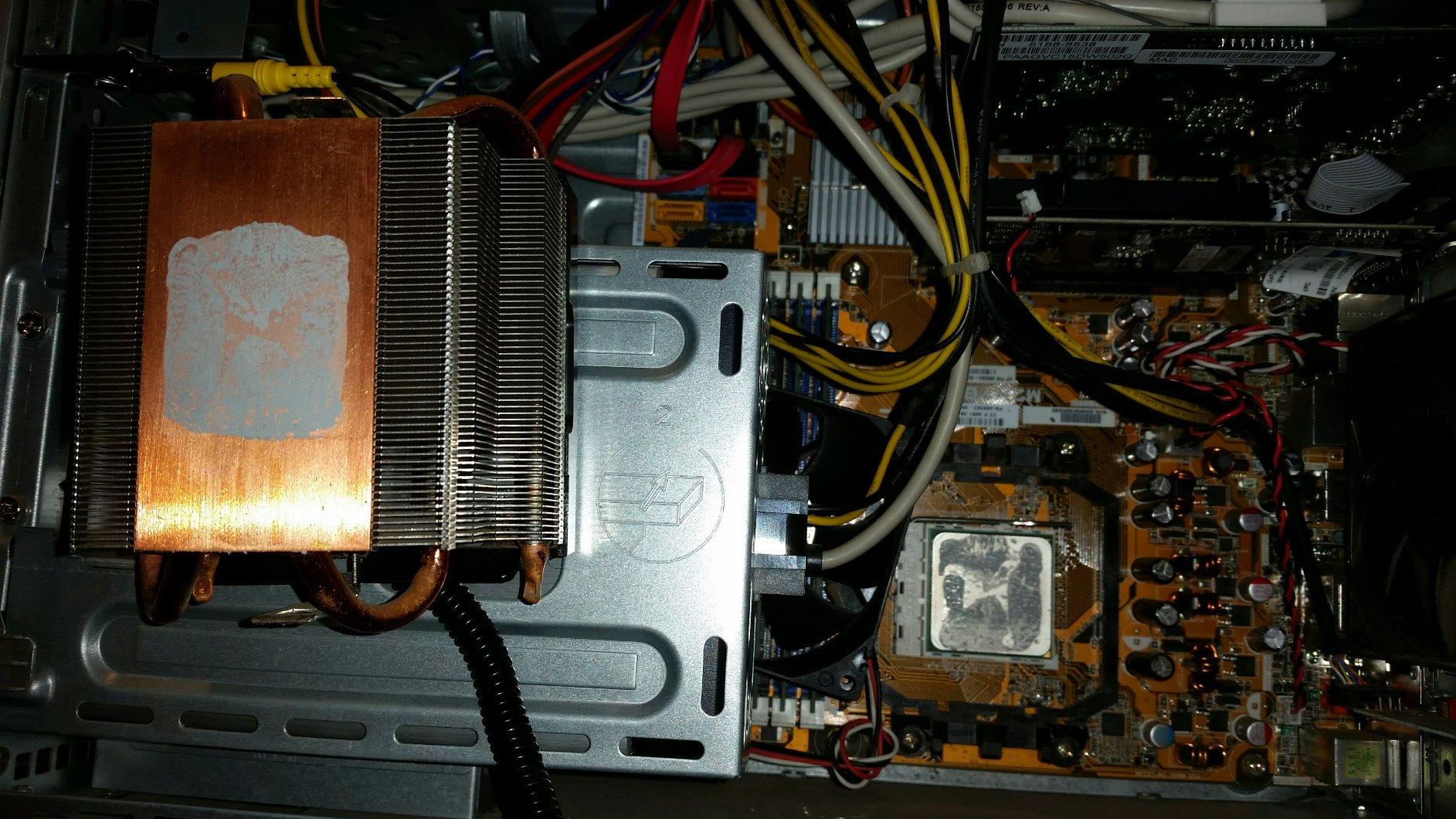
    How we determine whether the grease is working, is to do a test fitting
    with some AS5 and see whether there is enough material. Usually, you
    would apply too little, and then need to verify how much to add to that.
    Once there is enough (light colored) grease, you should see some wet the
    joint between the CPU and the heatsink. You may need an "inspection mirror"
    to check this (check the mounted CPU, from the side) . The view here, is
    to check whether the one-dot or five-dot method you used, has spread adequately,
    without squishing out and making a mess.

    https://www.ofzenandcomputing.com/wp-content/uploads/2025/10/B07L9BDY3T_customer_2-1.jpg

    Paul
    --- Synchronet 3.22a-Linux NewsLink 1.2
  • From german newsgroups@usualsuspectrider@gmail.com to alt.os.linux.mint on Tue Jul 7 06:44:39 2026
    From Newsgroup: alt.os.linux.mint

    Le 06/07/2026 |a 23:10, Paul a |-crit-a:
    On Mon, 7/6/2026 5:54 AM, german newsgroups wrote:
    apr|?s avoir d|-monter quelques cpu, ils sont " curves ",
    concave quoi, du |a la pression du clapet qui maintient
    le CPU dans le socket.
    ce clapet aurait du maintenir rien de plus, mais la pression
    n'|-tant pas r|-gl|-e, ajust|-e par les fabriquant , |oa courbe
    les CPU.

    puis vient, le point sensible, celui du radiateur aluminium,
    4 vis, on sait pour quoi il est l|a, et pour mois, le CPU
    ne risque pas de s'envoler !!!

    or, comment |-tre certain que le radiateur est bien en contact
    avec le CPU ! la platine de fixation du radiateur a plusieurs
    mod|?le...et les vis du radiateur sont alors ajust|-es...

    mais en r|-el, comment |-tre certain tout est correct ? la surface
    de contact du radiateur est assez grande ! normal ! le clapet n'est
    pas loin...

    quelles sont vos valeurs SVP pour la commande sensors en terminal ?

    translate.google.com output...

    after disassembling a few CPUs, they are "curved",
    concave what, due to the pressure of the valve which maintains
    the CPU in the socket.
    this valve should have maintained nothing more, but the pressure
    not being regulated, adjusted by the manufacturer, it curves CPUs.

    then comes the sensitive point, that of the aluminum radiator,
    4 screws, we know what it is there for, and for months, the CPU
    there is no risk of flying away!!!

    however, how can you be sure that the radiator is in good contact
    with the CPU! the radiator mounting plate has several
    model...and the radiator screws are then adjusted...

    but in reality, how can you be sure everything is correct? the surface
    radiator contact is quite large! normal ! the valve is not
    not far...

    what are your values please for the sensors command in terminal?

    ******* answer *******

    Curved CPU tops, may be curved that way for the low temperature solder between the lid and the top of the silicon die.

    The 4930K has a soldered lid. The 5930K uses a TIM (thermal interface material)
    and does not use solder and it has a flat top. Applying a compressive
    force to the one with the TIM interface, does not cause it to squish out inside.

    "Normal force" (the vector in the -Z direction that presses the heat
    spreader against the heatsink+fan), applies enough force such that
    if the PC is dropped or kicked, the cooling system should remain
    in contact with the CPU.

    The Intel socket may have a mechanism to prevent too much normal force
    from being applied.

    *******

    How we determine whether the grease is working, is to do a test fitting
    with some AS5 and see whether there is enough material. Usually, you
    would apply too little, and then need to verify how much to add to that.
    Once there is enough (light colored) grease, you should see some wet the joint between the CPU and the heatsink. You may need an "inspection mirror" to check this (check the mounted CPU, from the side) . The view here, is
    to check whether the one-dot or five-dot method you used, has spread adequately,
    without squishing out and making a mess.

    https://www.ofzenandcomputing.com/wp-content/uploads/2025/10/B07L9BDY3T_customer_2-1.jpg

    Paul

    au r|-gl|- la courbe du CPU sur la face contacts dor|-s, cette courbure est forte, 0,5mm environ.
    ce qui anormal vu que les pins du socket sont tous sur le m|-me plan, |a
    vrai dire il suffit de poser le CPU pour que les contacts se fassent !
    les pins ont un petit effet ressort !

    et cela n'est qu'une part du probl|?me avec les sockets/clapets LGA 11xx d'intel. peut |-tre pas avec les LGA > 1151 donc 1200 1700 et sup|-rieur,
    m|-me si la forme du CPU a tendance |a s'allonger.


    donc j'insiste, la forme des radiateurs en alu pour ces CPU, ce rond alu
    qui est au contact du capot du CPU intel, ce rond touche le clapet c||t|- charni|?re.

    alors avec tout |oa, je ne m'expliquer pas toutes ces pressions pour
    tenir le CPU, et encore moins pourquoi de la haute technologie doit
    se faire comme des cochons !

    c'|-tait mon propos, des PC de merde, mais |oa, ce n'est pas encore |a
    ta port|-.
    --
    Amicalement,

    Frenchy Friendly, & French touch !

    german
    --- Synchronet 3.22a-Linux NewsLink 1.2