I do a lot of research as I generally invest at least an hour or two into
many of my Usenet opening posts, where I currently employ a thousand-line
Windows Notepad++ macro that beautifully cleans up non-ASCII garbage copied >> from both Firefox and Chromium web output, where, only with Chromium pastes >> into Notepad++ was the selection mechanism (i.e., Ctrl+A) inoperative.
How do you propose we test this in Linux? There is no notepad++.
Jim Jackson wrote:
On 2026-02-13, R Daneel Olivaw <Danni@hyperspace.vogon.gov.invalid> wrote: >>> Carlos E. R. wrote:
On 2026-02-12 21:26, Maria Sophia wrote:
PSA: Clipboard differences between Chromium & Firefox across platforms >>>>>How do you propose we test this in Linux? There is no notepad++.
I do a lot of research as I generally invest at least an hour or two into >>>>> many of my Usenet opening posts, where I currently employ a thousand-line >>>>> Windows Notepad++ macro that beautifully cleans up non-ASCII garbage >>>>> copied
from both Firefox and Chromium web output, where, only with Chromium >>>>> pastes
into Notepad++ was the selection mechanism (i.e., Ctrl+A) inoperative. >>>>
...
Wine?
Youy mean it can be done if we get drunk?
https://www.winehq.org/
Carlos E. R. wrote:
On 2026-02-12 21:26, Maria Sophia wrote:
PSA: Clipboard differences between Chromium & Firefox across platforms
I do a lot of research as I generally invest at least an hour or two into >>> many of my Usenet opening posts, where I currently employ a thousand-line >>> Windows Notepad++ macro that beautifully cleans up non-ASCII garbage copied >>> from both Firefox and Chromium web output, where, only with Chromium pastes >>> into Notepad++ was the selection mechanism (i.e., Ctrl+A) inoperative.
How do you propose we test this in Linux? There is no notepad++.
Not at all. Just forget it. ;-)
On Fri, 2/13/2026 6:32 AM, Carlos E. R. wrote:
On 2026-02-13 12:19, R Daneel Olivaw wrote:Now, most of the time, Google doesn't give me these,
Carlos E. R. wrote:
On 2026-02-12 21:26, Maria Sophia wrote:
PSA: Clipboard differences between Chromium & Firefox across platforms >>>>>
I do a lot of research as I generally invest at least an hour or
two into many of my Usenet opening posts, where I currently
employ a thousand- line Windows Notepad++ macro that beautifully
cleans up non-ASCII garbage copied from both Firefox and
Chromium web output, where, only with Chromium pastes into
Notepad++ was the selection mechanism (i.e., Ctrl+A) inoperative.
How do you propose we test this in Linux? There is no notepad++.
so this was unexpected :-) All I had done is asked
for "notepad++ for linux" and it trotted this out.
AI Overview
Notepad++ is not natively available for Linux, but it can be run efficiently using the Snap package manager (via Wine) or through alternatives that mimic its functionality.
The most direct method is installing the Snap package , which provides a functional version
of the application.
Paul wrote:
On Fri, 2/13/2026 6:32 AM, Carlos E. R. wrote:
On 2026-02-13 12:19, R Daneel Olivaw wrote:Now, most of the time, Google doesn't give me these,
Carlos E. R. wrote:
On 2026-02-12 21:26, Maria Sophia wrote:
PSA: Clipboard differences between Chromium & Firefox across platforms >>>>>>
I do a lot of research as I generally invest at least an hour or
two into many of my Usenet opening posts, where I currently
employ a thousand- line Windows Notepad++ macro that beautifully
cleans up non-ASCII garbage copied from both Firefox and
Chromium web output, where, only with Chromium pastes into
Notepad++ was the selection mechanism (i.e., Ctrl+A) inoperative.
How do you propose we test this in Linux? There is no notepad++.
so this was unexpected :-) All I had done is asked
for "notepad++ for linux" and it trotted this out.
AI Overview
Notepad++ is not natively available for Linux, but it can be run efficiently >> using the Snap package manager (via Wine) or through alternatives that mimic its functionality.
The most direct method is installing the Snap package , which provides a functional version
of the application.
Hi Paul,
Thanks for always being helpful and kind, as I strive to emulate you.
The problem, as far as I am aware, is not tied to Windows or Notepad++.
I apologize if I wasn't clear in the original post of this PSA that I
believe the problem lies in the underlying design which prevails in all operating systems, particularly when contrasting Firefox with Chromium.
It comes from how Chromium and Firefox generate clipboard data, and that behavior is the same on Linux, macOS and Windows as far as I'm aware.
Hence, the editor only exposes the issue.
The editor does not create it.
On Linux, the clipboard is handled by the display protocol. That means
X11 or Wayland. Chromium, Firefox and every other graphical program talk
to the clipboard through whichever protocol the desktop is using.
1. On X11, the clipboard is based on selection ownership. -a The program that owns the selection must stay alive, and the -a clipboard contents are provided on demand when another program -a requests a specific MIME type.
2. On Wayland, the clipboard is more structured. Programs advertise the
-a MIME types they can provide, and the compositor mediates access.
In both cases, Chromium always advertises multiple MIME types, including text/plain and text/html. The contrast I'm trying to help explain to this newsgroup is that Firefox often advertises only text/plain unless
the selection contains real markup.
That difference is the root cause of the odd behavior I saw on Windows.
Some Linux editors prefer text/html when it is available. Others ignore
it and take only text/plain. When an editor chooses the HTML version,
even if the visible text looks identical, the internal buffer can contain fragment markers or offsets that affect selection, cursor movement or
macro behavior.
That is the same class of invisible land mine that showed up in Notepad++
on Windows.
Below is a simple Linux testing sequence that might reproduce the issue.
1. Install xclip if needed.
-a sudo apt-get install xclip
2. In Chromium, copy a paragraph of plain looking text from any web page.
3. Inspect the clipboard targets.
-a xclip -selection clipboard -t TARGETS -o
-a We should see text/html and text/plain among the entries.
4. Inspect the HTML version.
-a xclip -selection clipboard -t text/html -o
-a We should see HTML markup even if the selection looked plain.
5. Inspect the plain text version.
-a xclip -selection clipboard -t text/plain -o
6. Repeat steps 2 through 5 using Firefox instead of Chromium.
-a Note that Firefox often omits text/html for simple selections.
7. Paste the Chromium sourced text into several editors:
-a A. gedit
-a B. Kate
-a C. GVim
-a D. Geany
-a Then test:
-a a. Ctrl+A
-a b. Mouse sweep selection
-a c. Any macro or command that assumes a clean plain text buffer
-a If an editor behaves oddly only when the source is Chromium, that
-a confirms the HTML fragment is influencing the paste.
8. Paste the Firefox sourced text into the same editors and repeat the
-a same tests. If the odd behavior disappears, that isolates the cause.
This sequence is intended to show that the issue is not about Notepad++ or Windows. It is about Chromium always providing HTML fragments that Firefox does not produce, and about editors that change behavior when HTML is
present on the clipboard even when the user sees only plain text.
Hi Paul,
Thanks for always being helpful and kind, as I strive to emulate you.
Paul wrote:
On Fri, 2/13/2026 6:32 AM, Carlos E. R. wrote:
On 2026-02-13 12:19, R Daneel Olivaw wrote:Now, most of the time, Google doesn't give me these,
Carlos E. R. wrote:
On 2026-02-12 21:26, Maria Sophia wrote:
PSA: Clipboard differences between Chromium & Firefox across
platforms
I do a lot of research as I generally invest at least an hour or
two into many of my Usenet opening posts, where I currently
employ a thousand- line Windows Notepad++ macro that beautifully
cleans up non-ASCII garbage copied from both Firefox and
Chromium web output, where, only with Chromium pastes into
Notepad++ was the selection mechanism (i.e., Ctrl+A) inoperative.
How do you propose we test this in Linux? There is no notepad++.
so this was unexpected :-) All I had done is asked
for "notepad++ for linux" and it trotted this out.
AI Overview
Notepad++ is not natively available for Linux, but it can be run
efficiently
using the Snap package manager (via Wine) or through alternatives that
mimic its functionality.
The most direct method is installing the Snap package , which provides
a functional version
of the application.
Hi Paul,
Thanks for always being helpful and kind, as I strive to emulate you.
The problem, as far as I am aware, is not tied to Windows or Notepad++.
I apologize if I wasn't clear in the original post of this PSA that I
believe the problem lies in the underlying design which prevails in all operating systems, particularly when contrasting Firefox with Chromium.
It comes from how Chromium and Firefox generate clipboard data, and that behavior is the same on Linux, macOS and Windows as far as I'm aware.
Hence, the editor only exposes the issue.
The editor does not create it.
On Linux, the clipboard is handled by the display protocol. That means
X11 or Wayland. Chromium, Firefox and every other graphical program talk
to the clipboard through whichever protocol the desktop is using.
Carlos E. R. wrote:
I do a lot of research as I generally invest at least an hour or
two into many of my Usenet opening posts, where I currently
employ a thousand- line Windows Notepad++ macro that beautifully
cleans up non-ASCII garbage copied from both Firefox and
Chromium web output, where, only with Chromium pastes into
Notepad++ was the selection mechanism (i.e., Ctrl+A) inoperative.
How do you propose we test this in Linux? There is no notepad++.
Hi Carlos,
Thanks for asking, where I'll propose a test for Linux later, but first I need you to understand that the problem exists across all platforms
(AFAIK).
Reacting to a perceived incredularity on your part, I simply ask (a bit snarkily in jest so as to bring the conversation back to where it belongs), are we really prepared to claim that Linux users, who are those same people who have approximately seventeen text editors installed before breakfast, have never once copied any text from Firefox or Chromium and pasted it into vi, vim, GVim, Kate, gedit, or any of the other editors that have existed since the Pleistocene?
Because the absence of native Notepad++ on Linux doesn't magically prevent clipboard testing. The clipboard exists. Chromium exists. Firefox exists. Editors exist.
The only missing ingredient would be the willingness to actually try it.
If the question is whether the Chromium HTML-Fragment/StartHTML clipboard quirk shows up on Linux, the answer depends entirely on whether the editor
in question reacts to the presence of HTML on the clipboard.
Some may. Some may not. That's the whole point of the PSA!
To warn others that the behavior comes from the browser's clipboard serialization, not from Windows, Notepad++, or any single platform.
So yes, of course this can be tested on Linux. It always could.
The prerequisite is acknowledging that "Notepad++ doesn't run on Linux" is not the airtight argument all the follow on posters seem to believe.
I will not do this procedure you describe, way too complex an long.
I opened the wikipedia page on Chrome. If that one is not suitable, you
post the exact page to try with. I use ^A to select and copy paste all
to Kate. It just works, but the result is useless, obviously. ^A in Kate also works.
Pasting it all in owrite almost works. I mean, graphics and formatting
is copied almost correctly. Areas with several columns fail.
If this is not what you intended, write a *short* test procedure.
On 2026-02-13 19:12, Maria Sophia wrote:
Carlos E. R. wrote:
I do a lot of research as I generally invest at least an hour or
two into many of my Usenet opening posts, where I currently
employ a thousand- line Windows Notepad++ macro that beautifully
cleans up non-ASCII garbage copied from both Firefox and
Chromium web output, where, only with Chromium pastes into
Notepad++ was the selection mechanism (i.e., Ctrl+A) inoperative.
How do you propose we test this in Linux? There is no notepad++.
Hi Carlos,
Thanks for asking, where I'll propose a test for Linux later, but first I
need you to understand that the problem exists across all platforms
(AFAIK).
Reacting to a perceived incredularity on your part, I simply ask (a bit
snarkily in jest so as to bring the conversation back to where it belongs), >> are we really prepared to claim that Linux users, who are those same people >> who have approximately seventeen text editors installed before breakfast,
have never once copied any text from Firefox or Chromium and pasted it into >> vi, vim, GVim, Kate, gedit, or any of the other editors that have existed
since the Pleistocene?
I copy paste rich text from Firefox into editors without problems. I do
not use Chrome, but I have it installed.
Because the absence of native Notepad++ on Linux doesn't magically prevent >> clipboard testing. The clipboard exists. Chromium exists. Firefox exists.
Editors exist.
The only missing ingredient would be the willingness to actually try it.
If the question is whether the Chromium HTML-Fragment/StartHTML clipboard
quirk shows up on Linux, the answer depends entirely on whether the editor >> in question reacts to the presence of HTML on the clipboard.
Some may. Some may not. That's the whole point of the PSA!
To warn others that the behavior comes from the browser's clipboard
serialization, not from Windows, Notepad++, or any single platform.
So yes, of course this can be tested on Linux. It always could.
The prerequisite is acknowledging that "Notepad++ doesn't run on Linux" is >> not the airtight argument all the follow on posters seem to believe.
I pasted an entire web page from Chrome into Kate and LO Write, with no perceived problems.
On Fri, 2/13/2026 6:32 AM, Carlos E. R. wrote:
On 2026-02-13 12:19, R Daneel Olivaw wrote:
Carlos E. R. wrote:
On 2026-02-12 21:26, Maria Sophia wrote:
PSA: Clipboard differences between Chromium & Firefox across platforms >>>>>
I do a lot of research as I generally invest at least an hour or
two into many of my Usenet opening posts, where I currently
employ a thousand- line Windows Notepad++ macro that beautifully
cleans up non-ASCII garbage copied from both Firefox and
Chromium web output, where, only with Chromium pastes into
Notepad++ was the selection mechanism (i.e., Ctrl+A) inoperative.
How do you propose we test this in Linux? There is no notepad++.
...
Wine?
Not going to happen. I have many nice editors native to Linux, no reason to use a foreign editor.
If Arlen says that this may be an issue outside of Windows, he must have in mind that we test with some native editor. Name which, name what webpage to test with and paste from.
Now, most of the time, Google doesn't give me these,
so this was unexpected :-) All I had done is asked
for "notepad++ for linux" and it trotted this out.
AI Overview
Notepad++ is not natively available for Linux, but it can be run efficiently using the Snap package manager (via Wine) or through alternatives that mimic its functionality.
The most direct method is installing the Snap package , which provides a functional version
of the application.
Key Methods to Use Notepad++ on Linux:
Snap Package (Recommended): This is the easiest, most stable method that
bundles Wine to run the Windows app seamlessly.
Command: . <=== AI flubs it snap search notepad-plus-plus
snap install notepad-plus-plus (uses wine-platform-runtime-core22)
Wine: For advanced users, you can manually install Wine and use it to run the installer.
Popular Native Linux Alternatives:
If a native application is preferred over a Wine-based one, consider these alternatives:
Notepad Next: A re-implementation of Notepad++ designed for Linux.
Notepadqq: A close, native clone of Notepad++.
Kate or Geany: Highly polished native editors.
Sublime Text: A powerful, fast, cross-platform alternative.
Using the Snap package is generally recommended because it provides a pre-configured Wine environment.--
*******
[Picture] Use "Download Original" to exit the advertising-heavy page
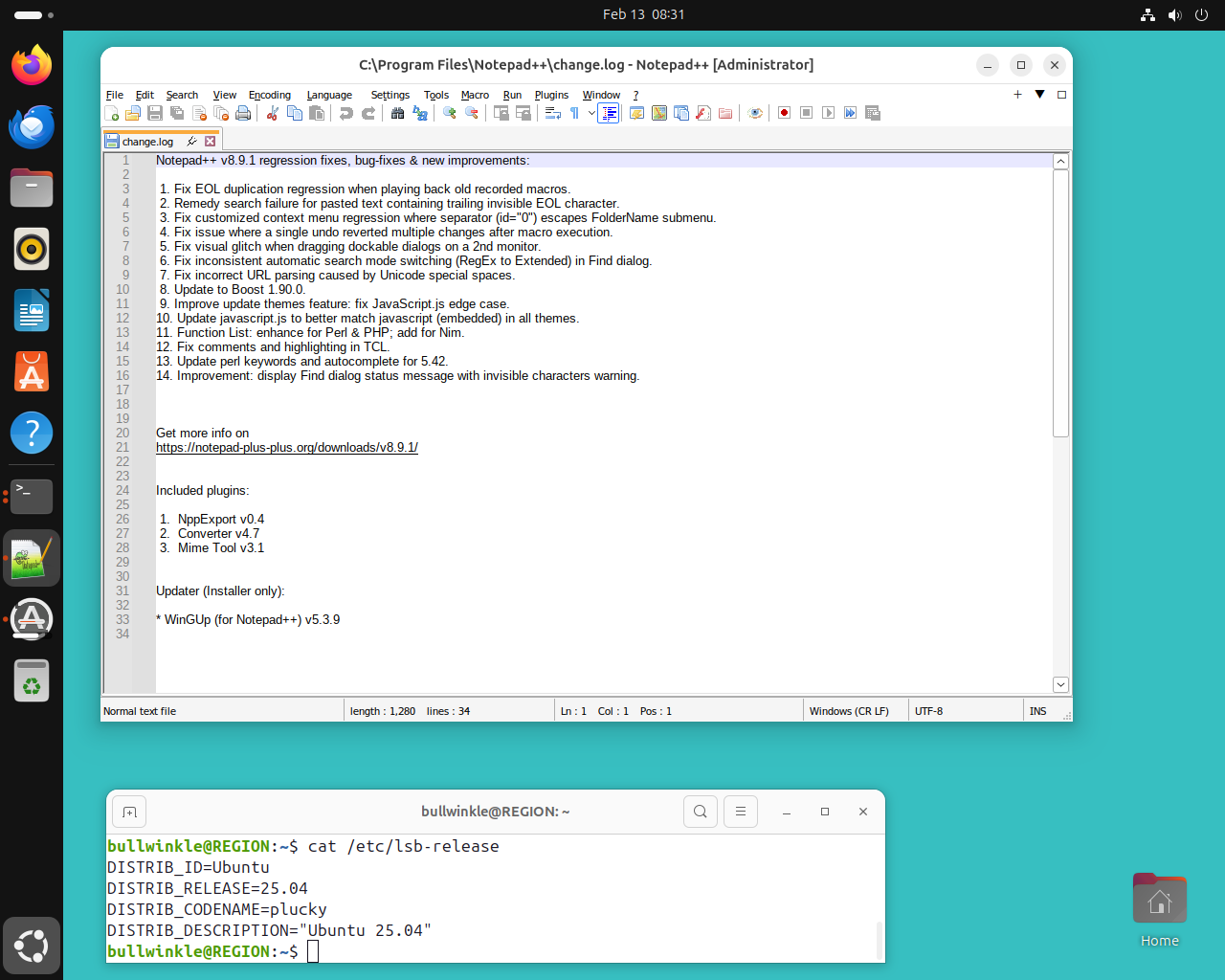
https://i.postimg.cc/mkZJG76Q/notepad-plus-plus.png
That's it running. Can't do anything there, until "the updates are finished".
Paul
Mr +n!on wrote:
Even to the extent of using the same unusual newsreader, Maria!
I'm sure Paul is very flattered; I do hope it doesn't turn his head.
I've been very public who I am so Paul is extremely well aware who I am
as I've been posting extremely helpful tutorials for decades on Usenet.
I haven't changed who I am in decades of posting scores of articles daily. However, I admire Paul (and others like Andy & Zaidy & Herbert, et al).--
While I'm one of a kind, I don't have the social skills that they have.
Like they do though, I know the million things about "stuff" that most
people only know a half dozen of, where privacy is one of those things.
Most people know about six of the million things I know about privacy.
Where header privacy is one of those things, just as much as never reading from the same nntp server that wee post to is another one of those things.
People who least understand privacy deprecate it out of ignorance, where
Paul has always been understanding that the gift is in the article body.
The whole point of every thread is to add value to our tribal knowledge.
That was and is the point of this thread. To warn others with this PSA.
Those who claimed "notepad++ doesn't exsist on Linux" didn't read what was written in the original post, or, if they did, they didn't understand it.
That's my problem I guess, in that I wasn't descriptive enough.
For that I apologize since Notepad++ has nothing to do with the issue.
The editor didn't create the issue.
The editor just reacted to it.
Chromium (and to some extent, Firefox) creates the issue (so to speak).
I was just being kind and helpful, where I admire that Paul always is.
I know who is kind and helpful, and who isn't, where Paul has always been very helpful when adding value, even with a nice twist of added sarcasm.
Paul has a way of responding to the trolls who can never add any value,
which is why they troll, with far more kind-hearted aplomb than I can.
I respect Paul's acumen and his ability to add value in every post.
As for my newsreader, I wrote it on Solaris decades ago and ported it to Windows probably a decade or so ago, so all the header lines are bogus.
Just as the wrapping paper isn't the gift of the package inside, most
people who don't understand the thread topic seem to think the pretty wrapping paper which encloses the gift, 'is' the gift. It's not.
The value of any Usenet post is not in the headers, but in the body.
My value for Usenet is not in a collection of tens of thousands of headers over the years, but in the posting of hundreds if not thousands of articles that add value to the tribal knowledge of each particular newsgroup.
The value I'm striving to add in this thread is a kind-hearted helpful word to the wise that what tripped me up with invisible HTML could trip you up.
Carlos E. R. wrote:
On 2026-02-13 19:12, Maria Sophia wrote:
Carlos E. R. wrote:
Your tests confirm that Kate and LO Write handle the Chromium clipboard
in a way that avoids the issue. That is good information for the group.
It also helps narrow down which editors might react differently.
Since you run Linux every day, your input is valuable here. You can help
the team by checking one small thing that keeps the test simple.
Here is a short test that keeps things simple. 1. Copy a short plain- looking paragraph in Firefox. 2. Paste it into any editor you prefer. 3. Press Control+A and confirm that full selection works. 4. Repeat the
same steps using Chromium. 5. Compare only the behavior of the editor,
not the formatting.
This keeps the test short and avoids long procedures, and it lets us see whether the difference between Firefox and Chromium shows up in your own Linux setup.
If both behave the same, that tells us the editor is choosing plain text.
If they differ, that suggests the editor is reacting to the HTML fragment that Chromium always provides. This is the PSA that I'm warning folks of.
Note that Control+A is not a Windows feature. It is an editor feature.--
On Linux:
a. Kate supports Control+A
b. LO Write supports Control+A
c. GVim supports Control+A
But many terminal editors do not.
So the key point is that while Control+A works on Linux, the behavior after
a Chromium paste can differ depending on how the editor interprets the clipboard formats.
Thanks again for checking this. Your Linux results help complete the
picture for everyone.
On 2026-02-13 19:12, Maria Sophia wrote:
Carlos E. R. wrote:
I do a lot of research as I generally invest at least an hour or
two into many of my Usenet opening posts, where I currently
employ a thousand- line Windows Notepad++ macro that beautifully
cleans up non-ASCII garbage copied from both Firefox and
Chromium web output, where, only with Chromium pastes into
Notepad++ was the selection mechanism (i.e., Ctrl+A) inoperative.
How do you propose we test this in Linux? There is no notepad++.
Hi Carlos,
Thanks for asking, where I'll propose a test for Linux later, but first I
need you to understand that the problem exists across all platforms
(AFAIK).
Reacting to a perceived incredularity on your part, I simply ask (a bit
snarkily in jest so as to bring the conversation back to where it belongs), >> are we really prepared to claim that Linux users, who are those same people >> who have approximately seventeen text editors installed before breakfast,
have never once copied any text from Firefox or Chromium and pasted it into >> vi, vim, GVim, Kate, gedit, or any of the other editors that have existed
since the Pleistocene?
I copy paste rich text from Firefox into editors without problems. I do
not use Chrome, but I have it installed.
Because the absence of native Notepad++ on Linux doesn't magically prevent >> clipboard testing. The clipboard exists. Chromium exists. Firefox exists.
Editors exist.
The only missing ingredient would be the willingness to actually try it.
If the question is whether the Chromium HTML-Fragment/StartHTML clipboard
quirk shows up on Linux, the answer depends entirely on whether the editor >> in question reacts to the presence of HTML on the clipboard.
Some may. Some may not. That's the whole point of the PSA!
To warn others that the behavior comes from the browser's clipboard
serialization, not from Windows, Notepad++, or any single platform.
So yes, of course this can be tested on Linux. It always could.
The prerequisite is acknowledging that "Notepad++ doesn't run on Linux" is >> not the airtight argument all the follow on posters seem to believe.
I pasted an entire web page from Chrome into Kate and LO Write, with no perceived problems.
On 2026-02-13 20:13:22 +0000, Carlos E. R. said:
On 2026-02-13 19:12, Maria Sophia wrote:
Carlos E. R. wrote:
I copy paste rich text from Firefox into editors without problems. I
do not use Chrome, but I have it installed.
I have noticed a couple of small differences when using MacOS 10.13 /
High Sierra versions of old Safari and current Firefox:
1.-a Copying a link from a webpage.
-a-a In Safari and then pasting it into any text-based app (TextEdit,
-a-a Usenet messages, etc.), all you get is the on-page text of the
-a-a link, not the actual http web link itself. Using Firefox pastes
-a-a the http web link.
2.-a When copying text from a webpage with an embedded YouTube video.
-a-a In Safari, pasting the text into a text-based app give the HTML
-a-a code for the video with the video's web address. Using Firefox
-a-a just results in some error text about JavaScript where the video
-a-a should be.
I only ever use Chrome for the very very occasional websites that won't
work in Safari or Firefox - usually awful Government-based ones where
they still think everybody uses Windoze - so never bothered to see what
that does in these two cases.
I'm particularly interested in Usenet Newsreaders; would you please
tell me more about yours? I've never heard of it before.
Cross platforms alternatives are something to consider, if one is to
learn a new editor.
Mr +n!on wrote:
I'm particularly interested in Usenet Newsreaders; would you please
tell me more about yours? I've never heard of it before.
Well, assuming (and hoping) that you're not the "sn!pe" troll, the fundamental point of writing my own newsreader was simply two major privacy/usability goals because I happen to know a lot about both.
a. Full control of my privacy, and,
b. Full control of the $EDITOR (which, for me, is gVim)
Of the million things I do for usability and privacy, most people only know about six of them, but there are very many layers to my usability/privacy.
People who deprecate it are simply saying that they don't understand it.--
And I don't expect them to understand usability or privacy, where, for example, almost everything I do is a single step on any platform I use.
And, I do astonishing things for privacy that most people couldn't think of if you gave them a million years to ponder it, e.g., my Android contacts sqlite database is empty and yet I can do everything everyone else does.
Newsgroups: comp.mobile.android
Subject: FOSS Contacts app with privacy for backup & restore offline
Date: Thu, 5 Feb 2026 18:47:39 -0500
Message-ID: <10m3a6r$2mc6$1@nnrp.usenet.blueworldhosting.com>
The difference is I have privacy doing it, and they don't.
(note most "think" they have privacy but they don't understand privacy)
Newsgroups: comp.mobile.android
Subject: How many apps on your phone have contacts read permission?
Date: Tue, 10 Feb 2026 16:51:26 -0500
Message-ID: <10mg98t$pig$1@nnrp.usenet.blueworldhosting.com>
Note people in those threads "think" their contacts are safe, but they
don't even know what apps are reading them and what they do with them.
As I said, privacy is a million things, of which most people know only six. For example, only the most respectful people have an empty contacts db.
And nobody who cares about privacy has a mothership account on their device. Nobody ever logs into anything using their real email either, if they care about privacy, so they have ways of obfuscating the origin.
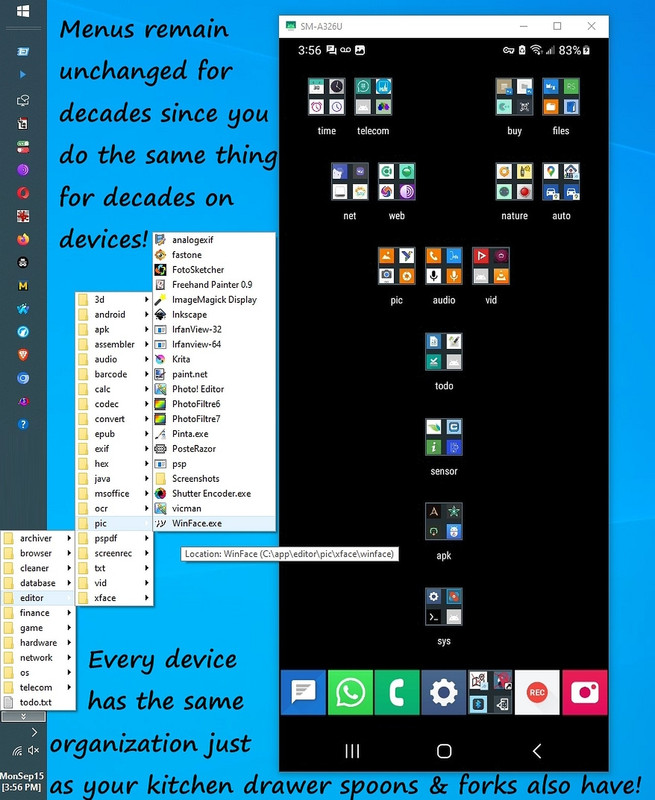
My goals are always privacy and usability, where I probably maintain the
most organized computer hierarchy you've ever seen in your entire life.
<https://i.postimg.cc/fW38dhsX/android-windows-menus.jpg>
Privacy and usability are everything, to me.
Of the million things I do for both, most people can only do about six.
Given those two goals, my Usenet reader is just telnet tied to stunnel tied to a bunch of ugly scripts and dictionaries which randomize the time zones periodically and randomize the headers at least once a year based on dictionaries culled off of Usenet over the years, so it's nothing special.
My stunnel entry, for example, for Wolfgang's server (which I think you are using) is below, but I have a section for every nntp server I've used.
[EternalSept]
client = yes
accept = 127.0.0.1:55503
connect = news.eternal-september.org:563
verifyChain = yes
CAfile = ca-certs.pem
checkHost = news.eternal-september.org
OCSPaia = yes
The use model is that everything shows up to me in gVim such that I don't even know whom I'm responding to (as I never see *any* headers) as all I
see is the attribute in my gVim session, which is why sometimes I confuse Carlos with Chris, given they both seem to post similarly in my experience.
Likewise, Andy and Carlos and others have noticed that I don't do any character recognition, which, in the past, has caused them issues, so I've worked closely with them in the past few months to standardize the headers
by always adding these lines (previously my scripts tried to guess them):
MIME-Version: 1.0
Content-Type: text/plain; charset=UTF-8; format=flowed
Content-Transfer-Encoding: 8bit
Because I don't use a "real" newsreader, there is no check that the newsgroup line is correct since I have to type that manually when creating
a post, and sometimes others have noticed typos in my "Newsgroups" line.
But that's due to human error as my system isn't hardened against typos
in the newsgroup line like most "real" newsreaders would be hardened to.
Back to the point of this thread, I've recently hardened my use model
against Unicode creeping in, as most of my Usenet posts are extremely well researched as I came from the finest schools in the country and worked with the most technical companies on the planet in Silicon Valley, including
being on call for the windowless brick buildings around the world, most notably at Fort Meade back in the 90s but also in Israel & elsewhere.
It's important to note that of the million things I know about privacy,
most people only know six, so they consider anyone who does anything for privacy must be doing so for nefarious reasons, even as they can never
point out a single nefarious thing that the people do.
It's against Occam's Razor but most people are simply illogical since they don't take every fact into account when coming up with their conclusions.
The less they know about privacy, the more they claim that anyone who cares about privacy must be doing so because they're murdering little children.
The fact they don't murder the children doesn't stop them from deprecating that people who know privacy do a million things to maintain that privacy.
But back to the topic at hand, where I have a Notepad++ macro which I will append to this post so that you can understand how I ran into this issue.
Bear in mind that I correlate research from a wide variety of sources,
which I learned when I earned my PhD back east in one of the finest schools in the country, so I needed this Notepad++ macro to normalize all the text, even as my editor is gVim (as Notepad++ is simply my normalizing process).
Since everything should be a single step, I control+c from a browser, and I hit the "n" command in my taskbar to bring up Notepad (via the
fantastically efficient Windows registry "App Paths" key) and then I Control+V the clipboard into Notepad++ where I control+B the fixed text
back into the Windows Clipboard for pasting into gVim for further editing.
Notice I could skip the "n" step by leaving the Notepad++ window open (as
I'm all about eliminating every step) but in a Notepad Macro, apparently Scintilla won't let me kill the notepad session (although there's a key sequence for that but it's another step and I abhor extra steps).
Anyway, here's the Notepad++ macro that fixes the HTML fragment issues. Notice it uses a clever trick of adding and deleting a space to do it.
<?xml version="1.0" encoding="UTF-8" ?> <!--
C:\app\editor\txt\N++\shortcuts.xml for Windows Notepad++ (N++) --> <!--
Automatically cleans fragments, converts to ASCII & copies to clipbrd
--> <!-- Use model: Control+V (paste) & Control+B (run the macro) -->
<!-- v3p9 20260211 N++ was not running the macro in the order shown -->
<!-- But it turned out any error causes an OLDER version to run. -->
<!-- Worse, when that happens, N++ overwrites this file --> <!--
Worse, N++ is executing macro actions in a different order --> <!--
than they appear in the XML so a total rewrite is needed in v4p0 -->
<!-- v3p8 20260211 U+2060 is driving me nuts so it's the first block now
--> <!-- v3p7 20260211 moved U+2060 up because it's the most disruptive
--> <!-- v3p6 20260211 U+2009 & U+200B not being converted properly -->
<!-- v3p5 20260211 fixed U+200B failing when U+200B is between ' & s -->
<!-- A 2nd pass was duplicated after apostrophe normalization rules
--> <!-- v3p4 20260211 added U+275E (heavy double quote right) --> <!--
v3p3 20260211 added U+2009 (thin space) --> <!-- v3p2 20260211 added
seven new conversions after running testcases --> <!-- U+02BE
(modifier letter right half ring) --> <!-- U+02BF (modifier letter
left half ring) --> <!-- U+201E (double low-9 quote) --> <!-- U+201F
(double high-reversed-9 quote) --> <!-- U+275D (heavy double quote
left) --> <!-- U+275E (heavy double quote right) --> <!-- U+2015
(horizontal bar) --> <!-- U+2009 (thin space) --> <!-- v3p1 20260211
reorganized into a dozen distinct categories --> <!-- (1) control
characters: U+000F U+0001 --> <!-- (2) dashes & minus signs: U+2010
U+2011 U+2012 U+2212 --> <!-- (3) zero-width characters: U+200C U+200B
U+200D U+FEFF U+2060 --> <!-- (4) special spaces: U+00A0 U+2007 U+202F
U+200A U+2008 U+2006 --> <!-- (5) apostrophe-like characters: U+0F0C
U+2018 U+2019 U+2032 U+02BC U+02B9 U+02C8 U+02EE U+201B U+02CB U+A78C
U+FF07 --> <!-- (6) combining marks (remove after apostrophes): U+0351
U+0307 U+0331 U+0335 U+0336 U+0337 U+0338 --> <!-- (7) double-quote
normalization: U+201C U+201D --> <!-- (8) dash-like & ellipsis & HTML
entities: U+2026 — U+2014 U+2013 ‌ --> <!-- (9) bullets, math
symbols, diacritics: U+2022 U+8722 U+011F U+2009 U+00E1 U+0161 U+011B
--> <!-- (10) miscellaneous symbols: U+2713 ASCII hyphen ` U+2192 U+00B0
U+00A9 U+2122 U+00AE --> <!-- (11) invisible operators: U+00AD U+2061
U+2062 U+2063 U+2064 U+180E --> <!-- (12) line separators: U+2028 U+2029
U+0085 --> <!-- v3p0 20260211 added combining marks U+0351 U+0307 U+0331
--> <!-- v3p1 20260211 added apostrophe-like characters U+201B U+02CB
--> <!-- v2p9 20260211 moved U+2060 to be above apostrophe-related
blocks --> <!-- v2p8 20260211 fixed Chromium CF_HTML paste control+A
anomaly --> <!-- v2p7 20260211 added U+02EE modifier letter double
apostrophe rule --> <!-- v2p6 20260211 fixed U+02C8 modifier letter
vertical line) rule --> <!-- v2p5 20260211 fixed U+02B9 (modifier letter
prime) rule --> <!-- v2p4 20260211 removed one of two U+000F blocks -->
<!-- v2p3 20260211 removed two (duplicate) 1700 lines in U+0161 --> <!--
v2p2 20260211 fixed all zero-width blocks to replace with nothing -->
<!-- v2p1 20260211 fixed BOM to replace with nothing --> <!-- v2p0
20260210 cleaned (emptied out) closing sections of the file --> <!--
v1p9 20260210 ported old shortcuts.xml to improve coverage --> <!--
Cleans Chromium pasted text & normalizes Unicode to ASCII --> <!-- Use
model: paste (using control+v) & fix (using control+b) --> <!-- The
macro should 1st break CF_HTML fragment mode (so Ctrl+A works) --> <!--
and then run the Unicode-to-ASCII cleanup on all the pasted text -->
<!-- cutting (control+x) the result back into the Windows clipboard -->
<!-- thereby leaving the N++ GUI empty & ready for the next paste-->
<!-- To break Scintilla's CF_HTML fragment mode, we need to make any
edit. We can insert a space & then delete that space, for example. -->
<!-- Scintilla engine command meanings: 1700 = begin a new
search/replace operation 1601 = set the search string (the Unicode
character to find) 1625 = clear the replacement buffer 1602 = set the
replacement string (ASCII equivalent) 1702 = execute Replace All 1701 =
end this search/replace block 2001 = SCI_REPLACESEL (inserts a space)
2326 = SCI_DELETEBACK (deletes the space) 2013 = SCI_SELECTALL (selects
everything) 2177 = SCI_CUT (cut all) 41001 = IDM_FILE_EXIT (close) -->
<!-- When you paste from a Chromium-based app, the clipboard contains:
CF_UNICODETEXT (plain text) & CF_HTML (HTML fragment) And sometimes
CF_RTF where N++ prefers CF_HTML if available.
v2p0 fixes a N++ selection issue caused by CF_HTML pastes. "HTML
Paste Mode" prevents the "Control+A" from working. "HTML paste mode"
inserts HTML fragment as plain text where Ctrl+A is disabled until the
buffer is "normalized" (until the first edit that breaks the fragment
state) -->
<!-- Below is garbage that N++ adds to shortcuts.xml --> <NotepadPlus>
<InternalCommands> <Shortcut id="43009" Ctrl="no" Alt="no" Shift="no"
Key="0" /> </InternalCommands> <Macros> <!-- Above is garbage that N++
adds to shortcuts.xml -->
<!-- ASCII "control+b" Cleanup Macro --> Macro name="ASCII" Ctrl="yes"
<Alt="no" Shift="no" Key="66">
<!-- Begin Scintilla HTML-paste workaround top portion --> !-- Break
<Chromium CF_HTML fragment mode by adding & deleting a space--> Action
<type="0" message="2001" wParam="32" lParam="0" sParam="" /> Action
<type="0" message="2326" wParam="0" lParam="0" sParam="" /> !-- Select
<all text before running cleanup --> Action type="0" message="2013"
<wParam="0" lParam="0" sParam="" /> !-- End Scintilla HTML-paste
<workaround top portion -->
<!-- BEGIN CONVERSION BLOCKS -->
<!-- U+2060 is driving me nuts so I'm making it the 1st block --> !--
<U+2060 must be placed above the apostrophe-related blocks --> !--
<Otherwise apostrophe block may skip over it --> !-- U+2060 is
<disruptive as it must be placed above zero-width too --> !-- Replace
<U+2060 (WORD JOINER) with nothing --> Action type="3" message="1700"
<wParam="0" lParam="0" sParam="" /> Action type="3" message="1601"
<wParam="0" lParam="0" sParam="⁠" /> Action type="3"
<message="1625" wParam="0" lParam="0" sParam="" /> Action type="3"
<message="1602" wParam="0" lParam="0" sParam="" /> Action type="3"
<message="1702" wParam="0" lParam="768" sParam="" /> Action type="3"
<message="1701" wParam="0" lParam="1609" sParam="" />
<!-- #1. CONTROL CHARACTERS (remove first) --> !-- Replace U+000F
<(SHIFT-OUT control character) with nothing --> Action type="3"
<message="1700" wParam="0" lParam="0" sParam="" /> Action type="3"
<message="1601" wParam="0" lParam="0" sParam="" /> Action
<type="3" message="1625" wParam="0" lParam="0" sParam="" /> Action
<type="3" message="1602" wParam="0" lParam="0" sParam="" /> Action
<type="3" message="1702" wParam="0" lParam="768" sParam="" /> Action
<type="3" message="1701" wParam="0" lParam="1609" sParam="" />
<!-- Replace U+0001 (SOH control character) with nothing --> Action
<type="3" message="1700" wParam="0" lParam="0" sParam="" /> Action
<type="3" message="1601" wParam="0" lParam="0" sParam="" />
<Action type="3" message="1625" wParam="0" lParam="0" sParam="" />
<Action type="3" message="1602" wParam="0" lParam="0" sParam="" />
<Action type="3" message="1702" wParam="0" lParam="768" sParam="" />
<Action type="3" message="1701" wParam="0" lParam="1609" sParam="" />
<!-- #2. DASHES & MINUS SIGNS (safest to remove early) --> !-- Replace
<U+2010 (HYPHEN) with ASCII "-" --> Action type="3" message="1700"
<wParam="0" lParam="0" sParam="" /> Action type="3" message="1601"
<wParam="0" lParam="0" sParam="‐" /> Action type="3"
<message="1625" wParam="0" lParam="0" sParam="" /> Action type="3"
<message="1602" wParam="0" lParam="0" sParam="-" /> Action type="3"
<message="1702" wParam="0" lParam="768" sParam="" /> Action type="3"
<message="1701" wParam="0" lParam="1609" sParam="" />
<!-- Replace U+2011 (NON-BREAKING HYPHEN) with ASCII hyphen "-" -->
<Action type="3" message="1700" wParam="0" lParam="0" sParam="" />
<Action type="3" message="1601" wParam="0" lParam="0" sParam="‑"
</> Action type="3" message="1625" wParam="0" lParam="0" sParam="" />
<Action type="3" message="1602" wParam="0" lParam="0" sParam="-" />
<Action type="3" message="1702" wParam="0" lParam="768" sParam="" />
<Action type="3" message="1701" wParam="0" lParam="1609" sParam="" />
<!-- Replace U+2012 (FIGURE DASH) with ASCII "-" --> Action type="3"
<message="1700" wParam="0" lParam="0" sParam="" /> Action type="3"
<message="1601" wParam="0" lParam="0" sParam="‒" /> Action
<type="3" message="1625" wParam="0" lParam="0" sParam="" /> Action
<type="3" message="1602" wParam="0" lParam="0" sParam="-" /> Action
<type="3" message="1702" wParam="0" lParam="768" sParam="" /> Action
<type="3" message="1701" wParam="0" lParam="1609" sParam="" />
<!-- Replace U+2212 (MINUS SIGN) with ASCII "-" --> Action type="3"
<message="1700" wParam="0" lParam="0" sParam="" /> Action type="3"
<message="1601" wParam="0" lParam="0" sParam="−" /> Action
<type="3" message="1625" wParam="0" lParam="0" sParam="" /> Action
<type="3" message="1602" wParam="0" lParam="0" sParam="-" /> Action
<type="3" message="1702" wParam="0" lParam="768" sParam="" /> Action
<type="3" message="1701" wParam="0" lParam="1609" sParam="" />
<!-- #3. ZERO-WIDTH CHARACTERS (must be BEFORE apostrophes) -->
<!-- Replace U+200C (ZERO WIDTH NON-JOINER) with "" (nothing) --> Action
<type="3" message="1700" wParam="0" lParam="0" sParam="" /> Action
<type="3" message="1601" wParam="0" lParam="0" sParam="‌" />
<Action type="3" message="1625" wParam="0" lParam="0" sParam="" />
<Action type="3" message="1602" wParam="0" lParam="0" sParam="" />
<Action type="3" message="1702" wParam="0" lParam="768" sParam="" />
<Action type="3" message="1701" wParam="0" lParam="1609" sParam="" />
<!-- Replace U+200B (ZERO WIDTH SPACE) with nothing --> Action type="3"
<message="1700" wParam="0" lParam="0" sParam="" /> Action type="3"
<message="1601" wParam="0" lParam="0" sParam="​" /> Action
<type="3" message="1625" wParam="0" lParam="0" sParam="" /> Action
<type="3" message="1602" wParam="0" lParam="0" sParam="" /> Action
<type="3" message="1702" wParam="0" lParam="768" sParam="" /> Action
<type="3" message="1701" wParam="0" lParam="1609" sParam="" />
<!-- Replace U+200D (ZERO WIDTH JOINER) with nothing --> Action type="3"
<message="1700" wParam="0" lParam="0" sParam="" /> Action type="3"
<message="1601" wParam="0" lParam="0" sParam="‍" /> Action
<type="3" message="1625" wParam="0" lParam="0" sParam="" /> Action
<type="3" message="1602" wParam="0" lParam="0" sParam="" /> Action
<type="3" message="1702" wParam="0" lParam="768" sParam="" /> Action
<type="3" message="1701" wParam="0" lParam="1609" sParam="" />
<!-- Replace U+FEFF (BOM) with nothing --> Action type="3"
<message="1700" wParam="0" lParam="0" sParam="" /> Action type="3"
<message="1601" wParam="0" lParam="0" sParam="" /> Action
<type="3" message="1625" wParam="0" lParam="0" sParam="" /> Action
<type="3" message="1602" wParam="0" lParam="0" sParam="" /> Action
<type="3" message="1702" wParam="0" lParam="768" sParam="" /> Action
<type="3" message="1701" wParam="0" lParam="1609" sParam="" />
<!-- #4. SPECIAL SPACES (convert to ASCII space) --> !-- Replace U+00A0
<(NO-BREAK SPACE) with ASCII space --> Action type="3" message="1700"
<wParam="0" lParam="0" sParam="" /> Action type="3" message="1601"
<wParam="0" lParam="0" sParam=" " /> Action type="3"
<message="1625" wParam="0" lParam="0" sParam="" /> Action type="3"
<message="1602" wParam="0" lParam="0" sParam=" " /> Action type="3"
<message="1702" wParam="0" lParam="768" sParam="" /> Action type="3"
<message="1701" wParam="0" lParam="1609" sParam="" />
<!-- Replace U+2007 (FIGURE SPACE) with ASCII space --> Action type="3"
<message="1700" wParam="0" lParam="0" sParam="" /> Action type="3"
<message="1601" wParam="0" lParam="0" sParam=" " /> Action
<type="3" message="1625" wParam="0" lParam="0" sParam="" /> Action
<type="3" message="1602" wParam="0" lParam="0" sParam=" " /> Action
<type="3" message="1702" wParam="0" lParam="768" sParam="" /> Action
<type="3" message="1701" wParam="0" lParam="1609" sParam="" />
<!-- Replace U+202F (NARROW NO-BREAK SPACE) with ASCII space --> Action
<type="3" message="1700" wParam="0" lParam="0" sParam="" /> Action
<type="3" message="1601" wParam="0" lParam="0" sParam=" " />
<Action type="3" message="1625" wParam="0" lParam="0" sParam="" />
<Action type="3" message="1602" wParam="0" lParam="0" sParam=" " />
<Action type="3" message="1702" wParam="0" lParam="768" sParam="" />
<Action type="3" message="1701" wParam="0" lParam="1609" sParam="" />
<!-- Replace U+200A (HAIR SPACE) with ASCII space --> Action type="3"
<message="1700" wParam="0" lParam="0" sParam="" /> Action type="3"
<message="1601" wParam="0" lParam="0" sParam=" " /> Action
<type="3" message="1625" wParam="0" lParam="0" sParam="" /> Action
<type="3" message="1602" wParam="0" lParam="0" sParam=" " /> Action
<type="3" message="1702" wParam="0" lParam="768" sParam="" /> Action
<type="3" message="1701" wParam="0" lParam="1609" sParam="" />
<!-- Replace U+2008 (PUNCTUATION SPACE) with ASCII space --> Action
<type="3" message="1700" wParam="0" lParam="0" sParam="" /> Action
<type="3" message="1601" wParam="0" lParam="0" sParam=" " />
<Action type="3" message="1625" wParam="0" lParam="0" sParam="" />
<Action type="3" message="1602" wParam="0" lParam="0" sParam=" " />
<Action type="3" message="1702" wParam="0" lParam="768" sParam="" />
<Action type="3" message="1701" wParam="0" lParam="1609" sParam="" />
<!-- Replace U+2006 (SIX-PER-EM SPACE) with ASCII space --> Action
<type="3" message="1700" wParam="0" lParam="0" sParam="" /> Action
<type="3" message="1601" wParam="0" lParam="0" sParam=" " />
<Action type="3" message="1625" wParam="0" lParam="0" sParam="" />
<Action type="3" message="1602" wParam="0" lParam="0" sParam=" " />
<Action type="3" message="1702" wParam="0" lParam="768" sParam="" />
<Action type="3" message="1701" wParam="0" lParam="1609" sParam="" />
<!-- #5. APOSTROPHE-LIKE CHARACTERS --> !-- Replace U+0F0C (TIBETAN MARK
<DELIMITER) with ASCII apostrophe "'" --> Action type="3"
<message="1700" wParam="0" lParam="0" sParam="" /> Action type="3"
<message="1601" wParam="0" lParam="0" sParam="༌" /> Action
<type="3" message="1625" wParam="0" lParam="0" sParam="" /> Action
<type="3" message="1602" wParam="0" lParam="0" sParam="'" /> Action
<type="3" message="1702" wParam="0" lParam="768" sParam="" /> Action
<type="3" message="1701" wParam="0" lParam="1609" sParam="" />
<!-- Replace U+2018 (LEFT SINGLE QUOTE) with ASCII apostrophe "'" -->
<Action type="3" message="1700" wParam="0" lParam="0" sParam="" />
<Action type="3" message="1601" wParam="0" lParam="0" sParam="‘"
</> Action type="3" message="1625" wParam="0" lParam="0" sParam="" />
<Action type="3" message="1602" wParam="0" lParam="0" sParam="'" />
<Action type="3" message="1702" wParam="0" lParam="768" sParam="" />
<Action type="3" message="1701" wParam="0" lParam="1609" sParam="" />
<!-- Replace U+2019 (RIGHT SINGLE QUOTATION) with ASCII apostrophe "'"
<--> Action type="3" message="1700" wParam="0" lParam="0" sParam="" />
<Action type="3" message="1601" wParam="0" lParam="0" sParam="’"
</> Action type="3" message="1625" wParam="0" lParam="0" sParam="" />
<Action type="3" message="1602" wParam="0" lParam="0" sParam="'" />
<Action type="3" message="1702" wParam="0" lParam="768" sParam="" />
<Action type="3" message="1701" wParam="0" lParam="1609" sParam="" />
<!-- Replace U+2032 (PRIME) with ASCII apostrophe --> Action type="3"
<message="1700" wParam="0" lParam="0" sParam="" /> Action type="3"
<message="1601" wParam="0" lParam="0" sParam="′" /> Action
<type="3" message="1625" wParam="0" lParam="0" sParam="" /> Action
<type="3" message="1602" wParam="0" lParam="0" sParam="'" /> Action
<type="3" message="1702" wParam="0" lParam="768" sParam="" /> Action
<type="3" message="1701" wParam="0" lParam="1609" sParam="" />
<!-- Replace U+02BC (MODIFIER LETTER APOSTROPHE) with ASCII apostrophe
<--> Action type="3" message="1700" wParam="0" lParam="0" sParam="" />
<Action type="3" message="1601" wParam="0" lParam="0" sParam="ʼ"
</> Action type="3" message="1625" wParam="0" lParam="0" sParam="" />
<Action type="3" message="1602" wParam="0" lParam="0" sParam="'" />
<Action type="3" message="1702" wParam="0" lParam="768" sParam="" />
<Action type="3" message="1701" wParam="0" lParam="1609" sParam="" />
<!-- Replace U+02B9 (MODIFIER LETTER PRIME) with ASCII apostrophe "'"
<--> Action type="3" message="1700" wParam="0" lParam="0" sParam="" />
<Action type="3" message="1601" wParam="0" lParam="0" sParam="ʹ"
</> Action type="3" message="1625" wParam="0" lParam="0" sParam="" />
<Action type="3" message="1602" wParam="0" lParam="0" sParam="'" />
<Action type="3" message="1702" wParam="0" lParam="768" sParam="" />
<Action type="3" message="1701" wParam="0" lParam="1609" sParam="" />
<!-- Replace U+02C8 (MODIFIER LETTER VERTICAL) with ASCII apostrophe "'"
<--> Action type="3" message="1700" wParam="0" lParam="0" sParam="" />
<Action type="3" message="1601" wParam="0" lParam="0" sParam="ˈ"
</> Action type="3" message="1625" wParam="0" lParam="0" sParam="" />
<Action type="3" message="1602" wParam="0" lParam="0" sParam="'" />
<Action type="3" message="1702" wParam="0" lParam="768" sParam="" />
<Action type="3" message="1701" wParam="0" lParam="1609" sParam="" />
<!-- Replace U+02EE (MODIFIER DOUBLE APOSTROPHE) with ASCII apostrophe
<"'" --> Action type="3" message="1700" wParam="0" lParam="0" sParam=""
</> Action type="3" message="1601" wParam="0" lParam="0"
<sParam="ˮ" /> Action type="3" message="1625" wParam="0"
<lParam="0" sParam="" /> Action type="3" message="1602" wParam="0"
<lParam="0" sParam="'" /> Action type="3" message="1702" wParam="0"
<lParam="768" sParam="" /> Action type="3" message="1701" wParam="0"
<lParam="1609" sParam="" />
<!-- U+201B (SINGLE HIGH-REVERSED-9 QUOTATION MARK) with apostrophe "'"
<--> Action type="3" message="1700" wParam="0" lParam="0" sParam="" />
<Action type="3" message="1601" wParam="0" lParam="0" sParam="‛"
</> Action type="3" message="1625" wParam="0" lParam="0" sParam="" />
<Action type="3" message="1602" wParam="0" lParam="0" sParam="'" />
<Action type="3" message="1702" wParam="0" lParam="768" sParam="" />
<Action type="3" message="1701" wParam="0" lParam="1609" sParam="" />
<!-- Replace U+02CB (MODIFIER LETTER GRAVE ACCENT) with ASCII apostrophe
<"'" --> Action type="3" message="1700" wParam="0" lParam="0" sParam=""
</> Action type="3" message="1601" wParam="0" lParam="0"
<sParam="ˋ" /> Action type="3" message="1625" wParam="0"
<lParam="0" sParam="" /> Action type="3" message="1602" wParam="0"
<lParam="0" sParam="'" /> Action type="3" message="1702" wParam="0"
<lParam="768" sParam="" /> Action type="3" message="1701" wParam="0"
<lParam="1609" sParam="" />
<!-- This is is a duplication which is after the apostrophes --> !--
<When U+200B appears between two characters that were already replaced
<--> !-- the first pass fails to remove it, so I added this duplicate
<--> !-- Remove U+200B (ZERO-WIDTH SPACE) second pass --> Action
<type="3" message="1700" wParam="0" lParam="0" sParam="" /> Action
<type="3" message="1601" wParam="0" lParam="0" sParam="​" />
<Action type="3" message="1625" wParam="0" lParam="0" sParam="" />
<Action type="3" message="1602" wParam="0" lParam="0" sParam="" />
<Action type="3" message="1702" wParam="0" lParam="768" sParam="" />
<Action type="3" message="1701" wParam="0" lParam="1609" sParam="" />
<!-- #6. COMBINING MARKS (remove only after apostrophes are done) -->
<!-- Remove U+0351 (COMBINING RIGHT HALF RING ABOVE) --> Action type="3"
<message="1700" wParam="0" lParam="0" sParam="" /> Action type="3"
<message="1601" wParam="0" lParam="0" sParam="͑" /> Action
<type="3" message="1625" wParam="0" lParam="0" sParam="" /> Action
<type="3" message="1602" wParam="0" lParam="0" sParam="" /> Action
<type="3" message="1702" wParam="0" lParam="768" sParam="" /> Action
<type="3" message="1701" wParam="0" lParam="1609" sParam="" />
<!-- Remove U+0307 (COMBINING DOT ABOVE) --> Action type="3"
<message="1700" wParam="0" lParam="0" sParam="" /> Action type="3"
<message="1601" wParam="0" lParam="0" sParam="̇" /> Action
<type="3" message="1625" wParam="0" lParam="0" sParam="" /> Action
<type="3" message="1602" wParam="0" lParam="0" sParam="" /> Action
<type="3" message="1702" wParam="0" lParam="768" sParam="" /> Action
<type="3" message="1701" wParam="0" lParam="1609" sParam="" />
<!-- Remove U+0331 (COMBINING MACRON BELOW) --> Action type="3"
<message="1700" wParam="0" lParam="0" sParam="" /> Action type="3"
<message="1601" wParam="0" lParam="0" sParam="̱" /> Action
<type="3" message="1625" wParam="0" lParam="0" sParam="" /> Action
<type="3" message="1602" wParam="0" lParam="0" sParam="" /> Action
<type="3" message="1702" wParam="0" lParam="768" sParam="" /> Action
<type="3" message="1701" wParam="0" lParam="1609" sParam="" />
<!-- #7. DOUBLE-QUOTE NORMALIZATION --> !-- Replace U+201C (LEFT DOUBLE
<QUOTE) with ASCII double quote " --> Action type="3" message="1700"
<wParam="0" lParam="0" sParam="" /> Action type="3" message="1601"
<wParam="0" lParam="0" sParam="“" /> Action type="3"
<message="1625" wParam="0" lParam="0" sParam="" /> Action type="3"
<message="1602" wParam="0" lParam="0" sParam='"' /> Action type="3"
<message="1702" wParam="0" lParam="768" sParam="" /> Action type="3"
<message="1701" wParam="0" lParam="1609" sParam="" />
<!-- Replace U+201D (RIGHT DOUBLE QUOTE) with ASCII double quote -->
<Action type="3" message="1700" wParam="0" lParam="0" sParam="" />
<Action type="3" message="1601" wParam="0" lParam="0" sParam="”"
</> Action type="3" message="1625" wParam="0" lParam="0" sParam="" />
<Action type="3" message="1602" wParam="0" lParam="0" sParam='"' />
<Action type="3" message="1702" wParam="0" lParam="768" sParam="" />
<Action type="3" message="1701" wParam="0" lParam="1609" sParam="" />
<!-- #8. ELLIPSIS, EM DASH, EN DASH, HTML ENTITIES --> !-- Replace
<U+2026 (HORIZONTAL ELLIPSIS) with ASCII "..." --> Action type="3"
<message="1700" wParam="0" lParam="0" sParam="" /> Action type="3"
<message="1601" wParam="0" lParam="0" sParam="…" /> Action
<type="3" message="1625" wParam="0" lParam="0" sParam="" /> Action
<type="3" message="1602" wParam="0" lParam="0" sParam="..." /> Action
<type="3" message="1702" wParam="0" lParam="768" sParam="" /> Action
<type="3" message="1701" wParam="0" lParam="1609" sParam="" />
<!-- Replace literal — (HTML entity for EM DASH) with ASCII "-" -->
<Action type="3" message="1700" wParam="0" lParam="0" sParam="" />
<Action type="3" message="1601" wParam="0" lParam="0"
<sParam="&#151;" /> Action type="3" message="1625" wParam="0"
<lParam="0" sParam="" /> Action type="3" message="1602" wParam="0"
<lParam="0" sParam="-" /> Action type="3" message="1702" wParam="0"
<lParam="768" sParam="" /> Action type="3" message="1701" wParam="0"
<lParam="1609" sParam="" />
<!-- Replace U+2014 (EM DASH) with ASCII "-" --> Action type="3"
<message="1700" wParam="0" lParam="0" sParam="" /> Action type="3"
<message="1601" wParam="0" lParam="0" sParam="—" /> Action
<type="3" message="1625" wParam="0" lParam="0" sParam="" /> Action
<type="3" message="1602" wParam="0" lParam="0" sParam="-" /> Action
<type="3" message="1702" wParam="0" lParam="768" sParam="" /> Action
<type="3" message="1701" wParam="0" lParam="1609" sParam="" />
<!-- Replace U+2013 (EN DASH) with ASCII "-" --> Action type="3"
<message="1700" wParam="0" lParam="0" sParam="" /> Action type="3"
<message="1601" wParam="0" lParam="0" sParam="–" /> Action
<type="3" message="1625" wParam="0" lParam="0" sParam="" /> Action
<type="3" message="1602" wParam="0" lParam="0" sParam="-" /> Action
<type="3" message="1702" wParam="0" lParam="768" sParam="" /> Action
<type="3" message="1701" wParam="0" lParam="1609" sParam="" />
<!-- Replace literal ‌ (ZERO WIDTH NON-JOINER entity) with ASCII
<"-" --> Action type="3" message="1700" wParam="0" lParam="0" sParam=""
</> Action type="3" message="1601" wParam="0" lParam="0" sParam="‌"
</> Action type="3" message="1625" wParam="0" lParam="0" sParam="" />
<Action type="3" message="1602" wParam="0" lParam="0" sParam="-" />
<Action type="3" message="1702" wParam="0" lParam="768" sParam="" />
<Action type="3" message="1701" wParam="0" lParam="1609" sParam="" />
<!-- #9. BULLETS, MATH SYMBOLS, LETTERS WITH DIACRITICS --> !-- Replace
<U+2022 (BULLET) with ASCII "*" --> Action type="3" message="1700"
<wParam="0" lParam="0" sParam="" /> Action type="3" message="1601"
<wParam="0" lParam="0" sParam="•" /> Action type="3"
<message="1625" wParam="0" lParam="0" sParam="" /> Action type="3"
<message="1602" wParam="0" lParam="0" sParam="*" /> Action
<type="3" message="1702" wParam="0" lParam="768" sParam="" /> Action
<type="3" message="1701" wParam="0" lParam="1609" sParam="" />
<!-- Replace U+8722 (MATHEMATICAL MINUS variant) with ASCII "&" -->
<Action type="3" message="1700" wParam="0" lParam="0" sParam="" />
<Action type="3" message="1601" wParam="0" lParam="0" sParam="蜢"
</> Action type="3" message="1625" wParam="0" lParam="0" sParam="" />
<Action type="3" message="1602" wParam="0" lParam="0" sParam="&" />
<Action type="3" message="1702" wParam="0" lParam="768" sParam="" />
<Action type="3" message="1701" wParam="0" lParam="1609" sParam="" />
<!-- Replace U+011F (LATIN SMALL G WITH BREVE) with ASCII "g" --> Action
<type="3" message="1700" wParam="0" lParam="0" sParam="" /> Action
<type="3" message="1601" wParam="0" lParam="0" sParam="ğ" />
<Action type="3" message="1625" wParam="0" lParam="0" sParam="" />
<Action type="3" message="1602" wParam="0" lParam="0" sParam="g" />
<Action type="3" message="1702" wParam="0" lParam="768" sParam="" />
<Action type="3" message="1701" wParam="0" lParam="1609" sParam="" />
<!-- Replace U+00E1 (LATIN SMALL A WITH ACUTE) with ASCII "a" --> Action
<type="3" message="1700" wParam="0" lParam="0" sParam="" /> Action
<type="3" message="1601" wParam="0" lParam="0" sParam="á" /> Action
<type="3" message="1625" wParam="0" lParam="0" sParam="" /> Action
<type="3" message="1602" wParam="0" lParam="0" sParam="a" /> Action
<type="3" message="1702" wParam="0" lParam="768" sParam="" /> Action
<type="3" message="1701" wParam="0" lParam="1609" sParam="" />
<!-- Replace U+0161 (LATIN SMALL S WITH CARON) with ASCII "s" --> Action
<type="3" message="1700" wParam="0" lParam="0" sParam="" /> Action
<type="3" message="1601" wParam="0" lParam="0" sParam="š" />
<Action type="3" message="1625" wParam="0" lParam="0" sParam="" />
<Action type="3" message="1602" wParam="0" lParam="0" sParam="s" />
<Action type="3" message="1702" wParam="0" lParam="768" sParam="" />
<Action type="3" message="1701" wParam="0" lParam="1609" sParam="" />
<!-- Replace U+011B (LATIN SMALL E WITH CARON) with ASCII "e" --> Action
<type="3" message="1700" wParam="0" lParam="0" sParam="" /> Action
<type="3" message="1601" wParam="0" lParam="0" sParam="ě" />
<Action type="3" message="1625" wParam="0" lParam="0" sParam="" />
<Action type="3" message="1602" wParam="0" lParam="0" sParam="e" />
<Action type="3" message="1702" wParam="0" lParam="768" sParam="" />
<Action type="3" message="1701" wParam="0" lParam="1609" sParam="" />
<!-- #10. MISCELLANEOUS SYMBOLS --> !-- Replace U+2713 (CHECK MARK) with
<ASCII space --> Action type="3" message="1700" wParam="0" lParam="0"
<sParam="" /> Action type="3" message="1601" wParam="0" lParam="0"
<sParam="✓" /> Action type="3" message="1625" wParam="0"
<lParam="0" sParam="" /> Action type="3" message="1602" wParam="0"
<lParam="0" sParam=" " /> Action type="3" message="1702" wParam="0"
<lParam="768" sParam="" /> Action type="3" message="1701" wParam="0"
<lParam="1609" sParam="" />
<!-- Replace ASCII hyphen "-" with ASCII hyphen "-" (normalize) -->
<Action type="3" message="1700" wParam="0" lParam="0" sParam="" />
<Action type="3" message="1601" wParam="0" lParam="0" sParam="-" />
<Action type="3" message="1625" wParam="0" lParam="0" sParam="" />
<Action type="3" message="1602" wParam="0" lParam="0" sParam="-" />
<Action type="3" message="1702" wParam="0" lParam="768" sParam="" />
<Action type="3" message="1701" wParam="0" lParam="1609" sParam="" />
<!-- Replace backtick with ASCII single quote --> Action type="3"
<message="1700" wParam="0" lParam="0" sParam="" /> Action type="3"
<message="1601" wParam="0" lParam="0" sParam="`" /> Action type="3"
<message="1625" wParam="0" lParam="0" sParam="" /> Action type="3"
<message="1602" wParam="0" lParam="0" sParam="'" /> Action type="3"
<message="1702" wParam="0" lParam="768" sParam="" /> Action type="3"
<message="1701" wParam="0" lParam="1609" sParam="" />
<!-- Replace Unicode Arrow (U+2192) with ASCII dash greaterthan -->
<Action type="3" message="1700" wParam="0" lParam="0" sParam="" />
<Action type="3" message="1601" wParam="0" lParam="0" sParam="→"
</> Action type="3" message="1625" wParam="0" lParam="0" sParam="" />
<Action type="3" message="1602" wParam="0" lParam="0" sParam="->" />
<Action type="3" message="1702" wParam="0" lParam="768" sParam="" />
<Action type="3" message="1701" wParam="0" lParam="1609" sParam="" />
<!-- Replace degree symbol with deg --> Action type="3" message="1700"
<wParam="0" lParam="0" sParam="" /> Action type="3" message="1601"
<wParam="0" lParam="0" sParam="°" /> Action type="3"
<message="1625" wParam="0" lParam="0" sParam="" /> Action type="3"
<message="1602" wParam="0" lParam="0" sParam="deg" /> Action type="3"
<message="1702" wParam="0" lParam="768" sParam="" /> Action type="3"
<message="1701" wParam="0" lParam="1609" sParam="" />
<!-- Replace copyright symbol U??? with (C) --> Action type="3"
<message="1700" wParam="0" lParam="0" sParam="" /> Action type="3"
<message="1601" wParam="0" lParam="0" sParam="©" /> Action
<type="3" message="1625" wParam="0" lParam="0" sParam="" /> Action
<type="3" message="1602" wParam="0" lParam="0" sParam="(C)" /> Action
<type="3" message="1702" wParam="0" lParam="768" sParam="" /> Action
<type="3" message="1701" wParam="0" lParam="1609" sParam="" />
<!-- Replace Trademark (U+2122) with (TM) --> Action type="3"
<message="1700" wParam="0" lParam="0" sParam="" /> Action type="3"
<message="1601" wParam="0" lParam="0" sParam="™" /> Action
<type="3" message="1625" wParam="0" lParam="0" sParam="" /> Action
<type="3" message="1602" wParam="0" lParam="0" sParam="(TM)" /> Action
<type="3" message="1702" wParam="0" lParam="768" sParam="" /> Action
<type="3" message="1701" wParam="0" lParam="1609" sParam="" />
<!-- Replace Registered (U+00AE) with (R) --> Action type="3"
<message="1700" wParam="0" lParam="0" sParam="" /> Action type="3"
<message="1601" wParam="0" lParam="0" sParam="®" /> Action
<type="3" message="1625" wParam="0" lParam="0" sParam="" /> Action
<type="3" message="1602" wParam="0" lParam="0" sParam="(R)" /> Action
<type="3" message="1702" wParam="0" lParam="768" sParam="" /> Action
<type="3" message="1701" wParam="0" lParam="1609" sParam="" />
<!-- #11. INVISIBLE OPERATORS (remove) --> !-- Replace U+00AD (SOFT
<HYPHEN) with "" (remove completely) --> Action type="3" message="1700"
<wParam="0" lParam="0" sParam="" /> Action type="3" message="1601"
<wParam="0" lParam="0" sParam="­" /> Action type="3"
<message="1625" wParam="0" lParam="0" sParam="" /> Action type="3"
<message="1602" wParam="0" lParam="0" sParam="" /> Action type="3"
<message="1702" wParam="0" lParam="768" sParam="" /> Action type="3"
<message="1701" wParam="0" lParam="1609" sParam="" />
<!-- Replace U+2061 (FUNCTION APPLICATION) with "" --> Action type="3"
<message="1700" wParam="0" lParam="0" sParam="" /> Action type="3"
<message="1601" wParam="0" lParam="0" sParam="⁡" /> Action
<type="3" message="1625" wParam="0" lParam="0" sParam="" /> Action
<type="3" message="1602" wParam="0" lParam="0" sParam="" /> Action
<type="3" message="1702" wParam="0" lParam="768" sParam="" /> Action
<type="3" message="1701" wParam="0" lParam="1609" sParam="" />
<!-- Replace U+2062 (INVISIBLE TIMES) with "" --> Action type="3"
<message="1700" wParam="0" lParam="0" sParam="" /> Action type="3"
<message="1601" wParam="0" lParam="0" sParam="⁢" /> Action
<type="3" message="1625" wParam="0" lParam="0" sParam="" /> Action
<type="3" message="1602" wParam="0" lParam="0" sParam="" /> Action
<type="3" message="1702" wParam="0" lParam="768" sParam="" /> Action
<type="3" message="1701" wParam="0" lParam="1609" sParam="" />
<!-- Replace U+2063 (INVISIBLE SEPARATOR) with "" --> Action type="3"
<message="1700" wParam="0" lParam="0" sParam="" /> Action type="3"
<message="1601" wParam="0" lParam="0" sParam="⁣" /> Action
<type="3" message="1625" wParam="0" lParam="0" sParam="" /> Action
<type="3" message="1602" wParam="0" lParam="0" sParam="" /> Action
<type="3" message="1702" wParam="0" lParam="768" sParam="" /> Action
<type="3" message="1701" wParam="0" lParam="1609" sParam="" />
<!-- Replace U+2064 (INVISIBLE PLUS) with "" --> Action type="3"
<message="1700" wParam="0" lParam="0" sParam="" /> Action type="3"
<message="1601" wParam="0" lParam="0" sParam="⁤" /> Action
<type="3" message="1625" wParam="0" lParam="0" sParam="" /> Action
<type="3" message="1602" wParam="0" lParam="0" sParam="" /> Action
<type="3" message="1702" wParam="0" lParam="768" sParam="" /> Action
<type="3" message="1701" wParam="0" lParam="1609" sParam="" />
<!-- Replace U+180E (MONGOLIAN VOWEL SEPARATOR) with "" --> Action
<type="3" message="1700" wParam="0" lParam="0" sParam="" /> Action
<type="3" message="1601" wParam="0" lParam="0" sParam="᠎" />
<Action type="3" message="1625" wParam="0" lParam="0" sParam="" />
<Action type="3" message="1602" wParam="0" lParam="0" sParam="" />
<Action type="3" message="1702" wParam="0" lParam="768" sParam="" />
<Action type="3" message="1701" wParam="0" lParam="1609" sParam="" />
<!-- #12. LINE SEPARATORS --> !-- Replace U+2028 (LINE SEPARATOR) with
<ASCII newline --> Action type="3" message="1700" wParam="0" lParam="0"
<sParam="" /> Action type="3" message="1601" wParam="0" lParam="0"
<sParam="
" /> Action type="3" message="1625" wParam="0"
<lParam="0" sParam="" /> Action type="3" message="1602" wParam="0"
<lParam="0" sParam=" " /> Action type="3" message="1702" wParam="0"
<lParam="768" sParam="" /> Action type="3" message="1701" wParam="0"
<lParam="1609" sParam="" />
<!-- Replace U+2029 (PARAGRAPH SEPARATOR) with ASCII newline --> Action
<type="3" message="1700" wParam="0" lParam="0" sParam="" /> Action
<type="3" message="1601" wParam="0" lParam="0" sParam="
" />
<Action type="3" message="1625" wParam="0" lParam="0" sParam="" />
<Action type="3" message="1602" wParam="0" lParam="0" sParam=" " />
<Action type="3" message="1702" wParam="0" lParam="768" sParam="" />
<Action type="3" message="1701" wParam="0" lParam="1609" sParam="" />
<!-- Replace U+0085 (NEXT LINE / NEL) with ASCII newline --> Action
<type="3" message="1700" wParam="0" lParam="0" sParam="" /> Action
<type="3" message="1601" wParam="0" lParam="0" sParam="…" />
<Action type="3" message="1625" wParam="0" lParam="0" sParam="" />
<Action type="3" message="1602" wParam="0" lParam="0" sParam=" " />
<Action type="3" message="1702" wParam="0" lParam="768" sParam="" />
<Action type="3" message="1701" wParam="0" lParam="1609" sParam="" />
<!-- Replace U+A78C (LATIN SMALL LETTER SALTILLO) with ASCII apostrophe
<"'" --> Action type="3" message="1700" wParam="0" lParam="0" sParam=""
</> Action type="3" message="1601" wParam="0" lParam="0"
<sParam="ꞌ" /> Action type="3" message="1625" wParam="0"
<lParam="0" sParam="" /> Action type="3" message="1602" wParam="0"
<lParam="0" sParam="'" /> Action type="3" message="1702" wParam="0"
<lParam="768" sParam="" /> Action type="3" message="1701" wParam="0"
<lParam="1609" sParam="" />
<!-- Replace U+FF07 (FULLWIDTH APOSTROPHE) with ASCII apostrophe "'" -->
<Action type="3" message="1700" wParam="0" lParam="0" sParam="" />
<Action type="3" message="1601" wParam="0" lParam="0" sParam="'"
</> Action type="3" message="1625" wParam="0" lParam="0" sParam="" />
<Action type="3" message="1602" wParam="0" lParam="0" sParam="'" />
<Action type="3" message="1702" wParam="0" lParam="768" sParam="" />
<Action type="3" message="1701" wParam="0" lParam="1609" sParam="" />
<!-- Remove U+0335 (COMBINING SHORT STROKE OVERLAY) --> Action type="3"
<message="1700" wParam="0" lParam="0" sParam="" /> Action type="3"
<message="1601" wParam="0" lParam="0" sParam="̵" /> Action
<type="3" message="1625" wParam="0" lParam="0" sParam="" /> Action
<type="3" message="1602" wParam="0" lParam="0" sParam="" /> Action
<type="3" message="1702" wParam="0" lParam="768" sParam="" /> Action
<type="3" message="1701" wParam="0" lParam="1609" sParam="" />
<!-- Remove U+0336 (COMBINING LONG STROKE OVERLAY) --> Action type="3"
<message="1700" wParam="0" lParam="0" sParam="" /> Action type="3"
<message="1601" wParam="0" lParam="0" sParam="̶" /> Action
<type="3" message="1625" wParam="0" lParam="0" sParam="" /> Action
<type="3" message="1602" wParam="0" lParam="0" sParam="" /> Action
<type="3" message="1702" wParam="0" lParam="768" sParam="" /> Action
<type="3" message="1701" wParam="0" lParam="1609" sParam="" />
<!-- Remove U+0337 (COMBINING SHORT SOLIDUS OVERLAY) --> Action type="3"
<message="1700" wParam="0" lParam="0" sParam="" /> Action type="3"
<message="1601" wParam="0" lParam="0" sParam="̷" /> Action
<type="3" message="1625" wParam="0" lParam="0" sParam="" /> Action
<type="3" message="1602" wParam="0" lParam="0" sParam="" /> Action
<type="3" message="1702" wParam="0" lParam="768" sParam="" /> Action
<type="3" message="1701" wParam="0" lParam="1609" sParam="" />
<!-- Remove U+0338 (COMBINING LONG SOLIDUS OVERLAY) --> Action type="3"
<message="1700" wParam="0" lParam="0" sParam="" /> Action type="3"
<message="1601" wParam="0" lParam="0" sParam="̸" /> Action
<type="3" message="1625" wParam="0" lParam="0" sParam="" /> Action
<type="3" message="1602" wParam="0" lParam="0" sParam="" /> Action
<type="3" message="1702" wParam="0" lParam="768" sParam="" /> Action
<type="3" message="1701" wParam="0" lParam="1609" sParam="" />
<!-- Replace U+2043 (HYPHEN BULLET) with ASCII "-" --> Action type="3"
<message="1700" wParam="0" lParam="0" sParam="" /> Action type="3"
<message="1601" wParam="0" lParam="0" sParam="⁃" /> Action
<type="3" message="1625" wParam="0" lParam="0" sParam="" /> Action
<type="3" message="1602" wParam="0" lParam="0" sParam="-" /> Action
<type="3" message="1702" wParam="0" lParam="768" sParam="" /> Action
<type="3" message="1701" wParam="0" lParam="1609" sParam="" />
<!-- Replace U+02BE (MODIFIER LETTER RIGHT HALF RING) w/ ASCII
<apostrophe --> Action type="3" message="1700" wParam="0" lParam="0"
<sParam="" /> Action type="3" message="1601" wParam="0" lParam="0"
<sParam="ʾ" /> Action type="3" message="1625" wParam="0"
<lParam="0" sParam="" /> Action type="3" message="1602" wParam="0"
<lParam="0" sParam="'" /> Action type="3" message="1702" wParam="0"
<lParam="768" sParam="" /> Action type="3" message="1701" wParam="0"
<lParam="1609" sParam="" />
<!-- Replace U+02BF (MODIFIER LETTER LEFT HALF RING) w/ ASCII apostrophe
<--> Action type="3" message="1700" wParam="0" lParam="0" sParam="" />
<Action type="3" message="1601" wParam="0" lParam="0" sParam="ʿ"
</> Action type="3" message="1625" wParam="0" lParam="0" sParam="" />
<Action type="3" message="1602" wParam="0" lParam="0" sParam="'" />
<Action type="3" message="1702" wParam="0" lParam="768" sParam="" />
<Action type="3" message="1701" wParam="0" lParam="1609" sParam="" />
<!-- Replace U+201E (DOUBLE LOW-9 QUOTATION MARK) w/ ASCII double quote
<--> Action type="3" message="1700" wParam="0" lParam="0" sParam="" />
<Action type="3" message="1601" wParam="0" lParam="0" sParam="„"
</> Action type="3" message="1625" wParam="0" lParam="0" sParam="" />
<Action type="3" message="1602" wParam="0" lParam="0" sParam=""" />
<Action type="3" message="1702" wParam="0" lParam="768" sParam="" />
<Action type="3" message="1701" wParam="0" lParam="1609" sParam="" />
<!-- Replace U+201F (DOUBLE HIGH-REVERSED-9 QUOTATION MARK) w/ dquote
<--> Action type="3" message="1700" wParam="0" lParam="0" sParam="" />
<Action type="3" message="1601" wParam="0" lParam="0" sParam="‟"
</> Action type="3" message="1625" wParam="0" lParam="0" sParam="" />
<Action type="3" message="1602" wParam="0" lParam="0" sParam=""" />
<Action type="3" message="1702" wParam="0" lParam="768" sParam="" />
<Action type="3" message="1701" wParam="0" lParam="1609" sParam="" />
<!-- Replace U+275D (HEAVY DOUBLE QUOTATION MARK ORNAMENT LEFT) w/
<dquote --> Action type="3" message="1700" wParam="0" lParam="0"
<sParam="" /> Action type="3" message="1601" wParam="0" lParam="0"
<sParam="❝" /> Action type="3" message="1625" wParam="0"
<lParam="0" sParam="" /> Action type="3" message="1602" wParam="0"
<lParam="0" sParam=""" /> Action type="3" message="1702" wParam="0"
<lParam="768" sParam="" /> Action type="3" message="1701" wParam="0"
<lParam="1609" sParam="" />
<!-- Replace U+275E (HEAVY DOUBLE QUOTATION MARK ORNAMENT RIGHT) w/
<dquote --> Action type="3" message="1700" wParam="0" lParam="0"
<sParam="" /> Action type="3" message="1601" wParam="0" lParam="0"
<sParam="❞" /> Action type="3" message="1625" wParam="0"
<lParam="0" sParam="" /> Action type="3" message="1602" wParam="0"
<lParam="0" sParam=""" /> Action type="3" message="1702" wParam="0"
<lParam="768" sParam="" /> Action type="3" message="1701" wParam="0"
<lParam="1609" sParam="" />
<!-- Replace U+2015 (HORIZONTAL BAR) with ASCII hyphen --> Action
<type="3" message="1700" wParam="0" lParam="0" sParam="" /> Action
<type="3" message="1601" wParam="0" lParam="0" sParam="―" />
<Action type="3" message="1625" wParam="0" lParam="0" sParam="" />
<Action type="3" message="1602" wParam="0" lParam="0" sParam="-" />
<Action type="3" message="1702" wParam="0" lParam="768" sParam="" />
<Action type="3" message="1701" wParam="0" lParam="1609" sParam="" />
<!-- Replace U+2009 (THIN SPACE) with ASCII space --> Action type="3"
<message="1700" wParam="0" lParam="0" sParam="" /> Action type="3"
<message="1601" wParam="0" lParam="0" sParam=" " /> Action
<type="3" message="1625" wParam="0" lParam="0" sParam="" /> Action
<type="3" message="1602" wParam="0" lParam="0" sParam=" " /> Action
<type="3" message="1702" wParam="0" lParam="768" sParam="" /> Action
<type="3" message="1701" wParam="0" lParam="1609" sParam="" />
<!-- Replace U+2009 (THIN SPACE) with ASCII space --> Action type="3"
<message="1700" wParam="0" lParam="0" sParam="" /> Action type="3"
<message="1601" wParam="0" lParam="0" sParam=" " /> Action
<type="3" message="1625" wParam="0" lParam="0" sParam="" /> Action
<type="3" message="1602" wParam="0" lParam="0" sParam=" " /> Action
<type="3" message="1702" wParam="0" lParam="768" sParam="" /> Action
<type="3" message="1701" wParam="0" lParam="1609" sParam="" />
<!-- END OF CONVERSION BLOCKS -->
<!-- Begin Scintilla HTML-paste workaround bottom portion --> !-- Select
<all cleaned text --> Action type="0" message="2013" wParam="0"
<lParam="0" sParam="" />
<!-- Cut cleaned text to Windows clipboard --> Action type="0"
<message="2177" wParam="0" lParam="0" sParam="" /> !-- End Scintilla
<HTML-paste workaround bottom portion -->
<!-- Close N++ --> Action type="2" message="41001" wParam="0" lParam="0"
<sParam="" />
<!-- N++ will save shortcuts.xml automatically as it rewrites the file
whenever shortcuts/macros/plugins change. Some sections are required so
empty sections will be recreated. -->
</Macro>
</Macros>
<UserDefinedCommands>
</UserDefinedCommands>
<PluginCommands />
<ScintillaKeys />
</NotepadPlus>
Maria Sophia <mariasophia@comprehension.com> wrote:
Mr |un!on wrote:
I'm particularly interested in Usenet Newsreaders; would you please
tell me more about yours? I've never heard of it before.
Well, assuming (and hoping) that you're not the "sn!pe" troll, the
fundamental point of writing my own newsreader was simply two major
privacy/usability goals because I happen to know a lot about both.
a. Full control of my privacy, and,
b. Full control of the $EDITOR (which, for me, is gVim)
Of the million things I do for usability and privacy, most people only know >> about six of them, but there are very many layers to my usability/privacy. >>
There's a lot to digest in your explanation! Thank you, I've left it
below for context.
Apologies for rewrapping long lines, my 'reader
insisted.
I'm curious to know how it is that Paul happens to use the same 'reader
as you do; I haven't seen seen Ratcatcher/2.0.0.25 (Windows/20130802)
used elsewhere before.
There's a lot to digest in your explanation! Thank you, I've left it
below for context.
Please don't.
Apologies for rewrapping long lines, my 'reader
insisted.
I'm curious to know how it is that Paul happens to use the same 'reader
as you do; I haven't seen seen Ratcatcher/2.0.0.25 (Windows/20130802)
used elsewhere before.
Because Arlen uses faked random headers in his posts. This was in his
reply somewhere. He is not using the same reader as Paul, he is using scripts.
The HTML Fragment issue showed up for me on Windows when pasting
into Notepad++ from Chromium, but the underlying cause applies to
all platforms because it apparently comes from how Chromium
generates clipboard data,, which is DIFFERENT from how Firefox does
the same copy/paste tasks.
Even as Firefox uses a different and more conservative clipboard
path, the problem seemed almost random because the editor is
intimately involved.
Given this is a set of operating system and Firefox newsgroups, the point
is that Chromium always places HTML on the clipboard along with plain text, while Firefox often provides only plain text on all consumer platforms.
On 2026-02-13, R Daneel Olivaw <Danni@hyperspace.vogon.gov.invalid> wrote:
Wine?
Youy mean it can be done if we get drunk?
The contrast I'm trying to help explain to this newsgroup is that
Firefox often advertises only text/plain unless the selection
contains real markup.
On 2026-02-13, R Daneel Olivaw <Danni@hyperspace.vogon.gov.invalid> wrote:
Carlos E. R. wrote:
On 2026-02-12 21:26, Maria Sophia wrote:
PSA: Clipboard differences between Chromium & Firefox across platforms >>>>
I do a lot of research as I generally invest at least an hour or two into >>>> many of my Usenet opening posts, where I currently employ a thousand-line >>>> Windows Notepad++ macro that beautifully cleans up non-ASCII garbage
copied
from both Firefox and Chromium web output, where, only with Chromium
pastes
into Notepad++ was the selection mechanism (i.e., Ctrl+A) inoperative.
How do you propose we test this in Linux? There is no notepad++.
...
Wine?
Youy mean it can be done if we get drunk?
faked random headers in his posts.
he is using scripts.
This was in his reply
Given this is a set of operating system and Firefox newsgroups, the point
is that Chromium always places HTML on the clipboard along with plain text, >> while Firefox often provides only plain text on all consumer platforms.
I wonder what you mean by "consumer platforms" ... ?
Do you have a tool for inspecting the clipboard contents? In
particular, listing the different formats in which the clipboard
contents are being offered? That might shed more light on what exactly
is going on.
Here are some examples from my Linux system.
* Copying some text from Emacs:
ldo@theon:~> wl-paste -l
GTK_TEXT_BUFFER_CONTENTS
application/x-gtk-text-buffer-rich-text
text/plain;charset=utf-8
UTF8_STRING
COMPOUND_TEXT
TEXT
text/plain
STRING
text/plain;charset=utf-8
text/plain
SAVE_TARGETS
* Copying some text from a web page in Firefox:
ldo@theon:~> wl-paste -l
text/html
text/_moz_htmlcontext
text/_moz_htmlinfo
text/plain;charset=utf-8
UTF8_STRING
COMPOUND_TEXT
TEXT
text/plain
STRING
text/plain;charset=utf-8
text/plain
text/x-moz-url-priv
SAVE_TARGETS
* Copying the same text from the same web page in Chromium:
ldo@theon:~> wl-paste -l
chromium/x-source-url
text/html
STRING
TEXT
UTF8_STRING
text/plain
text/plain;charset=utf-8
chromium/x-internal-source-rfh-token
text/plain;charset=utf-8
* Copying the above text from KDE Konsole:
ldo@theon:~> wl-paste -l
text/plain
text/html
text/plain;charset=utf-8
I don't have Chromium, I have Chrome.
On Fri, 13 Feb 2026 13:37:15 -0500, Maria Sophia wrote:
The contrast I'm trying to help explain to this newsgroup is that
Firefox often advertises only text/plain unless the selection
contains real markup.
ldo@theon:~> cat test.txt
Hi there.
ldo@theon:~> firefox test.txt
[in Firefox, do Select All and Copy.]
[back in a terminal session:]
ldo@theon:~> wl-paste -l
text/html
text/_moz_htmlcontext
text/_moz_htmlinfo
text/plain;charset=utf-8
UTF8_STRING
COMPOUND_TEXT
TEXT
text/plain
STRING
text/plain;charset=utf-8
text/plain
text/x-moz-url-priv
SAVE_TARGETS
ldo@theon:~> wl-paste -t text/html
<meta http-equiv="content-type" content="text/html; charset=utf-8"><pre>Hi there.
</pre>
So ... nope.
There's no guarantee any clipboards softwares will
even agree on what is on the clipboard. Some of the
clipboard items could be automatic translations of
things submitted by the sourcing application. And
Wayland being a latecomer, of course it's going to have
to do weird shit, to get a name for itself.
Firefox supports all three serving options, as would a Chromium.
Wayland, Xwayland (temporary X11 option for older programs), Xorg (original X11 still available)
A person doing testing, has to find two clipboard managers (Wayland one, X11 one),
have three login options,--
to do some tests. And even then, who knows whether the answer is based on hard reasons underneath.
On Sun, 2/15/2026 7:13 AM, Carlos E. R. wrote:
On 2026-02-15 07:52, Maria Sophia wrote:
Carlos E. R. wrote:
I can not run his command, anyway:
cer@Laicolasse:~> wl-paste
Failed to connect to a Wayland server
cer@Laicolasse:~> wl-paste --help
Usage:
-a-a-a-awl-paste [options]
Paste content from the Wayland clipboard.-a <===========
Options:
-a-a-a-a-n, --no-newline-a-a-a Do not append a newline character.
-a-a-a-a-l, --list-types-a-a-a Instead of pasting, list the offered types. >> -a-a-a-a-p, --primary-a-a-a-a-a-a-a Use the "primary" clipboard.
-a-a-a-a-w, --watch command-a-a-a Run a command each time the selection changes.
-a-a-a-a-t, --type mime/type-a-a-a Override the inferred MIME type for the content.
-a-a-a-a-s, --seat seat-name-a-a-a Pick the seat to work with.
-a-a-a-a-v, --version-a-a-a-a-a-a-a Display version info.
-a-a-a-a-h, --help-a-a-a-a-a-a-a Display this message.
Mandatory arguments to long options are mandatory for short options too.
See wl-clipboard(1) for more details.
cer@Laicolasse:~>
I use X, not wayland.
There's no guarantee any clipboards softwares will
even agree on what is on the clipboard. Some of the
clipboard items could be automatic translations of
things submitted by the sourcing application. And
Wayland being a latecomer, of course it's going to have
to do weird shit, to get a name for itself.
Firefox supports all three serving options, as would a Chromium.
Wayland, Xwayland (temporary X11 option for older programs), Xorg (original X11 still available)
A person doing testing, has to find two clipboard managers (Wayland one, X11 one), have three login options,
to do some tests. And even then, who knows whether the answer is based on hard reasons underneath.
Do you think you might be able to reproduce his tests on your Linux box?
I already tested and found no bug. I don't see what else you want to find out.
I found several tools doing things with the clipboard. One letting you access content from previous operations. But I did not see one listing
the contents of the clipboard.
Not being a Linux programmer, I'm not aware of the many clipboards you
or Lew mentions. I only know two types:
- An ancient method accessed solely with the mouse
- A newer method accessed via menu or shortcuts.
Different, but with some apps they mix.
A person doing testing, has to find two clipboard managers (Wayland one, X11 one), have three login options,
to do some tests. And even then, who knows whether the answer is based on hard reasons underneath.
Carlos E. R. wrote:
But, running a quick search on your behalf, it may be that on X11, the closest equivalent may be xclip or xsel.
Apparently both can list the clipboard formats the same way
wl-paste does on Wayland.
For example, with xclip you can run:
-a-a xclip -selection clipboard -t TARGETS -o
That prints the list of offered clipboard formats under X11. It seems,
to me, to be the same idea as wl-paste -l, but
just for the X11 clipboard instead of the Wayland clipboard.
If you run that command after copying text from Firefox, then run it
again after copying the same text from Chrome, you should see the same pattern that Lawrence showed (assuming the original copy had HTML).
Each section of your output helps confirm the pattern I was trying to describe in the PSA and your suggestion for me to do the same resonated.
On Sun, 15 Feb 2026 17:13:16 -0500, Paul wrote:
If we're to have clipboard management, there should be
a way to tell exactly what the source program offered
and no more.
That is exactly how it works.
Thanks go to Lawrence for making me find a clipboard analyzer on Windows.
Tto my knowledge, in decades on these ngs, nobody ever has discussed them.
This is the one I used:'
InsideClipboard v1.30
Web site: https://www.nirsoft.net
For those in this thread who are not on Windows, there are certain Windows-specific oddities that may need to be explained in that output.
The "format" field is a numeric identifier that Windows uses internally to label a clipboard format.
Format ID 1 = CF_TEXT
Format ID 7 = CF_OEMTEXT
Format ID 13 = CF_UNICODETEXT
Format ID 16 = CF_LOCALE
These are built in Windows formats.
They exist on every Windows system.
Yet the important ones in this test were:
Format ID 49426 = HTML Format
Format ID 49661 = Chromium internal source RFH token
Format ID 49683 = Chromium internal source URL
For each of those, Chromium told Windows (taking one as an example):
"I want to register a clipboard format named HTML Format"
and Windows assigned it ID 49426.
Windows doesn't care what it's called.
Windows just assigns it an available number.
Why are the second set of numbers so big?
Because Windows built-in formats use up all the small numbers:
1, 7, 13, 16, etc.
While application-registered formats use available large numbers:
49426, 49661, 49683.
These indicate that Chromium placed multiple formats on the clipboard
HTML Format
Chromium internal source RFH token
Chromium internal source URL
On Sun, 15 Feb 2026 21:58:46 -0500, Maria Sophia wrote:
Is that a bug?
Only happens under Windows?
Probably.
Regarding ONLY your comment:
"I already tested and found no bug."
I don't think anyone suggested there was a bug, where we're all simply
openly and honestly discussing a, oh, shall we say, "quirk" in the system.
The problem you have with ctrl-A in Notepad++ after pasting html from Chrome.
Is that a bug?
Even to the extent of using the same unusual newsreader, Maria!
I'm sure Paul is very flattered; I do hope it doesn't turn his head.
Carlos E. R. wrote:
If the procedure I described felt too long, I can absolutely provide a shorter, more direct test case. Here's a minimal version of the test...
1. Open the specific page or snippet in Firefox.
2. Select only the defined section (not the whole page).
3. Paste into any editor that supports HTML fragments.
4. Repeat the same steps in Chromium and compare.
This isolates the browser behavior without involving the editor as a variable.--
If you want an even smaller snippet or a different page, I can provide that too as goal of this PSA is simply to warn others of this pernicious issue.
| Sysop: | Amessyroom |
|---|---|
| Location: | Fayetteville, NC |
| Users: | 65 |
| Nodes: | 6 (0 / 6) |
| Uptime: | 03:55:05 |
| Calls: | 862 |
| Files: | 1,311 |
| D/L today: |
779 files (8,609M bytes) |
| Messages: | 264,528 |