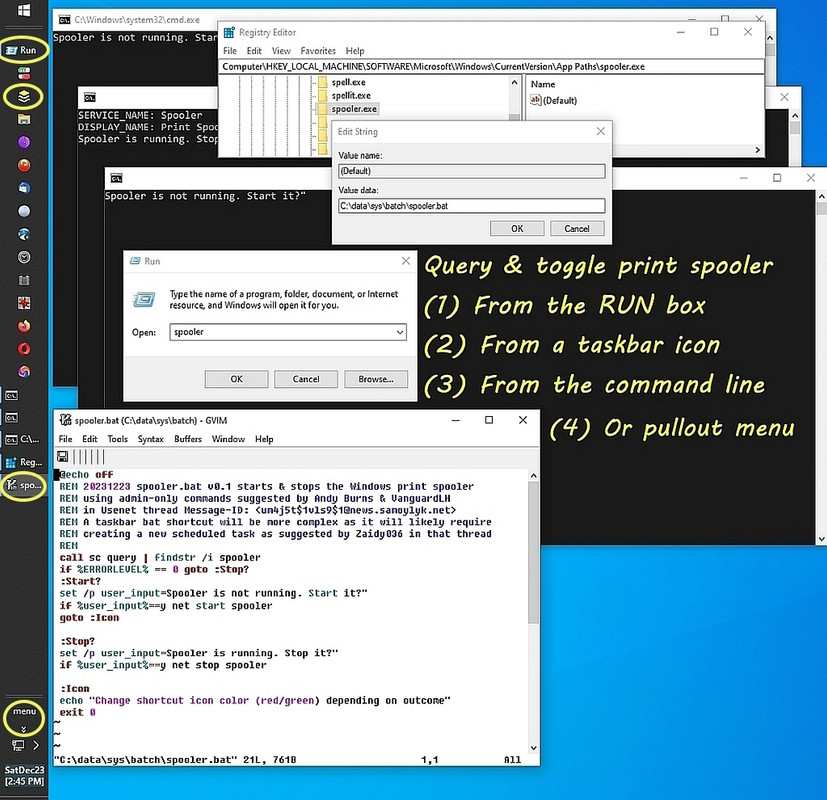
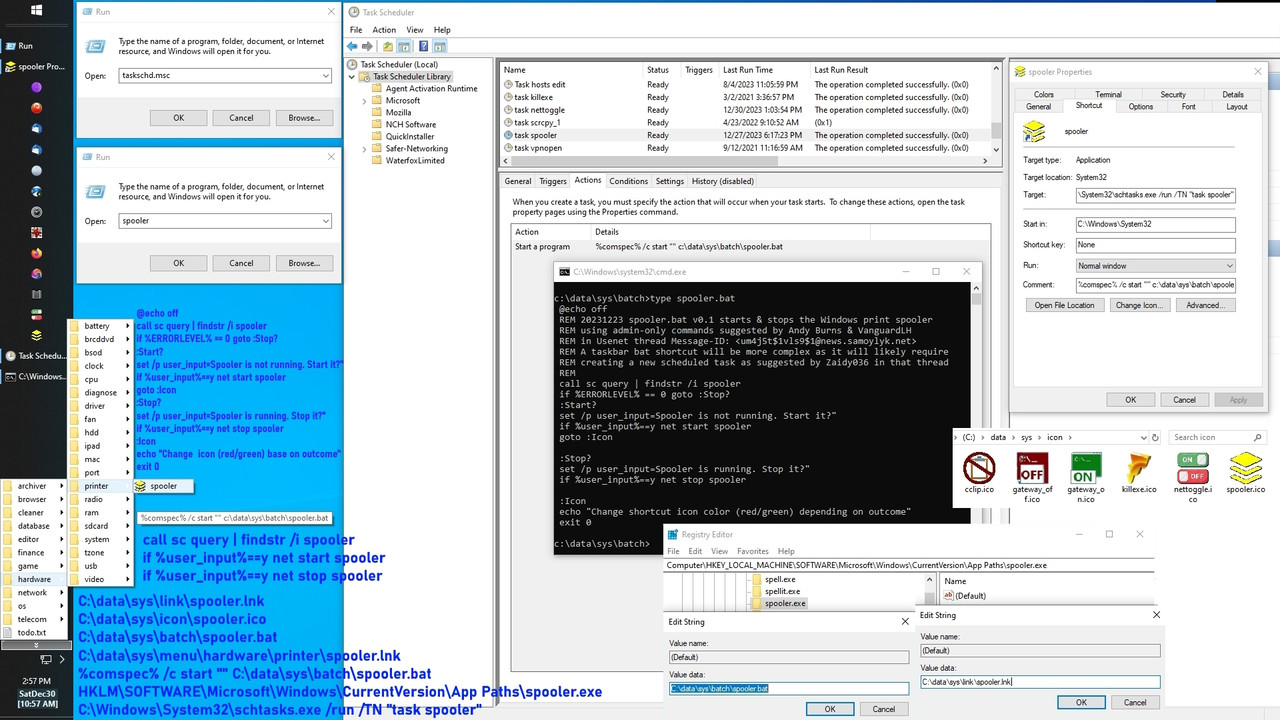
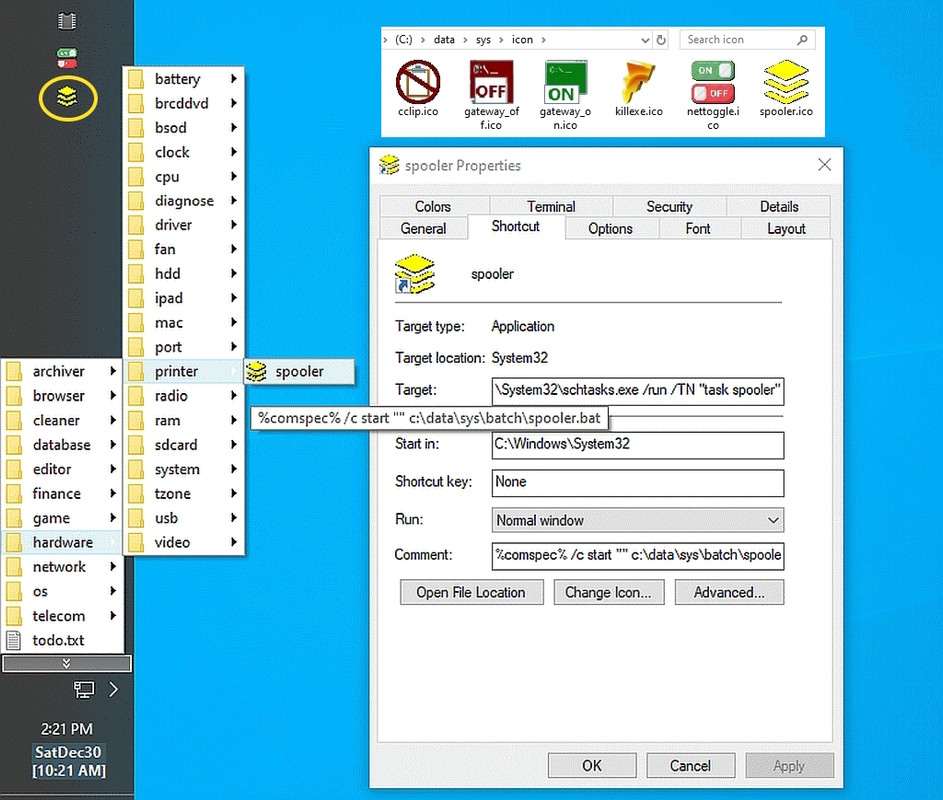
I do it manually but is there a command that can be put in a file attached
to a shortcut so that I can start and stop the print spooler on demand?
spooler [Enter] <== the reason for this becomes evident later'spooler' is not recognized as an internal or external command,
sc query | findstr /i spoolerThe Print Spooler service was stopped successfully.
if not errorlevel 1 echo "Spooler is running. Kill it?"
net stop spooler
sc query | findstr /i spoolerThe Print Spooler service was started successfully.
if errorlevel 1 echo "Spooler is not running. Start it?"
net start spooler
vim C:\data\sys\batch\spooler.bat
Even after accepting the duff cert, the pages still don't render.
I'm seeing what you are seeing now.
However, some groups do work, after a fashion.
Thanks for checking into the problem for me.
In summary, there is tremendous value in a permanent web-search archive
that goes back to the birth of Usenet where we can first and foremost,
search before posting - but more importantly sometimes is we can find
and reference articles for use by anyone on the planet (yes, even your
own mother) where people who know nothing about Usenet can read Usenet articles without subscribing to a service and installing any software.
The problem is all the archives for_this_ Windows newsgroup... suck.
The problem is all the archives for_this_ Windows newsgroup... suck.
1+
spooler [Enter]
spooler [Enter]
While a few in this thread told the OP to "go search you idiot", I suspect not a single one of those who said that has ever done the required task because it demanded use of a half dozen specific Windows tricks to work.
On Sat, 30 Dec 2023 16:18:04 -0400, Wally J wrote:
[big snip]
For those who just want to do what the subject line says, I
respectfully suggest Wally's research is overkill. Doesn't mean I
think it's bad in itself, just that it puts a burden on the person
whose needs are simple. Sometimes when I'm posting a long article I
start off with a TL;DR section before going on to the long version.
I'm pretty sure I posted earlier in this thread. A simple google
search for "restart print spooler windows" (without the quotes)
reveals the answer.
1. Open an administrative(*) command prompt.
2. Type "net stop spooler" (without quotes), hit the Enter key, and
wait a few seconds for the command to report it has finished.
3. Type "net start spooler" (without quotes), hit the Enter key, and
wait a few seconds for the command to report it has finished.
(*) The first hit was from Dell, relating to Windows 7, and it didn't
mention an _administrative_ command prompt. Maybe Windows 7 could
execute those two commands in a non-elevated prompt; I don't know.
But Windows 10 needs an admin command prompt, as I quickly found by experimentation, so I'll bet dollars to donuts Windows 11 does also.
But Windows 10 needs an admin command prompt, as I quickly found by experimentation, so I'll bet dollars to donuts Windows 11 does also.
In which case, if you decide to respond to the OP's question,
look up the google search links and give them to him.
This helps a lot when the poster has already been searching
on the wrong search terms.
Stan Brown <the_stan_brown@fastmail.fm> wrote
But Windows 10 needs an admin command prompt, as I quickly found by experimentation, so I'll bet dollars to donuts Windows 11 does also.
With all due respects, Stan, it's worse than you seem to be aware of.
Please don't respond until you actually try it WITHOUT reading my tutorial!
*You _will_ fail*
On Sat, 30 Dec 2023 19:42:57 -0800, T wrote:
In which case, if you decide to respond to the OP's question,
look up the google search links and give them to him.
This helps a lot when the poster has already been searching
on the wrong search terms.
I listed the Google search in my second paragraph.
it worked fine for me.
I listed the Google search in my second paragraph.
I think 'T' means the URLs found by the search. Note he says "links" (plural), but a search URL is a single one.
| Sysop: | Amessyroom |
|---|---|
| Location: | Fayetteville, NC |
| Users: | 74 |
| Nodes: | 6 (0 / 6) |
| Uptime: | 27:45:46 |
| Calls: | 1,195 |
| Files: | 1,354 |
| D/L today: |
16 files (19,622K bytes) |
| Messages: | 294,098 |