2026-05 Cumulative Update for Windows 10 Version 22H2 for x64-based
Systems (KB5087544)
Status: Pending restart
...
If you're also running W10 ESU, you'll get this update as well.
Just got a notification in my tray that my system needs to reboot in
order to install an update. I went into Settings/Update & Security and see: _________________________________________________________________________ Restart required
Your device will restart outside of active hours.
2026-05 Cumulative Update for Windows 10 Version 22H2 for x64-based
Systems (KB5087544)
Status: Pending restart _________________________________________________________________________
Since I'm running W10 Pro ESU, this is a security update.
Information about KB5087544 is here:
https://support.microsoft.com/en-us/topic/may-12-2026-kb5087544-os-builds-19045-7291-and-19044-7291-579dfaac-2664-45cc-9bd8-e6999fcc8836
and her:
https://www.bleepingcomputer.com/news/microsoft/microsoft-releases-windows-10-kb5087544-extended-security-update/
If you're also running W10 ESU, you'll get this update as well.
On Thu, 14 May 2026 05:31:01 -0700, John C. wrote:
Just got a notification in my tray that my system needs to reboot in
order to install an update. I went into Settings/Update & Security and see: >> _________________________________________________________________________
Restart required
Your device will restart outside of active hours.
2026-05 Cumulative Update for Windows 10 Version 22H2 for x64-based
Systems (KB5087544)
Status: Pending restart
_________________________________________________________________________
Since I'm running W10 Pro ESU, this is a security update.
Information about KB5087544 is here:
https://support.microsoft.com/en-us/topic/may-12-2026-kb5087544-os-builds-19045-7291-and-19044-7291-579dfaac-2664-45cc-9bd8-e6999fcc8836
and her:
https://www.bleepingcomputer.com/news/microsoft/microsoft-releases-windows-10-kb5087544-extended-security-update/
If you're also running W10 ESU, you'll get this update as well.
How to undo an update which brick Windows, anyway? In case I need to.
And is there a way to disable auto-update from within Windows' Recovery Environment? So that the problematic update won't be redownloaded and rescheduled to be applied again after booting to normal mode.
On Thu, 14 May 2026 05:31:01 -0700, John C. wrote:
Just got a notification in my tray that my system needs to reboot in
order to install an update. I went into Settings/Update & Security and see: >> _________________________________________________________________________
Restart required
Your device will restart outside of active hours.
2026-05 Cumulative Update for Windows 10 Version 22H2 for x64-based
Systems (KB5087544)
Status: Pending restart
_________________________________________________________________________
Since I'm running W10 Pro ESU, this is a security update.
Information about KB5087544 is here:
https://support.microsoft.com/en-us/topic/may-12-2026-kb5087544-os-builds-19045-7291-and-19044-7291-579dfaac-2664-45cc-9bd8-e6999fcc8836
and her:
https://www.bleepingcomputer.com/news/microsoft/microsoft-releases-windows-10-kb5087544-extended-security-update/
If you're also running W10 ESU, you'll get this update as well.
How to undo an update which brick Windows, anyway? In case I need to.
And is there a way to disable auto-update from within Windows' Recovery Environment? So that the problematic update won't be redownloaded and rescheduled to be applied again after booting to normal mode.
On Thu, 14 May 2026 05:31:01 -0700, John C. wrote:
Just got a notification in my tray that my system needs to reboot in
order to install an update. I went into Settings/Update & Security and see: >> _________________________________________________________________________
Restart required
Your device will restart outside of active hours.
2026-05 Cumulative Update for Windows 10 Version 22H2 for x64-based
Systems (KB5087544)
Status: Pending restart
_________________________________________________________________________
Since I'm running W10 Pro ESU, this is a security update.
Information about KB5087544 is here:
https://support.microsoft.com/en-us/topic/may-12-2026-kb5087544-os-builds-19045-7291-and-19044-7291-579dfaac-2664-45cc-9bd8-e6999fcc8836
and her:
https://www.bleepingcomputer.com/news/microsoft/microsoft-releases-windows-10-kb5087544-extended-security-update/
If you're also running W10 ESU, you'll get this update as well.
How to undo an update which brick Windows, anyway? In case I need to.
And is there a way to disable auto-update from within Windows' Recovery Environment? So that the problematic update won't be redownloaded and rescheduled to be applied again after booting to normal mode.
John C. wrote:
2026-05 Cumulative Update for Windows 10 Version 22H2 for x64-based
Systems (KB5087544)
Status: Pending restart
...
If you're also running W10 ESU, you'll get this update as well.
I disabled automatic update. So I needed to maually download it.
On Thu, 14 May 2026 05:31:01 -0700, John C. wrote:
Just got a notification in my tray that my system needs to reboot in
order to install an update. I went into Settings/Update & Security and see: >> _________________________________________________________________________
Restart required
Your device will restart outside of active hours.
2026-05 Cumulative Update for Windows 10 Version 22H2 for x64-based
Systems (KB5087544)
Status: Pending restart
_________________________________________________________________________
Since I'm running W10 Pro ESU, this is a security update.
Information about KB5087544 is here:
https://support.microsoft.com/en-us/topic/may-12-2026-kb5087544-os-builds-19045-7291-and-19044-7291-579dfaac-2664-45cc-9bd8-e6999fcc8836
and her:
https://www.bleepingcomputer.com/news/microsoft/microsoft-releases-windows-10-kb5087544-extended-security-update/
If you're also running W10 ESU, you'll get this update as well.
How to undo an update which brick Windows, anyway? In case I need to.
And is there a way to disable auto-update from within Windows' Recovery Environment? So that the problematic update won't be redownloaded and rescheduled to be applied again after booting to normal mode.
Mr. Man-wai Chang wrote:
John C. wrote:
2026-05 Cumulative Update for Windows 10 Version 22H2 for x64-based
Systems (KB5087544)
Status: Pending restart
...
If you're also running W10 ESU, you'll get this update as well.
I disabled automatic update. So I needed to maually download it.
Disabling AU if you're on ESU is definitely a bad idea IMO. If you're
not on ESU, then I perfectly understand why you would do that.
On Thu, 5/14/2026 4:20 PM, JJ wrote:[...]
How to undo an update which brick Windows, anyway? In case I need to.
And is there a way to disable auto-update from within Windows' Recovery Environment? So that the problematic update won't be redownloaded and rescheduled to be applied again after booting to normal mode.
When you disconnect the network cable, that reduces the incentive to be installing updates.
Disabling AU if you're on ESU is definitely a bad idea IMO. If you're
not on ESU, then I perfectly understand why you would do that.
Paul <nospam@needed.invalid> wrote:
On Thu, 5/14/2026 4:20 PM, JJ wrote:[...]
How to undo an update which brick Windows, anyway? In case I need to.
And is there a way to disable auto-update from within Windows' Recovery
Environment? So that the problematic update won't be redownloaded and
rescheduled to be applied again after booting to normal mode.
When you disconnect the network cable, that reduces the incentive to be
installing updates.
While this thread is about Windows 10, this might still apply:
Many systems, notably laptops, do not have network cables and often
cannot have them and often their Wi-Fi can not be turned off while
booting. So that leaves turning off the (modem/)router, which may or may
not be practical.
[Rest of useful advice deleted.]
Paul <nospam@needed.invalid> wrote:
On Thu, 5/14/2026 4:20 PM, JJ wrote:[...]
How to undo an update which brick Windows, anyway? In case I need to.
And is there a way to disable auto-update from within Windows' Recovery
Environment? So that the problematic update won't be redownloaded and
rescheduled to be applied again after booting to normal mode.
When you disconnect the network cable, that reduces the incentive to be
installing updates.
While this thread is about Windows 10, this might still apply:
Many systems, notably laptops, do not have network cables and often
cannot have them and often their Wi-Fi can not be turned off while
booting. So that leaves turning off the (modem/)router, which may or may
not be practical.
[Rest of useful advice deleted.]
On Fri, 5/15/2026 11:48 AM, Frank Slootweg wrote:
Paul <nospam@needed.invalid> wrote:
On Thu, 5/14/2026 4:20 PM, JJ wrote:[...]
How to undo an update which brick Windows, anyway? In case I need to.
And is there a way to disable auto-update from within Windows' Recovery >>>> Environment? So that the problematic update won't be redownloaded and
rescheduled to be applied again after booting to normal mode.
When you disconnect the network cable, that reduces the incentive to be
installing updates.
While this thread is about Windows 10, this might still apply:
Many systems, notably laptops, do not have network cables and often
cannot have them and often their Wi-Fi can not be turned off while
booting. So that leaves turning off the (modem/)router, which may or may
not be practical.
[Rest of useful advice deleted.]
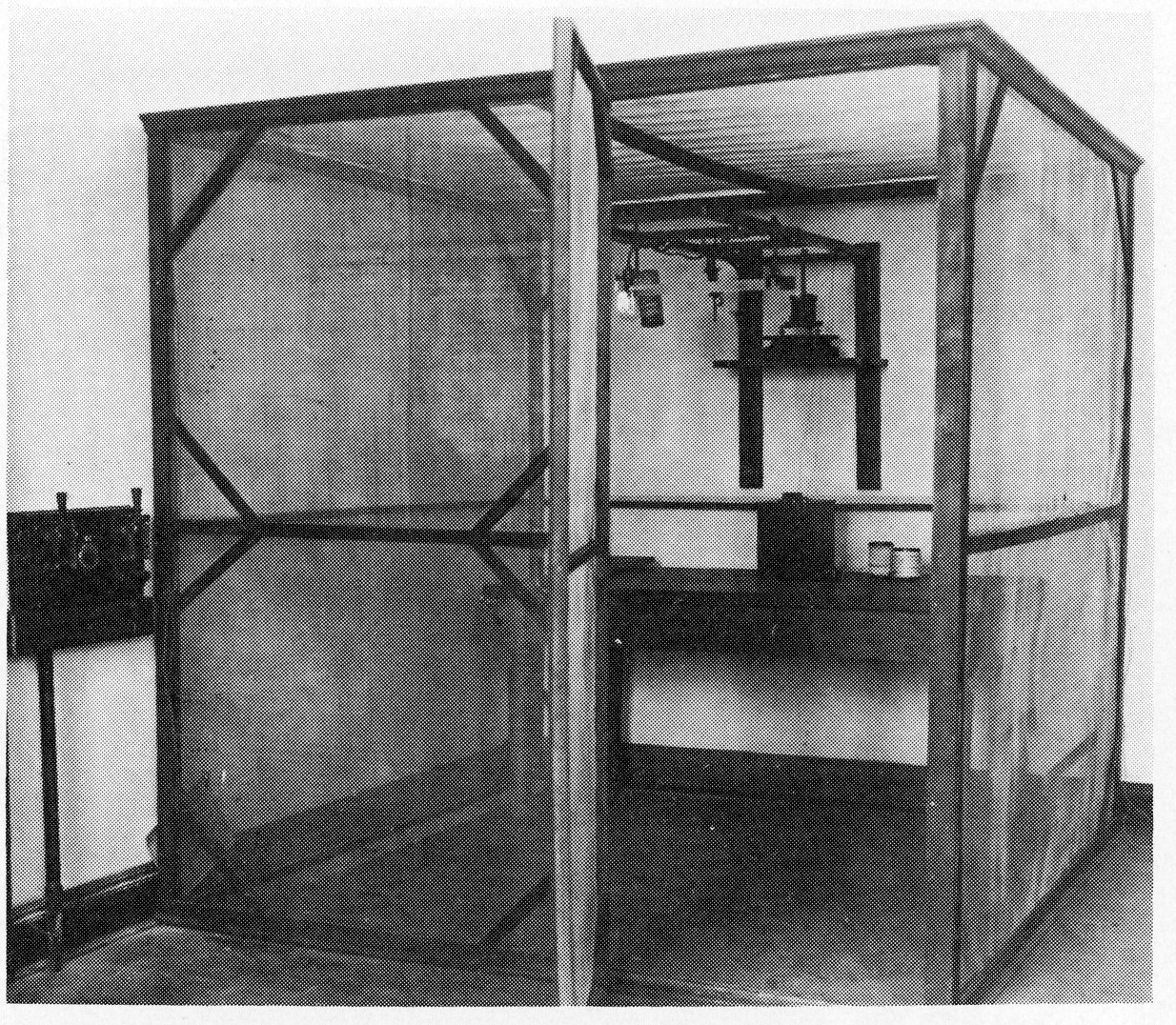
If you were at Michael Faradays house, this would not be a problem.
Just carry the laptop into your walk-in Faraday cage.
https://addpmp.slamjam.com/media/pages/posts/faraday-cage/2833558535-1642607069/faraday-cage-1920x.jpg
The Physics building, in the basement, had a few of these. Plain copper screen type.
At my house, there has never been a wireless router. The laptop
is always in Airplane Mode, and the laptop gets an Ethernet
cable like all the rest, when being used (on the kitchen table).
There's no room on my desk for the laptop. The Wifi LED on the
laptop, goes out when the OS has booted.
Any Wifi experiments here, between desktops, are done point-to-point
without a router. Which is... a lot slower. I did a Miracast that way.
The adapters are all unplugged at the moment, as are the Bluetooth (nano) adapters.
The Bluetooth ones are on USB cable extensions, for adjusting
line-of-sight reception. I had some problems initially with
transmission, because a Nano too close to a metal desktop, isn't
all that good. They work a little better if away from the
casing a bit.
Paul
Paul wrote on 5/15/2026 3:59 PM:
On Fri, 5/15/2026 11:48 AM, Frank Slootweg wrote:
Paul <nospam@needed.invalid> wrote:
On Thu, 5/14/2026 4:20 PM, JJ wrote:[...]
How to undo an update which brick Windows, anyway? In case I need to. >>>>>
And is there a way to disable auto-update from within Windows' Recovery >>>>> Environment? So that the problematic update won't be redownloaded and >>>>> rescheduled to be applied again after booting to normal mode.
When you disconnect the network cable, that reduces the incentive to be >>>> installing updates.
-a-a While this thread is about Windows 10, this might still apply:
-a-a -a-a Many systems, notably laptops, do not have network cables and often
cannot have them and often their Wi-Fi can not be turned off while
booting. So that leaves turning off the (modem/)router, which may or may >>> not be practical.
[Rest of useful advice deleted.]
If you were at Michael Faradays house, this would not be a problem.
Just carry the laptop into your walk-in Faraday cage.
-a-a-a https://addpmp.slamjam.com/media/pages/posts/faraday-cage/2833558535-1642607069/faraday-cage-1920x.jpg
The Physics building, in the basement, had a few of these. Plain copper screen type.
At my house, there has never been a wireless router. The laptop
is always in Airplane Mode, and the laptop gets an Ethernet
cable like all the rest, when being used (on the kitchen table).
There's no room on my desk for the laptop. The Wifi LED on the
laptop, goes out when the OS has booted.
Any Wifi experiments here, between desktops, are done point-to-point
without a router. Which is... a lot slower. I did a Miracast that way.
The adapters are all unplugged at the moment, as are the Bluetooth (nano) adapters.
The Bluetooth ones are on USB cable extensions, for adjusting
line-of-sight reception. I had some problems initially with
transmission, because a Nano too close to a metal desktop, isn't
all that good. They work a little better if away from the
casing a bit.
-a-a-a Paul
I gave up on bluetooth long ago.-a It's just WAAY too half-assed to depend on.
John C. wrote:
Mr. Man-wai Chang wrote:I'm on ESU and I haven't disabled AU, but why would you say that is a
John C. wrote:
2026-05 Cumulative Update for Windows 10 Version 22H2 for x64-based
Systems (KB5087544)
Status: Pending restart
...
If you're also running W10 ESU, you'll get this update as well.
I disabled automatic update. So I needed to maually download it.
Disabling AU if you're on ESU is definitely a bad idea IMO. If you're
not on ESU, then I perfectly understand why you would do that.
bad idea?
John C. wrote:
Disabling AU if you're on ESU is definitely a bad idea IMO. If you're
not on ESU, then I perfectly understand why you would do that.
I am on ESU and I believe turning off AU is not a bad idea at all. :)
John C. wrote:
Just got a notification in my tray that my system needs to reboot in
order to install an update. I went into Settings/Update & Security and see: >> _________________________________________________________________________
Restart required
Your device will restart outside of active hours.
2026-05 Cumulative Update for Windows 10 Version 22H2 for x64-based
Systems (KB5087544)
Status: Pending restart
_________________________________________________________________________
Since I'm running W10 Pro ESU, this is a security update.
Information about KB5087544 is here:
https://support.microsoft.com/en-us/topic/may-12-2026-kb5087544-os-builds-19045-7291-and-19044-7291-579dfaac-2664-45cc-9bd8-e6999fcc8836
and her:
https://www.bleepingcomputer.com/news/microsoft/microsoft-releases-windows-10-kb5087544-extended-security-update/
If you're also running W10 ESU, you'll get this update as well.
How to undo an update which brick Windows, anyway? In case I need to.
And is there a way to disable auto-update from within Windows' Recovery Environment? So that the problematic update won't be redownloaded and rescheduled to be applied again after booting to normal mode.
JJ wrote:
John C. wrote:
Just got a notification in my tray that my system needs to reboot in
order to install an update. I went into Settings/Update & Security and see: >>> _________________________________________________________________________ >>> Restart required
Your device will restart outside of active hours.
2026-05 Cumulative Update for Windows 10 Version 22H2 for x64-based
Systems (KB5087544)
Status: Pending restart
_________________________________________________________________________ >>>
Since I'm running W10 Pro ESU, this is a security update.
Information about KB5087544 is here:
https://support.microsoft.com/en-us/topic/may-12-2026-kb5087544-os-builds-19045-7291-and-19044-7291-579dfaac-2664-45cc-9bd8-e6999fcc8836
and her:
https://www.bleepingcomputer.com/news/microsoft/microsoft-releases-windows-10-kb5087544-extended-security-update/
If you're also running W10 ESU, you'll get this update as well.
How to undo an update which brick Windows, anyway? In case I need to.
And is there a way to disable auto-update from within Windows' Recovery
Environment? So that the problematic update won't be redownloaded and
rescheduled to be applied again after booting to normal mode.
Conversation I just had with Gemini (and I actually have used this tool
- it works):
I asked:
In W10, what is the best way to prevent a problematic update from
being installed? That is, once you've dealt with the issues and also
removed the update, how can you prevent it from being reinstalled?
Gemini replied:
Once yourCOve successfully removed a problematic update from Windows
10, the OS will immediately want to download and reinstall it the next
time it checks for updates. Because Windows 10 Home and Pro don't allow
you to simply "uncheck" an update from a list like older versions of
Windows did, you have to use a specific workaround.
The Best Graphical Way (Microsoft's "Show or Hide Updates" Tool) - Microsoft created a standalone, official troubleshooting tool called wushowhide.diagcab. It works by scanning for pending updates and
allowing you to "hide" the one causing issues so Windows Update ignores it.
To use it:
Step 1: Pause Windows Update (Crucial) - Before running the tool, you
need to make sure Windows doesn't sneakily reinstall the update while
you are trying to block it.
a. Go to Settings > Update & Security > Windows Update.
b. Click Pause updates for 7 days.
Step 2: Run the Tool
a. Download the tool directly from Microsoft's servers: https://download.microsoft.com/download/f/2/2/f22d5fdb-59cd-4275-8c95-1be17bf70b21/wushowhide.diagcab
b. Open the file and click Next.
c. Click Hide updates.
The tool will display a list of pending updates. Find the specific
update or driver (look for its KB number) that you just uninstalled,
check the box next to it, and click Next.
d. Close the tool.
Step 3: Resume Updates - Go back to your Windows Update settings and
click Resume updates. The troublesome update will now be completely
bypassed.
Note: If you ever want to install that update in the future (perhaps
after Microsoft releases a fix), just run the tool again, choose Show
hidden updates, and uncheck it.
Mr. Man-wai Chang wrote:
John C. wrote:
Disabling AU if you're on ESU is definitely a bad idea IMO. If you're
not on ESU, then I perfectly understand why you would do that.
I am on ESU and I believe turning off AU is not a bad idea at all. :)
Since your device is enrolled in the paid Extended Security Updates
(ESU) program, updates must be downloaded and installed through the
automated Windows Update mechanism. If you turn off the update service,
your machine will remain vulnerable to new threats. Or am I missing something? The whole point to the ESU program is to help keep W10 secure.
On 16/05/2026 06:44, John C. wrote:
Mr. Man-wai Chang wrote:Multiple versions of the KB5087544 update are available to download from the Microsoft Update Catalogue.
John C. wrote:
Disabling AU if you're on ESU is definitely a bad idea IMO. If you're
not on ESU, then I perfectly understand why you would do that.
I am on ESU and I believe turning off AU is not a bad idea at all. :)
Since your device is enrolled in the paid Extended Security Updates
(ESU) program, updates must be downloaded and installed through the
automated Windows Update mechanism. If you turn off the update service,
your machine will remain vulnerable to new threats. Or am I missing
something? The whole point to the ESU program is to help keep W10 secure.
https://www.catalog.update.microsoft.com/Search.aspx?q=KB5087544
J. P. Gilliver wrote:
John C. wrote:
Mr. Man-wai Chang wrote:I'm on ESU and I haven't disabled AU, but why would you say that is a
John C. wrote:
2026-05 Cumulative Update for Windows 10 Version 22H2 for x64-based>>>>> Systems (KB5087544)
Status: Pending restart
...
If you're also running W10 ESU, you'll get this update as well.
I disabled automatic update. So I needed to maually download it.
Disabling AU if you're on ESU is definitely a bad idea IMO. If you're>>> not on ESU, then I perfectly understand why you would do that.
bad idea?
Since your device is enrolled in the paid Extended Security Updates
(ESU) program, updates must be downloaded and installed through the
automated Windows Update mechanism. If you turn off the update service,> your machine will remain vulnerable to new threats.
On 2026/5/16 6:42:34, John C. wrote:
J. P. Gilliver wrote:I'm not paying anything. I joined ESU using the method mentioned here
John C. wrote:
Mr. Man-wai Chang wrote:I'm on ESU and I haven't disabled AU, but why would you say that is a
John C. wrote:
2026-05 Cumulative Update for Windows 10 Version 22H2 for x64-based >>>>>> Systems (KB5087544)
Status: Pending restart
...
If you're also running W10 ESU, you'll get this update as well.
I disabled automatic update. So I needed to maually download it.
Disabling AU if you're on ESU is definitely a bad idea IMO. If you're
not on ESU, then I perfectly understand why you would do that.
bad idea?
Since your device is enrolled in the paid Extended Security Updates
(ESU) program, updates must be downloaded and installed through the
automated Windows Update mechanism. If you turn off the update service,
your machine will remain vulnerable to new threats.
(though I believe shortly after I did, it was made widely available anyway).
On 15/05/2026 16:48, Frank Slootweg wrote:
Paul <nospam@needed.invalid> wrote:
On Thu, 5/14/2026 4:20 PM, JJ wrote:[...]
How to undo an update which brick Windows, anyway? In case I need to.
And is there a way to disable auto-update from within Windows' Recovery >>> Environment? So that the problematic update won't be redownloaded and
rescheduled to be applied again after booting to normal mode.
When you disconnect the network cable, that reduces the incentive to be
installing updates.
While this thread is about Windows 10, this might still apply:
Many systems, notably laptops, do not have network cables and often cannot have them and often their Wi-Fi can not be turned off while
booting. So that leaves turning off the (modem/)router, which may or may not be practical.
[Rest of useful advice deleted.]
Better solution: keep your WiFi connection permanently set to "metered connection" unless/until you want to let Windows do its updates.
Paul wrote on 5/15/2026 3:59 PM:[...]
At my house, there has never been a wireless router. The laptop
is always in Airplane Mode, and the laptop gets an Ethernet
cable like all the rest, when being used (on the kitchen table).
There's no room on my desk for the laptop. The Wifi LED on the
laptop, goes out when the OS has booted.
Any Wifi experiments here, between desktops, are done point-to-point without a router. Which is... a lot slower. I did a Miracast that way.
The adapters are all unplugged at the moment, as are the Bluetooth (nano) adapters.
The Bluetooth ones are on USB cable extensions, for adjusting
line-of-sight reception. I had some problems initially with
transmission, because a Nano too close to a metal desktop, isn't
all that good. They work a little better if away from the
casing a bit.
I gave up on bluetooth long ago. It's just WAAY too half-assed to
depend on.
Hank Rogers <Hank@nospam.invalid> wrote:
Paul wrote on 5/15/2026 3:59 PM:[...]
At my house, there has never been a wireless router. The laptop
is always in Airplane Mode, and the laptop gets an Ethernet
cable like all the rest, when being used (on the kitchen table).
There's no room on my desk for the laptop. The Wifi LED on the
laptop, goes out when the OS has booted.
Any Wifi experiments here, between desktops, are done point-to-point
without a router. Which is... a lot slower. I did a Miracast that way.
The adapters are all unplugged at the moment, as are the Bluetooth (nano) adapters.
The Bluetooth ones are on USB cable extensions, for adjusting
line-of-sight reception. I had some problems initially with
transmission, because a Nano too close to a metal desktop, isn't
all that good. They work a little better if away from the
casing a bit.
I gave up on bluetooth long ago. It's just WAAY too half-assed to
depend on.
Indeed, especially if one or both sides do not have a display/keyboard
to allow/setup the connection. Example: A headset and a Bluetooth transmitter. The headphone often connects to another, unwanted, source, because it just happens to see that earlier/closer/<whatever>. :-( Sigh!
The only positive example/use I have is a 'nearby share' between
computer and smartphone and between smartphones.
I use Samsung's/Google's 'QuickShare' between my Windows laptop and my Android smartphone and between our (my and my wife's) smartphones to
quickly share files/folders. So no need to use an USB cable. (Between
our computers, I just use Windows file sharing.)
I believe QuickShare only uses Bluetooth to find the other nearby
device and then uses the normal network (Wi-Fi/mobile) to do the actual transfer. For me, it is just one of these few 'It just works!'
facilities.
Hank Rogers <Hank@nospam.invalid> wrote:
Paul wrote on 5/15/2026 3:59 PM:[...]
At my house, there has never been a wireless router. The laptop
is always in Airplane Mode, and the laptop gets an Ethernet
cable like all the rest, when being used (on the kitchen table).
There's no room on my desk for the laptop. The Wifi LED on the
laptop, goes out when the OS has booted.
Any Wifi experiments here, between desktops, are done point-to-point
without a router. Which is... a lot slower. I did a Miracast that way.
The adapters are all unplugged at the moment, as are the Bluetooth (nano) adapters.
The Bluetooth ones are on USB cable extensions, for adjusting
line-of-sight reception. I had some problems initially with
transmission, because a Nano too close to a metal desktop, isn't
all that good. They work a little better if away from the
casing a bit.
I gave up on bluetooth long ago. It's just WAAY too half-assed to
depend on.
Indeed, especially if one or both sides do not have a display/keyboard
to allow/setup the connection. Example: A headset and a Bluetooth transmitter. The headphone often connects to another, unwanted, source, because it just happens to see that earlier/closer/<whatever>. :-( Sigh!
The only positive example/use I have is a 'nearby share' between
computer and smartphone and between smartphones.
I use Samsung's/Google's 'QuickShare' between my Windows laptop and my Android smartphone and between our (my and my wife's) smartphones to
quickly share files/folders. So no need to use an USB cable. (Between
our computers, I just use Windows file sharing.)
I believe QuickShare only uses Bluetooth to find the other nearby
device and then uses the normal network (Wi-Fi/mobile) to do the actual transfer. For me, it is just one of these few 'It just works!'
facilities.
On Sat, 5/16/2026 2:38 PM, Frank Slootweg wrote:[...]
Hank Rogers <Hank@nospam.invalid> wrote:
I gave up on bluetooth long ago. It's just WAAY too half-assed to
depend on.
Indeed, especially if one or both sides do not have a display/keyboard
to allow/setup the connection. Example: A headset and a Bluetooth transmitter. The headphone often connects to another, unwanted, source, because it just happens to see that earlier/closer/<whatever>. :-( Sigh!
The only positive example/use I have is a 'nearby share' between
computer and smartphone and between smartphones.
I use Samsung's/Google's 'QuickShare' between my Windows laptop and my Android smartphone and between our (my and my wife's) smartphones to quickly share files/folders. So no need to use an USB cable. (Between
our computers, I just use Windows file sharing.)
I believe QuickShare only uses Bluetooth to find the other nearby
device and then uses the normal network (Wi-Fi/mobile) to do the actual transfer. For me, it is just one of these few 'It just works!'
facilities.
I nominate you Bluetooth Ambassador for the group :-)
CoPilot says:
"No. Windows does not include Samsung Quick Share or Google Quick Share as native OS features.
They are provided as separate apps:
Samsung Quick Share for Windows (from Microsoft Store).
Supported on Windows 10 version 2004+ and Windows 11.
Google Quick Share for Windows (downloaded from Google)
Works on Windows 10 and Windows 11.
https://support.google.com/android/answer/13801258
Both rely on Bluetooth + Wi?Fi Direct for discovery and transfer."
Which suggests it doesn't go through your Wifi router and
may use the slower Wifi transfer method (which is a lot faster
than Bluetooth in any case).
The Windows motto is:
"It works... if you spend all morning on it"
If you are not a lather of sweat from the effort,
then "you haven't earned it".
It would be interesting to see if you could do this.
-------- Bluetooth -------
+------- Wifi-Direct ------+
| |
x86-PC x86-PC
W10 W10
Goog-QS Goog-QS
On Sat, 5/16/2026 2:38 PM, Frank Slootweg wrote:
There is also a
Settings : System : Nearby Sharing
which I haven't used.
There is bound to be a catch in there, somewhere.
Paul <nospam@needed.invalid> wrote:
On Sat, 5/16/2026 2:38 PM, Frank Slootweg wrote:
[About 'Quick Share' on Windows and Android.]
There is also a
Settings : System : Nearby Sharing
which I haven't used.
There is bound to be a catch in there, somewhere.
That's Windows <--> Windows. I've never used it either, but the 'How
to improve nearly sharing speed' link on that screen (at least on
Windows 11) points to a troubleshooting page, which in turn points to
this page which describes what 'Nearby sharing' is and how to use it:
'Share things with nearby devices in Windows' <https://support.microsoft.com/en-gb/windows/share-things-with-nearby-devices-in-windows-0efbfe40-e3e2-581b-13f4-1a0e9936c2d9>
The page explains that 'Nearby sharing' can use Wi-Fi *or* Bluetooth,
but as this Bluetooth Ambassador denies having more than one Windows computer, it's over to the Bluetooth Ambassador in Central Canada. But
of course posters from South, West and North Canada can chip in.
Since your device is enrolled in the paid Extended Security Updates
(ESU) program, updates must be downloaded and installed through the
automated Windows Update mechanism. If you turn off the update service,
your machine will remain vulnerable to new threats. Or am I missing something? The whole point to the ESU program is to help keep W10 secure.
| Sysop: | Amessyroom |
|---|---|
| Location: | Fayetteville, NC |
| Users: | 65 |
| Nodes: | 6 (0 / 6) |
| Uptime: | 10:17:19 |
| Calls: | 862 |
| Files: | 1,311 |
| D/L today: |
3 files (7,546K bytes) |
| Messages: | 265,185 |