From Newsgroup: alt.comp.os.windows-10
Paul wrote:
To start with, browser caches do not have to be on disk.
You can change the browser setting so the cache is in memory.
The result of this, is not having to clean out cache2 folder
every ten minutes :-)
You're an experienced user. You have no experience at
all doing filesystem housekeeping ? There are compression
tools. You can move materials into secondary storage, and so on.
*******
One thing I found, is Windows had some sort of "incident", it
wasn't a BSOD, but the OS tried to create a .dmp to hold
the entire memory space. It stopped, when it got... about
3GB from running out of RAM.
Scan your system and see if there are any dump files.
This also, may not be in cleanmgr.exe as an area needing cleaning.
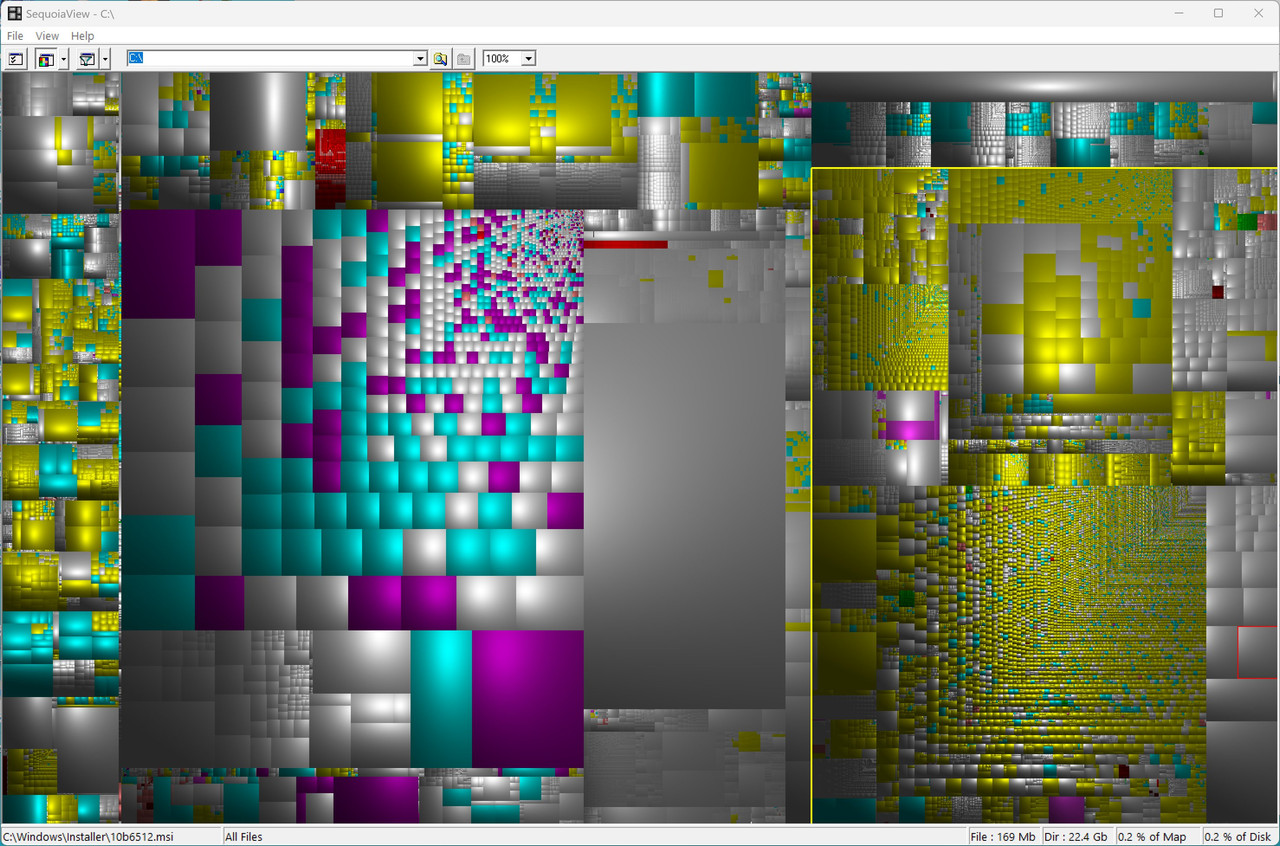
Now, I just did my 25H2 and I haven't used sequoiaview to
see what kind of mess is in there. I've already used cleanmgr.exe
to remove Windows.old (as I have a backup of the whole disk, and
I've already restored three times until I got the blasted upgrade
installed).
In sequoiaview, I see that the .vhdx for Ubuntu has dropped from
10GB to 6GB (zeroing and compaction done by the automation),
so that must have happened during migration.
[Picture] This site has become pretty well hopeless now...
https://i.postimg.cc/SNZnkDbH/Sequoia-View-Color-Mode.jpg
I just put my Downloads folder contents back, as to do the Upgrade
to 25H2, I had to make some space (sound familiar?), and I moved
22GB of Downloads over to another partition. Then, when Windows.old
was purged by cleanmgr.exe, I could copy those back.
Playing ping-pong with materials, is time consuming and a bore,
but it goes with the job.
Hi Paul,
What started as an anomaly of Microsoft Windows doing strange things,
turned out to be Microsoft Windows doing strange things when it's strangled for disk space, where it's a classic "race against the disk" scenario.
At this point, the "solution" is simple (move about 10% of the disk to
another disk) but I'm using this "user experience" as a lesson for all.
I'm writing programs to check the disk space in various arenas before
clearing them, and I'm noticing the myriad ways Windows fails badly.
This is only a first pass at a solution for everyone with this issue.
(this is just my worksheet ... it is not the final script!)
1. Check shadow storage & free space & do a minor disk cleanup.
C:\> vssadmin list shadowstorage
C:\> wmic logicaldisk where "name='C:'" get size,freespace
Win+R > cleanmgr > Clean Up System Files > OK
C:\> dism /online /cleanup-image /analyzecomponentstore
2. Check that Windows self healing didn't turn hibernation on.
C:\> dir C:\ /as
C:\> powercfg /h /type
C:\> powercfg /h off
3. Check if the journal is writing thousands of files per second.
C:\> fsutil usn readjournal C:
C:\> fsutil usn queryjournal C:
PS:> Get-Process | Sort-Object -Descending IOWriteBytes | Select-Object Name, Id, IOWriteBytes -First 5
C:\> fsutil usn readjournal C: %64 > %temp%\journal_dump.txt
PS:> Get-Content -Path "C:\$Extend\$UsnJrnl" -Wait -Tail 10
PS:> Get-Counter -Counter "\Process(*)\IO Write Operations/sec" | Select-Object -ExpandProperty Countersamples | Sort-Object -Property CookedValue -Descending | Select-Object -First 10 | Format-Table -AutoSize
PS: > Get-Process svchost | Sort-Object -Descending IOWriteBytes | Select-Object Name, Id, @{N="Write_GB";E={$_.IOWriteBytes / 1GB}} -First 10
4. When space fills up before your eyes, identify the process writing
PS:> Get-Process | Sort-Object -Descending IOWriteBytes | Select-Object Name, Id, @{Name="Write_GB"; Expression={$_.IOWriteBytes / 1GB}} -First 10
PS:> Get-Counter -Counter "\Process(*)\IO Write Bytes/sec" |
Select-Object -ExpandProperty Countersamples |
Where-Object { $_.CookedValue -gt 0 } |
Sort-Object -Property CookedValue -Descending |
Select-Object -First 5 |
Format-Table -AutoSize
5. Check the sizes of common culprits
C:\> dir /s /a "%temp%"
C:\> dir /s /a "C:\Windows\Temp"
C:\> dir /s /a "%LOCALAPPDATA%\CrashDumps"
C:\> dir /s /a "C:\ProgramData\Microsoft\Windows\WER"
C:\> dir /s /a "C:\Windows\SoftwareDistribution\Download"
C:\> dir /s /a "C:\ProgramData\Microsoft\Windows Defender\Scans"
6. Find files created in the last five minutes.
PS:> $Paths = "C:\Windows", "C:\ProgramData", "C:\Users$env:USERNAME\AppData\Local" Get-ChildItem -Path $Paths -Recurse -ErrorAction SilentlyContinue | Where-Object { $_.LastWriteTime -gt (Get-Date).AddMinutes(-5) } | Select-Object FullName, Length
7. Optionally watch ProgramData every 10 seconds
PS:> while($true) {
$before = (Get-ChildItem "C:\ProgramData" -Recurse | Measure-Object).Count
Start-Sleep -Seconds 10
$after = (Get-ChildItem "C:\ProgramData" -Recurse | Measure-Object).Count
Write-Host "File count change in ProgramData: $($after - $before)" -ForegroundColor Yellow
}
8. Emergency Windows Defender stop if it's the runaway process this time
PS:> Set-MpPreference -DisableRealtimeMonitoring $true
sc stop WinDefend
sc config WinDefend start= disabled
This is only an example of what I'm working on to finally pin
down why Windows is so badly written that it fails miserably
in almost impossible-to-imagine ways when it gets strangled
on disk space (such as when it turned hibernation back on).
Note: I think it's funny that Microsoft engineers on their beefy
machines have never experienced what a user will experience so
they ridicule (according to Winston) what a user will experience
which, paradoxically, is a direct result of their poor coding.
--- Synchronet 3.21f-Linux NewsLink 1.2