• Re: How to copy text on the iPad to the Windows PC

    From Maria Sophia@mariasophia@comprehension.com to misc.phone.mobile.iphone,comp.sys.mac.advocacy,alt.comp.os.windows-10 on Sun Oct 25 22:45:04 2026
    From Newsgroup: alt.comp.os.windows-10

    Zaidy036 wrote:
    If Notes won't work, what other SIMPLE way is there to transfer a long text >> to the Windows PC which is only six inches away (so using the Internet
    would be absurd).
    copy into a draft email and it will appear in drafts on the 2nd machine
    if the same account is present.

    Hi Zaidy,

    Thanks for that idea, where below is the response I just gave to Nick
    Charles for his helpful suggestion on using Files, instead of Notes.

    I know you from the Windows newsgroups, so I was unaware you are on Apple newsgroups, but it's nice to see you on all of them, as I am, to learn.

    While your kind suggestion will work, it doesn't keep everything on the
    local LAN since email services (Gmail, Outlook, etc.) sync drafts via the internet. Even if our devices are on the same local network, the draft
    would still need to connect to the email server, wouldn't it?

    If so, that violates the number one rule of privacy (unless I run a local
    mail server, which even I would say that's a bit to cumbersome just to work around the fact iOS doesn't interoperate with Windows like Android does.

    Here's my response to Nick Charles on the solution that has privacy.

    If anyone can improve upon that solution, that would be wonderful, as I'm always about providing solutions that work between all common platforms.

    Nick Charles wrote:
    Oh look. DipshIT is AGAIN jumping thru hoops to do something VERY simple.

    Use the fucking Files app on iOS you dumbass. Open the files app. Long press anywhere, select Paste. A new text file will be created with your pasted text from the clipboard. AGAIN using the files app, connect to
    your Windows computer over the Wi-Fi connection. You DO have a drive
    shared on your Windows computer, right? AGAIN using the Files app, copy/paste your text file to Windows.

    Done. God DAMN, you are stupid.

    How long DOES it take you to dream up these absurdly complicated ways to do easy things? All in your never ending, life-long goal of |Making Apple
    Look Badi.

    Hi Nick Charles,

    THANK YOU for that wonderful idea, as the record shows I initially tried
    Files but I hadn't realized that longpressing in empty space creates the text.txt file containing whatever was copied into the iOS clipboard.

    Given I have never, in all the decades of posting to Usenet, ever disagreed with any logically defensible statement, I do very much agree with you.

    Using Files works much better than using Notes did in my previous tests.

    To confirm that you're correct, I did test this and it does work for most:
    1. Long-paste in Files app to create text2.txt (this works)
    2. Open Files app > connect to Windows PC via SMB
    3. Copy the file to the Windows machine

    Here is where it breaks down, for me, which I had stated in this thread.

    My Win10 local security policy LimitBlankPasswordUse is enabled, which restricts network logons using blank-password accounts, which makes sense.

    My existing AndroidBackup share grants Everyone read access only, not write access, but that can be changed. The problem is the password requirement.

    So the Files-app paste suggestion works, as I verified. But the subsequent
    SMB transfer is not a ready-to-use bidirectional solution due to the
    default password requirement. Weakening that opens up too many holes.

    LocalSend avoids that SMB password dependency on the user or guest account.

    1. SMB authentication with a passwordless Windows account does not work
    even when guest is allowed. Even with password-protected sharing
    turned OFF on the Windows side, AFAIK, the Files app's SMB client
    requires a username and password when adding a server.

    2. No Apple software on the PC means no iCloud Drive, no Apple
    Devices app, and no USB file-browsing path from PC to iPad.
    The Files app on iOS cannot reach the PC via iCloud because
    there is no iCloud on the Windows machine. The only default
    network path from iPad Files to Windows is SMB, and as noted
    above, SMBv2 auth without a Windows password won't work.

    3. We explicitly do not want any Internet involvement. Hence
    cloud-based workarounds (OneDrive, Google Drive, Dropbox)
    are off the table. That eliminates the onlypath where iOS
    and Windows interoperate without friction.

    So your suggestion is appreciated as it eliminates need for Notes!
    But something like the LocalSend method is required, unfortunately.
    a. No accounts, no passwords, no cloud services
    b. Transfers over Wi-Fi LAN only (nothing touches the Internet)
    c. Works iPad <-> Windows with a simple tap-to-send flow
    d. No SMBv2 configuration issues, no authentication dialogs,
    and no dependency on Windows sharing settings

    Never have I disagreed with any person who proposes logically defensible solutions, so I do agree with you that the Files-app paste step is a real improvement over the Notes workflow that I was able to get work yesterday.

    But, unfortunately, the SMB step is still a friction point that makes
    the Files + SMB path fail for a passwordless Windows machine with no Apple software installed, and I'm not adding a password just to transfer files.

    Luckily, LocalSend works on all platforms, stays local, and doesn't require
    a password just to transfer a file from one machine on the LAN to another. Although, I admit openly, sometimes it's flaky (due to firewall issues).

    That is not "complicated" since it's simply the easiest way to do it.

    Note: Since LocalSend uses a fixed, hardcoded default port (TCP and UDP
    port 53317) across all platforms (Windows, iOS, Android, macOS, Linux), if
    the Windows-to-iPad transfer fails with a connection error, we may need to
    add firewall rules on the Windows PC to open it up for file transfer.

    netsh advfirewall firewall add rule name="LocalSend TCP"
    dir=in action=allow protocol=TCP localport=53317
    netsh advfirewall firewall add rule name="LocalSend UDP"
    dir=in action=allow protocol=UDP localport=53317

    After that, the transfer should work bidirectionally over the Wi-Fi LAN without any need for OEM accounts or the Internet or, gasp, the cloud.

    In summary, thank you for your suggestion, which was helpful as I tried the Files app but didn't realize the Files app can create a text file directly
    from the clipboard, eliminating the need for Notes. I tested it, and I
    openly, publicly, and sincerely acknowledge that improvement works on iOS.

    Where we differ is the next step. SMBv2/v3 can support Guest access, but
    making that work without credentials may require Windows security and share-permission changes that I am not willing to make just to transfer a
    text file. My existing share is read-only for Everyone, and my Windows
    policy restricts network logons using blank-password accounts. I am not claiming SMB without a password is universally impossible but I am saying
    it is not a ready-to-use solution under my current setup constraints.

    Luckily, LocalSend gives all platforms bidirectional file transfer over the existing LAN without an SMB share, Windows file-sharing credentials, cloud accounts, or an Internet transfer. While LocalSend can occasionally need firewall troubleshooting, that is a manageable one-time setup trade-off.

    So, thank you for the iOS Files-app shortcut, which improves the
    file-creation step on iOS from the clipboard. One reason I was frustrated
    is because on Android, the clipboard is shared between Windows and iOS so I simply rightclick to copy on Android and rightclick to paste onto Windows
    and vice versa. So the fact on Android the clipboard is shared was partly
    why the iOS method seems like such a kludge.

    If, on iOS, we could put a file into the iOS DCIM directory, that would
    have worked to transfer files, at least for one direction, with Windows.
    As we all know, on Android, Windows & the Android filesystem work bidirectionally, but we're severely restricted when dealing with iOS.

    Overall, while the Files+SMB method should work for most Windows:iOS users, LocalSend remains my preferred transfer method because it meets my actual requirements without changing my Windows security configuration.

    Thank you very much for your helpful suggestions about iOS Files creating a
    a text.txt file containing the clipboard contents when longpressing in
    empty space (I was looking for a way to paste the clipboard INTO a file).
    --
    Android, Windows & Linux walk into a bar to discuss their differences.
    --- Synchronet 3.22a-Linux NewsLink 1.2
  • From Carlos E.R.@robin_listas@es.invalid to misc.phone.mobile.iphone,comp.sys.mac.advocacy,alt.comp.os.windows-10 on Tue Oct 27 13:17:22 2026
    From Newsgroup: alt.comp.os.windows-10

    On 2026-10-26 03:45, Maria Sophia wrote:
    While your kind suggestion will work, it doesn't keep everything on the
    local LAN since email services (Gmail, Outlook, etc.) sync drafts via the internet. Even if our devices are on the same local network, the draft
    would still need to connect to the email server, wouldn't it?

    You know that terrorists and really bad guys used this method, and the authorities took long to find them out?
    --
    Cheers, Carlos.
    ESEfc-Efc+, EUEfc-Efc|;
    --- Synchronet 3.22a-Linux NewsLink 1.2
  • From CrudeSausage@crude@sausa.ge to misc.phone.mobile.iphone,comp.sys.mac.advocacy,alt.comp.os.windows-10 on Tue Oct 27 10:15:10 2026
    From Newsgroup: alt.comp.os.windows-10

    On 2026-10-27 8:17 a.m., Carlos E.R. wrote:
    On 2026-10-26 03:45, Maria Sophia wrote:
    While your kind suggestion will work, it doesn't keep everything on the
    local LAN since email services (Gmail, Outlook, etc.) sync drafts via the
    internet. Even if our devices are on the same local network, the draft
    would still need to connect to the email server, wouldn't it?

    You know that terrorists and really bad guys used this method, and the authorities took long to find them out?

    If you don't want the draft to connect to the Internet, you are free to connect to your e-mail using POP3 which downloads everything and erases
    it from the server. Similarly, it doesn't send a draft until you are
    ready to do so. Until that time, it resides on your computer. Absolutely nothing is stored on the server itself, so it is a lot more secure
    albeit more cumbersome for archivists such as myself. If you are an
    archivist but want to remain secure, you can use a service like Posteo
    which encrypts absolutely all data, making it unreadable to anyone who
    doesn't have access to the private key. The key itself can also be
    stored somewhere safe on an encrypted storage device.
    --
    CrudeSausage
    MacBook Air M4 Sky Blue
    iPhone 13
    Friendly Apple zealot
    --- Synchronet 3.22a-Linux NewsLink 1.2
  • From Paul@nospam@needed.invalid to misc.phone.mobile.iphone,comp.sys.mac.advocacy,alt.comp.os.windows-10 on Tue Oct 27 10:41:41 2026
    From Newsgroup: alt.comp.os.windows-10

    On Tue, 10/27/2026 8:17 AM, Carlos E.R. wrote:
    On 2026-10-26 03:45, Maria Sophia wrote:
    While your kind suggestion will work, it doesn't keep everything on the
    local LAN since email services (Gmail, Outlook, etc.) sync drafts via the
    internet. Even if our devices are on the same local network, the draft
    would still need to connect to the email server, wouldn't it?

    You know that terrorists and really bad guys used this method, and the authorities took long to find them out?


    Considering all the progress so far, I think the local email server
    is the easiest solution. You know you wanna :-)

    "Personal Mail Server" $3.34

    https://apps.microsoft.com/detail/9nklmkqsg9c8?hl=en-US&gl=US

    "Run your own email server with Personal Mail Server rCo a self-hosted
    SMTP and IMAP mail server that runs entirely on your Windows PC.
    No cloud email providers, no monthly..."

    Each time your Windows PC boots, the iPad will see a local IP appear
    with the email server it wants to reach.

    You could even, secretly, exchange your movies and music, without iTunes :-)
    A 7GB attachment to an email file, encoded in BASE64. OK. OK.

    I'm beginning to get an Apple vibe now. This could work.

    Paul
    --- Synchronet 3.22a-Linux NewsLink 1.2
  • From Carlos E.R.@robin_listas@es.invalid to misc.phone.mobile.iphone,comp.sys.mac.advocacy,alt.comp.os.windows-10 on Tue Oct 27 20:18:44 2026
    From Newsgroup: alt.comp.os.windows-10

    On 2026-10-27 15:15, CrudeSausage wrote:
    On 2026-10-27 8:17 a.m., Carlos E.R. wrote:
    On 2026-10-26 03:45, Maria Sophia wrote:
    While your kind suggestion will work, it doesn't keep everything on the
    local LAN since email services (Gmail, Outlook, etc.) sync drafts via
    the
    internet. Even if our devices are on the same local network, the draft
    would still need to connect to the email server, wouldn't it?

    You know that terrorists and really bad guys used this method, and the
    authorities took long to find them out?

    If you don't want the draft to connect to the Internet, you are free to connect to your e-mail using POP3 which downloads everything and erases
    it from the server.

    Which is contrary to the point. You have to UPLOAD the draft to the server.


    Similarly, it doesn't send a draft until you are
    ready to do so. Until that time, it resides on your computer. Absolutely nothing is stored on the server itself, so it is a lot more secure
    albeit more cumbersome for archivists such as myself. If you are an archivist but want to remain secure, you can use a service like Posteo
    which encrypts absolutely all data, making it unreadable to anyone who doesn't have access to the private key. The key itself can also be
    stored somewhere safe on an encrypted storage device.


    --
    Cheers, Carlos.
    ESEfc-Efc+, EUEfc-Efc|;
    --- Synchronet 3.22a-Linux NewsLink 1.2
  • From Carlos E.R.@robin_listas@es.invalid to misc.phone.mobile.iphone,comp.sys.mac.advocacy,alt.comp.os.windows-10 on Tue Oct 27 20:21:07 2026
    From Newsgroup: alt.comp.os.windows-10

    On 2026-10-27 15:41, Paul wrote:
    On Tue, 10/27/2026 8:17 AM, Carlos E.R. wrote:
    On 2026-10-26 03:45, Maria Sophia wrote:
    While your kind suggestion will work, it doesn't keep everything on the
    local LAN since email services (Gmail, Outlook, etc.) sync drafts via the >>> internet. Even if our devices are on the same local network, the draft
    would still need to connect to the email server, wouldn't it?

    You know that terrorists and really bad guys used this method, and the authorities took long to find them out?


    Considering all the progress so far, I think the local email server
    is the easiest solution. You know you wanna :-)

    Oh, I have mine. Dovecot on Linux. What I have not done is made it
    accessible over internet, no reason to. :-)


    "Personal Mail Server" $3.34

    https://apps.microsoft.com/detail/9nklmkqsg9c8?hl=en-US&gl=US

    "Run your own email server with Personal Mail Server rCo a self-hosted
    SMTP and IMAP mail server that runs entirely on your Windows PC.
    No cloud email providers, no monthly..."

    Each time your Windows PC boots, the iPad will see a local IP appear
    with the email server it wants to reach.

    You could even, secretly, exchange your movies and music, without iTunes :-) A 7GB attachment to an email file, encoded in BASE64. OK. OK.


    :-D

    I'm beginning to get an Apple vibe now. This could work.

    Paul
    --
    Cheers, Carlos.
    ESEfc-Efc+, EUEfc-Efc|;
    --- Synchronet 3.22a-Linux NewsLink 1.2
  • From CrudeSausage@crude@sausa.ge to misc.phone.mobile.iphone,comp.sys.mac.advocacy,alt.comp.os.windows-10 on Tue Oct 27 17:02:35 2026
    From Newsgroup: alt.comp.os.windows-10

    On 2026-10-27 3:18 p.m., Carlos E.R. wrote:
    On 2026-10-27 15:15, CrudeSausage wrote:
    On 2026-10-27 8:17 a.m., Carlos E.R. wrote:
    On 2026-10-26 03:45, Maria Sophia wrote:
    While your kind suggestion will work, it doesn't keep everything on the >>>> local LAN since email services (Gmail, Outlook, etc.) sync drafts
    via the
    internet. Even if our devices are on the same local network, the draft >>>> would still need to connect to the email server, wouldn't it?

    You know that terrorists and really bad guys used this method, and
    the authorities took long to find them out?

    If you don't want the draft to connect to the Internet, you are free
    to connect to your e-mail using POP3 which downloads everything and
    erases it from the server.

    Which is contrary to the point. You have to UPLOAD the draft to the server.

    Yes, but while IMAP immediately saves your draft to the server as you're composing it, POP3 only delivers it to the server once you actually
    press the send button. As such, you can choose the form the server
    receives, such as encrypting it before it leaves your computer.
    --
    CrudeSausage
    MacBook Air M4 Sky Blue
    iPhone 13
    Friendly Apple zealot
    --- Synchronet 3.22a-Linux NewsLink 1.2
  • From Carlos E.R.@robin_listas@es.invalid to misc.phone.mobile.iphone,comp.sys.mac.advocacy,alt.comp.os.windows-10 on Tue Oct 27 23:09:58 2026
    From Newsgroup: alt.comp.os.windows-10

    On 2026-10-27 22:02, CrudeSausage wrote:
    On 2026-10-27 3:18 p.m., Carlos E.R. wrote:
    On 2026-10-27 15:15, CrudeSausage wrote:
    On 2026-10-27 8:17 a.m., Carlos E.R. wrote:
    On 2026-10-26 03:45, Maria Sophia wrote:
    While your kind suggestion will work, it doesn't keep everything on >>>>> the
    local LAN since email services (Gmail, Outlook, etc.) sync drafts
    via the
    internet. Even if our devices are on the same local network, the draft >>>>> would still need to connect to the email server, wouldn't it?

    You know that terrorists and really bad guys used this method, and
    the authorities took long to find them out?

    If you don't want the draft to connect to the Internet, you are free
    to connect to your e-mail using POP3 which downloads everything and
    erases it from the server.

    Which is contrary to the point. You have to UPLOAD the draft to the
    server.

    Yes, but while IMAP immediately saves your draft to the server as you're composing it, POP3 only delivers it to the server once you actually
    press the send button. As such, you can choose the form the server
    receives, such as encrypting it before it leaves your computer.


    BUT that's the point, what I propose, what the bad guys used because it
    was secure from snooping by authorities, is NOT SENDING. That's the
    whole point.

    If you send, there is a route and many servers involved, one of which
    can read your post. The trick is not sending, ever. One bad guy wrote
    the post and left it in drafts. Another bad guy in a different place
    accessed the same account, looked in drafts, and read it.

    Instead of bad guys, just good guys with privacy in mind. The method is private as long as you trust the mail provider. For instance, Proton.

    The encryption is https, if you use the web mail front. Or imaps if you
    don't. Might work with some types of mail encryption. Thunderbird can be
    told to save encrypted drafts.
    --
    Cheers, Carlos.
    ESEfc-Efc+, EUEfc-Efc|;
    --- Synchronet 3.22a-Linux NewsLink 1.2
  • From Maria Sophia@mariasophia@comprehension.com to misc.phone.mobile.iphone,comp.sys.mac.advocacy,alt.comp.os.windows-10 on Tue Oct 27 23:53:01 2026
    From Newsgroup: alt.comp.os.windows-10

    Carlos E.R. wrote:
    BUT that's the point, what I propose, what the bad guys used because it
    was secure from snooping by authorities, is NOT SENDING. That's the
    whole point.

    If you send, there is a route and many servers involved, one of which
    can read your post. The trick is not sending, ever. One bad guy wrote
    the post and left it in drafts. Another bad guy in a different place accessed the same account, looked in drafts, and read it.

    Instead of bad guys, just good guys with privacy in mind. The method is private as long as you trust the mail provider. For instance, Proton.

    The encryption is https, if you use the web mail front. Or imaps if you don't. Might work with some types of mail encryption. Thunderbird can be told to save encrypted drafts.

    Hi Carlos,

    You know me well where when someone gets caught and it makes the news, I
    try to figure out *how* they got caught (by their computer or phone use).

    All intelligent people have a good memory, where I remember when General
    David Petraeus's resignation as CIA Director in 2012 followed an
    extramarital affair with biographer Paula Broadwell when they would communicate, via the same account, via drafts, sans any encryption.
    <https://en.wikipedia.org/wiki/Petraeus_scandal>

    "Petraeus and Broadwell used fake names to create free
    webmail accounts exchanging messages without encryption tools.
    They would share an email account, with one saving a message
    in the drafts folder and the other deleting it after reading it."

    They likely would have gotten away with it since nobody was looking at
    email drafts (apparently) at the time, but he was CIA & they were FBI.
    --- Synchronet 3.22a-Linux NewsLink 1.2
  • From Chris@ithinkiam@gmail.com to alt.comp.os.windows-10,misc.phone.mobile.iphone,comp.sys.mac.advocacy on Wed Oct 28 08:18:47 2026
    From Newsgroup: alt.comp.os.windows-10

    Carlos E.R. <robin_listas@es.invalid> wrote:
    On 2026-10-27 15:15, CrudeSausage wrote:
    On 2026-10-27 8:17 a.m., Carlos E.R. wrote:
    On 2026-10-26 03:45, Maria Sophia wrote:
    While your kind suggestion will work, it doesn't keep everything on the >>>> local LAN since email services (Gmail, Outlook, etc.) sync drafts via >>>> the
    internet. Even if our devices are on the same local network, the draft >>>> would still need to connect to the email server, wouldn't it?

    You know that terrorists and really bad guys used this method, and the
    authorities took long to find them out?

    If you don't want the draft to connect to the Internet, you are free to
    connect to your e-mail using POP3 which downloads everything and erases
    it from the server.

    Which is contrary to the point.

    The point was to, yet again, manufacture a supposed weakness in iOS/iPadOS.


    No response will make any difference to Donald. He'll ignore all
    suggestions and still count it as a win in his addled "highly intelligent" brain.

    We all have ways to deal with the manufactured problem that are effective
    and efficient.

    --- Synchronet 3.22a-Linux NewsLink 1.2
  • From Carlos E.R.@robin_listas@es.invalid to misc.phone.mobile.iphone,comp.sys.mac.advocacy,alt.comp.os.windows-10 on Wed Oct 28 18:27:14 2026
    From Newsgroup: alt.comp.os.windows-10

    On 2026-10-28 04:53, Maria Sophia wrote:
    Carlos E.R. wrote:
    BUT that's the point, what I propose, what the bad guys used because it
    was secure from snooping by authorities, is NOT SENDING. That's the
    whole point.

    If you send, there is a route and many servers involved, one of which
    can read your post. The trick is not sending, ever. One bad guy wrote
    the post and left it in drafts. Another bad guy in a different place
    accessed the same account, looked in drafts, and read it.

    Instead of bad guys, just good guys with privacy in mind. The method is
    private as long as you trust the mail provider. For instance, Proton.

    The encryption is https, if you use the web mail front. Or imaps if you
    don't. Might work with some types of mail encryption. Thunderbird can be
    told to save encrypted drafts.

    Hi Carlos,

    You know me well where when someone gets caught and it makes the news, I
    try to figure out *how* they got caught (by their computer or phone use).

    All intelligent people have a good memory, where I remember when General David Petraeus's resignation as CIA Director in 2012 followed an
    extramarital affair with biographer Paula Broadwell when they would communicate, via the same account, via drafts, sans any encryption.
    <https://en.wikipedia.org/wiki/Petraeus_scandal>

    "Petraeus and Broadwell used fake names to create free
    webmail accounts exchanging messages without encryption tools.
    They would share an email account, with one saving a message
    in the drafts folder and the other deleting it after reading it."

    They likely would have gotten away with it since nobody was looking at
    email drafts (apparently) at the time, but he was CIA & they were FBI.

    Yes, I knew about that :-)

    It worked for many years, till it was publicized. I don't remember if it
    was this case or another.
    --
    Cheers, Carlos.
    ESEfc-Efc+, EUEfc-Efc|;
    --- Synchronet 3.22a-Linux NewsLink 1.2
  • From Maria Sophia@mariasophia@comprehension.com to misc.phone.mobile.iphone,comp.sys.mac.advocacy,alt.comp.os.windows-10 on Wed Oct 28 16:31:50 2026
    From Newsgroup: alt.comp.os.windows-10

    Carlos E.R. wrote:
    They likely would have gotten away with it since nobody was looking at
    email drafts (apparently) at the time, but he was CIA & they were FBI.

    Yes, I knew about that :-)

    It worked for many years, till it was publicized. I don't remember if it
    was this case or another.

    Well, it's good to see how others get caught 'cuz we learn stuff from that.

    Actually, the Petraeus situation was a bit different than the Canadian Navy spy for Russia Jeffrey Delisle <https://www.cbc.ca/news/science/petraeus-used-canadian-navy-spy-s-email-trick-1.1172104>
    because Petraeus'
    <https://en.wikipedia.org/wiki/Petraeus_scandal>
    situation was kind of like the Elliott Spitzer thing <https://en.wikipedia.org/wiki/Eliot_Spitzer_prostitution_scandal>, where
    the feds thought they were "protecting" their own people by snooping on
    their communications (both of whom were high-level government employees).

    Apparently Al-Qaeda did it before anyone knew about it.
    <https://www.pbs.org/wgbh/pages/frontline/shows/front/special/techsidebar.html>

    One thing I learned in windowless buildings at Fort Meade long ago
    was a *lot* of stuff goes on that you don't even think is happening.

    Fundamentally, you don't protect against what you "think" they'll do.
    You protect against what you think they "can" do.

    Personally, having studied encryption historically, I doubt there is
    an encryption around that they haven't cracked in some form, given
    the weak link is usually something mundane, as in all cases above.

    But, the point here is even if we're NOT being chased by the feds,
    using good security practices on an iOS device with Windows is
    practically cumbersome, but it's the right way to do things.

    As Nick Charles kindly opined, for most people, the Files/SMB method should work for most people since they have passwords most likely on their PC.

    For me, sans passwords, Files + LocalSend worked great, but I readily
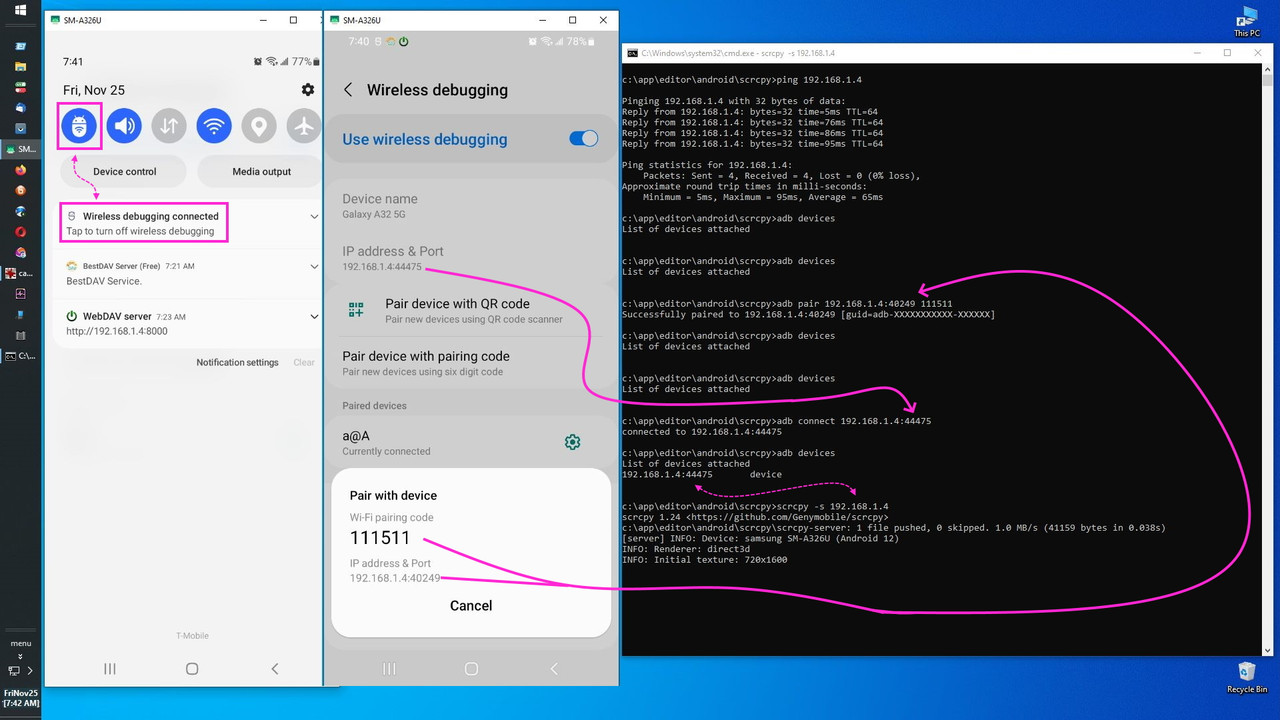
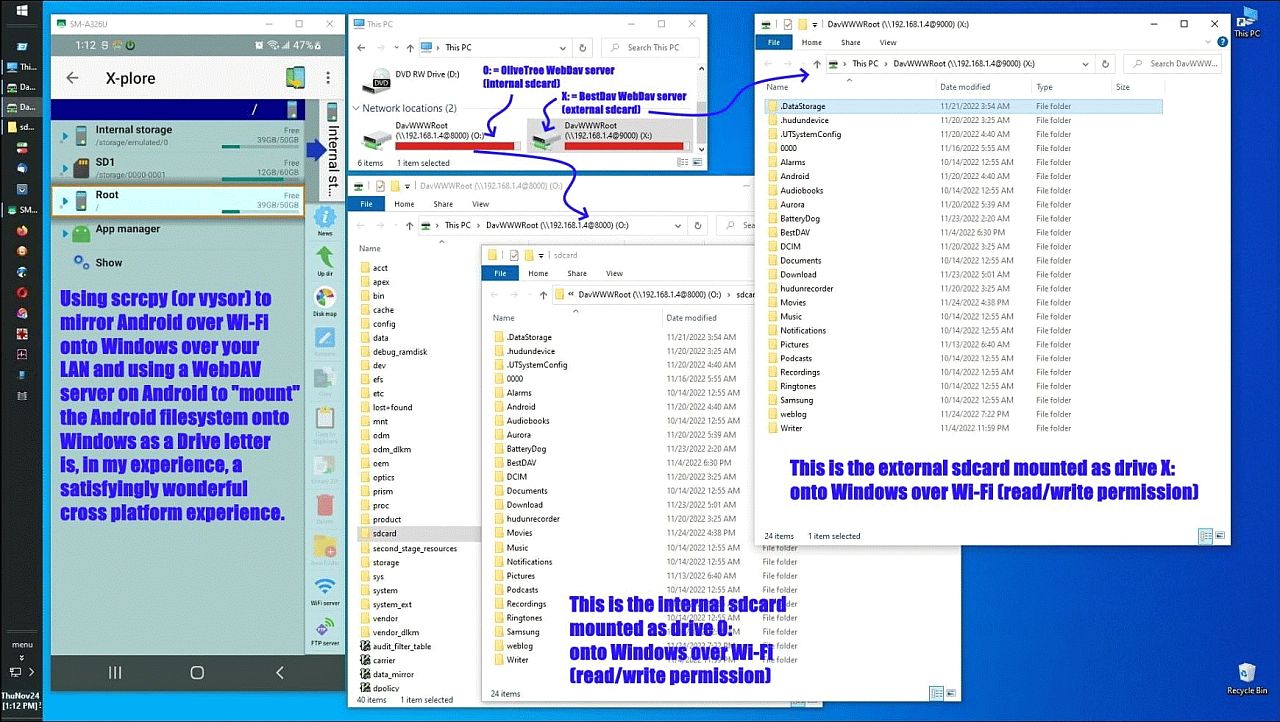
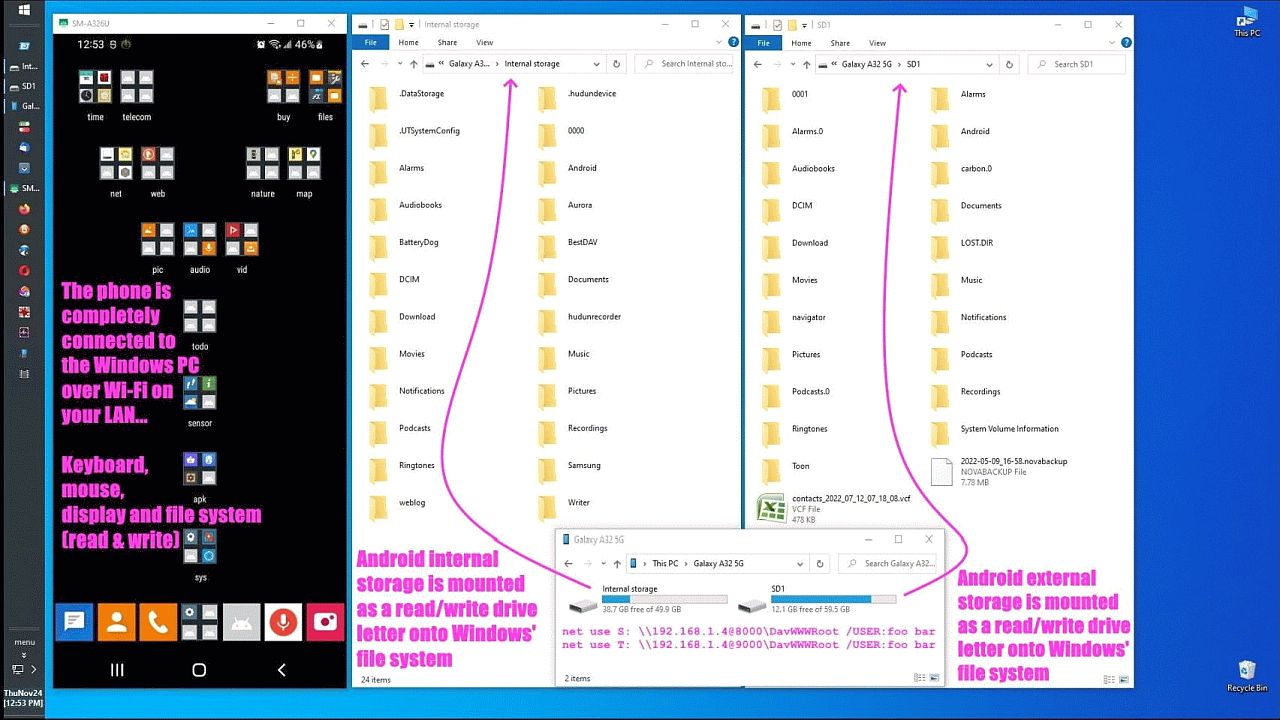
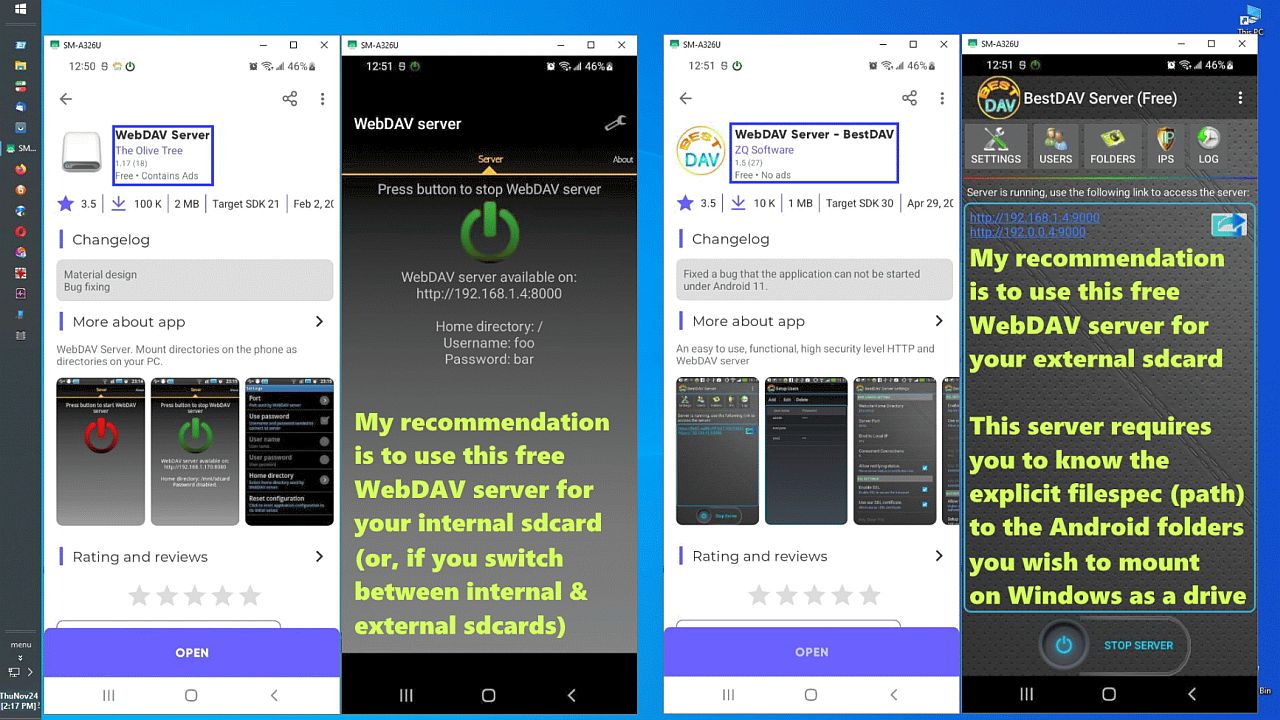
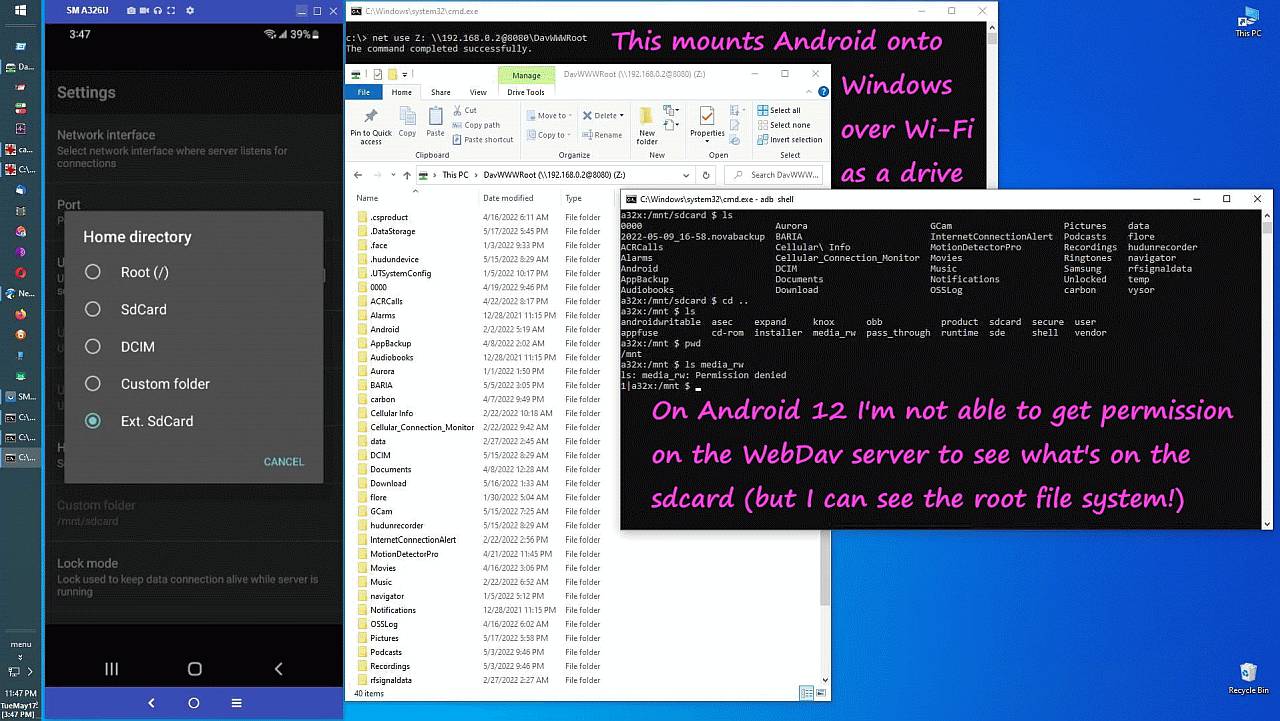
    admit that WebDav works for Android but I don't know if it works for iOS.

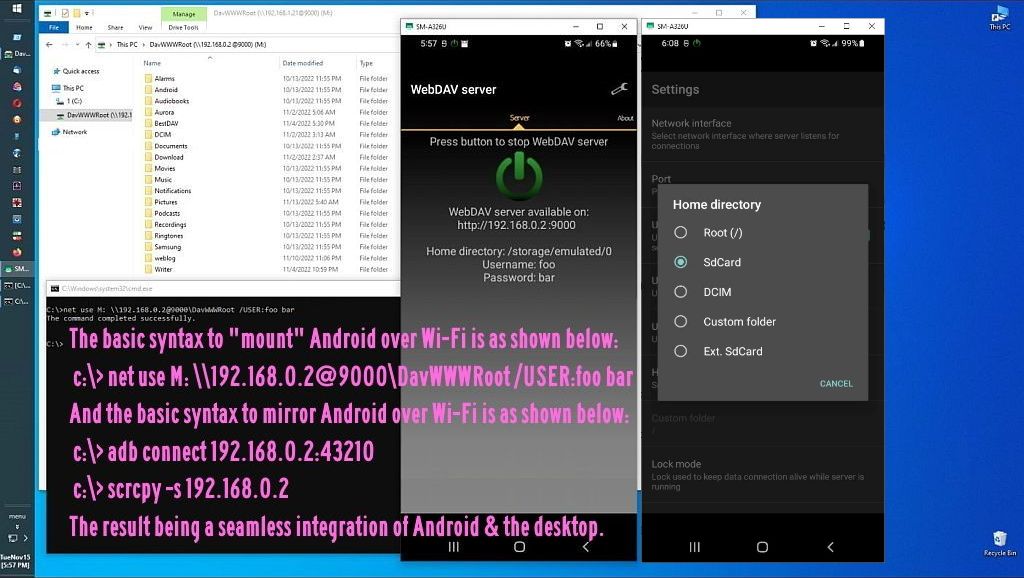
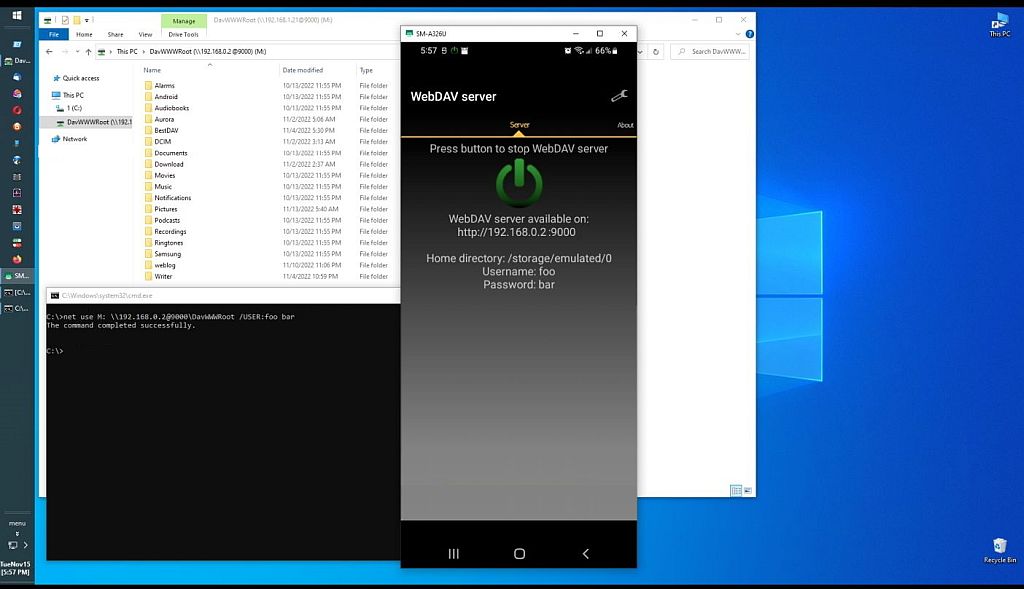
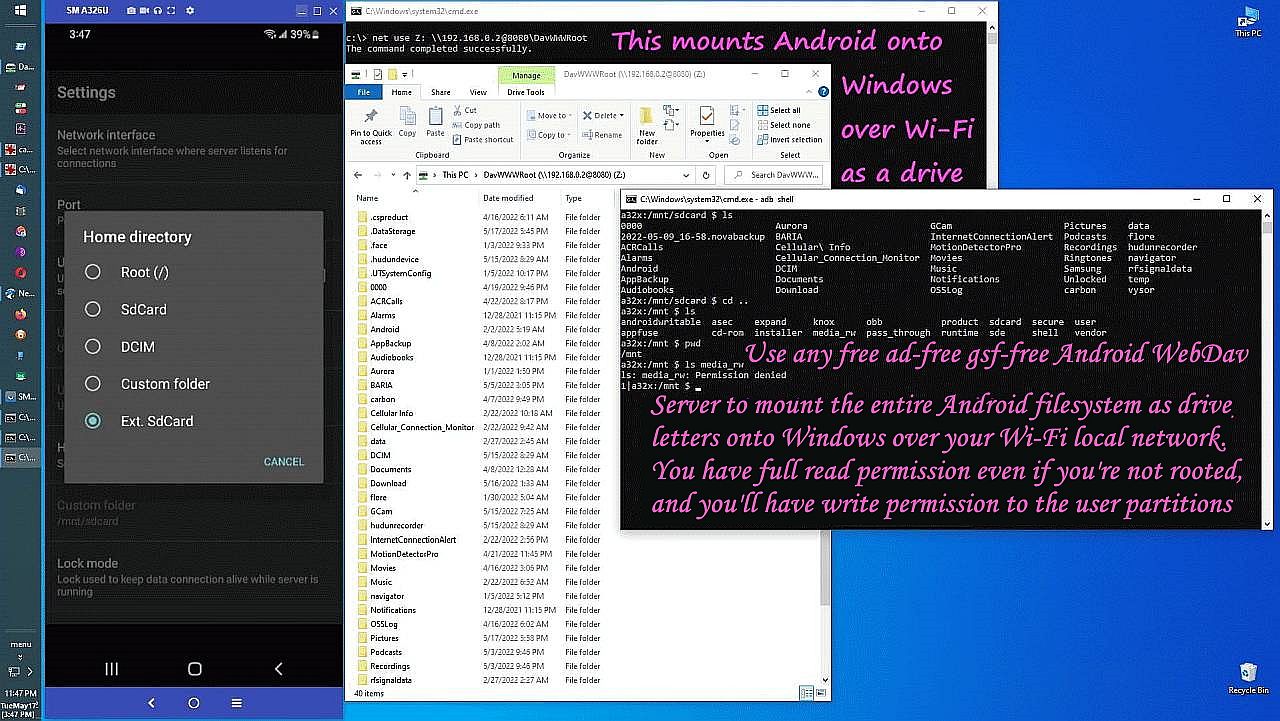
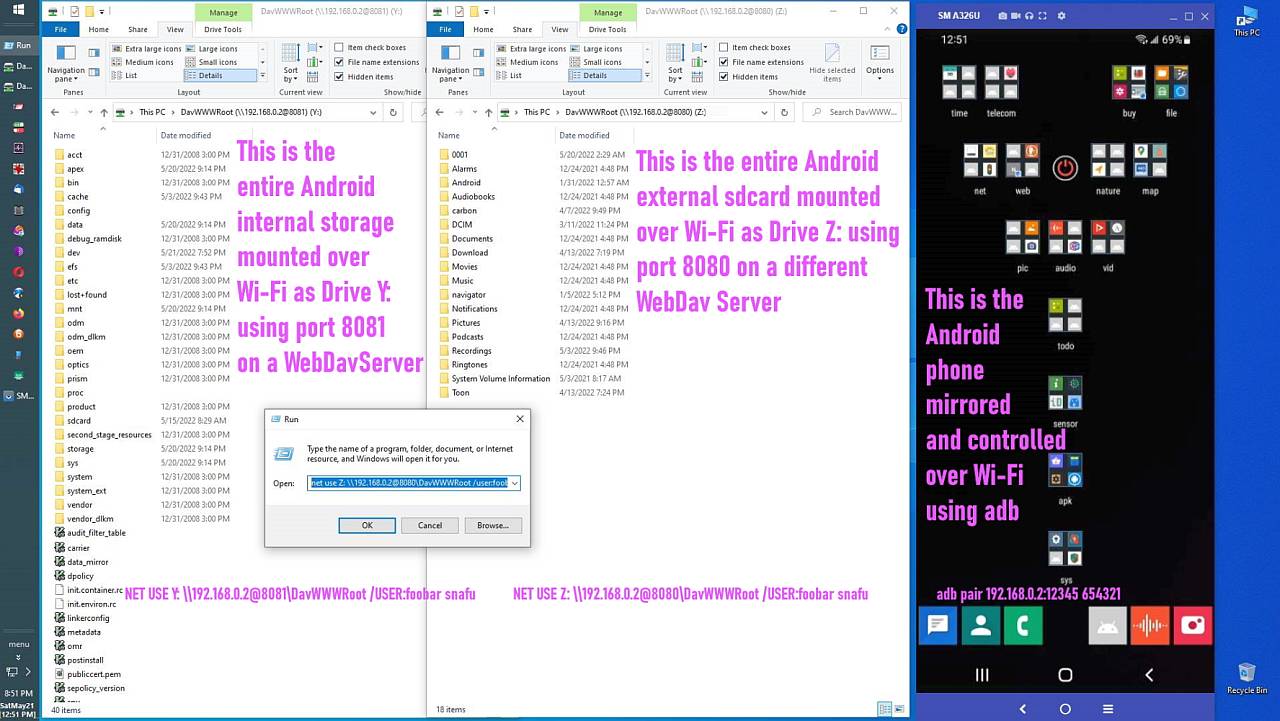
    net use Z: \\102.168.1.2@8000\DavWWWRoot /USER:joe * /PERSISTENT:YES

    <https://i.postimg.cc/gcKXV6F7/webdav16.jpg> A third free WebDAV server
    <https://i.postimg.cc/JhjpnRgh/webdav14.jpg> Mirroring Android on Windows
    <https://i.postimg.cc/QtbR1GY0/webdav13.jpg> Over Wi-Fi on your home LAN
    <https://i.postimg.cc/yYWwgGmy/webdav12.jpg> As Windows drive letters
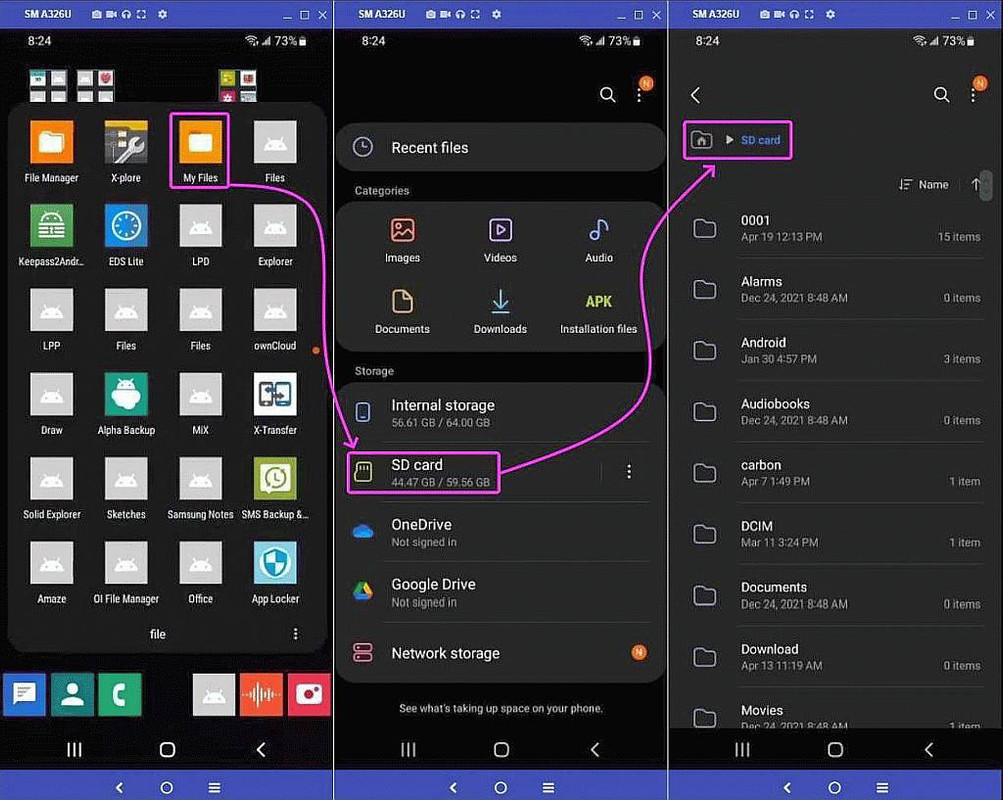
    <https://i.postimg.cc/BQyRxCN9/webdav11.jpg> Mount sdcards read & write
    <https://i.postimg.cc/wM4Z45pN/webdav10.jpg> Free Android WebDAV servers
    <https://i.postimg.cc/D0qMxTMB/webdav09.jpg> FOSS general purpose solution
    <https://i.postimg.cc/qv6HJ7GN/webdav08.jpg> Each sdcard is a drive letter
    <https://i.postimg.cc/cJLK1wt0/webdav07.jpg> Mount the entire filesystem
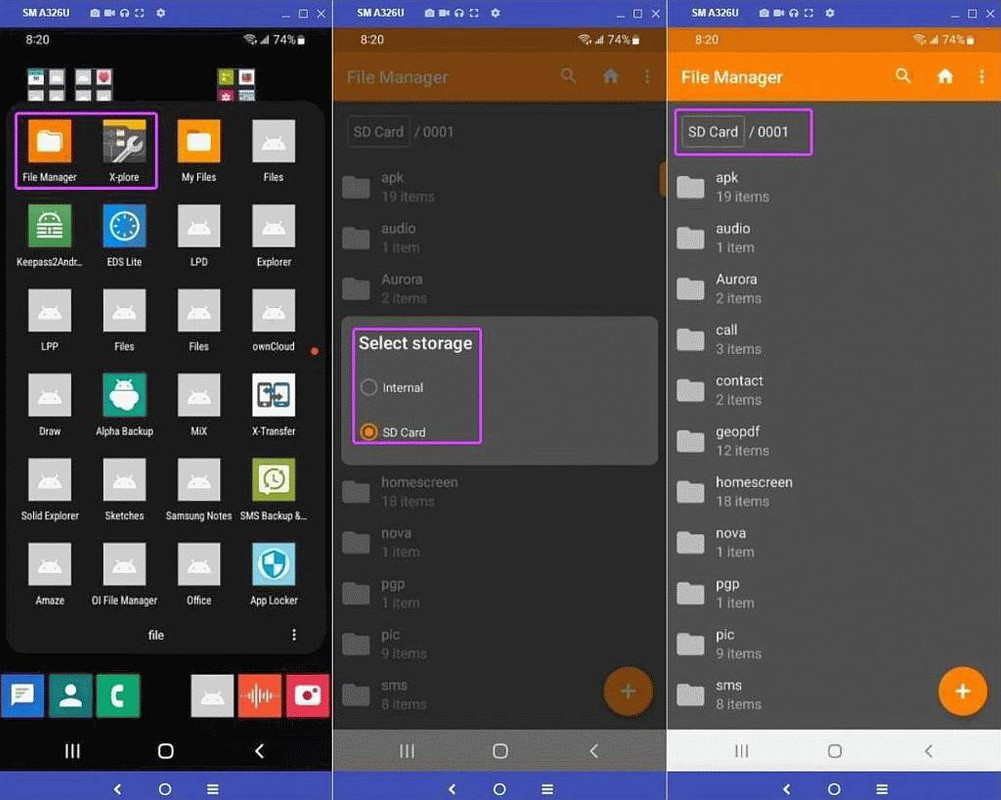
    <https://i.postimg.cc/BvJdKWzt/webdav06.jpg> Both sdcards mounted
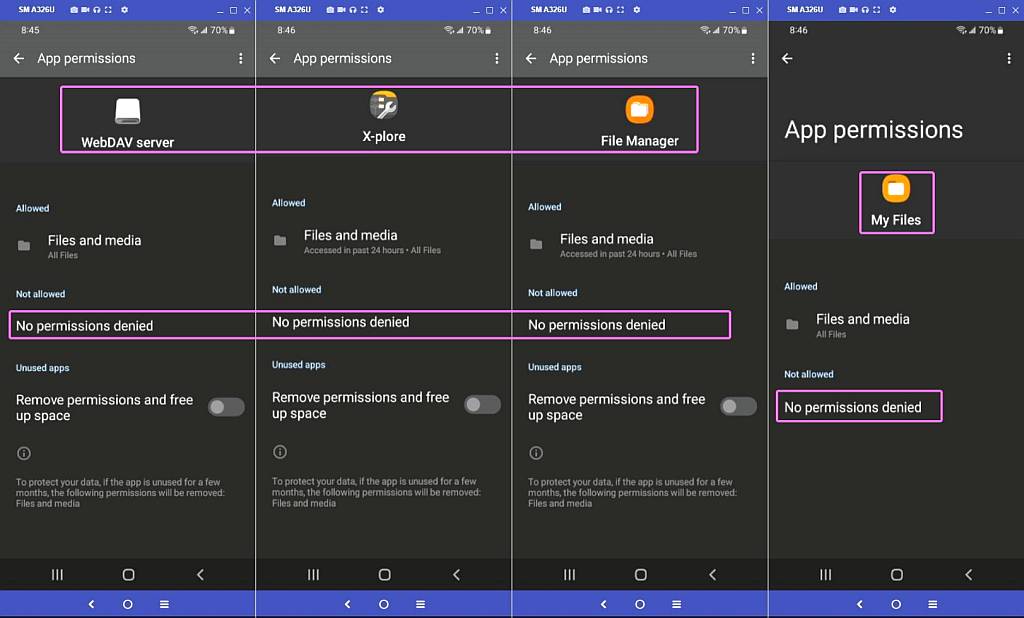
    <https://i.postimg.cc/Njm6ZXsc/webdav05.jpg> Permissions are the same
    <https://i.postimg.cc/3xCsd4HX/webdav04.jpg> My Files has permission
    <https://i.postimg.cc/BvmRBrbt/webdav03.jpg> File Manager has permission
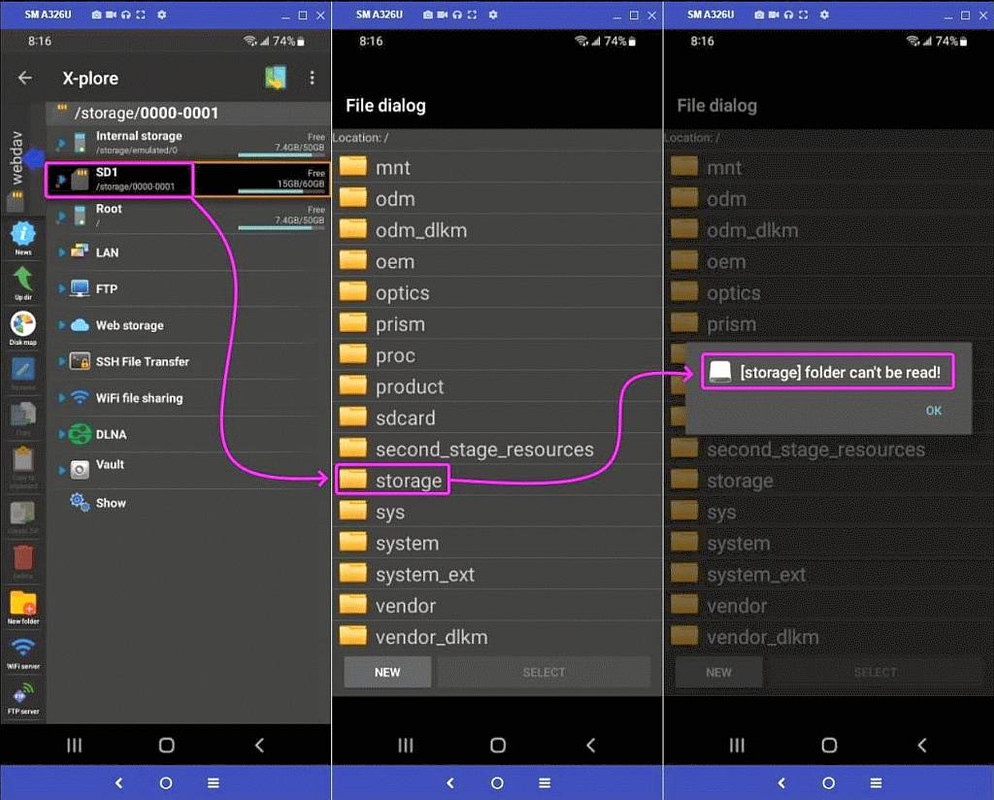
    <https://i.postimg.cc/X7FS61HD/webdav02.jpg> X-plore has no permission
    <https://i.postimg.cc/sxzR0Pg8/webdav01.jpg> WebDav has no sd permission
    --- Synchronet 3.22a-Linux NewsLink 1.2
  • From Maria Sophia@mariasophia@comprehension.com to alt.comp.os.windows-10,misc.phone.mobile.iphone,comp.sys.mac.advocacy on Wed Oct 28 16:37:32 2026
    From Newsgroup: alt.comp.os.windows-10

    Chris wrote:
    If you don't want the draft to connect to the Internet, you are free to >>> connect to your e-mail using POP3 which downloads everything and erases >>> it from the server.

    Which is contrary to the point.

    The point was to, yet again, manufacture a supposed weakness in iOS/iPadOS.

    Actually, iOS was never designed to be interoperable with anything that was
    not made by Apple, as far as anyone who is reasonable would claim, AFAIK.

    Are you seriously claiming Apple's iOS is as interoperable with Windows as,
    oh, say Android, Chris?

    If so, your claim is ridiculously absurd on all accounts, and if I'm wrong, let's see someone on the normal OS newsgroups claim that you're correct.
    --- Synchronet 3.22a-Linux NewsLink 1.2
  • From Brock McNuggets@brock.mcnuggets@gmail.com to alt.comp.os.windows-10,misc.phone.mobile.iphone,comp.sys.mac.advocacy on Wed Oct 28 13:54:47 2026
    From Newsgroup: alt.comp.os.windows-10

    On 28 Oct 2026, Maria Sophia wrote in <11btmeb$1rod$1@nnrp.usenet.blueworldhosting.com>:
    Chris wrote:
    If you don't want the draft to connect to the Internet, you are
    free to connect to your e-mail using POP3 which downloads
    everything and erases it from the server.

    Which is contrary to the point.

    The point was to, yet again, manufacture a supposed weakness in
    iOS/iPadOS.

    Actually, iOS was never designed to be interoperable with anything
    that was not made by Apple, as far as anyone who is reasonable would
    claim, AFAIK.

    Are you seriously claiming Apple's iOS is as interoperable with
    Windows as, oh, say Android, Chris?

    If so, your claim is ridiculously absurd on all accounts, and if I'm
    wrong, let's see someone on the normal OS newsgroups claim that you're correct.

    Everything goes though the 'net these days... but, sure, Apple stuff
    works better with Apple stuff, just as Google stuff works better with
    Google stuff. And?
    --
    It's impossible for someone who is at war with themselves to be at peace with you.
    --- Synchronet 3.22a-Linux NewsLink 1.2
  • From Paul@nospam@needed.invalid to alt.comp.os.windows-10,misc.phone.mobile.iphone,comp.sys.mac.advocacy on Thu Oct 29 00:33:38 2026
    From Newsgroup: alt.comp.os.windows-10

    On Wed, 10/28/2026 4:54 PM, Brock McNuggets wrote:
    On 28 Oct 2026, Maria Sophia wrote in <11btmeb$1rod$1@nnrp.usenet.blueworldhosting.com>:
    Chris wrote:
    If you don't want the draft to connect to the Internet, you are
    free to connect to your e-mail using POP3 which downloads
    everything and erases it from the server.

    Which is contrary to the point.

    The point was to, yet again, manufacture a supposed weakness in
    iOS/iPadOS.

    Actually, iOS was never designed to be interoperable with anything
    that was not made by Apple, as far as anyone who is reasonable would
    claim, AFAIK.

    Are you seriously claiming Apple's iOS is as interoperable with
    Windows as, oh, say Android, Chris?

    If so, your claim is ridiculously absurd on all accounts, and if I'm
    wrong, let's see someone on the normal OS newsgroups claim that you're
    correct.

    Everything goes though the 'net these days... but, sure, Apple stuff
    works better with Apple stuff, just as Google stuff works better with
    Google stuff. And?

    You will admit, certain OS combinations work better together.

    And in this computer room, what works, is what gets used.

    It's a pretty simple formula really, to success,
    for the participants.

    You don't need to be "perfectly open", just "sufficiently open".

    The idea is, to make your box "frictionless", so a person
    like maria cannot continuously make soap operas out of it.

    I once made a sector level backup of the disk on the Mac G4.
    It took a PowerPC DVD version of Ubuntu, "dd" and "ftp".
    That is used to capture a disk at rest.
    (Ethernet is the fastest I/O on that box.)
    Well, today, if I double click the output from that
    session in Linux, all the Mac partitions open sequentially
    within the bitmap image of the disk. I can see all my files!
    (Probably only data forks, as you can imagine. For
    important documents left on the disk image, that's
    likely to be a good start.) And that's because File Sharing
    would not work on MacOS 10.2 . A dialog would open to take
    a username and password, but the connection would drop before
    you could enter credentials. Nobody ever fixed that.
    Yes, all versions of SMB were turned on, on the other boxes.

    How attractive is this for a closed ecosystem attempt ?
    Pretty unmagical at a guess. Why launch a product when
    it isn't ready ? Haven't we learned anything ? Or was the
    project close to getting canceled, instead of launched ???

    https://www.techrepublic.com/article/news-googlebook-os-review-app-gemini-problems/

    Paul
    --- Synchronet 3.22a-Linux NewsLink 1.2
  • From Brock McNuggets@brock.mcnuggets@gmail.com to alt.comp.os.windows-10,misc.phone.mobile.iphone,comp.sys.mac.advocacy on Wed Oct 28 22:24:01 2026
    From Newsgroup: alt.comp.os.windows-10

    On 28 Oct 2026, Paul wrote in <11buib0$31njj$1@dont-email.me>:
    On Wed, 10/28/2026 4:54 PM, Brock McNuggets wrote:
    On 28 Oct 2026, Maria Sophia wrote in
    <11btmeb$1rod$1@nnrp.usenet.blueworldhosting.com>:
    Chris wrote:
    If you don't want the draft to connect to the Internet, you are
    free to connect to your e-mail using POP3 which downloads
    everything and erases it from the server.

    Which is contrary to the point.

    The point was to, yet again, manufacture a supposed weakness in
    iOS/iPadOS.

    Actually, iOS was never designed to be interoperable with anything
    that was not made by Apple, as far as anyone who is reasonable would
    claim, AFAIK.

    Are you seriously claiming Apple's iOS is as interoperable with
    Windows as, oh, say Android, Chris?

    If so, your claim is ridiculously absurd on all accounts, and if I'm
    wrong, let's see someone on the normal OS newsgroups claim that
    you're correct.

    Everything goes though the 'net these days... but, sure, Apple stuff
    works better with Apple stuff, just as Google stuff works better with
    Google stuff. And?

    You will admit, certain OS combinations work better together.

    And in this computer room, what works, is what gets used.

    It's a pretty simple formula really, to success,
    for the participants.

    You don't need to be "perfectly open", just "sufficiently open".

    The idea is, to make your box "frictionless", so a person like maria
    cannot continuously make soap operas out of it.

    I once made a sector level backup of the disk on the Mac G4. It took a PowerPC DVD version of Ubuntu, "dd" and "ftp". That is used to capture
    a disk at rest.
    (Ethernet is the fastest I/O on that box.)
    Well, today, if I double click the output from that
    session in Linux, all the Mac partitions open sequentially within the
    bitmap image of the disk. I can see all my files! (Probably only data
    forks, as you can imagine. For
    important documents left on the disk image, that's
    likely to be a good start.) And that's because File Sharing would not
    work on MacOS 10.2 . A dialog would open to take a username and
    password, but the connection would drop before you could enter
    credentials. Nobody ever fixed that.
    Yes, all versions of SMB were turned on, on the other boxes.

    I have seen SMB oddities on macOS in the past.

    How attractive is this for a closed ecosystem attempt ? Pretty
    unmagical at a guess. Why launch a product when it isn't ready ?
    Haven't we learned anything ? Or was the project close to getting
    canceled, instead of launched ???

    https://www.techrepublic.com/article/news-googlebook-os-review-app-gemini-problems/

    Paul

    --
    It's impossible for someone who is at war with themselves to be at peace with you.
    --- Synchronet 3.22a-Linux NewsLink 1.2
  • From Maria Sophia@mariasophia@comprehension.com to alt.comp.os.windows-10,misc.phone.mobile.iphone,comp.sys.mac.advocacy on Fri Oct 30 00:27:46 2026
    From Newsgroup: alt.comp.os.windows-10

    Paul wrote:
    The idea is, to make your box "frictionless", so a person
    like maria cannot continuously make soap operas out of it.

    Heh heh heh... I love that! I might use it as a signature line.
    Do I need to pay royalties to you for that privilege?

    If iOS actually worked, I'd have nothing to say about it.

    Worse, if the Apple nutcases would just act like normal people, every
    thread that includes them would be an order of magnitude shorter as a
    result.

    To copy text between iOS and Windows clipboards is a clusterfuck.
    Unless you use Vysor.

    It's a *lot* easier to copy between Android & Windows clipboards though.
    That's because Android has this concept of a file outside of an app.

    iOS doesn't.

    Android handles files as independent system entities that live in actual directories. We can grab a file or a chunk of data, and the OS treats it
    like an object that can be moved, read, or intercepted by another OS
    without locking it inside an app sandbox.

    Apple's iOS, by contrast, treats files and clipboards as app-centric
    property. Because Apple isolates data inside rigid application containers
    by design, getting something as simple as text or a loose file from an
    iPhone to a Windows PC without an all-Apple ecosystem forces you to jump through third-party workarounds (like Vysor, cloud clipping tools, or
    messaging yourself).

    When people praise iOS "simplicity," they are usually ignoring how
    punishingly difficult it makes cross-platform friction.

    There's brilliant logic in Apple purposefully making iOS NOT interoperate
    with the platforms in the real world, in that Apple makes a LOT of money
    out of forcing their constituents to buy an Apple-only ecosystem.

    Otherwise, if they try to use their devices in the real world, they fail.
    It's a brilliant marketing strategy.
    --- Synchronet 3.22a-Linux NewsLink 1.2
  • From Brock McNuggets@brock.mcnuggets@gmail.com to alt.comp.os.windows-10,misc.phone.mobile.iphone,comp.sys.mac.advocacy on Fri Oct 30 06:46:05 2026
    From Newsgroup: alt.comp.os.windows-10

    On 29 Oct 2026, Maria Sophia wrote in <11c16c1$4m$1@nnrp.usenet.blueworldhosting.com>:
    Paul wrote:
    The idea is, to make your box "frictionless", so a person like
    maria cannot continuously make soap operas out of it.

    Heh heh heh... I love that! I might use it as a signature line. Do
    I need to pay royalties to you for that privilege?

    If iOS actually worked, I'd have nothing to say about it.

    It works well enough where you feel the need to make up problems and
    lie.

    Worse, if the Apple nutcases would just act like normal people,
    every thread that includes them would be an order of magnitude
    shorter as a result.

    If we pretended your had a point it would just go away. Sure.

    To copy text between iOS and Windows clipboards is a clusterfuck.
    Unless you use Vysor.

    So neither plays well with the other, fine. But you do not compare
    Android with macOS vs. iOS with Windows.

    It's a *lot* easier to copy between Android & Windows clipboards
    though. That's because Android has this concept of a file outside
    of an app.

    iOS doesn't.

    Most people think in terms of files being in apps... as wrong as
    that is. But the file is accessible from the Files app... which is
    not in the app it was made in.

    Android handles files as independent system entities that live in
    actual directories. We can grab a file or a chunk of data, and the
    OS treats it like an object that can be moved, read, or
    intercepted by another OS without locking it inside an app
    sandbox.

    And iOS has a file directory, too... I can get to files I save on my
    Mac from my phone.

    Apple's iOS, by contrast, treats files and clipboards as
    app-centric property. Because Apple isolates data inside rigid
    application containers by design, getting something as simple as
    text or a loose file from an iPhone to a Windows PC without an
    all-Apple ecosystem forces you to jump through third-party
    workarounds (like Vysor, cloud clipping tools, or messaging
    yourself).

    You have been given many solutions. And you keep looking at Windows
    as if that is the norm. I copy to and from my laptop often.

    When people praise iOS "simplicity," they are usually ignoring how punishingly difficult it makes cross-platform friction.

    Cross-platform involves both platforms.

    There's brilliant logic in Apple purposefully making iOS NOT
    interoperate with the platforms in the real world, in that Apple
    makes a LOT of money out of forcing their constituents to buy an
    Apple-only ecosystem.

    They make their ecosystem easier. OK.

    Otherwise, if they try to use their devices in the real world,
    they fail. It's a brilliant marketing strategy.

    --
    It's impossible for someone who is at war with themselves to be at peace with you.
    --- Synchronet 3.22a-Linux NewsLink 1.2