• Re: Adobe sued by FTC for not disclosing subscription termination fees

    From Newyana2@newyana@invalid.nospam to alt.comp.os.windows-10,comp.text.pdf,comp.editors,rec.photo.digital on Tue Jun 18 16:30:21 2024
    From Newsgroup: comp.editors

    On 6/18/2024 2:25 PM, Harry S Robins wrote:


    What I dislike most about the last known good version of Paint Shop Pro was that it messes with your right click context and pulldown menus like crazy.

    Pulldown menus? I haven't had any trouble, and I don't
    see any menu item on the recycle context menu. I actually
    added "Open with PSP" myself for all files.

    But PSP5 does have shortcomings. It doesn't handle PNG,
    much less HEIF or WEBP. It doesn't handle transparent GIFs.
    I once bought PSP7, but it just had too much frivolous
    junk.

    I guess it really depends on what you want to do.
    People who use PS are usually like the people who use MS Office.
    They're happy to pay through the nose because they use it
    all day for work and they know it intimately. Or, because they're
    amateurs who want to use the same tools "the big guys" use.
    So they pay through the nose for PS and then they talk gravely
    about their "workflow".

    Some people only
    need Notepad. I find Libre Office is more than I need for
    anything I do, like designing contracts, receipts, address labels,
    office stationery, etc. But I can see how someone like a professor
    or lawyer wouldn't have a problem with paying for MS Office. They
    use it constantly and they can write it off.

    I used to have an architect friend who managed the tech in
    his office. At one point he was updating all of the MS Office
    installs at about $500 each. I asked him why he spent so much
    money when the old version was nearly identical. He told me
    that having an older version looked unprofessional. He was paying
    some $3000 for nothing more than swank among peers.


    And their color picker is a mess. No settings menu...

    There's a plugin for that, but I have no experience with that plugin. https://forums.getpaint.net/topic/26399-plugin-for-a-better-color-picker/

    A plugin to get a decent colorpicker?

    aa The whole thing is very much non-standard and non-intuitive.

    Compare it to PhotoShop or The GIMP. Then let me know what you think.

    I did just compare it. Software should keep to standards, so that
    each program doesn't have to be learned new. I've avoided the GIMP
    largely because it's a pet project that's not designed properly. Last I
    saw they didn't even have a real MDI window. Just a lot of lfoating
    toolbars.
    I haven't used PS since the 90s, so I can't compare to that.

    I like software that's standard, efficient, and doesn't add silly extras. Increasingly I'm finding programs that provide few options. Paint.Net
    is a good example. Chrome is another. Absolutely no menu option, which
    makes no sense on desktops/laptops. Awhile back I was looking for a
    basic ZIP program. Years ago I used PoweArchiver. Then I switched to
    Filzip. Basic. Functional. But it choked on more exotic file types. I tried
    one program with a dark yellow window that I couldn't change. I finally
    settled on PeaZip. The name is silly, the icon is sillier, the UI is
    annoyingly Metro-ish. But none of that is a problem, and it works
    dependably.

    One of the things I hate about PSP 16 is a terrible UI design. I can
    choose beteen charcoal or black/orange window frames. Huh? It should
    display in the colors I've chosen for Windows. Then it has its own Explorer section, which can't be removed. It tries to do too much and doesn't
    respect the user's preferences.


    However, for just removing blemishes and making people thinner, I prefer
    the last known good version (version 1.3) of Vicman Photo Editor, which includes cartoonist. http://www.vicman.net/cartoonist/

    Interesting. I've never heard of that. There are so many decent programs
    out there. There's one called PhotoDemon that's written in VB6. Surprisingly good, though it also has a funky color selector.

    For basic graphics, something like Paint.net is poorly designed overkill.

    If you say that about Paint.NET and about The Gimp and Pinta, then what do you use on Windows that is free that is, in your opinion, better designed?

    As I said, I mostly use PSP5.

    Remember the whole point of this thread is Adobe is purely evil software.
    So what do you use that is free and which is better than PhotoShop is?

    This gets back to what you want/need to do. PSP5 mostly does what
    I need. I optimize photos. I design quirky greeting cards. I make quickie diagrams... I'm not a pro photographer. I occasionally fire up PSP16 for
    things like "high-end" sharpening, but I can't say that I find it can
    do things better than PSP5. To get a good photo means starting with
    a good photo, preferably RAW. For editing JPGs to go on websites, PSP5
    is good. I doubt PS could do better. But if a pro photographer said PS
    makes
    all the difference, I'd believe them. For them it may be true.

    I don't denigrate Paint Shop Pro for anything other than it screws with the menus like you can't believe - and then it doesn't undo what it screwed
    with. If you don't believe me on that, then I want to see a screenshot of your rightclick context menu when you right click on "New" for example.


    That's true. It does add that every time it starts. I used to have a
    VBScript that I used as a sgortcut to start PSP. The script would
    shell PSP, wait a few seconds, then delete that New key. :) But I've
    never seen it screw up anything else. I think of that as the barbarism
    of the 90s. The good old days when both Netscape and IE woulu
    break the other's Registry keys. :)


    Just try texting and drawing curved arrows in any other free program.
    Nobody does it easier than Paint.net does it (unfortunately).

    I'll keep that in mind, in case I ever want to draw a curved arrow.
    --- Synchronet 3.21b-Linux NewsLink 1.2
  • From Paul@nospam@needed.invalid to alt.comp.os.windows-10,comp.text.pdf,comp.editors,rec.photo.digital on Tue Jun 18 18:26:21 2024
    From Newsgroup: comp.editors

    On 6/18/2024 2:25 PM, Harry S Robins wrote:
    On Tue, 18 Jun 2024 13:05:14 -0400, Newyana2 wrote:

    -a-a-a I've always avoided Paint.Net because it's always required the
    latest .Net runtime. It originally started out as a salespitch for .Net.
    But since you made it so easy, I decided to download and give it
    a try. :)

    I'm not an author of any editing programs and I'm aware that you are an author of programs which do make extensive queries of image formats.

    Hence I can't disagree about what you said, which was it was funded by Microsoft for a graduate student to implement an example of a net framework app that, in this case, was designed to do everything important that photoshop did.

    Paintnet is supposed to be replaced by Pinta, which works on Linux, Mac, Windows, and BSD.-a https://www.pinta-project.com/ Current Version: 2.1.2

    Last I checked, Pinta wasn't ready for prime time - but it has been a few years since I tested Pinta. https://www.pinta-project.com/releases/

    Given Pinta works on most platforms, I know it has a GTK requirement, which it will install if it needs it, but I'm not sure about .NET needs.

    https://github.com/PintaProject/Pinta/releases/download/2.1.2/Pinta.exe
    Name: Pinta.exe
    Size: 57256744 bytes (54 MiB)
    SHA256: 5E0A8D5AF1A1807AE6D5C57ED2C1969B5B1AC0A110B2C015C0C8C09DE1F06465

    This is what Pinta.exe has in it.

    AtkSharp.dll
    CairoSharp.dll
    Clipper.dll
    clretwrc.dll
    clrgc.dll
    clrjit.dll
    coreclr.dll
    createdump.exe
    fc-cache.exe
    fc-cat.exe
    fc-list.exe
    fc-match.exe
    fc-pattern.exe
    fc-query.exe
    fc-scan.exe
    fc-validate.exe
    gdbus.exe
    gdk-pixbuf-query-loaders.exe
    GdkSharp.dll
    GioSharp.dll
    GLibSharp.dll
    gspawn-win64-helper-console.exe
    gspawn-win64-helper.exe
    gtk-query-immodules-3.0.exe
    gtk-update-icon-cache.exe
    gtk3_runtime_uninst.exe
    GtkSharp.dll
    HELPER_EXE_AMD64
    hostfxr.dll
    hostpolicy.dll
    ICSharpCode.SharpZipLib.dll
    libatk-1.0-0.dll
    libbrotlicommon.dll
    libbrotlidec.dll
    libbz2-1.dll
    libcairo-2.dll
    libcairo-gobject-2.dll
    libcairo-script-interpreter-2.dll
    libcroco-0.6-3.dll
    libdatrie-1.dll
    libepoxy-0.dll
    libexpat-1.dll
    libexslt-0.dll
    libffi-7.dll
    libfontconfig-1.dll
    libfreetype-6.dll
    libfribidi-0.dll
    libgailutil-3-0.dll
    Microsoft.Bcl.AsyncInterfaces.dll
    Microsoft.CSharp.dll
    Microsoft.DiaSymReader.Native.amd64.dll
    Microsoft.VisualBasic.Core.dll
    Microsoft.VisualBasic.dll
    Microsoft.Win32.Primitives.dll
    Microsoft.Win32.Registry.dll
    MINIDUMP_EMBEDDED_AUXILIARY_PROVIDER
    mscordbi.dll
    mscorlib.dll
    mscorrc.dll
    msquic.dll
    MyConsoleApp.runtimeconfig.json
    netstandard.dll
    NGettext.dll
    PangoSharp.dll
    Pinta.Core.dll
    Pinta.deps.json
    Pinta.dll
    Pinta.Docking.dll
    Pinta.Effects.dll
    Pinta.exe
    Pinta.Gui.Widgets.dll
    Pinta.Resources.dll
    Pinta.Resources.resources.dll
    Pinta.tmp <=== an EXE file
    Pinta.Tools.dll
    System.AppContext.dll
    System.Buffers.dll
    System.Collections.Concurrent.dll
    System.Collections.dll
    System.Collections.Immutable.dll
    System.Collections.NonGeneric.dll
    System.Collections.Specialized.dll
    System.ComponentModel.Annotations.dll
    System.ComponentModel.DataAnnotations.dll
    System.ComponentModel.dll
    System.ComponentModel.EventBasedAsync.dll
    System.ComponentModel.Primitives.dll
    System.ComponentModel.TypeConverter.dll
    System.Configuration.dll
    System.Console.dll
    System.Core.dll
    System.Data.Common.dll
    System.Data.DataSetExtensions.dll
    System.Data.dll
    System.Diagnostics.Contracts.dll
    System.Diagnostics.Debug.dll
    System.Diagnostics.DiagnosticSource.dll
    System.Diagnostics.FileVersionInfo.dll
    System.Diagnostics.Process.dll
    System.Diagnostics.StackTrace.dll System.Diagnostics.TextWriterTraceListener.dll
    System.Diagnostics.Tools.dll
    System.Diagnostics.TraceSource.dll
    System.Diagnostics.Tracing.dll
    System.dll
    System.Drawing.dll
    System.Drawing.Primitives.dll
    System.Dynamic.Runtime.dll
    System.Formats.Asn1.dll
    System.Formats.Tar.dll
    System.Globalization.Calendars.dll
    System.Globalization.dll
    System.Globalization.Extensions.dll
    System.IO.Compression.Brotli.dll
    System.IO.Compression.dll
    System.IO.Compression.FileSystem.dll
    System.IO.Compression.Native.dll
    System.IO.Compression.ZipFile.dll
    System.IO.dll
    System.IO.FileSystem.AccessControl.dll
    System.IO.FileSystem.dll
    System.IO.FileSystem.DriveInfo.dll
    System.IO.FileSystem.Primitives.dll
    System.ValueTuple.dll
    System.Web.dll
    System.Web.HttpUtility.dll
    System.Windows.dll
    System.Xml.dll
    System.Xml.Linq.dll
    System.Xml.ReaderWriter.dll
    System.Xml.Serialization.dll
    System.Xml.XDocument.dll
    System.Xml.XmlDocument.dll
    System.Xml.XmlSerializer.dll
    System.Xml.XPath.dll
    System.Xml.XPath.XDocument.dll
    Tmds.DBus.dll
    unins000.exe
    WindowsBase.dll

    Smells a bit of dotNET.

    Paul
    --- Synchronet 3.21b-Linux NewsLink 1.2
  • From Harry S Robins@stanleyrobins@nothere.uk to alt.comp.os.windows-10,comp.text.pdf,comp.editors,rec.photo.digital on Tue Jun 18 19:32:08 2024
    From Newsgroup: comp.editors

    On Tue, 18 Jun 2024 18:26:21 -0400, Paul wrote:

    This is what Pinta.exe has in it.
    Smells a bit of dotNET.

    Thanks for checking Pinta out. Since it works on all platforms, maybe they "ported" dotNET to those other platforms (or GTK?) with all those modules?

    The history, as I know it (which I might not know it well), is Paint.NET
    was meant to beat the shit out of PhotoShop on Windows (using dotNET).

    In my opinion, since Paint.NET is free, and since it has billions of
    plugins to do the things that people need done, it accomplished that task.

    But Paint.NET only runs on Windows, whereas Pinta runs on everything.

    The guy who tested Paint.NET didn't like it, but if he's comparing to
    PhotoShop on Windows, you can't compare them given Paint.NET is free.

    And if he's comparing to PaintShopPro, that's not free either (for the
    later releases), so there's really no direct 1:1 comparison possible.

    Nothing preventing someone from installing all of them, which is what I
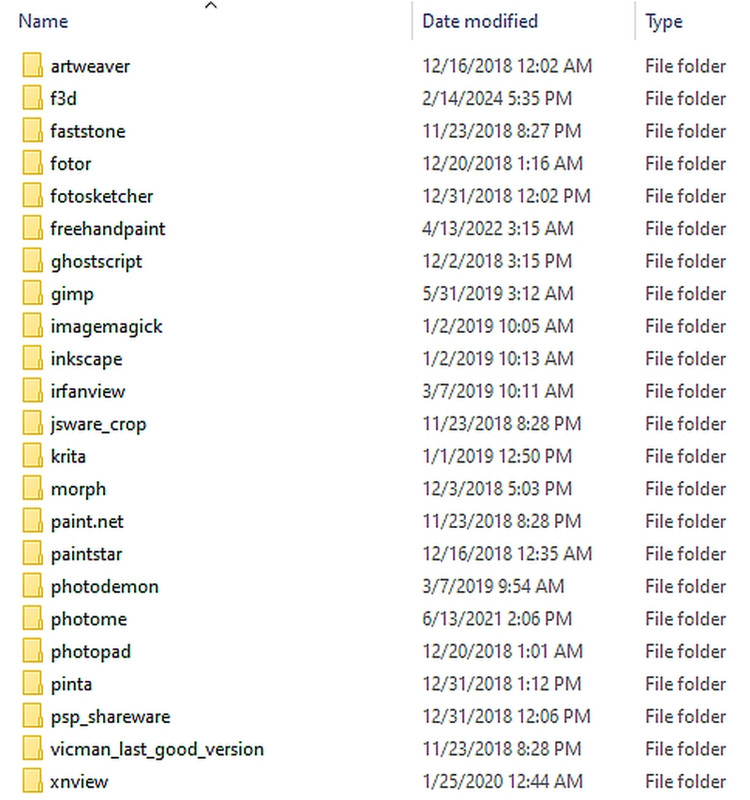
    have done on my system, but that includes a LOT of image editing tools.
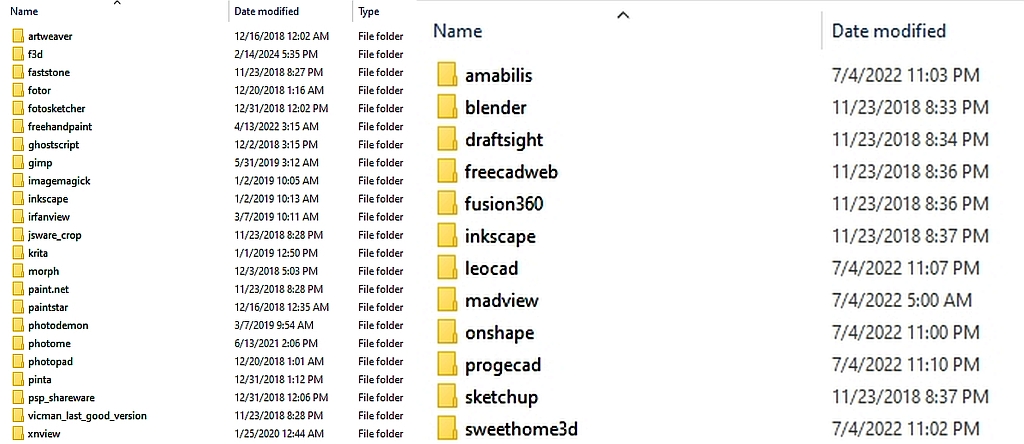
    <https://i.postimg.cc/JnkRd0QG/vectoreditor.jpg>

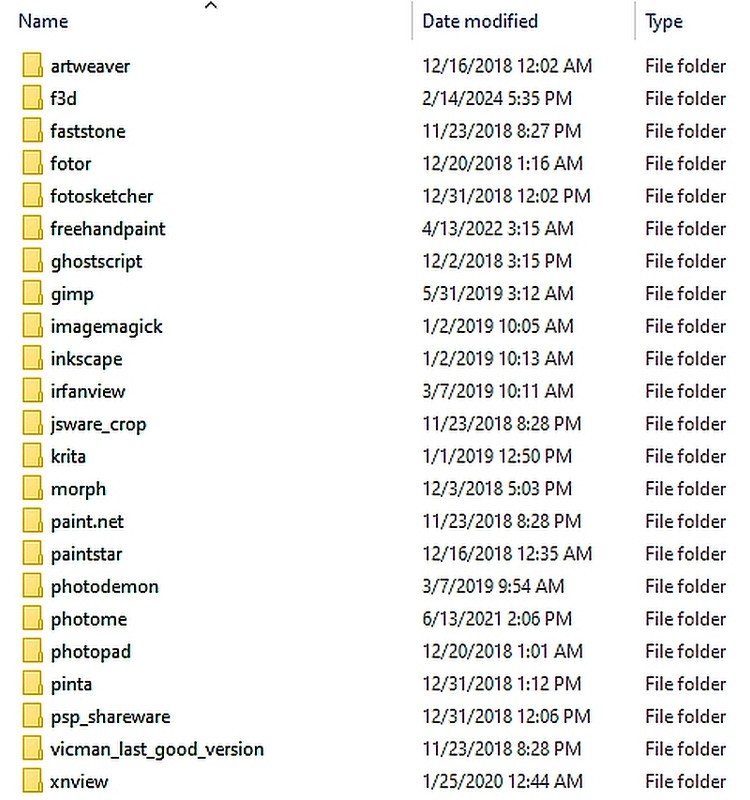
    dir /b imageeditors
    artweaver
    faststone
    fotor
    fotosketcher
    ghostscript
    gimp
    imagemagick
    inkscape
    irfanview
    jsware_crop
    krita
    morph
    paint.net
    paintstar
    photodemon
    photopad
    pinta
    vicman_last_good_version
    xnview
    psp_shareware
    photome
    freehandpaint

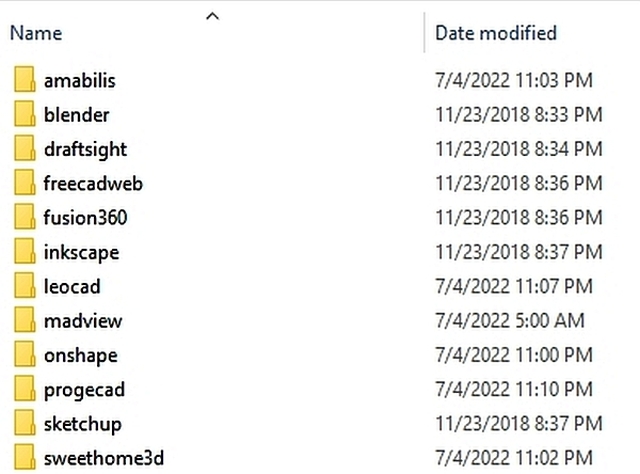
    If one wants to look at 3D vector editors, there's even more.
    dir /b 3deditors
    blender
    draftsight
    freecadweb
    fusion360
    inkscape
    sketchup
    madview
    onshape
    sweethome3d
    amabilis
    leocad
    progecad

    Don't even get me started on exif editors, video editors, screenshot
    editors, etc.
    --- Synchronet 3.21b-Linux NewsLink 1.2
  • From Harry S Robins@stanleyrobins@nothere.uk to alt.comp.os.windows-10,comp.text.pdf,comp.editors,rec.photo.digital on Tue Jun 18 20:02:10 2024
    From Newsgroup: comp.editors

    On Tue, 18 Jun 2024 16:30:21 -0400, Newyana2 wrote:

    This gets back to what you want/need to do.

    I agree with you that what editor you like most depends on what you do the most, where I've tried every single free image editor ever suggested here.
    <https://i.postimg.cc/YCHMDt4S/imageeditor.jpg>

    And every free 3D vector CAD editor that has ever been suggested here.
    <https://i.postimg.cc/JnkRd0QG/vectoreditor.jpg>

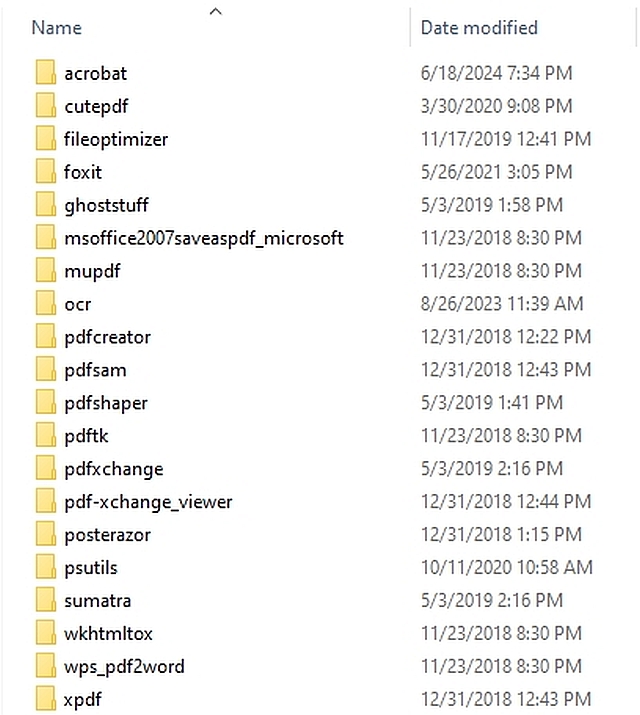
    I've tried every free PDF editor also ever suggested on this newsgroup.
    <https://i.postimg.cc/hPn8138q/pdfeditor.jpg>

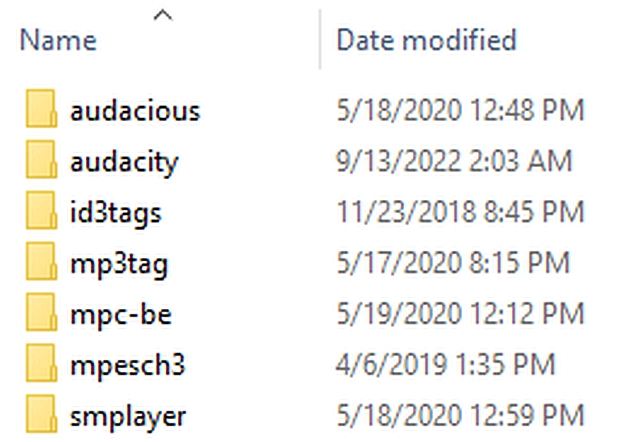
    And every free audio editor too.
    <https://i.postimg.cc/qMbvmNfx/audio.jpg>

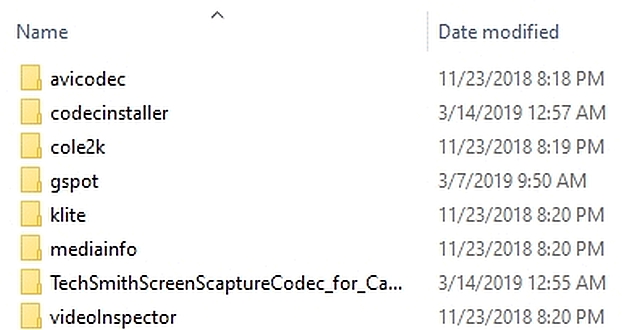
    Every free codec.
    <https://i.postimg.cc/GtVxQMzW/codec.jpg>

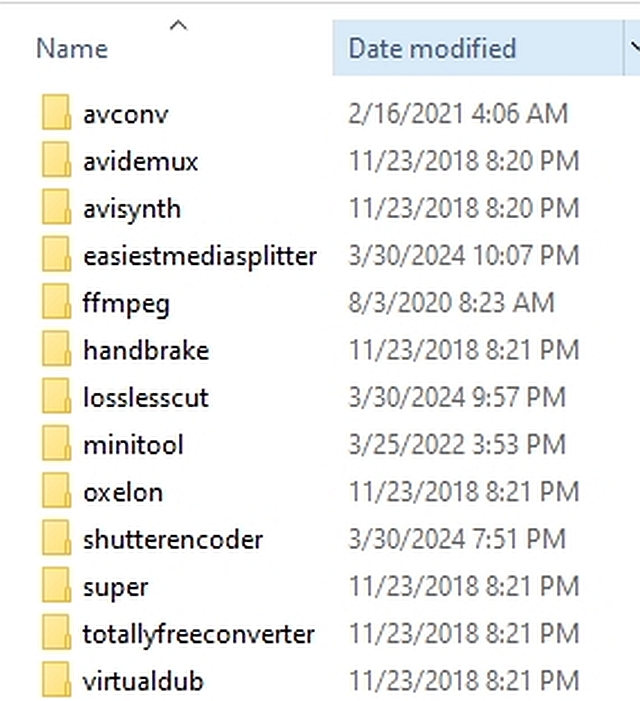
    Every free converter.
    <https://i.postimg.cc/XY0wYBPk/converter.jpg>

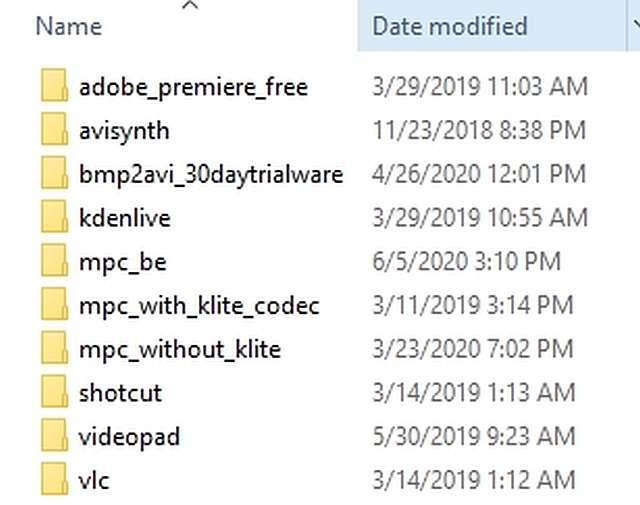
    And every free video editor.
    <https://i.postimg.cc/5ybHLTh7/video.jpg>

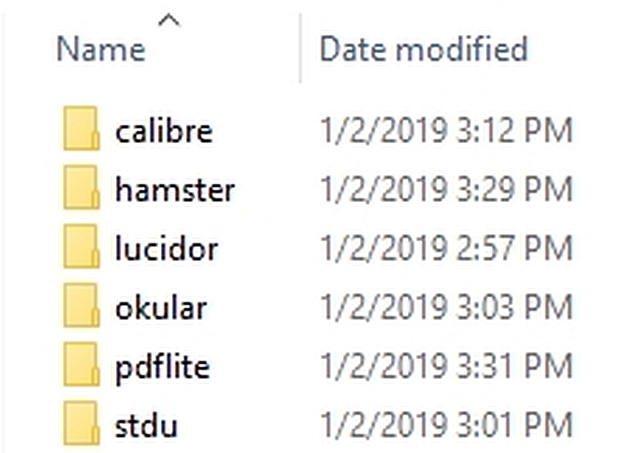
    Also every free epub editor and converter out there.
    <https://i.postimg.cc/bdf2r4mw/epub.jpg>

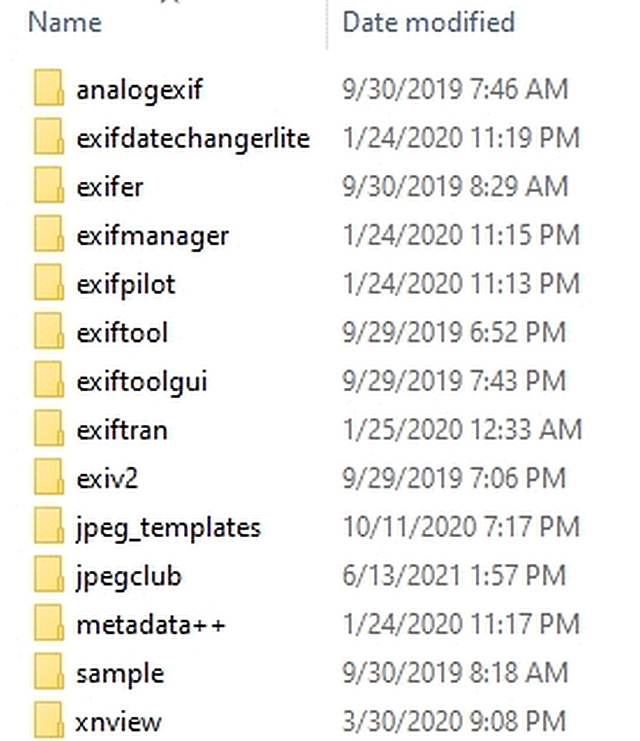
    And every free EXIF editor too.
    <https://i.postimg.cc/ZYGstcrf/exif.jpg>

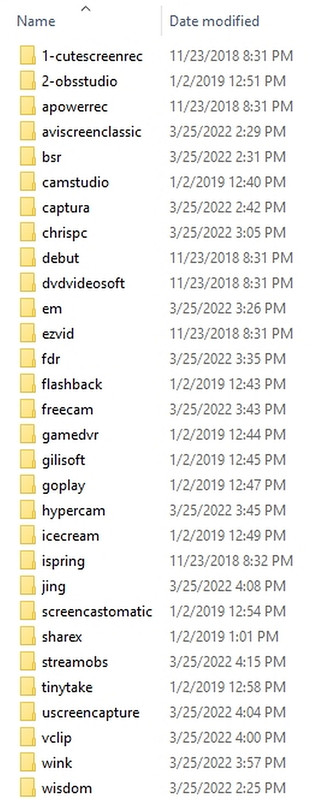
    And every free screenrecorder every mentioned.
    <https://i.postimg.cc/Hx55QQVx/screenrecorder.jpg>

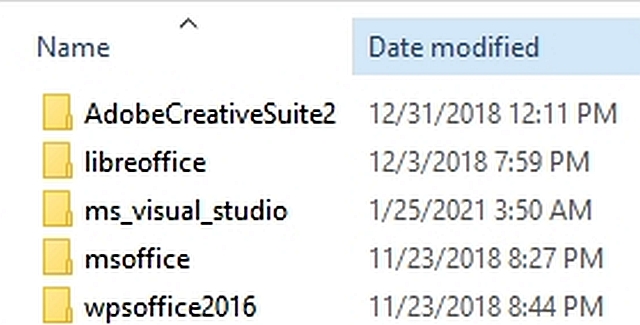
    And every free suite of editing tools, for the most part.
    <https://i.postimg.cc/ZRkvKCVh/suite.jpg>

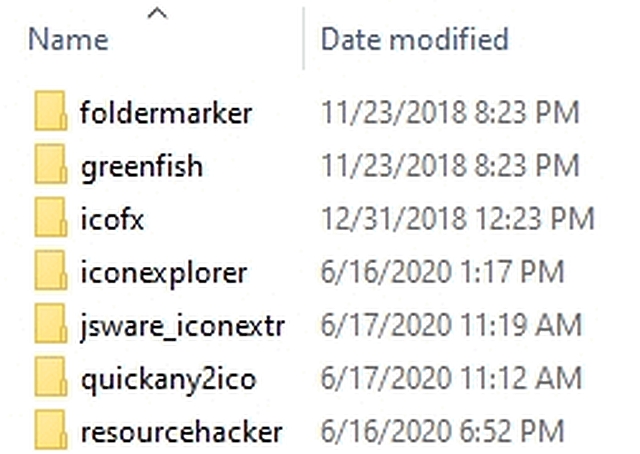
    Even every free icon editor ever mentioned, I've tried.
    <https://i.postimg.cc/W4YS96Nw/icon.jpg>

    I would say, given I've run every single program listed above, that I have "some" experience with freeware editors, where if I say that Paint.NET
    works well, you can rest assured that it works for what I say it does.

    If you don't like it, then that's fine, but I gave you the reasons I don't
    like Paint Shop Pro and that's fine too. To each his/her own, right?

    I'm simply trying to help.
    --- Synchronet 3.21b-Linux NewsLink 1.2
  • From Newyana2@newyana@invalid.nospam to alt.comp.os.windows-10,comp.text.pdf,comp.editors,rec.photo.digital on Wed Jun 19 07:52:28 2024
    From Newsgroup: comp.editors

    On 6/18/2024 9:02 PM, Harry S Robins wrote:

    If you don't like it, then that's fine, but I gave you the reasons I don't like Paint Shop Pro and that's fine too. To each his/her own, right?

    I'm simply trying to help.

    No problem. I have no issue with disagreement. It often
    provides helpful information. I'm curious... Is there some kind
    of freeware FTP heaven that you use? Your images look
    like screenshots from an FTP page.
    --- Synchronet 3.21b-Linux NewsLink 1.2
  • From Newyana2@newyana@invalid.nospam to alt.comp.os.windows-10,comp.text.pdf,comp.editors,rec.photo.digital on Wed Jun 19 08:04:52 2024
    From Newsgroup: comp.editors

    On 6/18/2024 8:32 PM, Harry S Robins wrote:

    Don't even get me started on exif editors, video editors, screenshot
    editors, etc.

    You're like a flash from the past. A return to the heyday of
    the PC craze around the late 90s and early 00s. I remember
    when I first got a computer (late '98) I loved going to the download
    sites to download new stuff. At one point I ran into someone who
    was very pleased to have 5 or 6 startup managers lined up on his
    Start Menu. :)

    As much as I was thrilled by my new hobby, I didn't use a computer
    for work and didn't actually have any use for it. I was like an Amazonian tribesman who's found a car and just gets a big thrill out of making
    the windows go up and down.

    Up until that point I'd been making fun of people who paid $300
    for PDAs and then would take 10 minutes to record my phone
    number on it. (I understand that today PDA stands for "public display
    of affection". As in "Ben seen here pouring on the PDA with JLo.")

    --- Synchronet 3.21b-Linux NewsLink 1.2
  • From Harry S Robins@stanleyrobins@nothere.uk to alt.comp.os.windows-10,comp.text.pdf,comp.editors,rec.photo.digital on Fri Jun 21 14:45:48 2024
    From Newsgroup: comp.editors

    On Wed, 19 Jun 2024 07:52:28 -0400, Newyana2 wrote:

    If you don't like it, then that's fine, but I gave you the reasons I don't >> like Paint Shop Pro and that's fine too. To each his/her own, right?

    I'm simply trying to help.

    No problem. I have no issue with disagreement. It often
    provides helpful information. I'm curious... Is there some kind
    of freeware FTP heaven that you use? Your images look
    like screenshots from an FTP page.

    Thanks for understanding that not everyone likes every GUI, and that's
    fine, where what I find most useful in Paintnet is the way it does text and curved arrows which I personally think is the most efficient way to do it (where I think The GIMP uses the least efficient way, by contrast example).

    As for freeware havens, I'm sure there are plenty of freeware FTP havens,
    and I've even seen a few mentioned on the alt.comp.freeware ng which you
    can search with this URL (which works for any newsgroup you want to search)
    <https://www.novabbs.com/computers/search.php?group=full.newsgroup.name>

    For alt.comp.freeware & rec.photo.digital & alt.comp.os.windows-10, use:
    <https://www.novabbs.com/computers/search.php?group=alt.comp.freeware>
    <https://www.novabbs.com/computers/search.php?group=rec.photo.digital>
    <https://www.novabbs.com/computers/search.php?group=alt.comp.os.windows-10>

    Although the Google Groups archives (no longer updated) go back farther:
    <https://groups.google.com/g/alt.comp.freeware>
    <https://groups.google.com/g/rec.photo.digital>
    <https://groups.google.com/g/alt.comp.os.microsoft.windows>

    What I do is every time someone suggests a freeware editor, I test it out.

    And then I write up a log in my archival location and if I need that
    freeware editor in the future, I go through my logs to refresh my memory.

    As for those screenshots, those are all off my own Windows 10 PC.
    <https://i.postimg.cc/qMbvmNfx/audio.jpg>
    <https://i.postimg.cc/YCHMDt4S/imageeditor.jpg>
    <https://i.postimg.cc/JnkRd0QG/vectoreditor.jpg>
    <https://i.postimg.cc/GtVxQMzW/codec.jpg>
    <https://i.postimg.cc/XY0wYBPk/converter.jpg>
    <https://i.postimg.cc/bdf2r4mw/epub.jpg>
    <https://i.postimg.cc/ZYGstcrf/exif.jpg>
    <https://i.postimg.cc/W4YS96Nw/icon.jpg>
    <https://i.postimg.cc/TYj08X2w/imageeditor.jpg>
    <https://i.postimg.cc/hPn8138q/pdfeditor.jpg>
    <https://i.postimg.cc/Hx55QQVx/screenrecorder.jpg>
    <https://i.postimg.cc/ZRkvKCVh/suite.jpg>
    <https://i.postimg.cc/5ybHLTh7/video.jpg>
    <https://i.postimg.cc/P5g510ZW/vectoreditor.jpg>

    If I'm missing anything, let me know and I'll try it if it's useful to me.
    --- Synchronet 3.21b-Linux NewsLink 1.2
  • From Harry S Robins@stanleyrobins@nothere.uk to alt.comp.os.windows-10,comp.text.pdf,comp.editors,rec.photo.digital on Fri Jun 21 14:57:26 2024
    From Newsgroup: comp.editors

    On Wed, 19 Jun 2024 08:04:52 -0400, Newyana2 wrote:

    Don't even get me started on exif editors, video editors, screenshot
    editors, etc.

    You're like a flash from the past. A return to the heyday of
    the PC craze around the late 90s and early 00s. I remember
    when I first got a computer (late '98) I loved going to the download
    sites to download new stuff. At one point I ran into someone who
    was very pleased to have 5 or 6 startup managers lined up on his
    Start Menu. :)

    As much as I was thrilled by my new hobby, I didn't use a computer
    for work and didn't actually have any use for it. I was like an Amazonian tribesman who's found a car and just gets a big thrill out of making
    the windows go up and down.

    Up until that point I'd been making fun of people who paid $300
    for PDAs and then would take 10 minutes to record my phone
    number on it. (I understand that today PDA stands for "public display
    of affection". As in "Ben seen here pouring on the PDA with JLo.")

    I use freeware exclusively on the PC for editing, where I'm well aware you
    can subscribe to any number of services to do editing of images & video.

    For audio, my editor of choice is audacity & for meta data, mp3tag.
    For listening to audio, I mostly use MPC-BE (it's fast, like Irfanview).
    For images, I mostly use Irfanview (for the simple edits).
    For images, I mostly use Paint.NET (for the harder edits).
    For 3D, I'd use Blender (or Krita, but I don't do vector graphics much).
    For complex video tasks I'd mostly use Shotcut.
    For video viewing, I'd use mostly VLC for movies (MPC-BE for simple stuff).
    For video trimming, it gets complicated with avisynth & lame/ffmpeg cmds.

    But what gets really complicated is editing of PDFs using Windows freeware!

    This is the latest chart I pulled off the ng (which needs updating).
    [x] Fast PDF reader: (Sumatra or Foxit)
    [x] Shrink PDFs (ImageMagick or Acrobat payware or rlvision shareware)
    [x] Edit PDF existing text (Adobe Reader commenting, Acrobat payware)
    [x] Globally search & replace PDF text (Libre Office)
    [x] Archive sites (wkhtmltopdf, Acrobat payware,fastone scroll capture)
    [x] Add or concatonate pages (pdftk, acrobat payware)
    [x] Remove pages (pdfsam, pdftk)
    [x] Rotate pages (Acrobat Reader)
    [x] Renumber pages (Acrobat Reader)
    [x] Permissions (Ghostscript & Ghostview/ps2edit/pdfwrite or pdf2djvu)
    [x] Merge PDFs (pdfsam, pdftk)
    [x] Extract images (PDF Exchange Viewer, PDF Shaper)
    [x] Reorder pages (mutool)
    [x] Print sans username in the properties (Libre Office Writer)
    [?] Print book format PDF (FinePrint payware)
    [x] Tile PDFs (i.e., to print large posters) (Posterazor)
    [x] Create PDF new text (Irfanview or Paint.NET plugins + Ghostscript)
    [x] Convert PDF to MSWord or any epub format & vice versa (Calibre)
    [x] Add signature (Adobe Reader Fill-and-sign sign-yourself tool)
    [x] Online shrink PDF https://www.adobe.com/acrobat/online/compress-pdf.html --- Synchronet 3.21b-Linux NewsLink 1.2