I need to transfer/copy a LOT of files of all kinds, eg. video,
audio, text, html, etc., from NTFS formatted SATA mechanical drives
via a USB case to an internal SATA mechanical drive formatted in
Ext4, but using Nemo the file transfer often stops with an error
message 'Input/Output error'. According to Mr. Google this is a
common Linux problem with transferring/copying files, and due to
inadequate buffering. I tried another copy app ( File Manager
PCManFM ) that seemed a bit better but still had the problem. The
task is unmanageable while this problem exists.
I need to transfer/copy a LOT of files of all kinds, eg. video, audio, text, html, etc., from NTFS formatted SATA mechanical drives via a USB case to an internal SATA mechanical drive formatted in Ext4, but using Nemo the file transfer often stops with an error message 'Input/Output error'. According to Mr. Google this is a common Linux problem with transferring/copying files, and due to inadequate buffering. I tried another copy app ( File Manager PCManFM ) that seemed a bit better but still had the problem. The task is unmanageable while this problem exists. What can I do about it? would more RAM help? I have 16 Gb installed. The CPU is AMD Ryzen 5 5500 |u 6. and the motherboard is an Asus Prime B550M-K
Also I notice there have been replies to previous matters I have posted about, but I've been too busy to follow up on them all, but I intend to do so eventually.
On Wed, 17 Dec 2025 15:59:54 +1100, Felix wrote:
I need to transfer/copy a LOT of files of all kinds, eg. video,The answer to rCLhow do I copy/backup lots of files?rCY is invariably rCLrsyncrCY.
audio, text, html, etc., from NTFS formatted SATA mechanical drives
via a USB case to an internal SATA mechanical drive formatted in
Ext4, but using Nemo the file transfer often stops with an error
message 'Input/Output error'. According to Mr. Google this is a
common Linux problem with transferring/copying files, and due to
inadequate buffering. I tried another copy app ( File Manager
PCManFM ) that seemed a bit better but still had the problem. The
task is unmanageable while this problem exists.
On Tue, 12/16/2025 11:59 PM, Felix wrote:
I need to transfer/copy a LOT of files of all kinds, eg. video, audio, text, html, etc., from NTFS formatted SATA mechanical drives via a USB case to an internal SATA mechanical drive formatted in Ext4, but using Nemo the file transfer often stops with an error message 'Input/Output error'. According to Mr. Google this is a common Linux problem with transferring/copying files, and due to inadequate buffering. I tried another copy app ( File Manager PCManFM ) that seemed a bit better but still had the problem. The task is unmanageable while this problem exists. What can I do about it? would more RAM help? I have 16 Gb installed. The CPU is AMD Ryzen 5 5500 |u 6. and the motherboard is an Asus Prime B550M-KNo, that's NOT where that error comes from.
Also I notice there have been replies to previous matters I have posted about, but I've been too busy to follow up on them all, but I intend to do so eventually.
Microsoft has sabotaged NTFS by using Reparse Points. The NTFS driver
does not have all possible Reparse Points covered with custom driver
code. When the Microsoft ICACLS utility runs, it generates error/warnings
for each Reparse Point it finds of a certain type, and this is considered normal for the thing. It's not like living in Windows itself, is
cosmetically free of blemishes. These traps affect Windows too.
You CAN have these problems while transferring files from the C: drive,
but once you are CD'ed to the Downloads folder, copying the files out
of there should work.
If your files were on the D: drive, and you were seeing that error, then
you have an actual I/O error while copying from D: to EXT4. There are not normally a lot of destructive NTFS features on the D: drive unless you
add them yourself.
It's not advised to copy all of C: using any sort of tree copying method. Once you hit a Reparse point, like some of the entries at the top level
of C:\users\Felix, will cause a problem while copying at that level.
If you CD to C:\users\Felix\Downloads, and then try to copy, that
should work. If you CD to C:\users\Felix\Pictures, that should work
when you start copying. If you CD the wrong thing, it's going to tell
you to piss off. But the important stuff, works.
*******
Now, I haven't tried this yet, but make a TAR file out of the C: drive.
I'm going to do that with 7ZIP, right now. I ran 7zFM.exe as Administrator. Selected Computer from the menu. Highlighted C: under that. Selected
"add to archive". It wants to store that as "C_.tar" and I shoot
that file over to my D: drive. File is 91,791,916,544 bytes, and the
tar process threw at least 2000 errors (which is OK, as none of them
involve my Pictures, my Video, my whatsit, they could be system
files, like not being able to get into System-Volume-Information is
quite quite normal).
Now I can restore that TAR file on a second machine. For example, using Archive Manager, I could unpack the TAR onto an EXT4, improving
the disposition of the on-demand copying you are using.
[Picture] This shows the contents of the TAR file, as seen by 7ZIP later
https://imgur.com/a/w7z05TB
I hope you have enough storage for this sort of thing :-)
While you *could* make the TAR or ZIP operations selective
on the Windows machine, preparing content for un-archiving
on the other end, I'll leave it to you to figure out the details.
The main point is, if NTFS-handling is slowing you down, convert
to an archive, restore on the other end into an EXT4, and THEN
do your final value-added copy steps.
There is more than one NTFS driver for Linux, but I don't
think any of them have all Reparse Points. The New Compression
Reparse Point, should be defined on at least one of the Linux drivers.
But I don't sit around testing crap like this. I already tried to
write a utility to parse $MFT, I got part way along, but now
I'm stuck on some details. You can NEVER KNOW ENOUGH about
the traps Microsoft has laid in there :-/ I found an undocumented
structure I can't parse, and it is not a Reparse Point either.
My archive is restoring on the Linux side of the room, in /tmp.
This mounts /tmp on / as a RAMDrive, using around 56GB or so
(and leaving a bit for the OS to use, worst case). About 400,000
files are going in there, as I type. I will be commenting this out
when I finish. sudo xed /etc/fstab is where that line is added.
The reason for doing this, is it doesn't cost me any SSD wear, to
test stuff in this way. I could then go to /tmp/restore/users/Paul/Pictures and copy my pictures out, onto a real EXT4.
# add TMPFS
tmpfs /tmp tmpfs defaults,noatime,nosuid,nodev,noexec,mode=1777,size=56320M 0 0
When you boot a Live Linux session, half of the RAM is allowed to be
used as /tmp, and the RAM is only "booked" if files are stored in /tmp
so it is opportunistic usage of RAM in a sense. You might be able to
do a remount and change that.
This process isn't perfect, but the Archive Manager is not complaining
as it unpacks the TAR file I made on the other side of the room. No "I/O Errors"
so far. OK, it finished, Extraction OK, 422 thousand files on the
other computer for picking and choosing.
And if you have bad or broken hard drives, you can get errors,
and if so, do something about it. You can't get much practical
usage from computers, without "space to work". And that's getting increasingly expensive.
Paul
sorry, I think I've not explained it well. I'm using a LM PC. I'm not connecting to a windows PC. I have an Ext4 drive installed in the LM PC. I want to copy files to it from a NTFS drive connected via USB to a hard drive box. I'm not copying or moving any files to or from the main drive with LM on it.
https://auslink.info/linux/case1.jpg
https://auslink.info/linux/case2.jpg
Lawrence DrCOOliveiro wrote:
On Wed, 17 Dec 2025 15:59:54 +1100, Felix wrote:
I need to transfer/copy a LOT of files of all kinds, eg. video,The answer to rCLhow do I copy/backup lots of files?rCY is invariably
audio, text, html, etc., from NTFS formatted SATA mechanical drives
via a USB case to an internal SATA mechanical drive formatted in
Ext4, but using Nemo the file transfer often stops with an error
message 'Input/Output error'. According to Mr. Google this is a
common Linux problem with transferring/copying files, and due to
inadequate buffering. I tried another copy app ( File Manager
PCManFM ) that seemed a bit better but still had the problem. The
task is unmanageable while this problem exists.
rCLrsyncrCY.
I'm not syncing files. I'm copying them from one drive to another.
Really, just do "rsync -a /source/path /destination/path", maybe throw
in a "-v" to see what's happening.
I need to transfer/copy a LOT of files of all kinds, eg. video, audio,
text, html, etc., from NTFS formatted SATA mechanical drives via a USB
case to an internal SATA mechanical drive formatted in Ext4, but using
Nemo the file transfer often stops with an error message 'Input/Output error'. According to Mr. Google this is a common Linux problem with transferring/copying files, and due to inadequate buffering.
On 17/12/2025 14:08, Gary R. Schmidt wrote:
Really, just do "rsync -a /source/path /destination/path", maybe
throw in a "-v" to see what's happening.
But understand the crucial difference between:
"rsync -a /source/path /destination/path"
"rsync -a /source/path/ /destination/path"
(I think you may mean the latter in your example)
"man rsync", and follow the examples.
In aus.computers Felix <none@not.here> wrote:
I need to transfer/copy a LOT of files of all kinds, eg. video, audio,I guess any such "common Linux problem" must just be with NTFS
text, html, etc., from NTFS formatted SATA mechanical drives via a USB
case to an internal SATA mechanical drive formatted in Ext4, but using
Nemo the file transfer often stops with an error message 'Input/Output
error'. According to Mr. Google this is a common Linux problem with
transferring/copying files, and due to inadequate buffering.
since it's definitely not a common problem in general use with
Linux filesystems.
In that case note that there are competing NTFS
driver projects for Linux, and if you're using the kernel's
built-in NTFS driver, try NTFS-3G instead. Unmount the NTFS
filesystem and then mount it again using the "ntfs-3g" command
from the command-line:
eg. if you run
mount -t ntfs
and it returns something like
/dev/sdb1 on /mnt/windows type ntfs ([...])
then do
sudo umount /mnt/windows
sudo ntfs-3g /dev/sdb1 /mnt/windows
If you get "ntfs-3g: not found", install the ntfs-3g package and
try again
sudo apt-get install ntfs-3g
There was actually a new Linux NTFS driver announced recently, but
it won't be available to use in Mint yet:
https://www.phoronix.com/news/Linux-NTFSPLUS-NTFS-Driver
Mike Scott wrote:
On 17/12/2025 14:08, Gary R. Schmidt wrote:
Really, just do "rsync -a /source/path /destination/path", maybe
throw in a "-v" to see what's happening.
But understand the crucial difference between:
"rsync -a /source/path /destination/path"
"rsync -a /source/path/ /destination/path"
(I think you may mean the latter in your example)
"man rsync", and follow the examples.
I don't want to use the terminal. someone could tell me the wrong thing
and I could screw up my system
On 18/12/2025 9:19 am, Felix wrote:
Mike Scott wrote:You're in Linux baby, console is where it's at.
On 17/12/2025 14:08, Gary R. Schmidt wrote:
Really, just do "rsync -a /source/path /destination/path", maybe throw in a "-v" to see what's happening.
But understand the crucial difference between:
"rsync -a /source/path /destination/path"
"rsync -a /source/path/ /destination/path"
(I think you may mean the latter in your example)
"man rsync", and follow the examples.
I don't want to use the terminal. someone could tell me the wrong thing and I could screw up my system
On Thu, 12/18/2025 6:47 AM, keithr0 wrote:
On 18/12/2025 9:19 am, Felix wrote:
Mike Scott wrote:You're in Linux baby, console is where it's at.
On 17/12/2025 14:08, Gary R. Schmidt wrote:
Really, just do "rsync -a /source/path /destination/path", maybe
throw in a "-v" to see what's happening.
But understand the crucial difference between:
"rsync -a /source/path /destination/path"
"rsync -a /source/path/ /destination/path"
(I think you may mean the latter in your example)
"man rsync", and follow the examples.
I don't want to use the terminal. someone could tell me the wrong
thing and I could screw up my system
The crying begins, when you break down on the side
of the road, the GUI isn't working, and you can't
get to a Terminal :-)
Felix had better practice his Houdini Impersonation,
in preparation for that day.
You might have to bring the system up in single-user mode,
and dig up the systemd command to do that.
Maybe you have to chroot in, and give the victim oxygen.
Felix being thwarted by a little copy aggravation,
that's pretty low on the aggravation totem pole.
Have I been defeated by an OS ? Ohhh Yesss.
Paul
On Wed, 12/17/2025 4:38 AM, Felix wrote:
sorry, I think I've not explained it well. I'm using a LM PC. I'm not connecting to a windows PC. I have an Ext4 drive installed in the LM PC. I want to copy files to it from a NTFS drive connected via USB to a hard drive box. I'm not copying or moving any files to or from the main drive with LM on it.What is the SMART status of this drive ?
https://auslink.info/linux/case1.jpg
https://auslink.info/linux/case2.jpg
When is the last time it had a CHKDSK ?
If you do [assumes drive is /dev/sdb]
sudo dd if=/dev/sdb of=/dev/null
can the command read every sector on the drive ?
We aren't copying the drive there, just checking for
CRC errors on the sectors. The Linux "dd" will stop
on the first CRC error it sees.
*******
You don't need a Windows install to run CHKDSK.
You can boot an [era correct] installer DVD,
select "Troubleshooting" instead of Install Now,
and use the Command Prompt and run a CHKDSK in there.
CHKDSK /f C:
or whatever drive letter the partition in question
happens to occupy.
*******
And "obviously bad" combinations, just won't work at all.
If you made an NTFS with 1MB clusters on it, W10 and W11
can read that, but nothing else can, because other situations
only support up to 64KB clusters. The regular C: drive uses
4KB clusters (which support encryption and compression that
nobody uses). We make data drives used for image backups,
to have 64KB clusters, but that likely does not result
in any significant savings. It's just a fetish of sorts.
Adding new cluster sizes to Windows, is bound to cause problems
for the older OSes.
We should be methodical and review what is known about
the drive and its one or more data partitions.
Discussing higher level issues, when the lower level
doesn't have integrity, we have to cover off that
part first, and assure ourselves "the disk is good
enough to use" first.
*******
Once that is out of the way, you can try a
cp -Rp /media/mint/MYDATA/users/Felix/Pictures ~/Downloads/Pictures
That's just an example, where we don't start too high in the source
tree, and we only copy things that really should copy (if the disk
was working).
If you mount this disk and do "ls" of the top level,
would I be surprised at the top level structure ???
The files/folders right at the top.
ls /media/mint/MYDATA
You can also tell me, via a verbal description, whether
the structure is a random adhoc data structure, or the drive
is a C: with a Windows folder and a hiberfil.sys file and
so on. Set the scene for me, like a color commentary sort of thing.
Paul--
You might have to bring the system up in single-user mode,
and dig up the systemd command to do that.
On Thu, 12/18/2025 6:47 AM, keithr0 wrote:
On 18/12/2025 9:19 am, Felix wrote:The crying begins, when you break down on the side
Mike Scott wrote:You're in Linux baby, console is where it's at.
On 17/12/2025 14:08, Gary R. Schmidt wrote:I don't want to use the terminal. someone could tell me the wrong thing and I could screw up my system
Really, just do "rsync -a /source/path /destination/path", maybe throw in a "-v" to see what's happening.But understand the crucial difference between:
"rsync -a /source/path /destination/path"
"rsync -a /source/path/ /destination/path"
(I think you may mean the latter in your example)
"man rsync", and follow the examples.
of the road, the GUI isn't working, and you can't
get to a Terminal :-)
Felix had better practice his Houdini Impersonation,
in preparation for that day.
You might have to bring the system up in single-user mode,
and dig up the systemd command to do that. Maybe you have
to chroot in, and give the victim oxygen.
Felix being thwarted by a little copy aggravation,
that's pretty low on the aggravation totem pole.
Have I been defeated by an OS ? Ohhh Yesss.
Paul--
Computer Nerd Kev wrote:
In that case note that there are competing NTFS
driver projects for Linux, and if you're using the kernel's
built-in NTFS driver, try NTFS-3G instead. Unmount the NTFS
filesystem and then mount it again using the "ntfs-3g" command
from the command-line:
I really don't want to mess with the files on the NTFS drives
total system failure is what disk images, timeshift (or other backups)
are for
On Fri, 19 Dec 2025 07:24:30 +1100, Felix wrote:
total system failure is what disk images, timeshift (or other backups)Sometimes a failure to boot can seem worse than it is. I have had that
are for
happen more than once, after a system upgrade; in each case a quick dive
into SystemRescue to reinstall the bootloader was sufficient to restore normality.
<https://www.system-rescue.org/>
the drive is only a data drive. no OS on it.
I need to transfer/copy a LOT of files of all kinds, eg. video, audio,
text, html, etc., from NTFS formatted SATA mechanical drives via a USB
case to an internal SATA mechanical drive formatted in Ext4, but using
Nemo the file transfer often stops with an error message 'Input/Output error'. According to Mr. Google this is a common Linux problem with transferring/copying files, and due to inadequate buffering. I tried
another copy app ( File Manager PCManFM ) that seemed a bit better but
still had the problem. The task is unmanageable while this problem
exists. What can I do about it? would more RAM help? I have 16 Gb
installed. The CPU is AMD Ryzen 5 5500 |u 6. and the motherboard is an
Asus Prime B550M-K
Also I notice there have been replies to previous matters I have
posted about, but I've been too busy to follow up on them all, but I
intend to do so eventually.
Paul wrote:
On Wed, 12/17/2025 4:38 AM, Felix wrote:
sorry, I think I've not explained it well. I'm using a LM PC. I'mWhat is the SMART status of this drive ?
not connecting to a windows PC. I have an Ext4 drive installed in
the LM PC. I want to copy files to it from a NTFS drive connected
via USB to a hard drive box. I'm not copying or moving any files to
or from the main drive with LM on it.
https://auslink.info/linux/case1.jpg
https://auslink.info/linux/case2.jpg
When is the last time it had a CHKDSK ?
If you do [assumes drive is /dev/sdb]
-a-a-a sudo dd if=/dev/sdb of=/dev/null
can the command read every sector on the drive ?
We aren't copying the drive there, just checking for
CRC errors on the sectors. The Linux "dd" will stop
on the first CRC error it sees.
*******
You don't need a Windows install to run CHKDSK.
You can boot an [era correct] installer DVD,
select "Troubleshooting" instead of Install Now,
and use the Command Prompt and run a CHKDSK in there.
-a-a-a CHKDSK /f C:
or whatever drive letter the partition in question
happens to occupy.
I've copied all files off this drive now, so I will now do this, and
report back. I had better success copying files using grsync
*******
And "obviously bad" combinations, just won't work at all.
If you made an NTFS with 1MB clusters on it, W10 and W11
can read that, but nothing else can, because other situations
only support up to 64KB clusters. The regular C: drive uses
4KB clusters (which support encryption and compression that
nobody uses). We make data drives used for image backups,
to have 64KB clusters, but that likely does not result
in any significant savings. It's just a fetish of sorts.
Adding new cluster sizes to Windows, is bound to cause problems
for the older OSes.
We should be methodical and review what is known about
the drive and its one or more data partitions.
Discussing higher level issues, when the lower level
doesn't have integrity, we have to cover off that
part first, and assure ourselves "the disk is good
enough to use" first.
*******
Once that is out of the way, you can try a
-a-a-a cp -Rp /media/mint/MYDATA/users/Felix/Pictures ~/Downloads/Pictures >>
That's just an example, where we don't start too high in the source
tree, and we only copy things that really should copy (if the disk
was working).
If you mount this disk and do "ls" of the top level,
would I be surprised at the top level structure ???
The files/folders right at the top.
-a-a-a ls /media/mint/MYDATA
You can also tell me, via a verbal description, whether
the structure is a random adhoc data structure, or the drive
is a C: with a Windows folder and a hiberfil.sys file and
so on. Set the scene for me, like a color commentary sort of thing.
the drive is only a data drive. no OS on it.
-a-a-a Paul
Felix wrote:
Paul wrote:
On Wed, 12/17/2025 4:38 AM, Felix wrote:
sorry, I think I've not explained it well. I'm using a LM PC. I'm not connecting to a windows PC. I have an Ext4 drive installed in the LM PC. I want to copy files to it from a NTFS drive connected via USB to a hard drive box. I'm not copying or moving any files to or from the main drive with LM on it.What is the SMART status of this drive ?
https://auslink.info/linux/case1.jpg
https://auslink.info/linux/case2.jpg
When is the last time it had a CHKDSK ?
If you do [assumes drive is /dev/sdb]
-a-a-a sudo dd if=/dev/sdb of=/dev/null
can the command read every sector on the drive ?
We aren't copying the drive there, just checking for
CRC errors on the sectors. The Linux "dd" will stop
on the first CRC error it sees.
*******
You don't need a Windows install to run CHKDSK.
You can boot an [era correct] installer DVD,
select "Troubleshooting" instead of Install Now,
and use the Command Prompt and run a CHKDSK in there.
-a-a-a CHKDSK /f C:
or whatever drive letter the partition in question
happens to occupy.
I've copied all files off this drive now, so I will now do this, and report back. I had better success copying files using grsync
Here is the report. It seems the drive is OK. I guess the problem was corrupt files?
https://auslink.info/linux/WD_2TB.txt
Felix wrote:
I need to transfer/copy a LOT of files of all kinds, eg. video, audio,
text, html, etc., from NTFS formatted SATA mechanical drives via a USB
case to an internal SATA mechanical drive formatted in Ext4, but using
Nemo the file transfer often stops with an error message 'Input/Output
error'. According to Mr. Google this is a common Linux problem with
transferring/copying files, and due to inadequate buffering. I tried
another copy app ( File Manager PCManFM ) that seemed a bit better but
still had the problem. The task is unmanageable while this problem
exists. What can I do about it? would more RAM help? I have 16 Gb
installed. The CPU is AMD Ryzen 5 5500 |u 6. and the motherboard is an
Asus Prime B550M-K
Also I notice there have been replies to previous matters I have
posted about, but I've been too busy to follow up on them all, but I
intend to do so eventually.
does no one know why there is no menu item?
On 19/12/2025 15:07, Felix wrote:
Felix wrote:Because Linux does it better and correctly from the command line.
I need to transfer/copy a LOT of files of all kinds, eg. video,
audio, text, html, etc., from NTFS formatted SATA mechanical drives
via a USB case to an internal SATA mechanical drive formatted in
Ext4, but using Nemo the file transfer often stops with an error
message 'Input/Output error'. According to Mr. Google this is a
common Linux problem with transferring/copying files, and due to
inadequate buffering. I tried another copy app ( File Manager
PCManFM ) that seemed a bit better but still had the problem. The
task is unmanageable while this problem exists. What can I do about
it? would more RAM help? I have 16 Gb installed. The CPU is AMD
Ryzen 5 5500 |u 6. and the motherboard is an Asus Prime B550M-K
Also I notice there have been replies to previous matters I have
posted about, but I've been too busy to follow up on them all, but I
intend to do so eventually.
does no one know why there is no menu item?
If you need to click'n'drool, use windows.
On 2025-12-15, Felix <none@not.here> wrote:
I'm trying to get this app to appear in the menu..Right click on the destop and choose create new launcher here... This
/home/peter/LINUX/Packages/linux_czkawka_gui_x86_64
I've tried EVERY method to do it but they don't work! I can run the app
by double clicking it, but I can't make it appear in the menu. ??
will
give you the desktop file.
-a-a-a-aCheers,--
-a-a-a-a-a-a-a Gary-a-a-a B-)
Felix wrote:
I need to transfer/copy a LOT of files of all kinds, eg. video, audio, text, html, etc., from NTFS formatted SATA mechanical drives via a USB case to an internal SATA mechanical drive formatted in Ext4, but using Nemo the file transfer often stops with an error message 'Input/Output error'. According to Mr. Google this is a common Linux problem with transferring/copying files, and due to inadequate buffering. I tried another copy app ( File Manager PCManFM ) that seemed a bit better but still had the problem. The task is unmanageable while this problem
exists. What can I do about it? would more RAM help? I have 16 Gb installed. The CPU is AMD Ryzen 5 5500 |u 6. and the motherboard is an Asus Prime B550M-K
Also I notice there have been replies to previous matters I have
posted about, but I've been too busy to follow up on them all, but I intend to do so eventually.
does no one know why there is no menu item?
That could be a bad SATA cable (or less likely, a bad SATA port
on the motherboard).
At Fri, 19 Dec 2025 15:07:46 +1100, Felix <none@not.here> wrote:
Felix wrote:You should have a menu item for grsync...
I need to transfer/copy a LOT of files of all kinds, eg. video, audio,does no one know why there is no menu item?
text, html, etc., from NTFS formatted SATA mechanical drives via a USB
case to an internal SATA mechanical drive formatted in Ext4, but using
Nemo the file transfer often stops with an error message 'Input/Output
error'. According to Mr. Google this is a common Linux problem with
transferring/copying files, and due to inadequate buffering. I tried
another copy app ( File Manager PCManFM ) that seemed a bit better but
still had the problem. The task is unmanageable while this problem
exists. What can I do about it? would more RAM help? I have 16 Gb
installed. The CPU is AMD Ryzen 5 5500 |u 6. and the motherboard is an
Asus Prime B550M-K
Also I notice there have been replies to previous matters I have
posted about, but I've been too busy to follow up on them all, but I
intend to do so eventually.
On 2025-12-15, Felix <none@not.here> wrote:
I'm trying to get this app to appear in the menu..Right click on the destop and choose create new launcher here... This
/home/peter/LINUX/Packages/linux_czkawka_gui_x86_64
I've tried EVERY method to do it but they don't work! I can run the app
by double clicking it, but I can't make it appear in the menu. ??
will
give you the desktop file.
On Fri, 19 Dec 2025 07:32:04 -0500, Paul wrote:
That could be a bad SATA cable (or less likely, a bad SATA portFile corruption would have been picked up by an rsync verification pass.
on the motherboard).
On Fri, 12/19/2025 1:59 AM, Axel wrote:
Felix wrote:It is possible there were corrupt files.
Paul wrote:Here is the report. It seems the drive is OK. I guess the problem was corrupt files?
On Wed, 12/17/2025 4:38 AM, Felix wrote:I've copied all files off this drive now, so I will now do this, and report back. I had better success copying files using grsync
sorry, I think I've not explained it well. I'm using a LM PC. I'm not connecting to a windows PC. I have an Ext4 drive installed in the LM PC. I want to copy files to it from a NTFS drive connected via USB to a hard drive box. I'm not copying or moving any files to or from the main drive with LM on it.What is the SMART status of this drive ?
https://auslink.info/linux/case1.jpg
https://auslink.info/linux/case2.jpg
When is the last time it had a CHKDSK ?
If you do [assumes drive is /dev/sdb]
-a-a-a sudo dd if=/dev/sdb of=/dev/null
can the command read every sector on the drive ?
We aren't copying the drive there, just checking for
CRC errors on the sectors. The Linux "dd" will stop
on the first CRC error it sees.
*******
You don't need a Windows install to run CHKDSK.
You can boot an [era correct] installer DVD,
select "Troubleshooting" instead of Install Now,
and use the Command Prompt and run a CHKDSK in there.
-a-a-a CHKDSK /f C:
or whatever drive letter the partition in question
happens to occupy.
https://auslink.info/linux/WD_2TB.txt
This is the only thing that bothers me about your disk drive.
199 UDMA_CRC_Error_Count -O--CK 200 001 000 - 7484
That could be a bad SATA cable (or less likely, a bad SATA port
on the motherboard).
Check to see if the cable is kinked from bending
it in half or something.
The cables have a bend radius and the SATA
cables should not be mistreated. Kinking the cable causes the transmission line impedance to change, and there are then "reflections" on the cable
that upset the data in transit.
The packets on the SATA cable each have a cyclic redundancy check, and
one end of the link will request a retransmit if there is a problem.
Other than that, if you CHKDSK the thing, first do a read-only check.
chkdsk D:
Only when you are convinced by that first scan, that nothing points
to serious internal damage on the disk, would you do this.
chkdsk /f D:
as trying to fix a sick disk that way, can cause more harm than good.
A healthy disk needing a minor fix, is not a problem.
*******
I think I had just one bad SATA port on a motherboard, and since the motherboard died, all is forgiven :-)
Paul
Lawrence DrCOOliveiro wrote:
On Fri, 19 Dec 2025 07:32:04 -0500, Paul wrote:
That could be a bad SATA cable (or less likely, a bad SATA port on
the motherboard).
File corruption would have been picked up by an rsync verification
pass.
I did get "copied with errors" messages at times, so then I would
copy each folder or file within the folder one by one and that fixed
it
On Sat, 20 Dec 2025 09:45:57 +1100, Axel wrote:
Lawrence DrCOOliveiro wrote:Did you verify the copies afterwards?
On Fri, 19 Dec 2025 07:32:04 -0500, Paul wrote:I did get "copied with errors" messages at times, so then I would
That could be a bad SATA cable (or less likely, a bad SATA port onFile corruption would have been picked up by an rsync verification
the motherboard).
pass.
copy each folder or file within the folder one by one and that fixed
it
Felix wrote:
I need to transfer/copy a LOT of files of all kinds, eg. video, audio, text, html, etc., from NTFS formatted SATA mechanical drives via a USB case to an internal SATA mechanical drive formatted in Ext4, but using Nemo the file transfer often stops with an error message 'Input/Output error'. According to Mr. Google this is a common Linux problem with transferring/copying files, and due to inadequate buffering. I tried another copy app ( File Manager PCManFM ) that seemed a bit better but still had the problem. The task is unmanageable while this problem exists. What can I do about it? would more RAM help? I have 16 Gb installed. The CPU is AMD Ryzen 5 5500 |u 6. and the motherboard is an Asus Prime B550M-K
Also I notice there have been replies to previous matters I have posted about, but I've been too busy to follow up on them all, but I intend to do so eventually.
does no one know why there is no menu item?
Lawrence DrCOOliveiro wrote:
On Sat, 20 Dec 2025 09:45:57 +1100, Axel wrote:
Lawrence DrCOOliveiro wrote:
I did get "copied with errors" messages at times, so then I would
On Fri, 19 Dec 2025 07:32:04 -0500, Paul wrote:
That could be a bad SATA cable (or less likely, a bad SATA portFile corruption would have been picked up by an rsync
on the motherboard).
verification pass.
copy each folder or file within the folder one by one and that
fixed it
Did you verify the copies afterwards?
yes. by byte count
Paul wrote:
On Fri, 12/19/2025 1:59 AM, Axel wrote:
Felix wrote:It is possible there were corrupt files.
Paul wrote:Here is the report. It seems the drive is OK. I guess the problem was corrupt files?
On Wed, 12/17/2025 4:38 AM, Felix wrote:I've copied all files off this drive now, so I will now do this, and report back. I had better success copying files using grsync
sorry, I think I've not explained it well. I'm using a LM PC. I'm not connecting to a windows PC. I have an Ext4 drive installed in the LM PC. I want to copy files to it from a NTFS drive connected via USB to a hard drive box. I'm not copying or moving any files to or from the main drive with LM on it.What is the SMART status of this drive ?
https://auslink.info/linux/case1.jpg
https://auslink.info/linux/case2.jpg
When is the last time it had a CHKDSK ?
If you do [assumes drive is /dev/sdb]
-a-a-a-a sudo dd if=/dev/sdb of=/dev/null
can the command read every sector on the drive ?
We aren't copying the drive there, just checking for
CRC errors on the sectors. The Linux "dd" will stop
on the first CRC error it sees.
*******
You don't need a Windows install to run CHKDSK.
You can boot an [era correct] installer DVD,
select "Troubleshooting" instead of Install Now,
and use the Command Prompt and run a CHKDSK in there.
-a-a-a-a CHKDSK /f C:
or whatever drive letter the partition in question
happens to occupy.
https://auslink.info/linux/WD_2TB.txt
This is the only thing that bothers me about your disk drive.
-a-a-a 199 UDMA_CRC_Error_Count-a-a-a -O--CK-a-a 200-a-a 001-a-a 000-a-a-a --a-a-a 7484
the drive is connected to the computer via a cable to the motherboard rear USB 3 port. I think I have good cables, but I wonder if they have adequate shielding, so I'm checking out ones that do. these look good? https://tinyurl.com/2jzzfntj
That could be a bad SATA cable (or less likely, a bad SATA port
on the motherboard).
The motherboard is new, and I'm not seeing any issues with transfers to/from with/the internal drives
-a Check to see if the cable is kinked from bending
it in half or something.
no, nothing like that
The cables have a bend radius and the SATA
cables should not be mistreated. Kinking the cable causes the transmission >> line impedance to change, and there are then "reflections" on the cable
that upset the data in transit.
The packets on the SATA cable each have a cyclic redundancy check, and
one end of the link will request a retransmit if there is a problem.
Other than that, if you CHKDSK the thing, first do a read-only check.
-a-a-a-a chkdsk D:
how do I tell it to check the USB connected drive?
Only when you are convinced by that first scan, that nothing points
to serious internal damage on the disk, would you do this.
-a-a-a-a chkdsk /f D:
as trying to fix a sick disk that way, can cause more harm than good.
A healthy disk needing a minor fix, is not a problem.
*******
I think I had just one bad SATA port on a motherboard, and since the
motherboard died, all is forgiven :-)
lol
On Sat, 20 Dec 2025 11:42:19 +1100, Axel wrote:
Lawrence DrCOOliveiro wrote:ThatrCOs pretty useless. No hashes?
On Sat, 20 Dec 2025 09:45:57 +1100, Axel wrote:yes. by byte count
Lawrence DrCOOliveiro wrote:Did you verify the copies afterwards?
On Fri, 19 Dec 2025 07:32:04 -0500, Paul wrote:I did get "copied with errors" messages at times, so then I would
That could be a bad SATA cable (or less likely, a bad SATA portFile corruption would have been picked up by an rsync
on the motherboard).
verification pass.
copy each folder or file within the folder one by one and that
fixed it
On Fri, 12/19/2025 6:10 PM, Axel wrote:
Paul wrote:The cable here is USB2, the USB3 version is taller, check whether the house-shaped
On Fri, 12/19/2025 1:59 AM, Axel wrote:the drive is connected to the computer via a cable to the motherboard rear USB 3 port. I think I have good cables, but I wonder if they have adequate shielding, so I'm checking out ones that do. these look good? https://tinyurl.com/2jzzfntj
Felix wrote:It is possible there were corrupt files.
Paul wrote:Here is the report. It seems the drive is OK. I guess the problem was corrupt files?
On Wed, 12/17/2025 4:38 AM, Felix wrote:I've copied all files off this drive now, so I will now do this, and report back. I had better success copying files using grsync
sorry, I think I've not explained it well. I'm using a LM PC. I'm not connecting to a windows PC. I have an Ext4 drive installed in the LM PC. I want to copy files to it from a NTFS drive connected via USB to a hard drive box. I'm not copying or moving any files to or from the main drive with LM on it.What is the SMART status of this drive ?
https://auslink.info/linux/case1.jpg
https://auslink.info/linux/case2.jpg
When is the last time it had a CHKDSK ?
If you do [assumes drive is /dev/sdb]
-a-a-a-a sudo dd if=/dev/sdb of=/dev/null
can the command read every sector on the drive ?
We aren't copying the drive there, just checking for
CRC errors on the sectors. The Linux "dd" will stop
on the first CRC error it sees.
*******
You don't need a Windows install to run CHKDSK.
You can boot an [era correct] installer DVD,
select "Troubleshooting" instead of Install Now,
and use the Command Prompt and run a CHKDSK in there.
-a-a-a-a CHKDSK /f C:
or whatever drive letter the partition in question
happens to occupy.
https://auslink.info/linux/WD_2TB.txt
This is the only thing that bothers me about your disk drive.
-a-a-a 199 UDMA_CRC_Error_Count-a-a-a -O--CK-a-a 200-a-a 001-a-a 000-a-a-a --a-a-a 7484
That could be a bad SATA cable (or less likely, a bad SATA portThe motherboard is new, and I'm not seeing any issues with transfers to/from with/the internal drives
on the motherboard).
-a Check to see if the cable is kinked from bendingno, nothing like that
it in half or something.
The cables have a bend radius and the SATAhow do I tell it to check the USB connected drive?
cables should not be mistreated. Kinking the cable causes the transmission >>> line impedance to change, and there are then "reflections" on the cable
that upset the data in transit.
The packets on the SATA cable each have a cyclic redundancy check, and
one end of the link will request a retransmit if there is a problem.
Other than that, if you CHKDSK the thing, first do a read-only check.
-a-a-a-a chkdsk D:
Only when you are convinced by that first scan, that nothing pointslol
to serious internal damage on the disk, would you do this.
-a-a-a-a chkdsk /f D:
as trying to fix a sick disk that way, can cause more harm than good.
A healthy disk needing a minor fix, is not a problem.
*******
I think I had just one bad SATA port on a motherboard, and since the
motherboard died, all is forgiven :-)
end is really tall or not on the current one. It could be that your enclosure is USB2, in which case this cable appears to be a match for that style of cabling solution. The taller USB3 version supports the nine contacts of USB3. https://www.aliexpress.com/item/1005005662246081.html
But the error count refers to the electrical path between the disk drive
and the enclosure SATA port. This is inside the enclosure. It might
not use a cable, and the SATA connector inside the enclosure could be
a "backplane style" connector which is vertical and soldered into the
PCB in the enclosure. When the disk drive slides into the enclosure, the
disk drive SATA wafer, slides into the backplane connector opening.
If you're having trouble at that level, the drive should instead
be placed inside a desktop PC, and a SATA cabling used to interface
to the drive.
The cable error count does not "clear". You write down the current error count on a piece of paper, power things off, move the drive, cable up
in a desktop computer, and check every day or two, to see if the
error count has increased from the recorded (paper) value. You have
to take the difference between the "today" value and the recorded
value, to detect whether the new cable in the desktop is working
any better.
Errors on the cable are retried, and an I/O error should not
be the result. An I/O error is something inside the drive, more
likely. In the old days, we would report "CRC error" if the
error was in fact a CRC error, because that is a clearer message.
*******
You can try
dmesg # One of these will work
sudo dmesg
as the copy errors are likely also recorded in that log, including
sense data. That might have more details than the "laundered" codes
you are getting currently at the application level.
When the hard drive is inside the desktop PC and you use "dmesg"
after it throws an "I/O error", the sense code will be closer
to the hardware and more meaningful for this exercise. Using
a USB interface at this time, is not as good. The USB interface
is great... when all the hardware is healthy and we aren't
"bobbing for error codes" like this.
Paul
On Thu, 12/18/2025 11:07 PM, Felix wrote:
Felix wrote:You can use:
I need to transfer/copy a LOT of files of all kinds, eg. video, audio, text, html, etc., from NTFS formatted SATA mechanical drives via a USB case to an internal SATA mechanical drive formatted in Ext4, but using Nemo the file transfer often stops with an error message 'Input/Output error'. According to Mr. Google this is a common Linux problem with transferring/copying files, and due to inadequate buffering. I tried another copy app ( File Manager PCManFM ) that seemed a bit better but still had the problem. The task is unmanageable while this problem exists. What can I do about it? would more RAM help? I have 16 Gb installed. The CPU is AMD Ryzen 5 5500 |u 6. and the motherboard is an Asus Prime B550M-Kdoes no one know why there is no menu item?
Also I notice there have been replies to previous matters I have posted about, but I've been too busy to follow up on them all, but I intend to do so eventually.
which grsync
for a quick check. Or even start the program from
the command line, as proof it is present.
The program will have a .desktop file,
which is a description
of the details of adding it to a menu. In fact, Synaptic should
list all the files for the installed package, in Properties.
[Picture] Synaptic used to install GRSYNC, Menu shows the result--
https://imgur.com/a/QCPoEuN
# Some pictures of GRSYNC.
https://www.unixmen.com/grsync-gadmin-rsync-graphical-front-end-applications-rsync-tool/
Paul
Paul wrote:
On Thu, 12/18/2025 11:07 PM, Felix wrote:
Felix wrote:You can use:
I need to transfer/copy a LOT of files of all kinds, eg. video,does no one know why there is no menu item?
audio, text, html, etc., from NTFS formatted SATA mechanical drives
via a USB case to an internal SATA mechanical drive formatted in
Ext4, but using Nemo the file transfer often stops with an error
message 'Input/Output error'. According to Mr. Google this is a
common Linux problem with transferring/copying files, and due to
inadequate buffering. I tried another copy app ( File Manager
PCManFM ) that seemed a bit better but still had the problem. The
task is unmanageable while this problem exists. What can I do about
it? would more RAM help? I have 16 Gb installed. The CPU is AMD
Ryzen 5 5500 |u 6. and the motherboard is an Asus Prime B550M-K
Also I notice there have been replies to previous matters I have
posted about, but I've been too busy to follow up on them all, but
I intend to do so eventually.
-a-a-a which grsync
for a quick check. Or even start the program from
the command line, as proof it is present.
what would be the command for that? (I can/just run the file by
clicking on it)
The program will have a .desktop file,
it doesn't
-a which is a description
of the details of adding it to a menu. In fact, Synaptic should
list all the files for the installed package, in Properties.
it doesn't appear in Synaptic
-a-a-a [Picture]-a Synaptic used to install GRSYNC, Menu shows the result
-a-a-a https://imgur.com/a/QCPoEuN
# Some pictures of GRSYNC.
https://www.unixmen.com/grsync-gadmin-rsync-graphical-front-end-applications-rsync-tool/
-a-a Paul
Lawrence DrCOOliveiro wrote:
On Sat, 20 Dec 2025 11:42:19 +1100, Axel wrote:
Lawrence DrCOOliveiro wrote:ThatrCOs pretty useless. No hashes?
On Sat, 20 Dec 2025 09:45:57 +1100, Axel wrote:yes. by byte count
Lawrence DrCOOliveiro wrote:Did you verify the copies afterwards?
On Fri, 19 Dec 2025 07:32:04 -0500, Paul wrote:I did get "copied with errors" messages at times, so then I would
That could be a bad SATA cable (or less likely, a bad SATA portFile corruption would have been picked up by an rsync
on the motherboard).
verification pass.
copy each folder or file within the folder one by one and that
fixed it
???
well, I've finished copying from the NTFS drive, and the drive inside the PC with the files is a (brand) new drive formatted in Ext4. but if I need to access the NTFS drive, I will do as you suggest and put it into the PC. I won't do error testing on it now, as I need to sort the files on the new drive, which will take quite some time.
Axel wrote:
it doesn't appear in Synapticp.s. it seems to me that although I have the file and can run it, somehow it's not installed on LM
-a-a-a [Picture]-a Synaptic used to install GRSYNC, Menu shows the result >>>
-a-a-a https://imgur.com/a/QCPoEuN
# Some pictures of GRSYNC.
https://www.unixmen.com/grsync-gadmin-rsync-graphical-front-end-applications-rsync-tool/
-a-a Paul
On Sat, 12/20/2025 12:03 AM, Axel wrote:
Lawrence DrCOOliveiro wrote:Let us make two files
On Sat, 20 Dec 2025 11:42:19 +1100, Axel wrote:???
Lawrence DrCOOliveiro wrote:ThatrCOs pretty useless. No hashes?
On Sat, 20 Dec 2025 09:45:57 +1100, Axel wrote:yes. by byte count
Lawrence DrCOOliveiro wrote:Did you verify the copies afterwards?
On Fri, 19 Dec 2025 07:32:04 -0500, Paul wrote:I did get "copied with errors" messages at times, so then I would
That could be a bad SATA cable (or less likely, a bad SATA port >>>>>>>> on the motherboard).File corruption would have been picked up by an rsync
verification pass.
copy each folder or file within the folder one by one and that
fixed it
AAAAAABBBBCC
AAAAAABBBBCD
They both have the same byte count.
Now, do
sha256sum file1
sha256sum file2
and the checksums are entirely different. This is also termed "using hashes".
It's why hashdeep was invented. Hashdeep can generate checksums
for all the files in a source tree, then be used to audit
the same files in a destination tree.
sudo apt install hashdeep
cd /home/felix
hashdeep -c md5 -j0 -r Downloads > /tmp/audit.txt # Source tree is /home/felix/Downloads
# It has our Golden Files.
# The path value might be relative or absolute, and the reason
# I am using the crafty "cd" values is to be able to audit a
# relative path thing for identical contents. both recursive -r
# point to the same "directory name".
cd /media/mint/WDBLUE # The copied files we hope are the same.
# This is the destination we wish to audit for corruption.
# The destination is our potentially unreliable copy as
# /media/mint/WDBLUE/Downloads we did with our rsync.
hashdeep -c md5 -j0 -k /tmp/audit.txt -a -v -v -r Downloads > /tmp/audit-out.txt
The "md5" is the fastest hash supported by hashdeep.
The -j0 means "run the audit on a single thread as this is a hard drive
and we really want the file list to be in predictable order". The -k specifies an audit file to compare against.
The -a is "audit mode" and it expects -k to identify the audit file to use. The double verbose makes the output verbose
The -r is for recursive descent below the Downloads tree.
The audit-out.txt should identify destination files with a problem.
That's the basic idea, but you can easily "fall into a hole"
while using hashdeep, and it requires a good deal of hand holding.
(I use this on both Windows and Linux.) You should open both "audit.txt"
and "audit-out.txt" with a text editor and make sure the right things happened.
There are more utilities than this, for comparing file trees.
"Tripwire" would be an example of an old one.
Paul--
Paul wrote:
On Sat, 12/20/2025 12:03 AM, Axel wrote:
Lawrence DrCOOliveiro wrote:Let us make two files
On Sat, 20 Dec 2025 11:42:19 +1100, Axel wrote:???
Lawrence DrCOOliveiro wrote:ThatrCOs pretty useless. No hashes?
On Sat, 20 Dec 2025 09:45:57 +1100, Axel wrote:yes. by byte count
Lawrence DrCOOliveiro wrote:Did you verify the copies afterwards?
On Fri, 19 Dec 2025 07:32:04 -0500, Paul wrote:I did get "copied with errors" messages at times, so then I would >>>>>>> copy each folder or file within the folder one by one and that
That could be a bad SATA cable (or less likely, a bad SATA port >>>>>>>>> on the motherboard).File corruption would have been picked up by an rsync
verification pass.
fixed it
AAAAAABBBBCC
AAAAAABBBBCD
They both have the same byte count.
Now, do
-a-a-a sha256sum file1
-a-a-a sha256sum file2
and the checksums are entirely different. This is also termed "using
hashes".
It's why hashdeep was invented. Hashdeep can generate checksums
for all the files in a source tree, then be used to audit
the same files in a destination tree.
-a-a-a sudo apt install hashdeep
-a-a-a cd /home/felix
-a-a-a hashdeep -c md5 -j0 -r Downloads > /tmp/audit.txt-a-a # Source tree >> is /home/felix/Downloads
-a-a-a-a-a-a-a-a-a-a-a-a-a-a-a-a-a-a-a-a-a-a-a-a-a-a-a-a-a-a-a-a-a-a-a-a-a-a-a-a-a-a-a-a-a-a-a-a-a-a-a-a-a-a-a # It has our
Golden Files.
-a-a-a # The path value might be relative or absolute, and the reason
-a-a-a # I am using the crafty "cd" values is to be able to audit a
-a-a-a # relative path thing for identical contents. both recursive -r
-a-a-a # point to the same "directory name".
-a-a-a cd /media/mint/WDBLUE-a-a-a-a-a-a # The copied files we hope are the same.
-a-a-a-a-a-a-a-a-a-a-a-a-a-a-a-a-a-a-a-a-a-a-a-a-a-a-a-a-a-a-a # This is the destination we wish to
audit for corruption.
-a-a-a-a-a-a-a-a-a-a-a-a-a-a-a-a-a-a-a-a-a-a-a-a-a-a-a-a-a-a-a # The destination is our potentially
unreliable copy as
-a-a-a-a-a-a-a-a-a-a-a-a-a-a-a-a-a-a-a-a-a-a-a-a-a-a-a-a-a-a-a # /media/mint/WDBLUE/Downloads we did
with our rsync.
-a-a-a hashdeep -c md5 -j0-a -k /tmp/audit.txt -a -v -v -r Downloads >
/tmp/audit-out.txt
The "md5" is the fastest hash supported by hashdeep.
The -j0 means "run the audit on a single thread as this is a hard drive
-a-a-a-a-a-a-a-a-a-a-a-a-a-a-a and we really want the file list to be in predictable
order".
The -k specifies an audit file to compare against.
The -a is "audit mode" and it expects -k to identify the audit file
to use.
The double verbose makes the output verbose
The -r is for recursive descent below the Downloads tree.
The audit-out.txt should identify destination files with a problem.
That's the basic idea, but you can easily "fall into a hole"
while using hashdeep, and it requires a good deal of hand holding.
(I use this on both Windows and Linux.) You should open both "audit.txt"
and "audit-out.txt" with a text editor and make sure the right things
happened.
There are more utilities than this, for comparing file trees.
"Tripwire" would be an example of an old one.
I'm making progress on the file transfer problem and will post soon.-a :) also I found an app called Meld for checking folders
--
-a-a-a-a Paul
Axel wrote:
Paul wrote:
On Sat, 12/20/2025 12:03 AM, Axel wrote:
Lawrence DrCOOliveiro wrote:Let us make two files
On Sat, 20 Dec 2025 11:42:19 +1100, Axel wrote:???
Lawrence DrCOOliveiro wrote:ThatrCOs pretty useless. No hashes?
On Sat, 20 Dec 2025 09:45:57 +1100, Axel wrote:yes. by byte count
Lawrence DrCOOliveiro wrote:Did you verify the copies afterwards?
On Fri, 19 Dec 2025 07:32:04 -0500, Paul wrote:I did get "copied with errors" messages at times, so then I would >>>>>>>> copy each folder or file within the folder one by one and that >>>>>>>> fixed it
That could be a bad SATA cable (or less likely, a bad SATA port >>>>>>>>>> on the motherboard).File corruption would have been picked up by an rsync
verification pass.
AAAAAABBBBCC
AAAAAABBBBCD
They both have the same byte count.
Now, do
-a-a-a sha256sum file1
-a-a-a sha256sum file2
and the checksums are entirely different. This is also termed "using hashes".
It's why hashdeep was invented. Hashdeep can generate checksums
for all the files in a source tree, then be used to audit
the same files in a destination tree.
-a-a-a sudo apt install hashdeep
-a-a-a cd /home/felix
-a-a-a hashdeep -c md5 -j0 -r Downloads > /tmp/audit.txt-a-a # Source tree is /home/felix/Downloads
-a-a-a-a-a-a-a-a-a-a-a-a-a-a-a-a-a-a-a-a-a-a-a-a-a-a-a-a-a-a-a-a-a-a-a-a-a-a-a-a-a-a-a-a-a-a-a-a-a-a-a-a-a-a-a # It has our Golden Files.
-a-a-a # The path value might be relative or absolute, and the reason
-a-a-a # I am using the crafty "cd" values is to be able to audit a
-a-a-a # relative path thing for identical contents. both recursive -r
-a-a-a # point to the same "directory name".
-a-a-a cd /media/mint/WDBLUE-a-a-a-a-a-a # The copied files we hope are the same.
-a-a-a-a-a-a-a-a-a-a-a-a-a-a-a-a-a-a-a-a-a-a-a-a-a-a-a-a-a-a-a # This is the destination we wish to audit for corruption.
-a-a-a-a-a-a-a-a-a-a-a-a-a-a-a-a-a-a-a-a-a-a-a-a-a-a-a-a-a-a-a # The destination is our potentially unreliable copy as
-a-a-a-a-a-a-a-a-a-a-a-a-a-a-a-a-a-a-a-a-a-a-a-a-a-a-a-a-a-a-a # /media/mint/WDBLUE/Downloads we did with our rsync.
-a-a-a hashdeep -c md5 -j0-a -k /tmp/audit.txt -a -v -v -r Downloads > /tmp/audit-out.txt
The "md5" is the fastest hash supported by hashdeep.
The -j0 means "run the audit on a single thread as this is a hard drive
-a-a-a-a-a-a-a-a-a-a-a-a-a-a-a and we really want the file list to be in predictable order".
The -k specifies an audit file to compare against.
The -a is "audit mode" and it expects -k to identify the audit file to use. >>> The double verbose makes the output verbose
The -r is for recursive descent below the Downloads tree.
The audit-out.txt should identify destination files with a problem.
That's the basic idea, but you can easily "fall into a hole"
while using hashdeep, and it requires a good deal of hand holding.
(I use this on both Windows and Linux.) You should open both "audit.txt" >>> and "audit-out.txt" with a text editor and make sure the right things
happened.
There are more utilities than this, for comparing file trees.
"Tripwire" would be an example of an old one.
I'm making progress on the file transfer problem and will post soon.-a :)
also I found an app called Meld for checking folders
So the sad tale thus far. But first, some detail. This PC (specs below) has LM 22.2 installed on a 1Tb NVME. It also has two mobile racks for easy insertion
and removal of HD's. The lower rack I use for the Timeshift disk, and the upper one for the files disk, a WD 1Tb mechanical disk formatted in Ext4.
It also has two external USB cases for additional hard drives. Following a process
of trial and error, I've discovered that the problem of file errors only occurs
when I write to the files disk in the mobile rack. I can read/write both ways NVME to USB without errors, and read/write both ways USB to USB without errors.
I can also read from the files disk to write to either USB without errors.
So my trouble shooting has been focused on the mobile rack.-a I replaced it, and
also the cable, and swapped the cable to another motherboard (MB) SATA port. Since USB transfers work, and the USB boxes have their own power supply, I thought maybe it was a power issue within the PC.
According to the newegg calculator
[https://promotions.newegg.com/tools/power-supply-calculator/v2/ ]
I need 600 -700 watts for this PC. The PS was only 550 watts so I swapped it out
with a 750 watt PS. Having said all this, I can write to the Files disk if I transfer folders/files in small lots of up to about 10Gb, and today I tried an
old 320 Gb NTFS HD in the rack, and I could write to it without limitation. ???
This is a really confusing for me. I've lost track of what's been suggested to
do so far, and I don't know what to try next, since I've run out of ideas. :(
AMD Ryzen 5 5500|16 Gb RAM|1Tb NVME|NVIDIA GeForce GT 1030
On Sat, 12/20/2025 1:53 AM, Axel wrote:
Axel wrote:You can see in the picture, the grsync package comes with a desktop file.
it doesn't appear in Synapticp.s. it seems to me that although I have the file and can run it, somehow it's not installed on LM
-a-a-a [Picture]-a Synaptic used to install GRSYNC, Menu shows the result >>>>
-a-a-a https://imgur.com/a/QCPoEuN
# Some pictures of GRSYNC.
https://www.unixmen.com/grsync-gadmin-rsync-graphical-front-end-applications-rsync-tool/
-a-a Paul
I even demonstrated a *menu* with grsync in it.
And from the command line:
grsync
Using "which" is to see if the path to it works.
But you can also see from my Synaptic properties, a file list
of exactly where everything is. You can check the list
and see if the list shows a "/usr/bin/grsync" or similar.
That picture I made for you, has lots of info about how
to run a computer. The component parts of that picture
are NOT a lark. The picture shows essential details
for using your Package Manager to answer your questions about:
1) Does a thing exist ?
2) Is it installed ?
No ? Then tick the box and install it.
3) Use Properties to see it has a desktop file and an executable
in the usual (logical) places for such.
Now when you go to a Menu and type the name it should show up.
If you open a terminal and use "which grsync" it might find it.
Things which are portable (a copy of Betterbird you downloaded),
the portable folder is not in the path. It won't work from the
Terminal. But if you find the .desktop file and stuff it
somewhere, Betterbird will then be in the menu next to Thunderbird
(which is installed via Synaptic and is not a portable program).
I'm not feeding you fish, I'm teaching you how to fish.
Paul
On Tue, 12/23/2025 2:45 AM, Axel wrote:
Axel wrote:
Paul wrote:So the sad tale thus far. But first, some detail. This PC (specs below) has >> LM 22.2 installed on a 1Tb NVME. It also has two mobile racks for easy insertion
On Sat, 12/20/2025 12:03 AM, Axel wrote:I'm making progress on the file transfer problem and will post soon.-a :) >>> also I found an app called Meld for checking folders
Lawrence DrCOOliveiro wrote:Let us make two files
On Sat, 20 Dec 2025 11:42:19 +1100, Axel wrote:???
Lawrence DrCOOliveiro wrote:ThatrCOs pretty useless. No hashes?
On Sat, 20 Dec 2025 09:45:57 +1100, Axel wrote:yes. by byte count
Lawrence DrCOOliveiro wrote:Did you verify the copies afterwards?
On Fri, 19 Dec 2025 07:32:04 -0500, Paul wrote:I did get "copied with errors" messages at times, so then I would >>>>>>>>> copy each folder or file within the folder one by one and that >>>>>>>>> fixed it
That could be a bad SATA cable (or less likely, a bad SATA port >>>>>>>>>>> on the motherboard).File corruption would have been picked up by an rsync
verification pass.
AAAAAABBBBCC
AAAAAABBBBCD
They both have the same byte count.
Now, do
-a-a-a sha256sum file1
-a-a-a sha256sum file2
and the checksums are entirely different. This is also termed "using hashes".
It's why hashdeep was invented. Hashdeep can generate checksums
for all the files in a source tree, then be used to audit
the same files in a destination tree.
-a-a-a sudo apt install hashdeep
-a-a-a cd /home/felix
-a-a-a hashdeep -c md5 -j0 -r Downloads > /tmp/audit.txt-a-a # Source tree is /home/felix/Downloads
-a-a-a-a-a-a-a-a-a-a-a-a-a-a-a-a-a-a-a-a-a-a-a-a-a-a-a-a-a-a-a-a-a-a-a-a-a-a-a-a-a-a-a-a-a-a-a-a-a-a-a-a-a-a-a # It has our Golden Files.
-a-a-a # The path value might be relative or absolute, and the reason >>>> -a-a-a # I am using the crafty "cd" values is to be able to audit a
-a-a-a # relative path thing for identical contents. both recursive -r >>>> -a-a-a # point to the same "directory name".
-a-a-a cd /media/mint/WDBLUE-a-a-a-a-a-a # The copied files we hope are the same.
-a-a-a-a-a-a-a-a-a-a-a-a-a-a-a-a-a-a-a-a-a-a-a-a-a-a-a-a-a-a-a # This is the destination we wish to audit for corruption.
-a-a-a-a-a-a-a-a-a-a-a-a-a-a-a-a-a-a-a-a-a-a-a-a-a-a-a-a-a-a-a # The destination is our potentially unreliable copy as
-a-a-a-a-a-a-a-a-a-a-a-a-a-a-a-a-a-a-a-a-a-a-a-a-a-a-a-a-a-a-a # /media/mint/WDBLUE/Downloads we did with our rsync.
-a-a-a hashdeep -c md5 -j0-a -k /tmp/audit.txt -a -v -v -r Downloads > /tmp/audit-out.txt
The "md5" is the fastest hash supported by hashdeep.
The -j0 means "run the audit on a single thread as this is a hard drive >>>> -a-a-a-a-a-a-a-a-a-a-a-a-a-a-a and we really want the file list to be in predictable order".
The -k specifies an audit file to compare against.
The -a is "audit mode" and it expects -k to identify the audit file to use.
The double verbose makes the output verbose
The -r is for recursive descent below the Downloads tree.
The audit-out.txt should identify destination files with a problem.
That's the basic idea, but you can easily "fall into a hole"
while using hashdeep, and it requires a good deal of hand holding.
(I use this on both Windows and Linux.) You should open both "audit.txt" >>>> and "audit-out.txt" with a text editor and make sure the right things
happened.
There are more utilities than this, for comparing file trees.
"Tripwire" would be an example of an old one.
and removal of HD's. The lower rack I use for the Timeshift disk, and the
upper one for the files disk, a WD 1Tb mechanical disk formatted in Ext4.
It also has two external USB cases for additional hard drives. Following a process
of trial and error, I've discovered that the problem of file errors only occurs
when I write to the files disk in the mobile rack. I can read/write both ways
NVME to USB without errors, and read/write both ways USB to USB without errors.
I can also read from the files disk to write to either USB without errors.
In reverse order, you should not start by fretting about power. I have a "Kill-o-Watt" meter, and it is currently connected to the Daily Driver.
So my trouble shooting has been focused on the mobile rack.-a I replaced it, and
also the cable, and swapped the cable to another motherboard (MB) SATA port. >> Since USB transfers work, and the USB boxes have their own power supply, I >> thought maybe it was a power issue within the PC.
According to the newegg calculator
[https://promotions.newegg.com/tools/power-supply-calculator/v2/ ]
I need 600 -700 watts for this PC. The PS was only 550 watts so I swapped it out
with a 750 watt PS. Having said all this, I can write to the Files disk if I >> transfer folders/files in small lots of up to about 10Gb, and today I tried an
old 320 Gb NTFS HD in the rack, and I could write to it without limitation. ???
This is a really confusing for me. I've lost track of what's been suggested to
do so far, and I don't know what to try next, since I've run out of ideas. :(
AMD Ryzen 5 5500|16 Gb RAM|1Tb NVME|NVIDIA GeForce GT 1030
It shows 36 watts right now, as I type.
The power calculation is a worst case. Maybe it assumes Prime95 running at the same time as Furmark (graphics burn-in program) are running. in other words,
everything pushed to the wall. While you are doing the file copy test,
things are not pushed to the wall.
The processor is 64W (turbo or railing at ~130W maybe).
The GT1030 is maybe 40W or so (It has no PCIe 2x3 or 2x4, and 60W is
a rough max for a typical video card of that nature).
You're not even remotely close to 550W, by analyzing the first
consumers that come to mind. General motherboard power, we award
50W as a random choice. Now, you're at 220W or so on a max-test.
You can check the voltages, +3.3V, +5V, +12V ad see if they
are "wilting" and approaching the -5% level. 5V and 12V can be
measured on a Molex 1x4.
But just in general terms, unless the computer crashes once an
hour while you're trying to use it, chances are the PSU is not
faulty. If puffs of smoke come from the PSU, it smells funny,
unless there are reasons to suspect it, that isn't it.
*******
Linux has write buffering. It's a FIFO of sorts.
But, it has a weird behavior.
If the source drive runs faster than the dest drive, we would
normally expect the FIFO queue to fill up as time passes.
The Linux one however, it does not write a damn thing until
it is half full. Imagine we are doing our 10GB of writes before
the wheels fall off. We could be thinking about our FIFO queue
right now.
The FIFO queue is likely at least, half full.
The write buffering, normally in the design of those, the
"size" of the queue is 1/8th to 1/10th of total system RAM.
You're at 16GB, we'll call it 2GB then. That does not give
an excuse for 10GB of writes to present a problem. Something
could happen around the 2GB mark, say, or the 1GB mark (the
half full point). But by the time we're copying 10GB, the
FIFO Queue is full, it provides back pressure, and the reader
process blocks until space is available in the FIFO Queue for
more writes. After the transfer is "finished", it takes
time for the queue to drain out to disk.
# [Manual option} Using a mount command for example
# When mounting your hard drives use -o sync which will
# turn off write buffering for the drive.
You can also set it up in your fstab:
/dev/sda1 / ext4 sync 0 0
One detail is, the automounter will already have mounted the volume.
Maybe you could "remount -o sync" to make it stop write buffering
the particular mount point.
Or, in this thread, you can stop an EXT4 from automounting,
then you could do your own mount of the USB thing. And then
one of the options would be the equal of -o sync kind of thing.
https://forums.linuxmint.com/viewtopic.php?t=456525
That's udev, and other distros may be using autofs.
By using -o sync for the USB device, that stops write buffering and
makes all writes go directly to disk.
*******
The other possibility, is there is a temperature issue, but the
drive heating up at the 10GB point, seems a bit too quick. It should
take longer than that to heat/overheat the thing. So this is not
likely to be the case.
In general, you don't want to use -o sync for all USB devices.
The USB flash sticks would work better without it, the HDD in enclosure, don't mind either way (the hardware has options that allow smooth operation with 512 byte writes (while the internal sectors are 4096 bytes on a 512e drive).
I would be testing this with two different OSes here, to see if it is ecosystem-specific.
Paul
Paul wrote:
I would be testing this with two different OSes here, to see if it is
ecosystem-specific.
I can't use win10/11 since the files disk is formatted Ext4
So the sad tale thus far. But first, some detail. This PC (specs below)
has LM 22.2 installed on a 1Tb NVME. It also has two mobile racks for
easy insertion and removal of HD's. The lower rack I use for the
Timeshift disk, and the upper one for the files disk, a WD 1Tb
mechanical disk formatted in Ext4. It also has two external USB cases
for additional hard drives. Following a process of trial and error, I've discovered that the problem of file errors only occurs when I write to
the files disk in the mobile rack. I can read/write both ways NVME to
USB without errors, and read/write both ways USB to USB without errors.
I can also read from the files disk to write to either USB without
errors. So my trouble shooting has been focused on the mobile rack. I replaced it, and also the cable, and swapped the cable to another motherboard (MB) SATA port. Since USB transfers work, and the USB boxes
have their own power supply, I thought maybe it was a power issue within
the PC. According to the newegg calculator [https://promotions.newegg.com/tools/power-supply-calculator/v2/ ] I
need 600 -700 watts for this PC. The PS was only 550 watts so I swapped
it out with a 750 watt PS. Having said all this, I can write to the
Files disk if I transfer folders/files in small lots of up to about
10Gb, and today I tried an old 320 Gb NTFS HD in the rack, and I could
write to it without limitation. ???
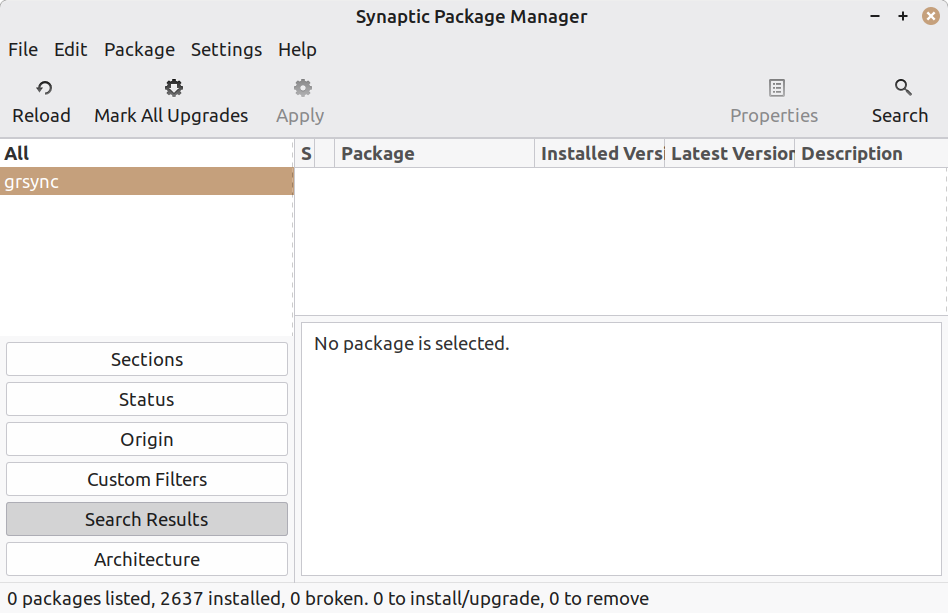
when I do that there's nothing in the right hand pane for grsync
https://auslink.info/linux/synaptic.png
grsync is in the menu and loads from the terminal
I appreciate it very much
On Tue, 12/23/2025 12:58 PM, Axel wrote:
when I do that there's nothing in the right hand pane for grsyncIn your picture, you've just done a search on
https://auslink.info/linux/synaptic.png
grsync is in the menu and loads from the terminal
I appreciate it very much
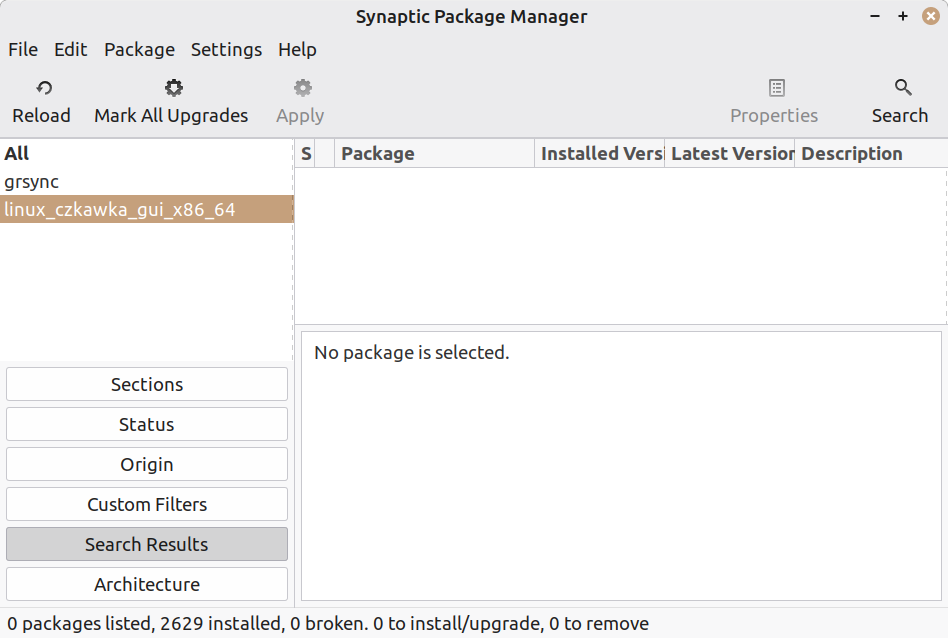
linux_czkawka_gui_x86_64
and since that is not a .deb and is a portable ELF
(not packaged properly but still usable), you don't
expect to find it.
In your picture, if you'd cursored up or used the mouse
to select the "grsync" on the left, you would get to review
the search result for that on the right. And, it would be there.
This is LMDE7.--
[Picture] LMDE7-grsync-synaptic.gif
https://imgur.com/a/96wnrhS
I can see the state of the package in the example, and it is
not installed right now.
But, the package is available.
Paul
In aus.computers Axel <none@not.here> wrote:
So the sad tale thus far. But first, some detail. This PC (specs below)Does any of that mean you tried the most obvious thing of
has LM 22.2 installed on a 1Tb NVME. It also has two mobile racks for
easy insertion and removal of HD's. The lower rack I use for the
Timeshift disk, and the upper one for the files disk, a WD 1Tb
mechanical disk formatted in Ext4. It also has two external USB cases
for additional hard drives. Following a process of trial and error, I've
discovered that the problem of file errors only occurs when I write to
the files disk in the mobile rack. I can read/write both ways NVME to
USB without errors, and read/write both ways USB to USB without errors.
connecting the "files disk" without using the rack, in case the
drive is faulty?
I can also read from the files disk to write to either USB withoutSounds like you've just narrowed the issue down to the "files disk"
errors. So my trouble shooting has been focused on the mobile rack. I
replaced it, and also the cable, and swapped the cable to another
motherboard (MB) SATA port. Since USB transfers work, and the USB boxes
have their own power supply, I thought maybe it was a power issue within
the PC. According to the newegg calculator
[https://promotions.newegg.com/tools/power-supply-calculator/v2/ ] I
need 600 -700 watts for this PC. The PS was only 550 watts so I swapped
it out with a 750 watt PS. Having said all this, I can write to the
Files disk if I transfer folders/files in small lots of up to about
10Gb, and today I tried an old 320 Gb NTFS HD in the rack, and I could
write to it without limitation. ???
itself.
Computer Nerd Kev wrote:
In aus.computers Axel <none@not.here> wrote:
So the sad tale thus far. But first, some detail. This PC (specs below)Does any of that mean you tried the most obvious thing of
has LM 22.2 installed on a 1Tb NVME. It also has two mobile racks for
easy insertion and removal of HD's. The lower rack I use for the
Timeshift disk, and the upper one for the files disk, a WD 1Tb
mechanical disk formatted in Ext4. It also has two external USB cases
for additional hard drives. Following a process of trial and error, I've >>> discovered that the problem of file errors only occurs when I write to
the files disk in the mobile rack. I can read/write both ways NVME to
USB without errors, and read/write both ways USB to USB without errors.
connecting the "files disk" without using the rack, in case the
drive is faulty?
not specifically, but the drive is new, and the problem was present with
any drive in that bay
I can also read from the files disk to write to either USB withoutSounds like you've just narrowed the issue down to the "files disk"
errors. So my trouble shooting has been focused on the mobile rack. I
replaced it, and also the cable, and swapped the cable to another
motherboard (MB) SATA port. Since USB transfers work, and the USB boxes
have their own power supply, I thought maybe it was a power issue within >>> the PC. According to the newegg calculator
[https://promotions.newegg.com/tools/power-supply-calculator/v2/ ] I
need 600 -700 watts for this PC. The PS was only 550 watts so I swapped
it out with a 750 watt PS. Having said all this, I can write to the
Files disk if I transfer folders/files in small lots of up to about
10Gb, and today I tried an old 320 Gb NTFS HD in the rack, and I could
write to it without limitation. ???
itself.
no, unfortunately
In aus.computers Axel <none@not.here> wrote:
Computer Nerd Kev wrote:C'mon you just said: "today I tried an old 320 Gb NTFS HD in the
In aus.computers Axel <none@not.here> wrote:not specifically, but the drive is new, and the problem was present with
So the sad tale thus far. But first, some detail. This PC (specs below) >>>> has LM 22.2 installed on a 1Tb NVME. It also has two mobile racks forconnecting the "files disk" without using the rack, in case the
easy insertion and removal of HD's. The lower rack I use for the
Timeshift disk, and the upper one for the files disk, a WD 1Tb
mechanical disk formatted in Ext4. It also has two external USB cases
for additional hard drives. Following a process of trial and error, I've >>>> discovered that the problem of file errors only occurs when I write to >>>> the files disk in the mobile rack. I can read/write both ways NVME to
USB without errors, and read/write both ways USB to USB without errors. >>> Does any of that mean you tried the most obvious thing of
drive is faulty?
any drive in that bay
rack, and I could write to it without limitation". Which of you do
I believe?
Unfortunately your story changes all the time...no, unfortunatelyI can also read from the files disk to write to either USB withoutSounds like you've just narrowed the issue down to the "files disk"
errors. So my trouble shooting has been focused on the mobile rack. I >>>> replaced it, and also the cable, and swapped the cable to another
motherboard (MB) SATA port. Since USB transfers work, and the USB boxes >>>> have their own power supply, I thought maybe it was a power issue within >>>> the PC. According to the newegg calculator
[https://promotions.newegg.com/tools/power-supply-calculator/v2/ ] I
need 600 -700 watts for this PC. The PS was only 550 watts so I swapped >>>> it out with a 750 watt PS. Having said all this, I can write to the
Files disk if I transfer folders/files in small lots of up to about
10Gb, and today I tried an old 320 Gb NTFS HD in the rack, and I could >>>> write to it without limitation. ???
itself.
Computer Nerd Kev wrote:
In aus.computers Axel <none@not.here> wrote:
Computer Nerd Kev wrote:C'mon you just said: "today I tried an old 320 Gb NTFS HD in the
In aus.computers Axel <none@not.here> wrote:not specifically, but the drive is new, and the problem was present
So the sad tale thus far. But first, some detail. This PC (specsDoes any of that mean you tried the most obvious thing of
below)
has LM 22.2 installed on a 1Tb NVME. It also has two mobile racks for >>>>> easy insertion and removal of HD's. The lower rack I use for the
Timeshift disk, and the upper one for the files disk, a WD 1Tb
mechanical disk formatted in Ext4. It also has two external USB cases >>>>> for additional hard drives. Following a process of trial and
error, I've
discovered that the problem of file errors only occurs when I
write to
the files disk in the mobile rack. I can read/write both ways NVME to >>>>> USB without errors, and read/write both ways USB to USB without
errors.
connecting the "files disk" without using the rack, in case the
drive is faulty?
with
any drive in that bay
rack, and I could write to it without limitation". Which of you do
I believe?
Unfortunately your story changes all the time...no, unfortunatelyI can also read from the files disk to write to either USB withoutSounds like you've just narrowed the issue down to the "files disk"
errors. So my trouble shooting has been focused on the mobile
rack.-a I
replaced it, and also the cable, and swapped the cable to another
motherboard (MB) SATA port. Since USB transfers work, and the USB
boxes
have their own power supply, I thought maybe it was a power issue
within
the PC. According to the newegg calculator
[https://promotions.newegg.com/tools/power-supply-calculator/v2/ ] I >>>>> need 600 -700 watts for this PC. The PS was only 550 watts so I
swapped
it out with a 750 watt PS. Having said all this, I can write to the
Files disk if I transfer folders/files in small lots of up to about
10Gb, and today I tried an old 320 Gb NTFS HD in the rack, and I
could
write to it without limitation. ???
itself.
no it doesn't. read the whole thread if you want the full story
Axel wrote:
Computer Nerd Kev wrote:
In aus.computers Axel <none@not.here> wrote:
Computer Nerd Kev wrote:C'mon you just said: "today I tried an old 320 Gb NTFS HD in the
In aus.computers Axel <none@not.here> wrote:not specifically, but the drive is new, and the problem was present
So the sad tale thus far. But first, some detail. This PC (specsDoes any of that mean you tried the most obvious thing of
below)
has LM 22.2 installed on a 1Tb NVME. It also has two mobile racks for >>>>>> easy insertion and removal of HD's. The lower rack I use for the
Timeshift disk, and the upper one for the files disk, a WD 1Tb
mechanical disk formatted in Ext4. It also has two external USB cases >>>>>> for additional hard drives. Following a process of trial and
error, I've
discovered that the problem of file errors only occurs when I
write to
the files disk in the mobile rack. I can read/write both ways NVME to >>>>>> USB without errors, and read/write both ways USB to USB without
errors.
connecting the "files disk" without using the rack, in case the
drive is faulty?
with
any drive in that bay
rack, and I could write to it without limitation". Which of you do
I believe?
Unfortunately your story changes all the time...no, unfortunatelyI can also read from the files disk to write to either USB without >>>>>> errors. So my trouble shooting has been focused on the mobileSounds like you've just narrowed the issue down to the "files disk"
rack. I
replaced it, and also the cable, and swapped the cable to another
motherboard (MB) SATA port. Since USB transfers work, and the USB >>>>>> boxes
have their own power supply, I thought maybe it was a power issue >>>>>> within
the PC. According to the newegg calculator
[https://promotions.newegg.com/tools/power-supply-calculator/v2/ ] I >>>>>> need 600 -700 watts for this PC. The PS was only 550 watts so I
swapped
it out with a 750 watt PS. Having said all this, I can write to the >>>>>> Files disk if I transfer folders/files in small lots of up to about >>>>>> 10Gb, and today I tried an old 320 Gb NTFS HD in the rack, and I
could
write to it without limitation. ???
itself.
no it doesn't. read the whole thread if you want the full story
or in a nutshell.. the question now is why did it write to that drive
and not others? is the size of the drive or it's software/technology relevant?
In aus.computers Axel <none@not.here> wrote:
or in a nutshell.. the question now is why did it write to that drive
and not others? is the size of the drive or it's software/technology
relevant?
Maybe that drive (or the NTFS driver) is just too slow for whatever
signal issue you have with the rack to be triggered.
I'm not sure if they still do it on new HDDs, but maybe there's a
jumper setting on the other drives to limit the speed? https://en.wikipedia.org/wiki/SATA#SATA_1.5_Gbit/s_and_SATA_3_Gbit/s
Paul wrote:
On Tue, 12/23/2025 12:58 PM, Axel wrote:
when I do that there's nothing in the right hand pane for grsyncIn your picture, you've just done a search on
https://auslink.info/linux/synaptic.png
grsync is in the menu and loads from the terminal
I appreciate it very much
-a-a-a-a linux_czkawka_gui_x86_64
and since that is not a .deb and is a portable ELF
(not packaged properly but still usable), you don't
expect to find it.
In your picture, if you'd cursored up or used the mouse
to select the "grsync" on the left, you would get to review
the search result for that on the right. And, it would be there.
I had tried firstly with grsync, as per your example. the result was the same, nothing on the right side. my mistake by not highlighting grsync for the screenshot.
https://auslink.info/linux/grsync.png
This is LMDE7.
-a-a-a [Picture]-a-a LMDE7-grsync-synaptic.gif
-a-a-a-a https://imgur.com/a/96wnrhS
I can see the state of the package in the example, and it is
not installed right now.
But, the package is available.
-a-a-a Paul
On Wed, 12/24/2025 1:41 AM, Computer Nerd Kev wrote:
In aus.computers Axel <none@not.here> wrote:
or in a nutshell.. the question now is why did it write to that drive
and not others? is the size of the drive or it's software/technology
relevant?
Maybe that drive (or the NTFS driver) is just too slow for whatever
signal issue you have with the rack to be triggered.
I'm not sure if they still do it on new HDDs, but maybe there's a
jumper setting on the other drives to limit the speed?
https://en.wikipedia.org/wiki/SATA#SATA_1.5_Gbit/s_and_SATA_3_Gbit/s
No guarantees, but maybe an
lsusb
and check the detection on the rack, would give
some idea of the controller being used.
In aus.computers Paul <nospam@needed.invalid> wrote:
On Wed, 12/24/2025 1:41 AM, Computer Nerd Kev wrote:
In aus.computers Axel <none@not.here> wrote:
or in a nutshell.. the question now is why did it write to that drive >>>> and not others? is the size of the drive or it's software/technology
relevant?
Maybe that drive (or the NTFS driver) is just too slow for whatever
signal issue you have with the rack to be triggered.
I'm not sure if they still do it on new HDDs, but maybe there's a
jumper setting on the other drives to limit the speed?
https://en.wikipedia.org/wiki/SATA#SATA_1.5_Gbit/s_and_SATA_3_Gbit/s
No guarantees, but maybe an
lsusb
and check the detection on the rack, would give
some idea of the controller being used.
He said "swapped the cable to another motherboard (MB) SATA port"
so that must mean the rack uses SATA connection/s to the
motherboard, not USB. In that case "lsusb" won't show it. If the
rack is poorly designed or an old model then maybe it introduces
too much signal noise for operating at higer data speeds. Or maybe
there's a bad connection, but he also said he replaced the rack.
Paul wrote:
On Tue, 12/23/2025 12:58 PM, Axel wrote:
when I do that there's nothing in the right hand pane for grsyncIn your picture, you've just done a search on
https://auslink.info/linux/synaptic.png
grsync is in the menu and loads from the terminal
I appreciate it very much
-a-a-a-a linux_czkawka_gui_x86_64
and since that is not a .deb and is a portable ELF
(not packaged properly but still usable), you don't
expect to find it.
In your picture, if you'd cursored up or used the mouse
to select the "grsync" on the left, you would get to review
the search result for that on the right. And, it would be there.
I had tried firstly with grsync, as per your example. the result was
the same, nothing on the right side. my mistake by not highlighting
grsync for the screenshot.
https://auslink.info/linux/grsync.png
This is LMDE7.
-a-a-a [Picture]-a-a LMDE7-grsync-synaptic.gif
-a-a-a-a https://imgur.com/a/96wnrhS
I can see the state of the package in the example, and it is
not installed right now.
But, the package is available.
-a-a-a Paul
vallor wrote:
At Fri, 19 Dec 2025 15:07:46 +1100, Felix<none@not.here> wrote:
Felix wrote:You should have a menu item for grsync...
I need to transfer/copy a LOT of files of all kinds, eg. video, audio, >>>> text, html, etc., from NTFS formatted SATA mechanical drives via a USB >>>> case to an internal SATA mechanical drive formatted in Ext4, but using >>>> Nemo the file transfer often stops with an error message 'Input/Output >>>> error'. According to Mr. Google this is a common Linux problem withdoes no one know why there is no menu item?
transferring/copying files, and due to inadequate buffering. I tried
another copy app ( File Manager PCManFM ) that seemed a bit better but >>>> still had the problem. The task is unmanageable while this problem
exists. What can I do about it? would more RAM help? I have 16 Gb
installed. The CPU is AMD Ryzen 5 5500 |u 6. and the motherboard is an >>>> Asus Prime B550M-K
Also I notice there have been replies to previous matters I have
posted about, but I've been too busy to follow up on them all, but I
intend to do so eventually.
I do. I replied to the wrong post. here is the context.. ......................................
Gordon wrote:
On 2025-12-15, Felix <none@not.here> wrote:
I'm trying to get this app to appear in the menu..Right click on the destop and choose create new launcher here... This
/home/peter/LINUX/Packages/linux_czkawka_gui_x86_64
I've tried EVERY method to do it but they don't work! I can run the app
by double clicking it, but I can't make it appear in the menu. ??
will
give you the desktop file.
I had tried that, but even tho LM says it will create a menu item, it doesn't. viz: https://auslink.info/linux/launcher.png
also, this method doesn't work either .. https://auslink.info/linux/menu2.png .......................................................................................................................................................
hence my comment "does no one know why there is no menu item?".
perhaps it has something to do with the program I am trying 'launch'?
On Wed, 12/24/2025 1:41 AM, Computer Nerd Kev wrote:
In aus.computers Axel <none@not.here> wrote:No guarantees, but maybe an
or in a nutshell.. the question now is why did it write to that driveMaybe that drive (or the NTFS driver) is just too slow for whatever
and not others? is the size of the drive or it's software/technology
relevant?
signal issue you have with the rack to be triggered.
I'm not sure if they still do it on new HDDs, but maybe there's a
jumper setting on the other drives to limit the speed?
https://en.wikipedia.org/wiki/SATA#SATA_1.5_Gbit/s_and_SATA_3_Gbit/s
lsusb
and check the detection on the rack, would give
some idea of the controller being used.
That would make it easier to quantify what the rack contains.
$ lsusb
Bus 002 Device 004: ID 045e:076c Microsoft Corp. Comfort Mouse 4500
...
Bus 006 Device 002: ID 174c:1053 ASMedia Technology Inc. USB3.0 Device
bullwinkle@Legacy:~$ sudo dmesg
[ 1.681416] scsi host8: uas
[ 1.681686] usbcore: registered new interface driver uas
[ 1.682244] scsi 8:0:0:0: Direct-Access ASMT 2105 0 PQ: 0 ANSI: 6
[ 1.683985] sd 8:0:0:0: [sdb] 15628053168 512-byte logical blocks: (8.00 TB/7.28 TiB)
[ 1.684041] sd 8:0:0:0: [sdb] 4096-byte physical blocks
[ 1.684193] sd 8:0:0:0: [sdb] Write Protect is off
[ 1.684237] sd 8:0:0:0: [sdb] Mode Sense: 43 00 00 00
[ 1.684384] sd 8:0:0:0: [sdb] Write cache: enabled, read cache: enabled, doesn't support DPO or FUA
[ 1.725872] sr 2:0:0:0: [sr0] scsi3-mmc drive: 48x/48x writer dvd-ram cd/rw xa/form2 cdda tray
[ 1.725929] cdrom: Uniform CD-ROM driver Revision: 3.20
[ 1.730920] sd 8:0:0:0: [sdb] Preferred minimum I/O size 4096 bytes
[ 1.730995] sd 8:0:0:0: [sdb] Optimal transfer size 33553920 bytes not a multiple of preferred minimum block size (4096 bytes)
[ 1.777719] sdb: sdb1 sdb2 sdb3 sdb4 sdb5
[ 1.778021] sd 8:0:0:0: [sdb] Attached SCSI disk
*******
The 174c:1053 gives:
ASMedia Technology ASM1053 SATA 3Gb/s bridge
and it is detecting some 8TB drive.
Paul
On Tue, 12/23/2025 9:13 PM, Axel wrote:
Paul wrote:I set my search to "Description and Name".
On Tue, 12/23/2025 12:58 PM, Axel wrote:I had tried firstly with grsync, as per your example. the result was the same, nothing on the right side. my mistake by not highlighting grsync for the screenshot.
when I do that there's nothing in the right hand pane for grsyncIn your picture, you've just done a search on
https://auslink.info/linux/synaptic.png
grsync is in the menu and loads from the terminal
I appreciate it very much
-a-a-a-a linux_czkawka_gui_x86_64
and since that is not a .deb and is a portable ELF
(not packaged properly but still usable), you don't
expect to find it.
In your picture, if you'd cursored up or used the mouse
to select the "grsync" on the left, you would get to review
the search result for that on the right. And, it would be there.
https://auslink.info/linux/grsync.png
This is LMDE7.
-a-a-a [Picture]-a-a LMDE7-grsync-synaptic.gif
-a-a-a-a https://imgur.com/a/96wnrhS
I can see the state of the package in the example, and it is
not installed right now.
But, the package is available.
-a-a-a Paul
*******
You can also do it from command line.
It does not require sudo.
apt search grsync
It would normally be followed by
sudo apt install grsync
Paul--
In aus.computers Paul <nospam@needed.invalid> wrote:
On Wed, 12/24/2025 1:41 AM, Computer Nerd Kev wrote:He said "swapped the cable to another motherboard (MB) SATA port"
In aus.computers Axel <none@not.here> wrote:No guarantees, but maybe an
or in a nutshell.. the question now is why did it write to that driveMaybe that drive (or the NTFS driver) is just too slow for whatever
and not others? is the size of the drive or it's software/technology
relevant?
signal issue you have with the rack to be triggered.
I'm not sure if they still do it on new HDDs, but maybe there's a
jumper setting on the other drives to limit the speed?
https://en.wikipedia.org/wiki/SATA#SATA_1.5_Gbit/s_and_SATA_3_Gbit/s
lsusb
and check the detection on the rack, would give
some idea of the controller being used.
so that must mean the rack uses SATA connection/s to the
motherboard, not USB. In that case "lsusb" won't show it. If the
rack is poorly designed or an old model then maybe it introduces
too much signal noise for operating at higer data speeds. Or maybe
there's a bad connection, but he also said he replaced the rack.
Axel wrote:
Paul wrote:
On Tue, 12/23/2025 12:58 PM, Axel wrote:
when I do that there's nothing in the right hand pane for grsyncIn your picture, you've just done a search on
https://auslink.info/linux/synaptic.png
grsync is in the menu and loads from the terminal
I appreciate it very much
-a-a-a-a linux_czkawka_gui_x86_64
and since that is not a .deb and is a portable ELF
(not packaged properly but still usable), you don't
expect to find it.
In your picture, if you'd cursored up or used the mouse
to select the "grsync" on the left, you would get to review
the search result for that on the right. And, it would be there.
I had tried firstly with grsync, as per your example. the result was the same, nothing on the right side. my mistake by not highlighting grsync for the screenshot.
https://auslink.info/linux/grsync.png
why does no package show?
Paul wrote:
On Tue, 12/23/2025 9:13 PM, Axel wrote:
Paul wrote:I set my search to "Description and Name".
On Tue, 12/23/2025 12:58 PM, Axel wrote:I had tried firstly with grsync, as per your example. the result was the same, nothing on the right side. my mistake by not highlighting grsync for the screenshot.
when I do that there's nothing in the right hand pane for grsyncIn your picture, you've just done a search on
https://auslink.info/linux/synaptic.png
grsync is in the menu and loads from the terminal
I appreciate it very much
-a-a-a-a-a linux_czkawka_gui_x86_64
and since that is not a .deb and is a portable ELF
(not packaged properly but still usable), you don't
expect to find it.
In your picture, if you'd cursored up or used the mouse
to select the "grsync" on the left, you would get to review
the search result for that on the right. And, it would be there.
https://auslink.info/linux/grsync.png
This is LMDE7.
-a-a-a-a [Picture]-a-a LMDE7-grsync-synaptic.gif
-a-a-a-a-a https://imgur.com/a/96wnrhS
I can see the state of the package in the example, and it is
not installed right now.
But, the package is available.
-a-a-a-a Paul
*******
yes, that put it in the package side :)
You can also do it from command line.
It does not require sudo.
-a-a-a apt search grsync
It would normally be followed by
-a-a-a sudo apt install grsync
peter@ASUS:~$ apt search linux_czkawka_gui_x86_64
peter@ASUS:~$ sudo apt install linux_czkawka_gui_x86_64
[sudo] password for peter:
Reading package lists... Done
Building dependency tree... Done
Reading state information... Done
E: Unable to locate package linux_czkawka_gui_x86_64
peter@ASUS:~$
???
and searching "description and name" doesn't show anything on the package side in Synaptic
| Sysop: | Amessyroom |
|---|---|
| Location: | Fayetteville, NC |
| Users: | 54 |
| Nodes: | 6 (0 / 6) |
| Uptime: | 17:44:47 |
| Calls: | 742 |
| Files: | 1,218 |
| D/L today: |
4 files (8,203K bytes) |
| Messages: | 184,414 |
| Posted today: | 1 |