• Uh-Oh!..

    From Axel@none@not.here to alt.os.linux.mint on Wed Feb 11 15:52:49 2026
    From Newsgroup: alt.os.linux.mint


    I wasn't happy with Xfce on the Laptop, so I just finished installing Cinnamon. Went to do a timeshift, but the external HD was not seen when plugged into the USB3 port, so i thought driver issue maybe. Ran Driver Manager, which showed nothing needed. Asked Google, and AI said run
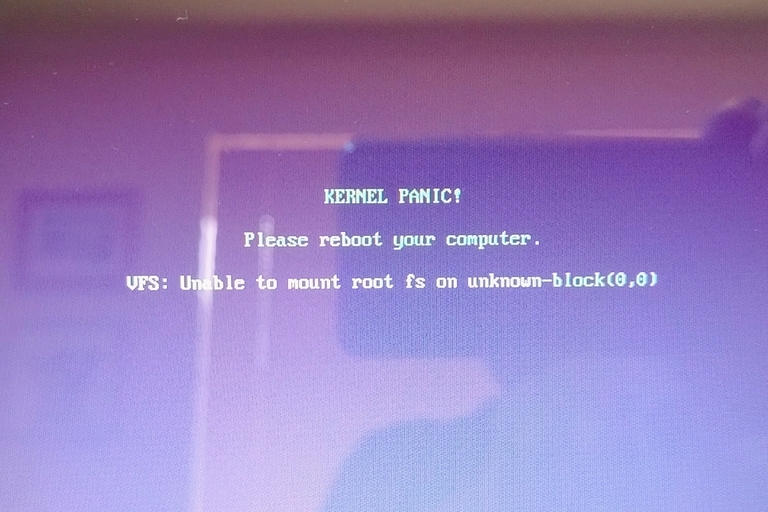
    "sudo grub-update" and reboot, which I did. It produced this..-a https://auslink.info/linux/panic.jpg -a So now any startup I'm stuck on
    that. Hoping someone can help. Worst case scenario I will have to
    reinstall LM. :(
    --
    Linux Mint 22.3

    --- Synchronet 3.21b-Linux NewsLink 1.2
  • From Lawrence =?iso-8859-13?q?D=FFOliveiro?=@ldo@nz.invalid to alt.os.linux.mint on Wed Feb 11 04:54:48 2026
    From Newsgroup: alt.os.linux.mint

    On Wed, 11 Feb 2026 15:52:49 +1100, Axel wrote:

    Asked Google, and AI said run "sudo grub-update" and reboot, which I
    did. It produced this..-a https://auslink.info/linux/panic.jpg

    Worth trying to see if SystemRescue can make any sense of it.

    Always keep a copy handy on a bootable USB stick.
    --- Synchronet 3.21b-Linux NewsLink 1.2
  • From Axel@none@not.here to alt.os.linux.mint on Wed Feb 11 16:31:31 2026
    From Newsgroup: alt.os.linux.mint

    Lawrence DrCOOliveiro wrote:
    On Wed, 11 Feb 2026 15:52:49 +1100, Axel wrote:

    Asked Google, and AI said run "sudo grub-update" and reboot, which I
    did. It produced this..-a https://auslink.info/linux/panic.jpg
    Worth trying to see if SystemRescue can make any sense of it.

    Always keep a copy handy on a bootable USB stick.

    so I downloaded the ISO and burnt it to a DVD on the main PC, and booted
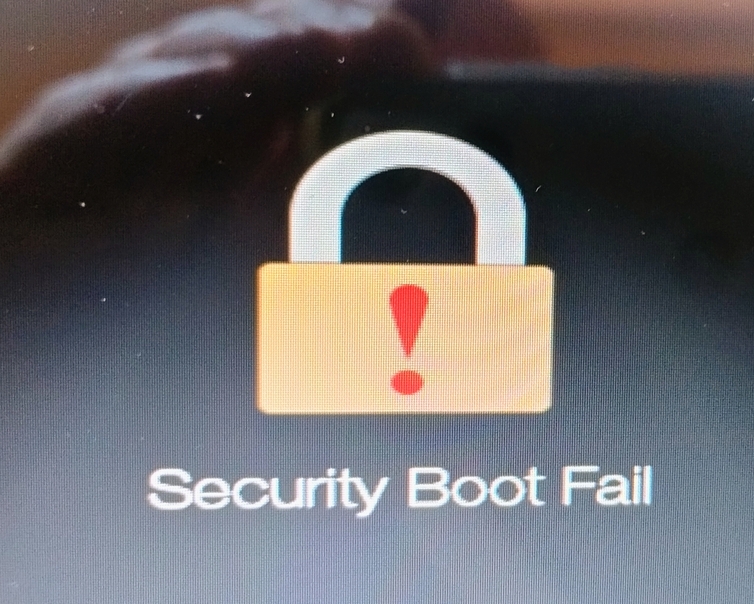
    the laptop from it, and I get this ..
    https://auslink.info/linux/security.jpg
    --
    Linux Mint 22.3

    --- Synchronet 3.21b-Linux NewsLink 1.2
  • From Paul@nospam@needed.invalid to alt.os.linux.mint on Wed Feb 11 01:17:16 2026
    From Newsgroup: alt.os.linux.mint

    On Wed, 2/11/2026 12:31 AM, Axel wrote:
    Lawrence DrCOOliveiro wrote:
    On Wed, 11 Feb 2026 15:52:49 +1100, Axel wrote:

    Asked Google, and AI said run "sudo grub-update" and reboot, which I
    did. It produced this..-a https://auslink.info/linux/panic.jpg
    Worth trying to see if SystemRescue can make any sense of it.

    Always keep a copy handy on a bootable USB stick.

    so I downloaded the ISO and burnt it to a DVD on the main PC, and booted the laptop from it, and I get this .. https://auslink.info/linux/security.jpg


    AI Overview

    A "Security Boot Fail" or "Secure Boot Violation" error usually occurs when the
    system BIOS detects unauthorized changes to the boot loader, often caused by
    UEFI updates, new hardware, or booting from an unsigned USB drive. To fix it,
    enter the BIOS (usually F2, F12, or Del at startup), disable Secure Boot in
    the Boot/Security menu, or set BIOS to UEFI mode.

    Note that Ubuntu has screwed around with the UEFI materials in the BIOS.
    I noted what looked like some certificates added to my Big Machine by a
    Ubuntu install attempt. My BIOS offered an opportunity to connect a FAT32
    USB stick and "back up" the UEFI metadata, but I had neglected to do this before Ubuntu got in there. I can't say I am too happy about silent changes
    to the machine... I have still not managed to correct this. I put the BIOS
    in some sort of recovery mode and it still didn't clean house.

    *******

    Assuming you do enough about secure boot settings to allow some media to boot, you can work on your boot problem of the original disk.

    https://askubuntu.com/questions/41930/kernel-panic-not-syncing-vfs-unable-to-mount-root-fs-on-unknown-block0-0

    "You are missing the initramfs for that kernel. Choose another kernel from the
    GRUB menu under Advanced options for Ubuntu and run

    sudo update-initramfs -u -k version

    to generate the initrd for version (replace version with the kernel version string
    such as

    4.15.0-36-generic

    ) then

    sudo update-grub

    it does have to do with the rootfs. The kernel can't mount the rootfs because it
    isn't configured correctly to do so. Instead it is assumed that the kernel will
    use an initramfs to mount the rootfs. In the days before initramfs, you had to
    configure the kernel to know a hard coded block number for the rootfs to mount,
    and this is the behavior it falls back to when it has no initramfs.
    "

    *****

    "In my situation the problem was that /boot was at 100% capacity, so the last
    2 kernel updates had not completed successfully, hence on reboot when GRUB2
    selected the latest Kernel, it failed."

    At a time like this, starting using the Install Media in a Live Session,
    gives an opportunity to examine the partitions for fullness. You don't want
    to be attempting to repair something, without space to do the repair. I'm more willing to believe this all started with a space problem, than something else.

    ****************************

    https://help.ubuntu.com/community/Boot-Repair

    https://sourceforge.net/projects/boot-repair-cd/files/

    boot-repair-disk-64bit.iso 2023-12-23 2.6 GB

    That's just the equivalent of a Live DVD plus the .ppa with the
    Boot Repair package in it. The ISO is convenient for a person with
    optical media capability, but you can also use your favorite ISO to USB
    stick utility to put that media on USB. I have both that particular
    version and a CD sized one (much older, not appropriate). So that
    tool is in my kit bag of odds and sods and I have used it, more than
    once (when lazy). I know how to chroot, as I was doing that back
    in Gentoo days.

    Sometimes, Boot Repair can do the thing itself, but just as often,
    it will tell you to open a Terminal and issue forth with text
    commands. Then, while you stare at those instructions, you think
    about whether the syntax looks reasonable, any disk identifiers
    are OK and so on.

    One of the rules of "boot repair", is ONLY the disk with the OS and
    the boot information should be present during the Repair. It does
    you no good, if the Boot Repair puts the starting materials
    on Disk 4, the OS is on Disk 1, Thursday morning you unplug
    Disk 4 and the thing gives another boot error scenario. You need
    simple setups, self contained ones, where boot materials are "next to"
    the OS. When I give you advice like this, my assumption is that the
    boot disk was *already* self contained and in perfect shape. Now
    is not the time to be introducing additional curve balls such
    as "I broke my boot" and "by the way, I never did this correctly
    in the first place". We call that a "double fault"! And that
    requires more cleverness and extra shoveling to escape.

    From your Live Media, make sure you have enough space before you
    start the repair. Make sure. We don't want to turn this into a
    clown show, where you ask GOogle and it tells you to reinstall the OS :-)

    Paul
    --- Synchronet 3.21b-Linux NewsLink 1.2
  • From Axel@none@not.here to alt.os.linux.mint on Thu Feb 12 16:08:42 2026
    From Newsgroup: alt.os.linux.mint

    Paul wrote:
    On Wed, 2/11/2026 12:31 AM, Axel wrote:
    Lawrence DrCOOliveiro wrote:
    On Wed, 11 Feb 2026 15:52:49 +1100, Axel wrote:

    Asked Google, and AI said run "sudo grub-update" and reboot, which I
    did. It produced this..-a https://auslink.info/linux/panic.jpg
    Worth trying to see if SystemRescue can make any sense of it.

    Always keep a copy handy on a bootable USB stick.
    so I downloaded the ISO and burnt it to a DVD on the main PC, and booted the laptop from it, and I get this .. https://auslink.info/linux/security.jpg

    AI Overview

    A "Security Boot Fail" or "Secure Boot Violation" error usually occurs when the
    system BIOS detects unauthorized changes to the boot loader, often caused by
    UEFI updates, new hardware, or booting from an unsigned USB drive. To fix it,
    enter the BIOS (usually F2, F12, or Del at startup), disable Secure Boot in
    the Boot/Security menu, or set BIOS to UEFI mode.

    Note that Ubuntu has screwed around with the UEFI materials in the BIOS.
    I noted what looked like some certificates added to my Big Machine by a Ubuntu install attempt. My BIOS offered an opportunity to connect a FAT32
    USB stick and "back up" the UEFI metadata, but I had neglected to do this before Ubuntu got in there. I can't say I am too happy about silent changes to the machine... I have still not managed to correct this. I put the BIOS
    in some sort of recovery mode and it still didn't clean house.

    *******

    Assuming you do enough about secure boot settings to allow some media to boot,
    you can work on your boot problem of the original disk.

    https://askubuntu.com/questions/41930/kernel-panic-not-syncing-vfs-unable-to-mount-root-fs-on-unknown-block0-0

    "You are missing the initramfs for that kernel. Choose another kernel from the
    GRUB menu under Advanced options for Ubuntu and run

    sudo update-initramfs -u -k version

    to generate the initrd for version (replace version with the kernel version string
    such as

    4.15.0-36-generic

    ) then

    sudo update-grub

    it does have to do with the rootfs. The kernel can't mount the rootfs because it
    isn't configured correctly to do so. Instead it is assumed that the kernel will
    use an initramfs to mount the rootfs. In the days before initramfs, you had to
    configure the kernel to know a hard coded block number for the rootfs to mount,
    and this is the behavior it falls back to when it has no initramfs.
    "

    *****

    "In my situation the problem was that /boot was at 100% capacity, so the last
    2 kernel updates had not completed successfully, hence on reboot when GRUB2
    selected the latest Kernel, it failed."

    At a time like this, starting using the Install Media in a Live Session, gives an opportunity to examine the partitions for fullness. You don't want to be attempting to repair something, without space to do the repair. I'm more
    willing to believe this all started with a space problem, than something else.

    ****************************

    https://help.ubuntu.com/community/Boot-Repair

    https://sourceforge.net/projects/boot-repair-cd/files/

    boot-repair-disk-64bit.iso 2023-12-23 2.6 GB

    That's just the equivalent of a Live DVD plus the .ppa with the
    Boot Repair package in it. The ISO is convenient for a person with
    optical media capability, but you can also use your favorite ISO to USB
    stick utility to put that media on USB. I have both that particular
    version and a CD sized one (much older, not appropriate). So that
    tool is in my kit bag of odds and sods and I have used it, more than
    once (when lazy). I know how to chroot, as I was doing that back
    in Gentoo days.

    Sometimes, Boot Repair can do the thing itself, but just as often,
    it will tell you to open a Terminal and issue forth with text
    commands. Then, while you stare at those instructions, you think
    about whether the syntax looks reasonable, any disk identifiers
    are OK and so on.

    One of the rules of "boot repair", is ONLY the disk with the OS and
    the boot information should be present during the Repair. It does
    you no good, if the Boot Repair puts the starting materials
    on Disk 4, the OS is on Disk 1, Thursday morning you unplug
    Disk 4 and the thing gives another boot error scenario. You need
    simple setups, self contained ones, where boot materials are "next to"
    the OS. When I give you advice like this, my assumption is that the
    boot disk was *already* self contained and in perfect shape. Now
    is not the time to be introducing additional curve balls such
    as "I broke my boot" and "by the way, I never did this correctly
    in the first place". We call that a "double fault"! And that
    requires more cleverness and extra shoveling to escape.

    From your Live Media, make sure you have enough space before you
    start the repair. Make sure. We don't want to turn this into a
    clown show, where you ask GOogle and it tells you to reinstall the OS :-)

    I had already started a fresh install before i saw your comprehensive
    post, thank you. it seemed the best option to avoid a possibly corrupted system. thankfully all is working well now. btw.. this laptop has the
    most rudimentary BIOS I have ever seen. there are very few settings, and
    most cannot be changed. It has UEFI with secure boot, but there's no way
    to disable SB.


    Paul
    --
    Linux Mint 22.3

    --- Synchronet 3.21b-Linux NewsLink 1.2
  • From Paul@nospam@needed.invalid to alt.os.linux.mint on Thu Feb 12 01:10:36 2026
    From Newsgroup: alt.os.linux.mint

    On Thu, 2/12/2026 12:08 AM, Axel wrote:

    I had already started a fresh install before i saw your comprehensive post, thank you. it seemed the best option to avoid a possibly corrupted system. thankfully all is working well now. btw.. this laptop has the most rudimentary BIOS I have ever seen. there are very few settings, and
    most cannot be changed. It has UEFI with secure boot, but there's no way to disable SB.

    This is the era I feared. We were promised what is basically "optionless" machines for the year 2026 or so, removing the ability to turn off Secure Boot and the ability to do Legacy Boot.

    That's going to cause a lot of problems, and your example is just the beginning.

    The thing is, if the scheme was "perfect", I can see this transition
    making sense. But the scheme is far from perfect, holes galore to fall
    in, and why limit the escape hatches on a thing which is a mess ?

    There is one less reason to buy a new computer.

    Take my 11 year old computer. The kids can't break it. No MOK. No
    Secure Boot materials. Ability to boot from Legacy media and UEFI media.
    Will be able to run its copies of W10 and W11 past June 2026 (when
    one of the keys on the other machine expire). Right now, that's my most defensively designed computer in the room. 11 years old. If a boot
    breaks on a Linux there, I can fix it. Whereas a 3 year old machine
    that Ubuntu injected two certificates into, I can't get them out!
    Even in recovery mode for the materials.

    Paul
    --- Synchronet 3.21b-Linux NewsLink 1.2
  • From yossarian@alt.os.linux.mint on Thu Feb 12 09:43:23 2026
    From Newsgroup: alt.os.linux.mint

    On Thu, 12 Feb 2026 16:08:42 +1100
    Axel <none@not.here> wrote:

    Paul wrote:
    On Wed, 2/11/2026 12:31 AM, Axel wrote:
    [...]
    [...]
    [...]
    [...]
    [...]
    [...]

    I had already started a fresh install before i saw your comprehensive
    post, thank you. it seemed the best option to avoid a possibly corrupted system. thankfully all is working well now. btw.. this laptop has the
    most rudimentary BIOS I have ever seen. there are very few settings, and most cannot be changed. It has UEFI with secure boot, but there's no way
    to disable SB.

    WHY you don't snip unrelated text from your message like Paul is doing?
    It make reading so much easier.
    --
    Linux Mint 22.2 kernel version 6.14.0-36-generic Cinnamon 6.4.8 AMD
    Ryzen 7 5700G, Radeon RX9060XT, 32GB of DRAM.

    --- Synchronet 3.21b-Linux NewsLink 1.2
  • From Kerr-Mudd, John@admin@127.0.0.1 to alt.os.linux.mint on Thu Feb 12 10:03:32 2026
    From Newsgroup: alt.os.linux.mint

    On Thu, 12 Feb 2026 01:10:36 -0500
    Paul <nospam@needed.invalid> wrote:

    On Thu, 2/12/2026 12:08 AM, Axel wrote:

    I had already started a fresh install before i saw your comprehensive post,
    thank you. it seemed the best option to avoid a possibly corrupted system. thankfully all is working well now. btw.. this laptop has the most rudimentary BIOS I have ever seen. there are very few settings, and
    most cannot be changed. It has UEFI with secure boot, but there's no way to disable SB.

    This is the era I feared. We were promised what is basically "optionless" machines for the year 2026 or so, removing the ability to turn off Secure Boot
    and the ability to do Legacy Boot.

    That's going to cause a lot of problems, and your example is just the beginning.

    The thing is, if the scheme was "perfect", I can see this transition
    making sense. But the scheme is far from perfect, holes galore to fall
    in, and why limit the escape hatches on a thing which is a mess ?

    There is one less reason to buy a new computer.

    Take my 11 year old computer. The kids can't break it. No MOK. No
    Secure Boot materials. Ability to boot from Legacy media and UEFI media.
    Will be able to run its copies of W10 and W11 past June 2026 (when
    one of the keys on the other machine expire). Right now, that's my most defensively designed computer in the room. 11 years old. If a boot
    breaks on a Linux there, I can fix it. Whereas a 3 year old machine
    that Ubuntu injected two certificates into, I can't get them out!
    Even in recovery mode for the materials.

    Very worrying.
    --
    Bah, and indeed Humbug.
    --- Synchronet 3.21b-Linux NewsLink 1.2
  • From Alan K.@alan@invalid.com to alt.os.linux.mint on Thu Feb 12 07:32:28 2026
    From Newsgroup: alt.os.linux.mint

    On 2/12/26 1:10 AM, Paul wrote:
    On Thu, 2/12/2026 12:08 AM, Axel wrote:

    I had already started a fresh install before i saw your comprehensive post, >> thank you. it seemed the best option to avoid a possibly corrupted system. >> thankfully all is working well now. btw.. this laptop has the most
    rudimentary BIOS I have ever seen. there are very few settings, and
    most cannot be changed. It has UEFI with secure boot, but there's no way to disable SB.

    This is the era I feared. We were promised what is basically "optionless" machines for the year 2026 or so, removing the ability to turn off Secure Boot
    and the ability to do Legacy Boot.

    That's going to cause a lot of problems, and your example is just the beginning.

    The thing is, if the scheme was "perfect", I can see this transition
    making sense. But the scheme is far from perfect, holes galore to fall
    in, and why limit the escape hatches on a thing which is a mess ?

    There is one less reason to buy a new computer.

    Take my 11 year old computer. The kids can't break it. No MOK. No
    Secure Boot materials. Ability to boot from Legacy media and UEFI media.
    Will be able to run its copies of W10 and W11 past June 2026 (when
    one of the keys on the other machine expire). Right now, that's my most defensively designed computer in the room. 11 years old. If a boot
    breaks on a Linux there, I can fix it. Whereas a 3 year old machine
    that Ubuntu injected two certificates into, I can't get them out!
    Even in recovery mode for the materials.

    Paul
    I would bet money you know this but, even efibootmgr won't allow you to remove those boot
    names on that one problematic PC? Or is the issue more that what that command fixes?
    --
    Linux Mint 22.3, Mozilla Thunderbird 140.7.1esr, Mozilla Firefox 147.0.3
    Alan K.
    --- Synchronet 3.21b-Linux NewsLink 1.2
  • From Paul@nospam@needed.invalid to alt.os.linux.mint on Thu Feb 12 10:19:06 2026
    From Newsgroup: alt.os.linux.mint

    On Thu, 2/12/2026 7:32 AM, Alan K. wrote:

    I would bet money you know this but, even efibootmgr won't allow you to remove those boot names on that one problematic PC?-a-a Or is the issue
    more that what that command fixes?

    OK, first let us review the objective.

    The objective is to get PCA 2023 to install (which is needed by *both* Windows and Linux,
    as the Linux shim will switch over to signing via PCA 2023 as well). The Microsoft software
    thinks it is installing a certificate, to replace an expiring one (PCA 2011 or so). A lot
    of existing Linux shims are signed with PCA2011). While the plan is to install PCA2023
    and remove PCA2011, I'm not in a rush to remove the old one (even though that may
    compromise security).

    Now, I would not care, that Ubuntu has injected something of its own.
    Except the Big Machine I am using as a Secure Boot Test Donkey, is now
    *stuck* and with the paucity of tools, I don't really know why.

    I can see two what might be Canonical certificates, with similar sounding names,
    implying these *might* have something to do with the certificate structure. By backing up the four files (to be described below) and by using a hex editor, I can see materials which are not present on another AMD machine with four files.

    On the Big Machine in question, the Microsoft software is unable to install
    the PCA 2023 materials. I believe I have tried a recipe, where you back up the PK,
    delete the PK, which "relaxes" Secure Boot, boot into Windows, try to do the update,
    nothing good happens, put the PK file back, the conditions previously present are
    back again.

    Two things are possible. The BIOS is brain dead. It's an Asus motherboard.
    But even when Recovery Mode was used (which takes the permissions *off*
    that stuff), the Microsoft software is *still* unable to make headway.

    If I use E18592 ROG STRIX B550F GAMING WI-FI II manual, the manual described the
    area I am working, this way:

    ******* Copied BIOS Manual content (a BIOS common to a set of similar Asus AMD motherboards) *******

    Key Management

    Clear Secure Boot keys

    This item appears only when you load the default Secure Boot keys.
    This item allows you to clear all default Secure Boot keys.

    Save all Secure Boot variables <=== on my USB stick somewhere

    This item allows you to save all the Secure Boot keys to a USB storage device.

    PK Management

    The Platform Key (PK) locks and secures the firmware from any permissible changes.
    The system verifies the PK before your system enters the OS.

    Save to file
    Set New key (downloaded PK from a USB storage device)
    Delete key (delete the PK from your system -- the system's Secure Boot keys will not be active)

    KEK Management

    The Key Exchange Keys (KEK) manages the Signature database (db) and Forbidden Signature database (dbx).
    Key Exchange Keys (KEK) refers to Microsoft Secure Boot Key-Enrollment Key (KEK).

    Save to file
    Set New key (downloaded KEK from a USB storage device)
    Append Key (load the additional KEK from a storage device for additional db and dbx management)
    Delete key

    The KEK file must be formatted as a UEFI variable structure with time-based authenticated variable.

    DB Management

    The Authorized Signatures (db) lists the signers or images of UEFI applications,
    operating system loaders, and UEFI drivers that you can load on the single computer.

    Save to file
    Set New key (downloaded db from a USB storage device)
    Append Key (load the additional db from a storage device for an additional db and dbx loaded management)
    Delete key (allows you to delete the db file from your system)

    The db file must be formatted as a UEFI variable structure with time-based authenticated variable.

    DBX Management

    The Forbidden Signature database (dbx) lists the forbidden images of db items
    that are no longer trusted and cannot be loaded.

    Save to file (save the dbx to a USB storage device)
    Set New key (downloaded dbx from a USB storage device)
    Append Key (load the additional dbx from a storage device for an additional db and dbx loaded management)
    Delete key (allows you to delete the dbx file from your system)

    The dbx file must be formatted as a UEFI variable structure with time-based authenticated variable.

    ******* End BIOS Manual content Asus AMD motherboard *******

    Without the tools (so I can stop using a Hex Editor), it's pretty hard
    to figure out what is what in there. I need a tool that can parse the
    four files, and print out text titles for them. So I can see what
    the Canonical ones claim to be.

    My mistake (and others can benefit from this), is NOT backing up these four files of keys at BIOS level, when the board was new. I had NO IDEA you could back up the keys to a USB stick, at BIOS level. The backup I have, merely allows me to experiment and trash the key storage, then put it back... in
    its broken state. Flashing a BIOS doesn't do anything for you (I upgraded
    the BIOS to no effect). And it's just as likely any "Clear" function, will leave dick in there, and then I'm really screwed. Absolutely none of the documentation has a stance of "understanding what it documents".

    *******

    THIS is what owners of year 2026 computers are facing. They will be given PCs with
    Secure Boot enabled, no disable, all the OSes installed will install in
    Secure Boot mode, one dick of an OS will fuck around in the key store,
    the key store will be ruined, the offending company will pretend it
    doesn't know what it's doing and... well, write yourself a sad story.

    I don't think flashing the BIOS, re-populates the key store, which is in
    the NVRAM area with the boot paths. There may be some NVRAM management somewhere,
    but I haven't run into it. 4MB is typically set aside for boot paths -- sometimes
    the BIOS seems to "consolidate" some of the materials (the popup boot menu
    may be "different" from one boot to the next). The NVRAM is an area of the NOR flash
    chip, rather than being some part of the 256 byte CMOS RAM (CR2032 powered).

    Success criterion:

    All test OSes (Linux on SSD#11 and Windows on another SSD) boot without
    the UEFI messages indicating anything is broken. You must record the
    screen with a video camera, to capture the necessary success messages.
    The Break key does not stop the screen during UEFI "ceremonies" like it
    would have on a Legacy BIOS.

    Paul
    --- Synchronet 3.21b-Linux NewsLink 1.2